4
rear panel
connections
1ower inlet
Before making any connection, check that the
mains voltage setting printed on the rear
panel is the same as your local mains supply.
Plug the female (socket) end of one of the
power cords supplied into the power inlet on
the rear of each component. Plug the male
(plug) end of each cord into a “live” wall
socket or a suitable heavy duty extension
cable.
UK version: The mains plug is supplied fitted
with a 5A fuse. It should only be replaced
with a fuse of the same rating (5A) which
complies with BS1362.
2ower switch
Press one side of this rocker switch (the side
nearer the edge of the rear panel) to switch
the amplifier ON and the other side to switch
it OFF. When the POWER switch is in the
OFF position all power is disconnected from
the amplifier and it cannot be powered up
from the front panel or the remote control.
When the POWER switch is in the ON
position (and the power cord correctly
inserted and plugged in to a live wall socket)
the amplifier will power up in standby mode
(see FRONT PANEL CONTROLS, STANDBY,
page 5).
It is recommended that the POWER switch is
turned OFF if the amplifier is not going to be
used for an extended period of time.
3My-Link input/output
When the Z14 or Z16 is used in a system
with other Z-Series (or Myryad M-Series, or
Cameo) products, all may be joined together
via My-Link. The My-Link is a commu-
nications bus that allows all the linked
components to operate together as a system
and distributes the remote commands
received by any one to each of the others. The
simplest function provided by the My-Link
bus is that all linked units will switch into or
out of standby mode when the integrated
amplifier or remote control standby key is
pressed.
Use a short RCA-to-RCA (phono-to-phono)
interconnect cable to connect from the MY-
LINK OUT socket on the amplifier to the
MY-LINK IN socket on the CD player and a
second cable from the MY-LINK OUT socket
on the CD player to the MY-LINK IN socket
on the tuner. Further Myryad Z-Series (e.g
Z16 ), Cameo or M-Series products can be
linked in the same way, running from the
MY-LINK OUT socket on the tuner.
Inexpensive interconnects may be used as the
Smart My-Link bus carries only control
signals, not audio, so these cables have no
effect on sound quality.
When Z-Series units are connected via the
Smart My-Link bus many more powerful
system features are available (see page 7).
4Loudspeaker outputs
The loudspeaker outputs are capable of
driving all loudspeakers with rated
impedances in the range 4Ω to 16Ω. The
loudspeaker terminals are high–current
binding–posts, coded red or black. The ter-
minals on the left side of the amplifier
(viewed from the front) and marked “L”
should be wired to the left –hand
loudspeaker. Those on the right, marked “R”,
should be wired to the right-hand
loudspeaker.
For correct stereo imaging it is important that
the two loudspeakers are wired “in phase”. To
ensure correct phasing wire the black (–)
terminal on the amplifier to the black or “–”
terminal on the loudspeaker. The red (+)
terminal on the amplifier should be wired to
the red or “+” terminal on the loudspeaker.
The loudspeakers should be positioned as
recommended by the loudspeaker
manufacturer. The two loudspeakers should
always be placed at equal distances from the
main listening position and usually spaced a
similar distance apart. It is generally best to
keep the loudspeakers away from room
corners and many loudspeakers work best
away from all walls.
5Bi-amp output (Z140)
Many loudspeakers today are made so that
the bass and treble sections can be separated
and fed from two sets of speaker cables. This
is known as “bi-wiring” and can yield a
significant improvement in sound quality. A
further sound quality gain may be made by
“bi-amplifying” the loudspeaker – using two
separate power amplifiers to drive the bass
and treble sections.
The Z14 makes provision for this with its
“BI-AMP” output, which can be used to feed
a separate Myryad Power Amplifier. The
Z14 ’s loudspeaker outputs should be
connected to the bass sections of the
loudspeakers (left and right) while the
separate power amplifier drives the treble. The
diagram on page 7 illustrates bi-amp
connection.
6 Tape 1 input/output (Z140)
These connectors are suited to any type of
tape recorder, including high-quality “3-
head” types which allow you to monitor the
signal off the tape whilst it is being recorded.
Connect a stereo cable from the TAPE 1 REC
output sockets of the amplifier to the LINE IN
or RECORD IN sockets on your tape deck.
Connect a second stereo cable from the TAPE
1 PLAY input sockets of the amplifier to the
LINE OUT or PLAY OUT sockets on your tape
deck.
Any source selected for listening on the
amplifier will automatically be fed to the
TAPE 1 REC output sockets for recording. If
the TAPE 2 input is selected then tape copies
may be made from TAPE 2 to TAPE 1. It is
NOT possible to copy from TAPE 1 to TAPE 2.
7Tape 2 input/output (Z140)
These connectors are suited to any type of
tape recorder, but “off-tape” monitoring is
not possible using TAPE 2. The wiring from
TAPE 2 to your tape deck is identical to the
TAPE 1 wiring described above.
Any source selected for listening, except TAPE
1, will automatically be fed to the TAPE 2
REC output sockets for recording. It is NOT
possible to record from TAPE 1 to TAPE 2.
8CD input (Z140)
Connect the audio output cables from a CD
player to these sockets. If you do not have a
CD player then any other line level source
may be connected to this input.
NOTE:THIS IN UT IS FOR AN AUDIO SIGNAL,
NOT FOR THE DIGITAL OUT UT FROM YOUR
LAYER.
9DVD input (Z140)
Connect the audio signal output cables from
a DVD player to these sockets. Use the
outputs marked L and R or LF and RF (if the
player has a built-in 5.1 channel decoder).
Alternatively, any other line level source may
be connected to this input.
NOTE:THIS IN UT IS FOR AN AUDIO SIGNAL,
NOT FOR THE DIGITAL OUT UT FROM YOUR
LAYER.
10 Tuner input (Z140)
Connect the audio output cables from a radio
tuner to these sockets. If you do not have a
tuner then any other line level source may be
connected to this input.
5
11 hono/Aux switch (Z140)
This switch is used to select between the
PHONO and AUX inputs described below.
With the switch released (button protruding)
the signals from a record player connected to
the PHONO input will be heard when the
PHONO input is selected via the front panel
switch or remote control. When the switch is
pressed in, signals from the AUX input will be
heard when PHONO is selected.
Sources can be left permanently connected to
both the PHONO and AUX inputs and the
PHONO/AUX switch used to select between
them if desired.
12 AUX input (Z140)
The audio output from any line level source
may be connected to this input.
13 hono input (Z140)
Connect the audio output cables from a
record player to these sockets. The input is
designed for use with moving-magnet or
“high-output” moving-coil phono cartridges.
Consult your dealer if you are in any doubt
what type of phono cartridge you have.
14 Ground terminal (Z140)
This terminal (marked GND) is provided for
grounding a record player connected to the
PHONO input. Some record players do not
have a separate ground wire, in which case
make no connection to this terminal.
15 Line input (Z160)
The line inputs may be connected to the line
outputs of any quality preamplifier, or to the
bi-amp outputs of an integrated amplifier
such as the Myryad Z14 .
16 Line output (Z160)
The line outputs are directly connected to the
line inputs, without buffering. The line
outputs allow further power amps to be
“daisy-chained” so more complex systems
may be built.
front panel
controls
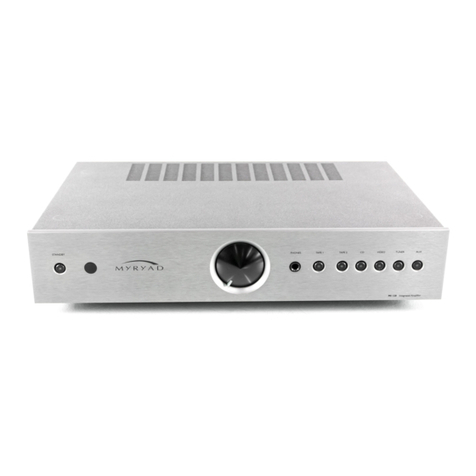
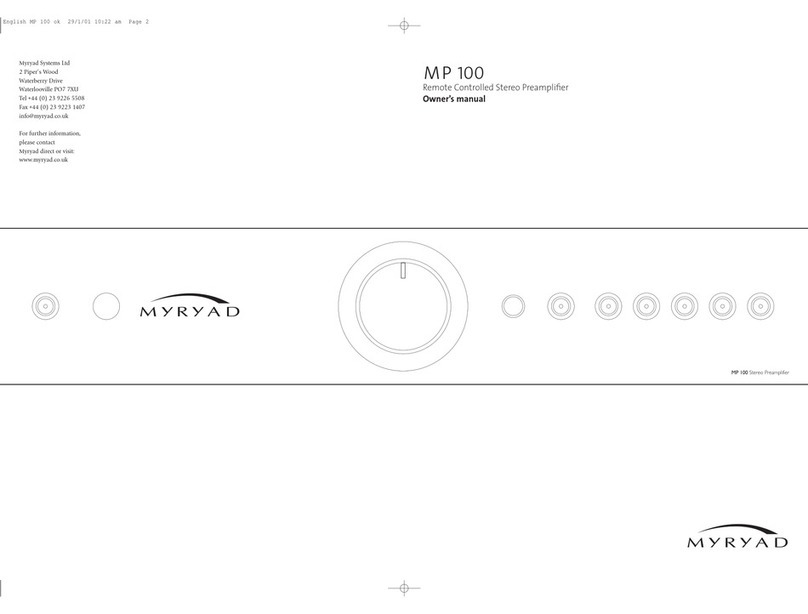
1 Standby
When amplifier is plugged into a live wall
socket and the POWER switch is turned ON,
it will power up in “standby” mode and the
LED (Light Emitting Diode) by the STANDBY
button will glow red. In this mode the
internal circuitry is powered up, but disabled
so that it consumes very little power and the
loudspeaker outputs are muted by a relay.
When the STANDBY button is pressed the
circuitry is activated and, after a few seconds
delay, the audio outputs will be enabled.
During this delay period while the internal
circuitry is settling the STANDBY LED will
flash green. When the outputs are de-muted it
will glow green continuously. When the
STANDBY button is pressed again the
amplifier will be returned to standby mode,
the STANDBY LED will glow red again and all
other LEDs and displays will be extinguished.
When the Z14 is switched out of standby,
the input used last is automatically selected
and, after a few seconds settling delay, the
loudspeaker outputs will be connected. When
first switched out of standby after POWER
ON, the CD input will be selected by default.
CAUTION:WHEN IN STANDBY MODE THE
INTERNAL CIRCUITRY IS STILL LIVE, SO ALL
SAFETY RECAUTIONS MUST BE FOLLOWED.
2 Infra-red receiver (Z140)
The infra-red (IR) remote control receiver is
mounted behind this window in the position
indicated. It must therefore not be obscured
when the component is to be operated using
the remote control handset. Where possible it
is best to arrange that the IR window is in
“line-of-sight” of the remote handset. When
components are connected via the My-Link
bus, only one needs to receive the IR com-
mand signals in order to control any of the
linked units.
3 Volume control (Z140)
The volume control adjusts the sound level
for both loudspeakers and headphones. It
does not affect the signals fed to the TAPE 1
and TAPE 2 REC sockets so it can safely be
adjusted whilst making a recording.
When the MUTE mode is engaged using the
remote control, the STANDBY LED will flash
repeatedly to indicate this condition. Always
press MUTE on the remote handset again to
disengage MUTE before advancing the
volume control setting.
4 Headphone socket (Z140)
The headphones socket will accept a standard
3.5mm stereo jack plug or adapter. All types
of headphones of any impedance may be
used, with one exception: electrostatic
headphones are usually supplied with an
adapter unit which must be connected
directly to the loudspeaker terminals.
Insertion of a plug into the headphones
socket automatically disconnects the
loudspeakers, silencing them. In order to
resume listening to loudspeakers you must
unplug the headphones from this socket. The
headphones output is not muted when
switching in and out of STANDBY mode, so it
is recommended that headphones are
unplugged from the amplifier before
switching to standby mode and plugged in
again after switch-on.
5 Tape 1 (Monitor) (Z140)
When you press the TAPE 1 button you can
hear the output signal from a tape deck
connected to the TAPE 1 PLAY sockets on the
rear panel. This is a “toggle” function switch:
you press it once to engage and press again to
disengage. The green LED next to the TAPE 1
button illuminates to indicate that TAPE 1 is
engaged.
Pressing the TAPE 1 button has no effect on
any other input selected. The signal source
selected by the SOURCE button will be fed to
the TAPE 1 REC output sockets, irrespective
of whether the TAPE 1 button is engaged or
not. Thus, if you have a “three-head” tape
deck that permits off-tape monitoring you
can use the TAPE 1 button to switch back
and forth between the source signal and the
off-tape signal, to check its quality, whilst the
recording is in progress.
NOTE: IF THE TA E 1BUTTON IS ENGAGED
WITH NO SIGNAL SOURCE CONNECTED TO
THE TA E 1 LAY SOCKETS, OR WITH NO
TA E RUNNING, THEN YOU WILL HEAR ONLY
SILENCE, REGARDLESS OF THE SETTINGS OF
ANY OF THE OTHER CONTROLS.
6 Source select button and LEDs
(Tape 2, CD, DVD, Tuner and hono
inputs) (Z140)
The SOURCE select button is used to choose
which of the signal sources you want to
listen to (apart from TAPE 1 – see above). The
chosen signal source is indicated by one of
the green LEDs to the left of the source select
button. When the button is pressed the next
source is chosen, moving left to right (TAPE 2
ÆCD ÆDVD ÆTUNER ÆPHONO). If the
button is pressed with PHONO selected the
TAPE 2 input is selected next.
Whichever source is selected will be sent both
to the loudspeakers and to the TAPE 1 REC
and TAPE 2 REC output sockets for recording.
The only exception is TAPE 2 which will not be
fed to the TAPE 2 REC output sockets as this
could cause dangerous oscillation. Recordings
may be made from TAPE 2 to TAPE 1, but not
from TAPE 1 to TAPE 2.