NAB EFTPOS Mobile Terminal Guide – Version 0.9 3
TABLE OF CONTENTS
Getting to know your NAB EFTPOS terminal 6
Contactless – Tap & Go 8
Understanding your NAB EFTPOS Mobile terminal Integrated with your POS 9
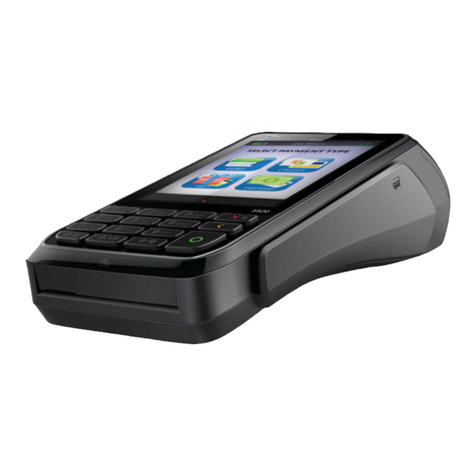
Understanding your NAB EFTPOS Mobile terminal 10
NAB EFTPOS Mobile Multi-Merchant Terminals 11
NAB EFTPOS Mobile Sale – Tap 12
NAB EFTPOS Mobile Sale – Insert/Swipe Using PIN 14
NAB EFTPOS Mobile Sale – Insert/Swipe Using Signature 16
NAB EFTPOS Mobile Sale with Cash-Out 19
NAB EFTPOS Mobile Sale with Tip 22
NAB EFTPOS Mobile Cash-Out Only 25
NAB EFTPOS Mobile Refunds 28
NAB EFTPOS Mobile Review Details of the Last Transaction 31
NAB EFTPOS Mobile Re-print Receipt for the Last Transaction 33
NAB EFTPOS Mobile Re-print Receipt for Past Transactions with Invoice Number 34
NAB EFTPOS Mobile Print Transaction Listing 36
NAB EFTPOS Mobile Print Settlement Totals – Pre-Settlement 37
NAB EFTPOS Mobile Print Settlement Totals – Last Settlement 39
NAB EFTPOS Mobile Manual Settlement 40
NAB EFTPOS Mobile Pre-Authorisation 42
NAB EFTPOS Mobile Pre-Authorisation Completion - Visa & Mastercard 45
NAB EFTPOS Mobile Pre-Authorisation Adjust - Visa & Mastercard 50
NAB EFTPOS Mobile Pre-Authorisation Cancel - Visa & Mastercard 55
NAB EFTPOS Mobile Pre-Authorisation - UPI, JCB, Diners & Amex 58
NAB EFTPOS Mobile Pre-Authorisation Completion - UPI, JCB, Diners & Amex 61
NAB EFTPOS Mobile Pre-Authorisation Completion Cancel - UPI only 65
NAB EFTPOS Mobile Pre-Authorisation Cancel - UPI only 68
NAB EFTPOS Mobile Account Verify 72
NAB EFTPOS Mobile MOTO 74
NAB EFTPOS Mobile Manual Key Entry 77
NAB EFTPOS Mobile Void Last 80
Configuration on the NAB EFTPOS Mobile terminal 82
NAB EFTPOS Mobile Automatic Settlement Time Set-up 83
NAB EFTPOS Mobile Transaction Listing Printout 85
NAB EFTPOS Mobile Transaction Listing Printout – Turn Prompt On 86
NAB EFTPOS Mobile Transaction Listing Printout – Turn Prompt Off 87
NAB EFTPOS Mobile Start Shift 88
NAB EFTPOS Mobile End Shift 89
NAB EFTPOS Mobile Print Current Shift Totals 92
NAB EFTPOS Transaction Failed 93
NAB EFTPOS Mobile Surcharge 95
NAB EFTPOS Mobile Surcharge – Turn On/Off 96
NAB EFTPOS Mobile Surcharge – Card Acceptance Set-up 97
NAB EFTPOS Mobile Change Merchant Password 100
NAB EFTPOS Mobile Manual Key Entry Password Setup 102
Communication Options 104
Requirements for Different Communication Options On NAB Eftpos Mobile Terminals 105
Switch to a Different Communication Option 106
Pair the Terminal And Base For Bluetooth 107
Set Up the Terminal For Dial Up Communication 114
Set Up the Terminal For Broadband Internet Via Ethernet Communication 115
Set Up The Terminal For Broadband Internet Via Wi Fi Communication 116
Additional PINPad Functions 119
Stationery Order (Ordering Receipt Rolls) 120
Changing the Receipt Roll 121
Common Error Messages 122
Enable Auto-Comms Fallback 123
Merchant Choice Routing (MCR) 127
Electronic Fallback Procedure 128
Manual Card Transaction Processing 129
Termination of EFTPOS Merchant Service 130