Step-by-Step Instructions for Using the Auto-iQ™Programs
Auto-iQ Recipes:
Please reference your cookbook for detailed ingredients, directions, and
recipe numbers. Place the cooking pot into the main housing of the unit.
Then plug in the unit and turn it on.
• Quick Meals
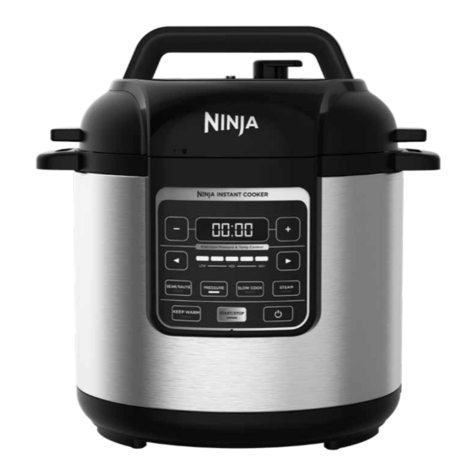
1 Place the cooking pot into the unit’s main housing. Plug in the
unit and press the Power button to turn it on.
2 Choose a Quick Meals recipe from the included cookbook and
add your ingredients to the cooking pot.
3 Press the QUICK MEALS button.
4Turn adjustment knob to select the Auto-iQ recipe number.
5Once you have selected the recipe number, press START/STOP
to start the cooking time.
• Layered Bowls
1 Place the cooking pot into the unit’s main housing. Plug in the
unit and press the Power button to turn it on.
2Choose a Layered Bowls recipe from the included cookbook.
3Follow the Stove Top directions in the recipe to saute and
brown the first batch of ingredients.
NOTE: See the following page for detailed instructions on using
the Stove Top function.
4Add the remaining ingredients.
5Press the LAYERED BOWLS button.
6Turn the adjustment knob to select the Auto-iQ recipe number.
7Once you have selected the recipe number, press START/STOP
to start the cooking time.
• Grains
1 Place the cooking pot into the unit’s main housing. Plug in the
unit and press the Power button to turn it on.
2Choose the type and amount of grains from the Grains Chart in
the cookbook.
3Place ingredients in the pot according to the directions on the
Grains Chart in your cookbook.
WARNING: Place the vent hole on the lid facing away from you.
WARNING: Use oven mitts when moving the unit, opening the lid, and inserting or removing food.
NOTE: For all Auto-iQ programs, when the countdown timer reaches zero, the unit will beep 3 times and then switch to Stay Warm for up to 12
hours. Alternately, you can press the START/STOP button to stop cooking prior to the end of your set program (the unit will NOT switch to Stay
Warm in this case). If you press the START/STOP button accidentally, you can press it again within 5 seconds to resume the set program time.
NOTE: For all Auto-iQ programs, when you are ready to turn off the unit, press the Power button. The Temp/Time display will show the word OFF. If
you accidentally press the Power button, you can press it again within 5 seconds to resume all prior settings.
4Press the GRAINS button.
5Turn the adjustment knob to select the program number listed
in your cookbook.
6Once you have selected the recipe number, press START/STOP
to start the cooking time.
7 The TIME/TEMP Display screen will display “On”. A countdown
timer will begin as soon as there is 5 minutes left in the Grains
program.
• Poached Infusions
1 Place the cooking pot into the unit’s main housing. Plug in the
unit and press the Power button to turn it on.
2Choose your desired ingredients from the Poached Infusions
Section in the cookbook.
3Before placing ingredients inside the pot, please refer to the
directions on the Poached Infusions Chart in the cookbook.
4Press the POACHED INFUSIONS button.
5Turn the adjustment knob to select the program number listed
in the Poached Infusions in your cookbook.
6Once you have selected the recipe number, press START/STOP.
7For some select Auto-iQ Recipes Poached Infusions, it will
display “P” indicating the unit is pre-heating. Please refer to
the cookbook on exact instructions.
8As soon as the program is preheated, the unit will beep three
times and display “Add”.
9Add your ingredients to poach, and press the flashing Start/
Stop button.
Stay Warm and Auto-iQ Auto Shutoff for Auto-iQ
Programs:
As a safety feature, the unit will automatically shut off based on the
setting that has been selected.
When in any of the Auto-iQ modes, at the end of the cooking cycle the
unit will automatically switch to Stay Warm for 12 hours. At the end of
the 12 hours, the unit will automatically shut off.