logo
Brands
  1. Home
  2. •
  3. Brands
  4. •
  5. Nokia
  6. •
  7. Transceiver
  8. •
  9. Nokia RH-27 Series Guide

Nokia RH-27 Series Guide

Other manuals for RH-27 Series

7

Other Nokia Transceiver manuals

Nokia RH-27 Series Guide

Nokia

Nokia RH-27 Series Guide

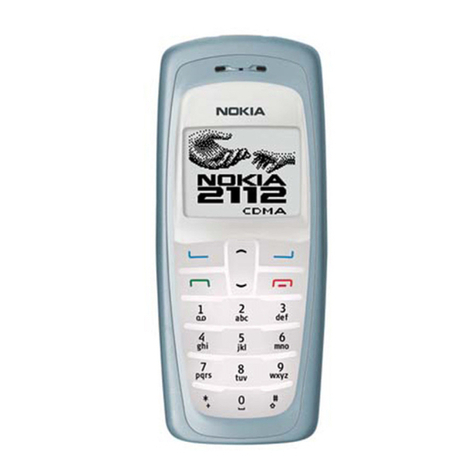
Nokia RH-21 Series Quick start guide

Nokia

Nokia RH-21 Series Quick start guide

Nokia RH-34 Series Guide

Nokia

Nokia RH-34 Series Guide

Nokia RH-57 Series Quick start guide

Nokia

Nokia RH-57 Series Quick start guide

Nokia NKC-1X Series Guide

Nokia

Nokia NKC-1X Series Guide

Nokia RH-27 Series User manual

Nokia

Nokia RH-27 Series User manual

Nokia NPM-6 Series User manual

Nokia

Nokia NPM-6 Series User manual

Nokia NSE-5 Series User manual

Nokia

Nokia NSE-5 Series User manual

Nokia NHL-2NA Series Configuration guide

Nokia

Nokia NHL-2NA Series Configuration guide

Nokia NKC-1X Series Guide

Nokia

Nokia NKC-1X Series Guide

Nokia NSW-6 Series Guide

Nokia

Nokia NSW-6 Series Guide

Nokia NHM-1 Series Guide

Nokia

Nokia NHM-1 Series Guide

Nokia NSC-1 SERIES User manual

Nokia

Nokia NSC-1 SERIES User manual

Nokia NSB-9 User manual

Nokia

Nokia NSB-9 User manual

Nokia NSB-1 Series User manual

Nokia

Nokia NSB-1 Series User manual

Nokia NSB-6 Series Guide

Nokia

Nokia NSB-6 Series Guide

Nokia NME-3 Series User manual

Nokia

Nokia NME-3 Series User manual

Nokia NHM-4 Series Installation instructions
Nokia

Nokia NHM-4 Series Installation instructions

Nokia RH-34 Series Quick start guide

Nokia

Nokia RH-34 Series Quick start guide

Nokia NSM-4 Series Installation instructions

Nokia

Nokia NSM-4 Series Installation instructions

Nokia RH-20 User manual

Nokia

Nokia RH-20 User manual

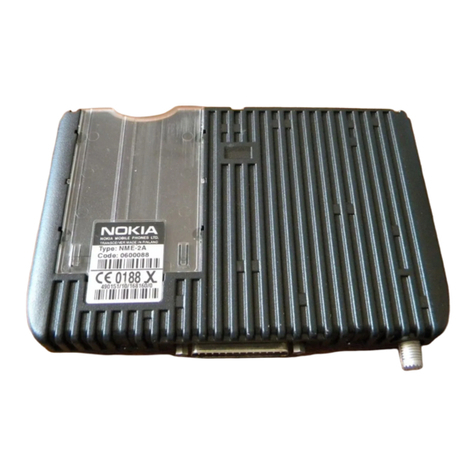
Nokia NME-2A Series User manual

Nokia

Nokia NME-2A Series User manual

Nokia NSB-6 Series Installation instructions
Nokia

Nokia NSB-6 Series Installation instructions

Nokia RH-41 Series User manual

Nokia

Nokia RH-41 Series User manual

Popular Transceiver manuals by other brands

Yaesu FT-7B manual

Yaesu

Yaesu FT-7B manual

Kenwood ProTalk TK-3201 instruction manual

Kenwood

Kenwood ProTalk TK-3201 instruction manual

Mizuho MX-2 Operating & assembly instruction

Mizuho

Mizuho MX-2 Operating & assembly instruction

Kenwood TK-3180 Manuale di istruzioni

Kenwood

Kenwood TK-3180 Manuale di istruzioni

Blitz MJ-398U instruction manual

Blitz

Blitz MJ-398U instruction manual

Utilicom LongRanger 2050 Operator's manual

Utilicom

Utilicom LongRanger 2050 Operator's manual

Standart HX290UKA Service manual

Standart

Standart HX290UKA Service manual

Altronix Pace1PTM installation guide

Altronix

Altronix Pace1PTM installation guide

Kirisun PT2208 instruction manual

Kirisun

Kirisun PT2208 instruction manual

ELECRAFT KX2 manual

ELECRAFT

ELECRAFT KX2 manual

Zodiac K3 user manual

Zodiac

Zodiac K3 user manual

Assa Abloy SecureComm HKC GSM-WIFI U manual

Assa Abloy

Assa Abloy SecureComm HKC GSM-WIFI U manual

Kenwood TK-2217 Service manual

Kenwood

Kenwood TK-2217 Service manual

Siemens PSO 4000 Quick reference guide

Siemens

Siemens PSO 4000 Quick reference guide

Kenwood TS-590SG instruction manual

Kenwood

Kenwood TS-590SG instruction manual

Midland G8E-BT Instruction guide

Midland

Midland G8E-BT Instruction guide

ComNav Mariner X2 installation manual

ComNav

ComNav Mariner X2 installation manual

Uniden UH820 Series owner's manual

Uniden

Uniden UH820 Series owner's manual

https://manuals.online logo
https://manuals.online logoBrands
  • About & Mission
  • Contact us
  • Privacy Policy
  • Terms and Conditions

Copyright 2025 Manuals.Online. All Rights Reserved.

CCS Technical Documentation
RH-27 Series Transceivers
Issue 1 11/2003 Confidential ©2003 Nokia Corporation
Disassembly
RH-27
Disassembly CCS Technical Documentation
Page 2 ©2003 Nokia Corporation Confidential Issue 1 11/2003
Step-by-Step Disassembly Instructions
Alway use ESD protection
Disassembly Instructions
Step-by-Step Disassembly Instructions (Model 6225)
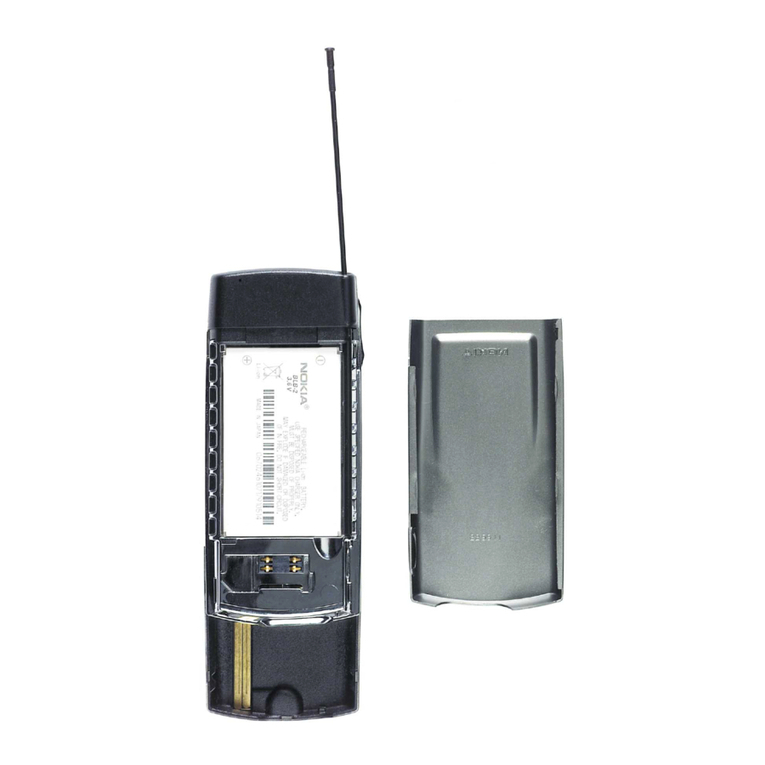
1. Place the phone face down, press the Release Key,
and slide the battery cover downward.
2. Flip gently the A-cover from the down corner.
Remove the A-cover.
3. Remove the Keymat. 4. Spread the B-cover from both sides until snaps
inside will release it.
CCS Technical Documentation Disassembly
RH-27
Issue 1 11/2003 Confidential ©2003 Nokia Corporation Page 3
5. Remove the B-cover. 6. Remove the antenna.
Note! Use only a specified opening tool and be careful
not to damage the mechanical parts. Do not touch the
antenna plate inside without gloves.
7. Remove the screws (6 pieces) to get the module out
of the C-cover.
8. Remove the module from the C-cover.
Note! Always use the specified tools.
9. Remove the UI Module from the engine board. 10. The UI Module and the engine board are linked
together by two board-to-board connectors. Be careful
not to damage them.
Step-by-Step Disassembly Instructions (Model 6225)
RH-27
Disassembly CCS Technical Documentation
Page 4 ©2003 Nokia Corporation Confidential Issue 1 11/2003
11. Note! The UI Module and the engine board are linked
together by two board-to-board connectors. Be careful
not to damage them.
12. Remove the Microphone by pressing it from its
edge or take the tweezers between the frame and the
microphone and lift it out from the frame.
13. Remove the Speaker by lifting it from the guiding
pin.
Note! The speaker is attached into the frame by adhe-
sive tape. Therefore, it may not loosen easily.
14. To remove the Display shield, open the snaps from
both sides by using the specified tool and remove the
shield.
15. To remove the Display shield, open the snaps from
both sides by using the specified tool and remove the
shield.
Note! Be careful not to damage the shield.
16. To remove the LCD Module, keep it on a table by
using a soft cloth, and flip the LCD frame gently until
the LCD Module detaches.
Note! Be careful not to damage the sensitive parts. Do
not press the LCD module.
Step-by-Step Disassembly Instructions (Model 6225)
CCS Technical Documentation Disassembly
RH-27
Issue 1 11/2003 Confidential ©2003 Nokia Corporation Page 5
17. To remove the LCD Module, keep it on a table by
using a soft cloth, and flip the LCD frame gently until
the LCD Module detaches.
Note! Be careful not to damage the sensitive parts. Do
not press the LCD module.
18. Remove the UI board from the LCD frame.
Note! The UI board is attached into the frame by adhe-
sive tape. Therefore, it may not loosen easily. Be careful
not to damage the LCD frame.
19. Remove the Volume Key and the Power Key. 20. Remove the Vibra by lifting it out of its place.
21. Remove the DC Jack by lifting it out of its place.
Note! Be careful not to damage the C-cover.
22. Lift the Release Spring by tweezing it from its
place.
Step-by-Step Disassembly Instructions (Model 6225)
RH-27
Disassembly CCS Technical Documentation
Page 6 ©2003 Nokia Corporation Confidential Issue 1 11/2003
23. Remove the Release Key by pressing the snaps
toward the center from the inside.
Step-by-Step Disassembly Instructions (Model 6225)