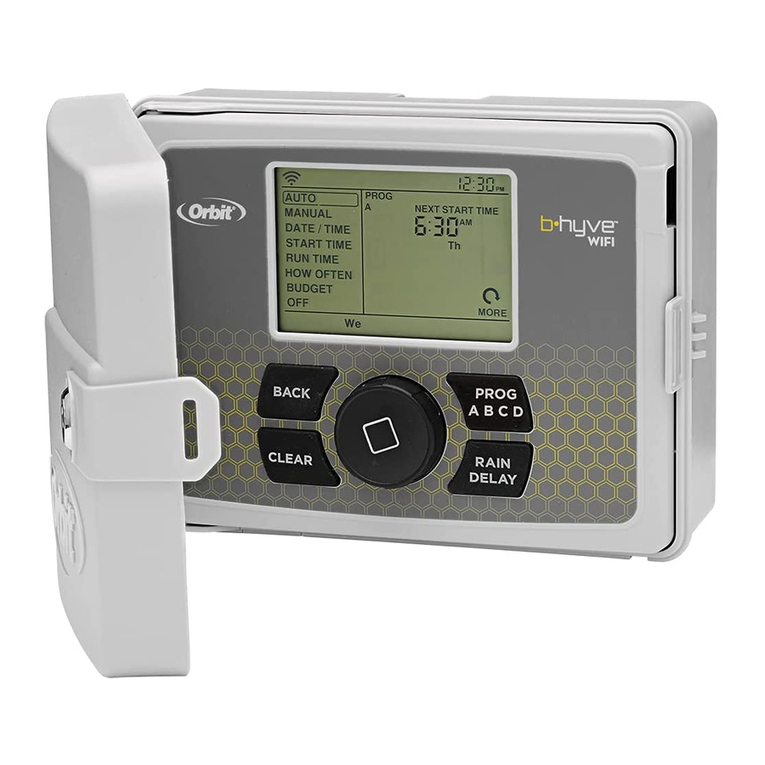
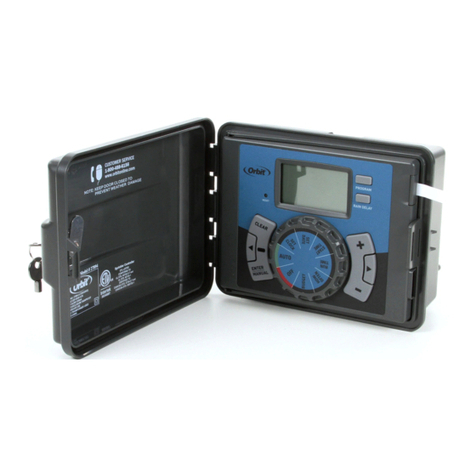
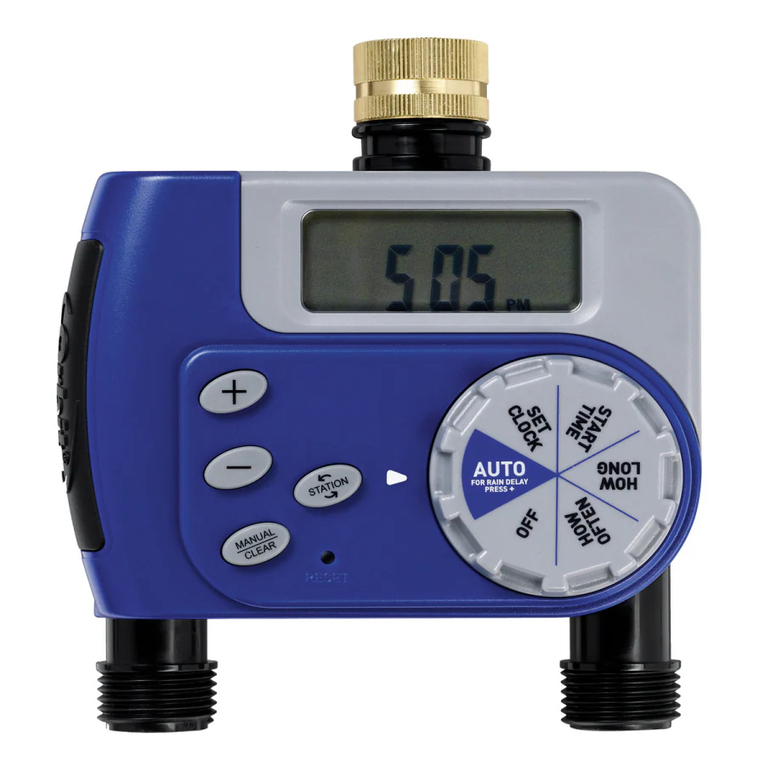
Orbit WaterMaster 57194 User manual

Model 57194, 57196
User’s Manual
Sprinkler Timers by Orbit®
Manual para el Usuario
Reguladores para aspersores de riego
de Orbit®
Manuel de l’utilisateur
Programmateurs pour systemes d’ar-
rosage par Orbit®
How to Program
Orbit ® WaterMaster®
Dual Program Sprinkler Timers
Manual para el usuario.
Como programar los sistemas Orbit® WaterMaster®
Reguladores de aspersores de doble programacion
Comment Programmer
Les systemes d’arrosage Orbit® WaterMaster®
programmateurs a double programmation
WTM230052 57194-24 rD 12/13/2002 11:28 AM Page 1

TABLE OF CONTENTS
ENGLISH
Section One: Introduction . . . . . . . . . . . . . . . . . . . . . . . . . . . . . . . . . . . . 1
Section Two: Getting Started . . . . . . . . . . . . . . . . . . . . . . . . . . . . . . . . . 6
Section Three: Programming . . . . . . . . . . . . . . . . . . . . . . . . . . . . . . . . . 9
Section Four: Manual Operation. . . . . . . . . . . . . . . . . . . . . . . . . . . . . . 15
Section Five: Installation . . . . . . . . . . . . . . . . . . . . . . . . . . . . . . . . . . . . 22
Trouble-Shooting . . . . . . . . . . . . . . . . . . . . . . . . . . . . . . . . . . . . . . . . . . . 27
The information in this manual is primarily intended for the user who will establish a
watering schedule and enter that schedule into the Controller. This product is intend-
ed to be used as an automatic timer controller for activating 24 VAC irrigation valves,
as described in this manual.
Help: Before returning this timer to the store, contact Orbit®
Technical Service at:
Orbit®Technical Service: 1-800-488-6156 or 801-299-5555
Trademark Notice
WaterMaster® is a registered trademark of Orbit®Irrigation Products, Inc.
WTM230052 57194-24 rD 12/13/2002 11:28 AM Page 2

ESPAÑOL
Sección uno: Introducción . . . . . . . . . . . . . . . . . . . . . . . . . . . . . . . . . .31
Sección dos: Para comenzar . . . . . . . . . . . . . . . . . . . . . . . . . . . . . . . .36
Sección tres: Programación . . . . . . . . . . . . . . . . . . . . . . . . . . . . . . . . .40
Sección cuatro: Operación manual . . . . . . . . . . . . . . . . . . . . . . . . . .46
Sección cinco: Instalación . . . . . . . . . . . . . . . . . . . . . . . . . . . . . . . . . .52
Solución de problemas . . . . . . . . . . . . . . . . . . . . . . . . . . . . . . . . . . . . .57
La información de este manual se ha preparado primordialmente para el usuario
que vaya a establecer un programa de riego y lo adapte al Regulador. Este produc-
to se ha preparado para usarse como controlador automático de regulador para
activar válvulas de irrigación de 24 VCA, según se describe en este manual.
Sugerencia: Antes de devolver este Regulador al almacén, sír-
vase ponerse en contacto con la sección de servicio técnico de
Orbit®, llamando a:
Servicio técnico:: 1-800-488-6156 or 801-299-5555
Aviso de marca registrada
WaterMaster®es a marcas registradas de la compañía Orbit® Irrigation
Products, Inc.
WTM230052 57194-24 rD 12/13/2002 11:28 AM Page 3

TABLE OF CONTENTS
FRANCAIS
Section un: Introduction . . . . . . . . . . . . . . . . . . . . . . . . . . . . . . . . . . . .61
Section deux: Pour commencer . . . . . . . . . . . . . . . . . . . . . . . . . . . . . .66
Section trois: Programmation . . . . . . . . . . . . . . . . . . . . . . . . . . . . . . .70
Section quatre: Manuel d'utilisation . . . . . . . . . . . . . . . . . . . . . . . . . .77
Section cinq: Installation . . . . . . . . . . . . . . . . . . . . . . . . . . . . . . . . . . . .83
Dépannage . . . . . . . . . . . . . . . . . . . . . . . . . . . . . . . . . . . . . . . . . . . . . . .88
L'information contenue dans ce manuel a été rédigée principalement pour l'utilisa-
teur qui veut établir un programme d'arrosage et introduire ce programme sur le pro-
grammateur. Ce produit est conçu de manière à être utilisé comme programmateur
automatique pour l'activation de vannes d'irrigations de 24 VCA, comme décrit dans
ce manuel.
Aide: Avant de retourner ce programmateur au détaillant, con-
tactez le service technique d'Orbit au numéro suivant:
Service technique d'Orbit: 1-800-488-6156 or 801-299-5555
Avis de marque enregistrée
WaterMaster®est a marcas registradas de la compañía Orbit®Irrigation
Products, Inc.
WTM230052 57194-24 rD 12/13/2002 11:28 AM Page 4
WTM230052 57194-24 rD 12/13/2002 11:28 AM Page 5

ENGLISH
1
SECTION ONE
Introduction
Thank you for selecting an Orbit®WaterMaster sprinkler timer. Orbit® designers
have combined the simplicity of mechanical switches with the accuracy of digital
electronics to give you a timer that is both easy to program and extremely
versatile. The Orbit®timer provides convenience and flexibility, letting you run
a fully automatic, semi-automatic, or a manual watering program for all your
watering needs.
Please read this manual completely before you begin to program and use the timer.
A few of the most notable design features include:
At-a-Glance Simplicity
Turning the rotary dial to one of ten settings allows you to review programming or
easily make changes.
Arm Chair Programmable
You may program the timer prior to installing it in its permanent location.
Fail-Safe Program
If the timer loses AC power, the existing program will not be lost. After the AC
power returns, the timer will recall the last program into memory and there will be
WTM230052 57194-24 rD 12/13/2002 11:28 AM Page 6
2
no need to re-program. If both the AC power is lost and the batteries are dead or
missing, the user will have to reprogram the timer
Water Budgeting Mode
This feature is ideal when adjusting to seasonal watering demands. Instead of
reprogramming your timer, adjusting watering duration, the "Water Budget Mode"
will enable easy adjustments. This function will allow adjustments to watering
duration by ten percent increments from 50% - 150%. During the spring when a
reduced watering requirement is needed just decrease the watering percentage and
as temperatures rise adjust the Water Budget upward. For example, a budget per-
centage set at 70% will alter a 10 minute preset watering duration to 7 minutes.
Using Water Budgeting Mode
NOTE: A budget set at 100% will water the full duration that is currently set on
timer.
• Turn the rotary dial to Budgeting. The display will show BUDGET with three
digits and %.
• Press and hold the + or - keys to select the percentage in increments of 10%.
(Example: For example, a budget percentage set at 70% will only water for 7
minutes if the watering duration is set for 10 minutes.)
• To activate the water budgeting, press Enter.
• Turn the rotary dial to any other position to finish programming.
• While watering the time displayed will be the water budget adjusted time.
• The water budget setting affects all stations regardless of program assignment.
WTM230052 57194-24 rD 12/13/2002 11:28 AM Page 7

ENGLISH
3
• To return to normal watering duration set the percentage to 100%.
Fuse
The 0.75 amp slow-blow fuse provides circuit protection. For replacement, use
WaterMaster 0.75 amp fuse or equivalent.
Features of the Timer
1. Digital Display
An extra large LCD (Liquid Crystal Display) shows the time of day and indicates
many of the programming settings. The display is completely interactive with all
other controls.
2. Programming Keys
The timer has seven push button keys for setup and program entry. Working in
conjunction with the rotary selector, the keys are used to set the time of day,
watering time, watering days, start times, and other functions.
3. Rotary Selector Dial
The heart of the timer is the rotary selector dial. This dial makes it easy to see
which function is currently selected and/or in which mode the timer is set to
operate.
4. Reset Button
The reset button clears all your programming but does not remove the factory
WTM230052 57194-24 rD 12/13/2002 11:28 AM Page 8
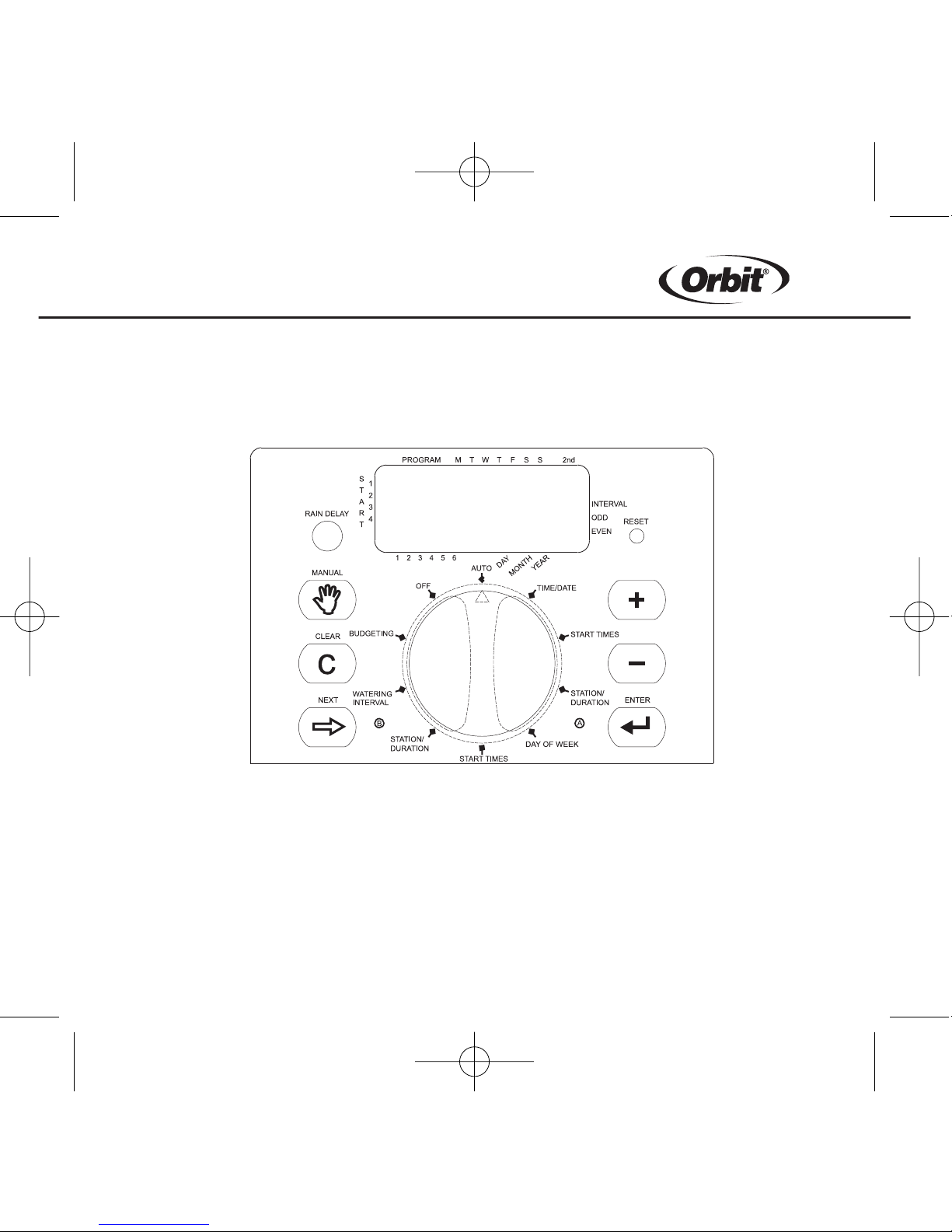
4
installed fail-safe program. To prevent an accidental reset, the button is recessed
into the panel and must be pressed with a small pointed object such as a pen or
pencil tip.
Notable Programming Features
Two Watering Programs
The timer gives you the option of using any or all of these independent programs,
each station can independently be set to either A or B or both A and B programs.
Figure 1: Location of controls on the timer.
WTM230052 57194-24 rD 12/13/2002 11:28 AM Page 9

ENGLISH
5
Program A—Days
Program-A lets you schedule selected stations to water on specific days of the
week or to water every 2nd day. Program-A repeats itself continuously in succes-
sive weeks.
Program B—Interval, Odd, Even
Provides two options: One for odd or even day watering and another for an interval
ranging from every day to every 28th day. This feature is designed to meet the
growing needs and restrictions imposed by local governments and to conserve
water. The timer automatically calculates odd and even days (by date) for each
month and makes adjustments for leap years to provide true odd and even
watering. An interval of "1" will water every day, an interval of "2" will water every
other day, and so on.
Start-Time Stacking
The timer has the intelligence to "stack" start times that overlap. If you enter two or
more start times that overlap (in the same or in different programs), the timer will
not activate two stations at the same time. Instead, the timer activates the first
station and then activates the next station(s) in sequence after the first station
finishes its preset watering duration.
The timer will NOT stack to the next calendar day. This prevents the timer from
violating an odd or even day watering schedule.
WTM230052 57194-24 rD 12/13/2002 11:28 AM Page 10
This manual suits for next models
1
Table of contents
Languages:
Other Orbit Timer manuals
Orbit
Orbit B-HYVE WT24 User manual
Orbit
Orbit B-hyve User manual
Orbit
Orbit 57874 User manual
Orbit
Orbit 57896-50 rJ User manual
Orbit
Orbit 57896 User manual
Orbit
Orbit 94874 User manual

Orbit
Orbit Sunmate 62040 User manual
Orbit
Orbit 57594-50 rB User manual

Orbit
Orbit 94075 User manual
Orbit
Orbit 24713 User manual
Orbit
Orbit 57894 User manual
Orbit
Orbit 62034 User manual
Orbit
Orbit B-HYVE XR User manual
Orbit
Orbit 57880 User manual
Orbit
Orbit 58910Z User manual
Orbit
Orbit 57860 User manual
Orbit
Orbit SunMate 62061 User manual
Orbit
Orbit 57865 User manual

Orbit
Orbit Watermaster 57004 User manual
Orbit
Orbit B-hyve XD Bluetooth 2 Outlet Hose Faucet... User manual