3
5. MAINTENANCE AND CALIBRATION
5.1. PREVENTIVE MAINTENANCE
Give reasonable attention to mechanical details.
Keep the signal connectors clean at all times.
Periodically remove the cover and inspect the
interiorofthemodulefor dustaccumulationorother
undesirable conditions. Clean as often as required
by local conditions (normally about once every 12
months).
5.2. CORRECTIVE MAINTENANCE
Corrective maintenance generally consists of
replacing defective components (i.e., resistors,
capacitors, diodes, transistors, and integrated
circuits),replacingmissinghardware,andtightening
loose hardware. Do not use excessive force when
tightening screws or nuts.
When replacing components on a printed wiring
board, be sure that the board is not damaged by
excessive heating. When unsoldering leads, grip
the lead that is to be removed with pliers or some
similar tool that acts as a heat sink. Heat the solder
joint as little aspossible while maintaining a steady
pull on the lead to assure its prompt removal.
Remove excess solder from the board with a
solder-puller. Do not redrill holes in the printed
wiring board since many are plated through the
board. if the integrity of a plated-through hole is in
doubt, solder the component lead on both sides of
the board.
When a defective component is to be removed
from a printed wiring board, the preferred method is
to cut both or all leads to the component and then
remove each of the leads from the board.
5.3. CALIBRATION
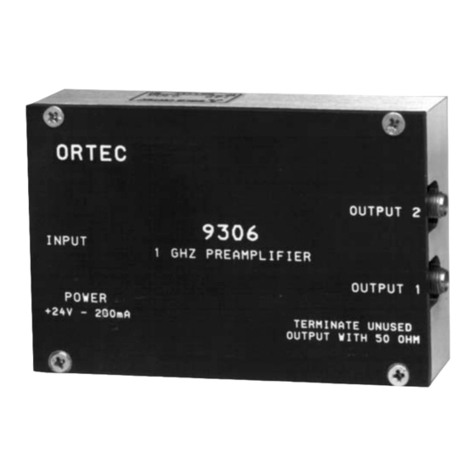
Follow this procedure to adjust all controls of the
9305:
1. Furnish power tothe unit for at least ten minutes.
2. Use 50
S
cable to connect the In connector of
the 9305 to a digital voltmeter. Adjust R4 (mounted
on the printed wiring board) as needed to set the
input dc level at 0 V ± 1 mV.
3. Use 50
S
cable to connect the Out connector of
the 9305 to a digital voltmeter. No connection
should be made to the In connector. Adjust R12
(front panel) as needed to set the Out dc level at 0
V ± 1 mV.
4. Using 50
S
cable, connect a 1 ns rise timepulser
(HP215A Pulser or equivalent) to an oscilloscope
with a 500 MHZ bandwidth (Tektronix 7904
mainframe and 7A19 vertical plug-in unit or
equivalent). Set the oscilloscope input impedance
to 50
S
. Adjust the HP215A output to -500 mV.
5. Using 50
S
cable, connect the output of the
pulser to the In connector of the 9305. Connect the
Out connector of the 9305 to the 500 MHZ
oscilloscope. Set the oscilloscope input impedance
to50
S
. Adjust theGain(front panel)potentiometer
of the 9305 to produce a -5 V output signal. Adjust
the BDW (front panel) potentiometer of the 9305 to
produce a 3.1 ns rise time signal. This sets the rise
time of the 9305 to 3.0 ns.
6. Reverse the polarity of the pulser and repeat
steps 4 and 5 for positive signals.
7. Set the oscilloscope Cal output to some
convenient value such as 1 kHz, 0.4 V. Set the
oscilloscope vertical input to DC. Observe the
oscilloscope Cal signal which should be a square
wave. Using 50
S
cable, connect the Cal signal to
the 9305 In connector. Using 50
S
cable, connect
the 9305 Out connector to the oscilloscope input.
Adjust R9 (mounted on the printed wiring board),
the Tilt Adj, as needed to produce a square wave
output from the 9305. The adjustment of R9
equalizes the gain of the fastloop and the slow loop
within the hybrid amplifier A1.
5.4. FACTORY REPAIR
This instrument can be returned to the ORTEC
factory for service and repair at a nominal cost. Our
standard procedure for repair ensures the same
quality control and checkout that are used for anew
instrument.
Alwayscontact the Customer Services Department
at ORTEC, (865) 483-2231, before sending in an
instrument for repair to obtain shipping instructions
and so that the required Return Authorization
Number can be assigned to the unit. Write this
number on the address label and on the package to
ensure prompt attention when it reaches the
ORTEC factory.