manuals.online logo
Brands
  1. Home
  2. •
  3. Brands
  4. •
  5. Panasonic
  6. •
  7. Oven
  8. •
  9. Panasonic NB-HM3810 User manual

Panasonic NB-HM3810 User manual

Other Panasonic Oven manuals

Panasonic NB-G251 User manual

Panasonic

Panasonic NB-G251 User manual

Panasonic HL-CK644S User manual

Panasonic

Panasonic HL-CK644S User manual

Panasonic NU-SC280W User manual

Panasonic

Panasonic NU-SC280W User manual

Panasonic HL-PF697S Product guide

Panasonic

Panasonic HL-PF697S Product guide

Panasonic HL-PF685B Product guide

Panasonic

Panasonic HL-PF685B Product guide

Panasonic NN-DF386M Operating instructions

Panasonic

Panasonic NN-DF386M Operating instructions

Panasonic NB-H3203 User manual

Panasonic

Panasonic NB-H3203 User manual

Panasonic NU-HX100S User manual

Panasonic

Panasonic NU-HX100S User manual

Panasonic NN-DS59NB User manual

Panasonic

Panasonic NN-DS59NB User manual

Panasonic HL-CK632B User manual

Panasonic

Panasonic HL-CK632B User manual

Panasonic HL-FN645SJPQ User manual

Panasonic

Panasonic HL-FN645SJPQ User manual

Panasonic NU-SC280WYUE User manual

Panasonic

Panasonic NU-SC280WYUE User manual

Panasonic NN-CF770 User manual

Panasonic

Panasonic NN-CF770 User manual

Panasonic Inverter NN-L564 User manual

Panasonic

Panasonic Inverter NN-L564 User manual

Panasonic HL-BT62S User manual

Panasonic

Panasonic HL-BT62S User manual

Panasonic HL-CK655SEPG Product guide

Panasonic

Panasonic HL-CK655SEPG Product guide

Panasonic HL-BD82S User manual

Panasonic

Panasonic HL-BD82S User manual

Panasonic NBG110P User manual

Panasonic

Panasonic NBG110P User manual

Panasonic NB-H3801 User manual

Panasonic

Panasonic NB-H3801 User manual

Panasonic NN-DS596M User manual

Panasonic

Panasonic NN-DS596M User manual

Panasonic NT-GT1 User manual

Panasonic

Panasonic NT-GT1 User manual

Panasonic NN-K105 User manual

Panasonic

Panasonic NN-K105 User manual

Panasonic HL-SF498S User manual

Panasonic

Panasonic HL-SF498S User manual

Panasonic HL-CX667S User manual

Panasonic

Panasonic HL-CX667S User manual

Popular Oven manuals by other brands

Brandt FC 222 user manual

Brandt

Brandt FC 222 user manual

aumate TOA20M04N-1E instruction manual

aumate

aumate TOA20M04N-1E instruction manual

Maytag CWE4100AC - 24" Single Electric Wall Oven Dimension Guide

Maytag

Maytag CWE4100AC - 24" Single Electric Wall Oven Dimension Guide

Kernau KBO 1076 S PT B instruction manual

Kernau

Kernau KBO 1076 S PT B instruction manual

Bosch HB 37 N Series User manual and installation instructions

Bosch

Bosch HB 37 N Series User manual and installation instructions

Electrolux EOD5420AA user manual

Electrolux

Electrolux EOD5420AA user manual

Mx Onda MX-HC2183 instruction manual

Mx Onda

Mx Onda MX-HC2183 instruction manual

Daewoo F6EV19SM2 Service manual

Daewoo

Daewoo F6EV19SM2 Service manual

Blodgett MT3870 Specifications

Blodgett

Blodgett MT3870 Specifications

GE ZET2F owner's manual

GE

GE ZET2F owner's manual

GE JK3000DF3WW owner's manual

GE

GE JK3000DF3WW owner's manual

eka EKF 523 NT Operating and instruction manual

eka

eka EKF 523 NT Operating and instruction manual

AEG Electrolux E3191-5 user manual

AEG Electrolux

AEG Electrolux E3191-5 user manual

Pratica Rocket Express quick start guide

Pratica

Pratica Rocket Express quick start guide

Viking Professional VGSO260T user guide

Viking

Viking Professional VGSO260T user guide

FM RX203 instruction manual

FM

FM RX203 instruction manual

Bosch HBN331 9B Series instruction manual

Bosch

Bosch HBN331 9B Series instruction manual

NEFF B95M42N0MK Instructions for use

NEFF

NEFF B95M42N0MK Instructions for use

manuals.online logo
manuals.online logoBrands
  • About & Mission
  • Contact us
  • Privacy Policy
  • Terms and Conditions

Copyright 2025 Manuals.Online. All Rights Reserved.

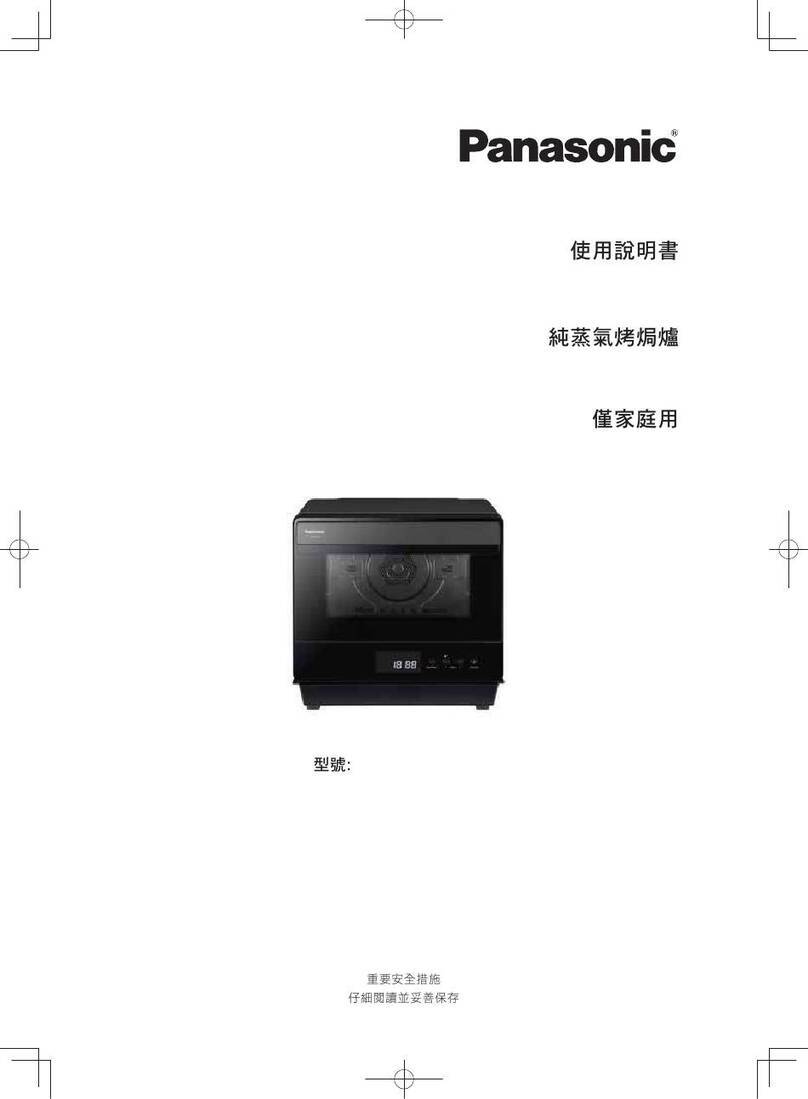
Operating Instructions
Oven (Household Use)
使用說明書
電焗爐(家庭用)
Panasonic ofcial website: http://www.panasonic.hk
Panasonic 官方網站網址 : http://www.panasonic.hk
售後服務
Model No.
型號
NB-HM3810
BZ51H188
MD0217E0
Aftersales services
Printed in China
Date of issue: January 2017
Panasonic Taiwan Co., Ltd.
© Panasonic Taiwan Co., Ltd. 2017
Toast (P. EN20)
Roasted Chicken Wings
(P. EN21)
Cookies (P. EN23)
Sponge cake (P. EN24)
Steak (P. EN20)
Salt-roasted Prawns
(P. EN22)
Pizza (P. EN23)
Roasted whole chicken
(P. EN21)
Roasted fish (P. EN22)
Egg Tart (P. EN24)
Roasted whole chicken
(deep baking tray) (P. EN25)
EN2 EN3
English
Contents Page
Safety Precautions EN4
Important Information EN8
Parts Name EN9
How to use EN12
Accessories Instructions EN18
Preset Menu EN20
Key Points for Cooking Food EN26
Cleaning EN27
Troubleshooting EN28
Specications EN29
Chinese and
Western food
Easy to bake
Delicious
Deep baking tray
for party size
dish
Microcomputer controlled temperature cooking for
personalized Chinese and Western dishes
Thank you for purchasing the Panasonic product.
●This product is for household use only.
●Please read these instructions carefully to use the product correctly and safely.
●Before using the product, please give your special attention to the “Safety Precautions” and
“Important Information” (+ P. EN4∼EN8).
●Save this operating instructions for future use.
EN4 EN5
English
Safety Precautions
In order to prevent accidents or injuries to the user, other people, and damage to property,
please follow the instructions below.
■The following charts differentiate and explain the degree of damage caused by
incorrect operation.
WARNING:
Indicates potential hazard that could result in serious injury
or death.
CAUTION:
Indicates potential hazard that could result in injury or
property damage.
■ The symbols are explained and classied as follows.
This symbol indicates prohibition.
This symbol indicates requirement that must be followed.
WARNING
● Do not disassemble, repair or modify this appliance.
ÜConsult the place of purchase or service center for repairs.
●
Do not damage the power cord or power plug.
Following actions are strictly
prohibited.
Modifying or placing near
heating elements, bending,
twisting, pulling along, pulling
over sharp edges, putting
heavy objects on top, bundling
the power cord and carrying
the appliance by the power cord.
●
Do not use the appliance if the power cord or power plug is damaged or the
power plug is loosely connected to the outlet.
ÜIf the power cord is damaged, it must be replaced by the manufacturer, its service
agent or a similarly qualified person in order to avoid hazards.
●
Do not plug or unplug the power plug with wet hands.
●
Do not immerse the appliance, power cord and power plug in water or splash it
with water/any liquid.
●
Do not let the power cord hang over the edge of table or worktop, or touch hot surfaces.
To avoid risk of electric shock, fire, scalding burns or serious injury.
WARNING
To avoid risk of electric shock, fire, scalding burns or serious injury.
● Do not allow infants and children to play with packaging material.
●
Do not use this appliance near any combustible materials or under the
curtains.
●
This appliance is not intended for use by persons (including children) with
reduced physical, sensory or mental capabilities, or lack of experience and
knowledge, unless they have been given supervision or instruction concerning
use of the appliance by a person responsible for their safety.
Children should be supervised to ensure that they do not play with the
appliance.
●
Always keep the infants and children away from the appliance including power
cord.
●
Discontinue using the appliance immediately and unplug in the unlikely event
that this appliance stops working properly.
e.g. for abnormal occurrences or breaking down
●The power plug and the power cord become abnormally hot.
●The power cord is damaged or the appliance power fails.
●The main unit is deformed, has visible damage or is abnormally hot.
● Thereisanotherabnormalityorfailure.
ÜUnplug the appliance immediately and contact to the service center for the check
or the repair.
●
Make sure the voltage indicated on the label of the appliance is the same as
your local supply. Also avoid plugging other devices into the same outlet
to prevent electric overheating. However, if you are connecting a number of
power plugs, make sure the total wattage does not exceed the rated wattage of
the outlet.
●Insert the power plug firmly.
● Dust off the power plug regularly.
ÜUnplug the power plug, and wipe with a dry cloth.
Please make sure to
follow these instructions.
Enamel baking tray
Crumb tray
Glass door
Operating
controls
Power plug
Power cord

CAUTION
To avoid electric shock, fire, smoke, burns, scalding, injury or property loss
EN6 EN7
English
● Never leave the appliance unattended during operation.
●
Do not use the appliance for any purpose other than those described in these
instructions.
 ● Panasonic will not accept any liability if the appliance is subject to improper use,
or failure to comply with these instructions.
●
Do not touch hot surfaces, such as the top of the oven body, the enamel baking
tray, the deep baking tray and the cooking rack while the oven is in use or
just after use. The oven is easy to become hot during use, and the surface
temperature during use is very high. Let it cool down before cleaning after use.
 ● Please pay special attention to heat after use.
●Do not touch the appliance with wet hands.
●
Do not touch, block or cover the steam vent holes during use.
●
Do not put anything on or insert anything underneath the appliance.
●
Do not use the appliance on following places.
 ● On uneven surfaces, on carpet, non-hot-resistant surface or tablecloths etc.
 ● Places where it may be splashed with water or near a heat source.
 ● Near any open water sources such as sinks, or the like.
●
Do not use the appliance near wall, furniture, or in enclosed spaces such as a built-in
cupboard.
(It may cause discoloration or deformation.)
■Leave a space between
the oven and walls or
kitchen cabinets. The
lampblack discharged
during baking may
contaminate the wall and
cabinet, or even cause
reduetooverheating.
Keep a safe distance and prevent the
oven from coming into contact with objects
such as walls. A safe barrier component is
designed on the back of the oven.
Above 20 cm
Oven interior
walls
Above 10 cm
●
Do not use a knife or sharp tool, as these may cause damage to the heating elements.
●Do not use an external timer etc.
 ● Thisapplianceisnotintendedtobeoperatedbymeansofanexternaltimeror
separate remote-control system.
● Do not insert any object in the gaps.
● Do not open the glass door when the food generate smoke or catches fire.
 ● Turn off the power and remove the power plug immediately.
 ● Do not open the glass door before the fire goes out.
 ● Donotextinguishthefirewithwater.
●Do not directly heat cans or glass bottles.
●
Dot not place oil in the enamel baking tray/deep baking tray for heating.
●
Unplug the power plug from the outlet when the appliance is not in use, before
moving, and before cleaning. Make sure to wipe the product before using it
again.
● Let the appliance cool down before moving, cleaning and storing away.
●
Make sure the crumb tray is clean and set correctly when using the appliance.
●
Beware not to be tripped over or get caught in the power cord while in use.

●
Make sure to hold the power plug when unplugging the power plug. Never pull
on the power cord.
●
Make sure to clean the appliance after every use.
●
Place the appliance on a firm, dry, clean flat heatproof worktop.
CAUTION
To avoid electric shock, fire, smoke, burns, scalding, injury or property loss
Safety Precautions
Please make sure to
follow these instructions.
Main unit
* Handle gently when opening
the glass door.
* This product has
heat vents on both
the top and side.
Position for placing
the turnspit
EN8 EN9
English
Important Information Parts Name
●Do not place anything or press by force on the glass door when it is opened.
●Do not move the appliance by holding the door handle.
● Do not place any object on the main unit.
● Do not heat the appliance when unnecessary.
This symbol on the products indicates “hot surface and should not be touched
without caution”.
● Wash the parts before initial use or when leave idle for long time. (+P. E N 27 )
* Do not place the deep
baking tray on Shelf
4 to avoid touching
the heating tubes. It is
recommended to put it
on Shelf 3.
* Heat tube also
available at the top.
Menu tips
Notes:
For the time and temperature of the recipes printed on the glass door, please refer to
each information on “Menu
”
in this instructions.
Heat vents
Position for placing
the cooking rack
Glass door
Position for placing
deep baking tray
Door handle
Tips printed on the glass door
Crumb tray
Heating tube
Please run the oven on idle before initial use
①Place the enamel baking tray and the deep baking tray in the oven. (Do not place the
deep baking tray on Shelf 4)
②In standby mode, press the button, then press the button to select the “ ”,
and set the upper tube temperature and lower tube temperature to “230 °C”.
③Set the time to 10 minutes.
●Whentheovenisusedforthersttime,odormaybeemitted,whichisnormal.Thisiscaused
bytheheatingtubecoatedwithalayerofprotectivelmforprotectingthetubeagainstsalt
corrosion during transportation.
●
Whenrunningtheoveninidle,theovenwillemitsomesmokeandodors.Pleaseopenthedoortodissipate
the smoke. The oven will not emit smoke and odor again under normal operation after released them.
●Ovenmaygeneratenoiseinthefirstidlerun.Thisisnormal.
●Pleasewaittheovencooldownbeforeusingitaftertheidlerun.
Effects
Enamel baking tray
For holding greasy food, such as meat and
sh,forbroiling.
Deep baking tray
For making cake roll, roasting whole
chickens or broiling vegetables.
Effects
Holding rack
For holding the enamel baking
tray and cooking rack.
Effects
Crumb tray
For catching residues and grease
when nongreasy food is baked.
Effects
Cooking rack
For baking bread or broiling other dishes,
and to hold a container.
Effects
Extract bracket
For holding the turnspit.
Effects
Turnspit
For roasting whole chickens or thick meat.
Effects
* Wear heat protective gloves while
pulling out the deep baking tray.
Gloves sold separately.
EN10 EN11
English
Accessories
Control panel
Heating mode display: The icons from left to right
are listed in sequence as “Lower Tube”, “Upper
Tube”, “Upper and Lower Tubes”, “Turnspit”.
Numerals (Lower tube temperature/time)
Numerals (Upper tube temperature/menu)
“Convection” and “Fermentation”
Upper tube temperature display
Lower tube temperature display
Menu working display
Time unit display (Minutes)
Display window
Press the “Menu” button to select a preset menu
Press the “Function” button to select heating mode
Press the “Temperature” button to set the upper or lower tube temperature
Press the “Convection” button to select hot air convection
Press the “Time” button to set the time
Press the “Fermentation” button to select fermentation at low temperature
For adjusting “Menu” / “Temperature” / “Time”
Cancel button
Start / Pause button
Parts Name Parts Name
AC 220 V
2Select functions
In standby mode, press the button, then press the button to select the desired function.
Forexample,selecttheupperandlowertubes( ashes).
3Set Temperature
Press the button, then press the
button
to set the upper tube temperature according to the
food property and personal preference.
After setting the upper tube temperature,
press the button again, then press the
button to set the lower tube temperature.
•Whensettingthetemperature,thetemperatureincreasesordecreasesinincrementsof10°C.
•Thetemperatureforfermentationisfixedandcannotbeadjusted.
•
For heating mode, if you select the upper tube, lower tube or turnspit, the temperature can be set
from 70 °C to 180 °C. If you select upper and lower tubes, the temperature can be set from 70 °C
to 230 °C.
• After setting the temperature, the oven will automatically enter power save mode if it is not
operated for more than 1 minutes.
* If you do not need to preheat the oven, please skip to Step 5 after finishing Step 3.
4Preheating
(No preheating is available for turnspit function and fermentation function.)
It is displayed when the inner temperature of
the oven reaches 100 °C or above
•After setting the temperature, press the button to begin preheating.
• When the temperature reaches the preset degree, the buzzer will sound "beep-
beep-beep" indicating that preheating is completed.
• During or after the selection, before pressing the button, press to restore default
settings.
•TheuppertubetemperaturedisplayshowsthemaximumtemperaturesetattheUpperand
Lower Tube Temperature, which will be used as a reference for preheating.
•Thepreheatingisdonebyupperandlowertubes.Whentheinnertemperatureoftheoven
reaches 100 °C or above, the lower tube temperature display shows the current inner tem-
perature, but it does not show temperature if the inner temperature is below 100 °C.
• After completion of preheating, the oven automatically enters power save mode if it is not
operated for more than 5 minutes.
5Time setting
Afterthecompletionofpreheating,theDisplayWindowdisplaysdefaulttime(60minutes)
automatically. You can press the
button to set the time according to the food nature and
personal preference.
If you do not need preheating, press the
button, then press the
button to set the time
according to the food nature and personal preference.
•Whensettingthetime,thetimerincreasesordecreasesinincrementsof1minute.Pressand
hold the
button for 4 seconds to switch increments to 5 minutes.
• The time can be set from 1 minute to 120 minutes
1Insert the
power plug
Standby mode
•indicates flashing.
EN12 EN13
English
•If the oven is left idle for more than 1 minute, the screen will turn power
save mode automatically and display nothing.
•In power save mode, the button light on, press button and the
screen returns to standby mode.
•In power save mode, only the button can be operated.
How to use
Manual function
6Put in the ingredients
•
Place the food on the enamel baking tray, deep baking tray or the cooking rack.
•
Insert the cooking rack or enamel baking tray/deep baking tray in the proper position according to the food height.
• After putting in the ingredients, the oven will automatically enter power save mode if you leave
it idle for more than 5 minutes.
7Begin broiling
Time to completion
Thetemperaturedisplayshowsthemaximum
temperature set at the Upper and Lower Tube
Temperature
•
Put in the ingredients, close the glass door, and press the button to begin broiling.
• You can adjust the temperature and time according to the food property and
personal preference during baking.
• The buzzer sounds “beep-beep-beep”, indicating broiling is complete.
8Take out the food after baking
• Take out the enamel baking tray or cooking rack with holding rack or heat protective gloves.
Be sure to wear the heat protective gloves to take out the deep baking tray.
Note
• Handle gently when opening or closing the glass door.
(To avoid damaging the glass door or scratching the coating of the door handle.)
•
Whenthetemperatureishighduringorrightafteruse,donotsplashthecoldwatertotheglassdoor.
9Remove the power plug
2Select menu
In standby mode, press the button, then press button to select a desired menu.
(Shows selecting Menu “2”.).
3Set Temperature (Not applicable to Menu “11”)
Press the button, the upper and lower tubes
temperature is 220 °C by default, and the temperature
displayed on the screen is the menu-recommended
temperature. You can also press the button to
set the upper tube temperature according to the food
nature and personal preference.
After setting the upper tube
temperature, press the button
again, then press the button to
set the lower tube temperature.
•Whensettingthetemperature,thetemperatureincreasesordecreasesinincrementsof10°C.
•Different menus have different default temperatures.
•If you select upper and lower tubes, the temperature can be set from 70 °C to 230 °C.
•Menu “3” enables only upper tube heating, which can be set to 180 °C at most.
•After setting the temperature, the oven will automatically enter power save mode if
it is not operated for more than 1 minutes.
1Insert the
power plug
Standby mode
AC 220 V
•indicates flashing.
EN14 EN15
English
Preset Menu
How to use How to use
•If the oven is not operated for more than 1 minute, the screen will
automatically enter power save mode and display nothing.
•In power save mode, the button light on, press button and the
screen returns to standby mode.
•In power save mode, only the button can be operated.
Manual function
4Preheating
(
Preheating is unavailable for Menus 1, 3 and 11.)
•After setting the temperature, press the button to begin preheating.
• When the temperature reaches the preset degree, the buzzer will sound “beep-
beep-beep” indicating that preheating is completed.
• The upper tube temperature display is the menu number, the lower tube temperature
displayisthemaximumtemperaturesetforbothupperandlowertubes,andthemaximum
temperature is used as a reference for preheating.
• After completion of preheating, the oven automatically enters power save mode if it is not
operated for more than 5 minutes.
5Time setting
Afterthecompletionofpreheating,theDisplayWindowdisplaysthedefaulttime(15minutes)
automatically. You can press the button to set the time according to the food property and
personal preference.
•Whensettingthetime,thetimerincreasesordecreasesinincrementsof1minute.Pressand
hold the
button for 4 seconds to switch increments to 5 minutes.
6Put in the ingredients
•
Place the food on the enamel baking tray, deep baking tray or the cooking rack.
•
Insert the cooking rack or enamel baking tray in the proper position according to the food height.
• After putting in the ingredients, the oven will automatically enter power save mode if you leave
it idle for more than 5 minutes.
7Begin broiling
Time to completion
•
Put in the ingredients, close the glass door, and press the button to begin broiling.
• You can adjust the temperature and time according to the food property and
personal preference during baking.
• The buzzer sounds “beep-beep-beep”, indicating broiling is complete.
8Take out the food after baking
• Take out the enamel baking tray or cooking rack with holding rack or heat protective gloves.
Be sure to wear the heat protective gloves to take out the deep baking tray.
Note
• Handle gently when opening or closing the glass door.
(To avoid damaging the glass door or scratching the coating of the door handle.)
•
Whenthetemperatureishighduringorrightafteruse,donotsplashthecoldwatertotheglassdoor.
9Remove the power plug
EN16 EN17
English
Preset Menu
How to use
●
Care should be taken
when handling
“Turnspit”.
Rotate the screw to
xthebakingforkat
the proper position.
Use the baking stick to
penetrate through the
middle of the big piece of
food,andxthefoodwith
the baking fork at one side.
2 3
Rotate the screw to
xthisbakingfork.
5Usetheextract
bracket to place the
penetrated food in
the oven.
6Put the turnspit in place .
Keep the tip end inserted into
the right-side rotation hole.
7
Insert the baking
stick into another
baking fork, and
compress the
food tightly.
4
Insert the baking
stick into a baking
fork.
1
Used for clamping or handling the enamel baking trayUsed for clamping or handling the cooking rack
EN18 EN19
English
Accessories Instructions
How to use the turnspit / extract bracket
●If the cooking rack has any scorched debris stuck to it, soak it in water for a while before cleaning it.
●If you broil with a cooking rack, there may be crumbs or grease drippings. Make sure you put in the
crumb tray for easy cleaning.
How to use the cooking rack
●To facilitate cleaning after use, please install the crumb tray before use.
●Clean the crumb tray after every use. Otherwise, the residue will be over baked, thus generating an
odor.
●Whentakingout,thecrumbtraymayeasilytouchthelowerheatingtube,pleasebesurenottostrikeit
accidentally.
How to use the crumb tray
●To facilitate cleaning after use, put a piece of aluminum foil or baking paper in the enamel baking tray
or deep baking tray before use.
●If the enamel baking tray or deep baking tray has scorched meat grease stuck on it, soak it in water a
while before cleaning. Do not scrape debris with hard metal utensils, like knives or forks.

●Whenrawmeat,shorfriedfoodisdirectlyheated:
The fried food releases grease when being heated. Please place it in the enamel baking tray.

 *Tobakemeatorsh,wrapitwithaluminiumfoil,andthenputitintheenamelbakingtrayforheating.
(+P. EN26)
 *Whenfoodwrappedwithaluminiumfoilisheated,greasemayleak.Pleaseplaceitintheenamel
baking tray.
How to use the enamel baking tray / deep baking tray
●To take out the enamel baking tray or cooking rack, please use the holding rack to avoid scalding.
●Pay attention to the weight distribution of the food when taking out the enamel baking tray or cooking
rack,especiallywhenthereisalargeamountofoatinggreaseintheenamelbakingtray,toavoid
dropping or spills.
How to use the holding rack
●
To place baking ware into the oven, be sure to handle it carefully. The enamel baking
tray, deep baking tray, cooking rack and grill are all metal parts, which may easily
scratch the interior walls of the oven. Any such scratches are superficial and will not
affect oven performance.