manuals.online logo
Brands
  1. Home
  2. •
  3. Brands
  4. •
  5. Panasonic
  6. •
  7. Trimmer
  8. •
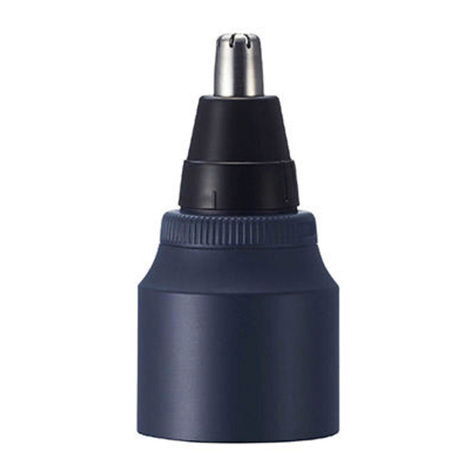
  9. Panasonic ER-CNT1 User manual

Panasonic ER-CNT1 User manual

Other manuals for ER-CNT1

2

Other Panasonic Trimmer manuals

Panasonic ER-GB37 User manual

Panasonic

Panasonic ER-GB37 User manual

Panasonic ER-CNT1 User manual

Panasonic

Panasonic ER-CNT1 User manual

Panasonic ER-2403 User manual

Panasonic

Panasonic ER-2403 User manual

Panasonic ER-CTW1 User manual

Panasonic

Panasonic ER-CTW1 User manual

Panasonic ES-2113 User manual

Panasonic

Panasonic ES-2113 User manual

Panasonic i-Shaper ER-GD60 User manual

Panasonic

Panasonic i-Shaper ER-GD60 User manual

Panasonic ER-2403 User manual

Panasonic

Panasonic ER-2403 User manual

Panasonic ER?GN25 User manual

Panasonic

Panasonic ER?GN25 User manual

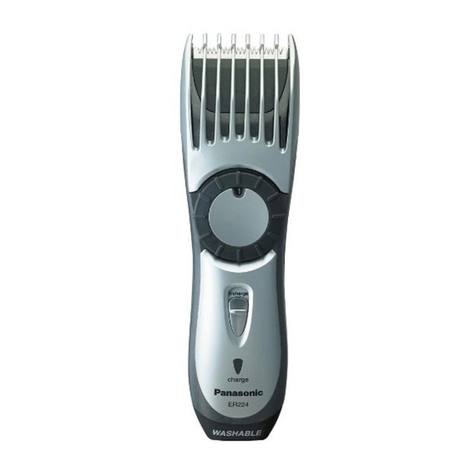
Panasonic ER-224 User manual

Panasonic

Panasonic ER-224 User manual

Panasonic ER-GB62 User manual

Panasonic

Panasonic ER-GB62 User manual

Panasonic ES-2113 User manual

Panasonic

Panasonic ES-2113 User manual

Panasonic i-Shaper ER-GD60 User manual

Panasonic

Panasonic i-Shaper ER-GD60 User manual

Panasonic ES-WF20 User manual

Panasonic

Panasonic ES-WF20 User manual

Panasonic ES-WR50 User manual

Panasonic

Panasonic ES-WR50 User manual

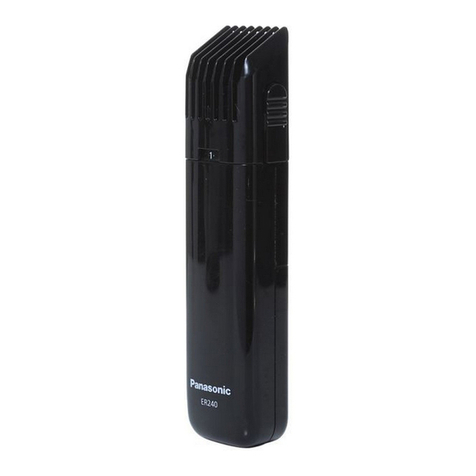
Panasonic ER240 User manual

Panasonic

Panasonic ER240 User manual

Panasonic ER-SB60 User manual

Panasonic

Panasonic ER-SB60 User manual

Panasonic ER-GB75 User manual

Panasonic

Panasonic ER-GB75 User manual

Panasonic ER2031 User manual

Panasonic

Panasonic ER2031 User manual

Panasonic ER-CTN1 User manual

Panasonic

Panasonic ER-CTN1 User manual

Popular Trimmer manuals by other brands

LawnMaster LML261 Safety and operating manual

LawnMaster

LawnMaster LML261 Safety and operating manual

McCulloch TrimMac ST+ instruction manual

McCulloch

McCulloch TrimMac ST+ instruction manual

Gardena EasyCut 48 PLUS operating instructions

Gardena

Gardena EasyCut 48 PLUS operating instructions

Gardena ComfortCut 450/25 user manual

Gardena

Gardena ComfortCut 450/25 user manual

Twose TF500 Operator's manual

Twose

Twose TF500 Operator's manual

Echo SRM-230 parts catalog

Echo

Echo SRM-230 parts catalog

netta PHTEG06AA-450 manual

netta

netta PHTEG06AA-450 manual

Total TGTLI20301 manual

Total

Total TGTLI20301 manual

Maestro MR680 owner's manual

Maestro

Maestro MR680 owner's manual

Andis Experience D4X specification

Andis

Andis Experience D4X specification

Flymo EASICUT 5500 Original instructions

Flymo

Flymo EASICUT 5500 Original instructions

Troy-Bilt AST TB25CS Operator's manual

Troy-Bilt

Troy-Bilt AST TB25CS Operator's manual

Homelite F-3040 user manual

Homelite

Homelite F-3040 user manual

Ozito LTR-301 instruction manual

Ozito

Ozito LTR-301 instruction manual

Flymo Contour Cordless 24 V Original instructions

Flymo

Flymo Contour Cordless 24 V Original instructions

McCulloch T22 LS Operator's manual

McCulloch

McCulloch T22 LS Operator's manual

COCKRAFT PRO HL36-S Original instructions

COCKRAFT

COCKRAFT PRO HL36-S Original instructions

Weed Eater BC2400 instruction manual

Weed Eater

Weed Eater BC2400 instruction manual

manuals.online logo
manuals.online logoBrands
  • About & Mission
  • Contact us
  • Privacy Policy
  • Terms and Conditions

Copyright 2025 Manuals.Online. All Rights Reserved.

Safety precautions
Follow these instructions.
To prevent accidents, injuries or damage to
property, please follow the instructions below.
■The following chart indicates the
degree of damage caused by
improper operation.
WARNING
Indicates potential
hazard that could
result in serious
injury or death.
CAUTION
Indicates potential
hazard that could
result in minor injury
or property damage.
WARNING
►Preventing accidents
• Do not place within reach of
children or infants. Do not let them
use it.
-
Putting parts or accessories in the
mouth may cause an accident or injury.
CAUTION
►Protecting the skin
• Do not press the blade rmly
against the skin.
• Do not press the blade with
excessive force or insert too
deeply into your nostril/ear canal.
•
Do not touch the blade section
(metallic section) of the inner blade.
• Do not use this appliance for any
purpose other than to trim nose
hair, ear hair, outline eyebrows,
moustache or beard.
- Doing so may cause injury to skin or
hand.
• Check the blades are not damaged
or deformed before use.
- Failure to do so may cause injury to
the skin.
►Note the following precautions
• Do not share with your family or
other people.
- Doing so may result in infection or
inammation.
Important information
• Note the following precautions to avoid
malfunction or deformation.
• Do not bring the blade into contact
with hard objects.
•
Do not drop or hit against other objects.
•
Be sure to place the protective cap on the
head when carrying around or storing.
Parts identication
(Fig. 1)
AHead
1Protective cap
2Outer blade
3Inner blade
4
Trimmings box
5Water inlet
6Water outlet
7Wash switch ring
8Filter
9Exhaust hole
Before use (Fig. 2)
Be sure to close the water inlet of the
wash switch ring during use. Otherwise,
themainbodycannotprovidesufcient
suction power.
→Checkthatthemarksof“ ”,“ ” and
“” align.
How to use
• Cleantheapplianceafteruse.
1 Mount the head to the main body
until it clicks.
2 Remove the protective cap and hold
the main body so as not to block
the exhaust hole (a). (Fig. 3)
3 Turn on the power before putting
the head in your nostril.
▪Cuthairsusingthetipoftheouter
blade (metallic part).
▪The outer blade surface may get a
little warm during use, but
performance will not be diminished.
Note
• The use time after a full charge is as
follows.
ER‑CBL1:80minutes
ER‑CBN1:60minutes
(Basedondryusingat20°C–30°C
[68°F–86°F])
The operating time may differ
depending on the frequency of use and
the operating method.
Quick charge (ER‑CBL1 only)
Even though the battery runs out, you can
usefor5minutesafter3‑minutecharge.
(This will differ depending on usage.)
Removing and mounting
the head (Fig. 4)
•
Make sure that the main body is turned off.
►Remove
Remove the head while pushing the
head release button (b).
▪Stand the head when it is removed.
►Mount
Mount the head to the main body until
it clicks.
Trimming your nose
hair and ear hair (Fig. 5)
1 Insert the tip of the outer blade into
your nostril or ear canal.
▪Insert it slowly so as not to injure your
nostril or ear canal.
2 Cut the nose hair and ear hair by
moving the main body.
▪
Some trimmings may remain inside
your nostril or ear canal after cutting, so
remove them using a tissue or similar.
Operating Instructions
(Household use) Nose/Ear/Facial Trimmer Head
Model No.ER‑CNT1












1 2
3
4 5
6
8





9
10 11
 
7
ER-CNT1_US_PR.indd 1 2022/02/21 15:08:46
Outlining your eyebrows,
moustache, or beard (Fig. 6)
1 Apply the tip of the outer blade to
the hair (eyebrow, moustache or
beard) you would like to cut.
2 Cut the hair by moving the
appliance slowly against the
direction of hair growth.
▪You cannot trim the hair to length with
this head.
▪It is not suitable for the hair below
0.5mm(1/64˝).
Maintenance
•
Make sure that the main body is turned off.
• After cleaning, be sure to store with the
blades, the trimmings box and the
protective cap attached.
How to clean
►With water
1.Apply some hand soap and some
water to the outer blade.
2. Turn on the power and turn off the
powerafter10seconds.(Fig.7‑1)
▼ ▼
To remove light dirt
To remove heavy
dirt
3.Open the water
inlet and turn on
the power again.
▪
If the trimmings
box is removed,
open the water
inlet after
attaching the
trimmings box.
4.
Run water down
the water inlet,
rinse well and turn
off.(Fig.7‑
2
)
3.Remove the
head,the blades
and the
trimmings box.
4.Rinse them with
running water.
•
Coverthe
drainage outlet
of washbasin to
prevent the
inner blade from
owingaway.
(Fig.7‑
3
)
▼ ▼
5. Wipe off the water with a dry cloth and
dry it well.
▪It will dry faster with the blades and
the trimmings box removed.
Notes
• Note the following precautions to avoid
malfunction and damage.
• Do not use hot water or any
detergents other than hand soap.
• Do not wipe with thinner, benzine,
alcohol etc.
►With the cleaning brush (Fig. 8)
1.Remove the head, blades and the
trimming box.
2. Brush off any hair trimmings from the
head, blades and the trimming box.
▪
Be careful not to deform the inner blade.
▪Becarefulnottodamagethelter.
How to open and
close the water inlet
►Open
Rotatethewashswitchringuntilits“ ”
markalignswiththe“ ” mark of the
head to open the water inlet. (Fig. 9-1)
►Close
Rotatethewashswitchringuntilits“ ” mark
alignswiththe“ ” mark of head. (Fig. 9-
2
)
Removing and mounting
the trimmings box
►Remove (Fig. 10‑1)
Rotatethewashswitchringuntilits“ ”
markalignswiththe“ ” mark of the head.
►Mount (Fig. 10‑2)
1.Alignthe“ ” mark of the trimmings
boxwiththe“ ” mark of the head.
▪Becarefulnottodamagethelter
with the shaft (c).
2. Rotate the wash switch ring until its
“ ”markalignswiththe“ ” mark of
the head.
Removing and mounting
the blade (Fig. 11)
►Outer blade
Remove
Rotate the outer blade in the direction of
the arrow and remove the blade. (1)
Mount
Insert the head’s shaft (d) into the hole
of the inner blade.
Rotatetheouterbladetoalignits“ ”mark
withthe“ ” mark of the head. (
2
)
►Inner blade
Remove
Pull to remove the inner blade.
Mount
Insert the inner blade straight into the
outer blade.
Troubleshooting
Problem Action
The cutting
performance
has reduced.
Replace the blade.
Cleantheinnerblade.
There is an
odd odour.
Blade does not
move/rotate
smoothly.
The suction
power is low.
Cleanthetrimmings
box.
Closethewaterinlet.
If the problems still cannot be resolved,
contact your dealer or a service center
authorized by Panasonic for repair.
Personal Care & Beauty Care Products
FOR USA ONLY
30‑Day Quality
Satisfaction Guarantee
Ifyouaredissatisedwithany
PanasonicPersonalCare&Beauty
CareProductsforanyreason,simply
return it to the place of purchase with a
dated proof of purchase, in the original
packaging, with all accessories, parts
andinstructions,within30daysofthe
date of purchase, for a full refund, or
callPanasonicat1‑800‑338‑0552.
Abuse or misapplication of this product
voids the guarantee.
PRODUCT REGISTRATION
(U.S. customers only)
Go to www.panasonic.com/register and
register your product now to receive
thesebenets:
Safety Notication
We contact our customers in case of recall
Owner Verication
Proof of purchase in case of product
theft or loss
Efcient Warranty Service
In case there is a problem with your product
Special Offers and Promotions from
Panasonic
FOR YOUR CONVENIENCE, WE HAVE
ESTABLISHED A TOLL‑FREE (IN USA
ONLY) NATIONAL ACCESSORY
PURCHASE HOTLINE AT 1‑800‑332‑5368.
Printed in Thailand
ER971WCNT11X
F0222‑0
© Panasonic Corporation 2022
FEN
IN USA CONTACT:
Panasonic Corporation of North America
TwoRiverfrontPlaza,Newark,NJ07102‑5490
Service • Assistance •Accessories
Call 1‑800‑338‑0552 (In USA)
https://shop.panasonic.com/personal‑care
https://shop.panasonic.com/support
https://www.panasonic.com
ER-CNT1_US_PR.indd 2 2022/02/21 15:08:47