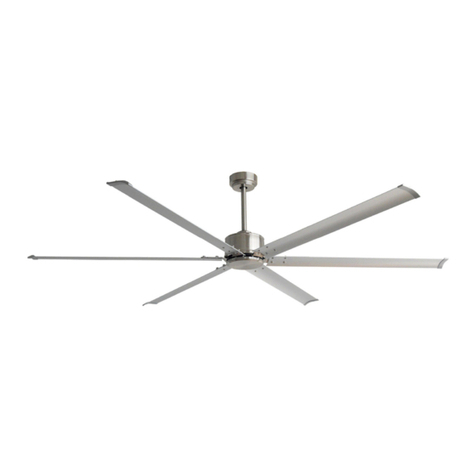
KITE CEILING FAN LED
Installation Manual
REV 2023 0511
SPECIFICATIONS AND DETAILS ARE SUBJECT TO CHANGE WITHOUT NOTIFICATION. CONTACT PEACOCK FAN COMPANY FOR UP TO DATE DETAILS.
PEACOCK FAN COMPANY • PEACOCKFAN.COM
SAVE THESE INSTRUCTIONS 5
ELECTRICAL CONNECTIONS
FINISHING THE INSTALLATION
OPERATING YOUR FAN
To reduce the risk of electric shock, ensure electricity
has been turned off at the circuit breaker or fuse box
before beginning.
To operate your ceiling fan with the pull chain(s) and
switches mounted on your fan, follow the instructions
below, as shown in Figure 12.
A) Connect the fan supply (black) wire and light supply
(blue) wire to the black wire in the junction box.
B) Connect the fan neutral (white) wire to the neutral
(white) wire in the junction box.
C) Connect the fan ground (green) wire (connected to
the half ball) to the ground wire in the junction box.
D) After connecting wires, push wiring into the junc-
tion box. Try to push wires apart so that the green and
white wires are on one side of the junction box and the
black and blue wires are on the other side.
Carefully lift the canopy onto the mounting bracket.
Properly align the holes and twist to hang the canopy.
Tighten the canopy mounting screws.
To change the speed of your fan's blades, pull on chain
once for HIGH, twice for MEDIUM, three times for LOW,
and four times to turn OFF.
To turn on the light, pull on other chain once to turn ON.
Once the light is on, Pull the chain once to turn OFF.
The slide switch located on the fan housing controls the
blade direction:
• The DOWN position sets the blades for clockwise
(forward) rotation (air moves down).
• The UP position sets the blades for counter-
clockwise (reverse) rotation (sir moves up).
NOTE: Wait for the fan to stop before changing the
fan direction.
Use the clockwise rotation (forward) for warm weather.
The downward airflow creates a cooling effect (Figure 14).
Use the counterclockwise rotation (reverse) for cool
weather. An upward airflow moves warm air off the
ceiling area (Figure 15).
White
Green
Black
Blue
FIGURE 12
FIGURE 13
Mounting Bracket
Canopy
Canopy Mounting Screws
FIGURE 14 FIGURE 15