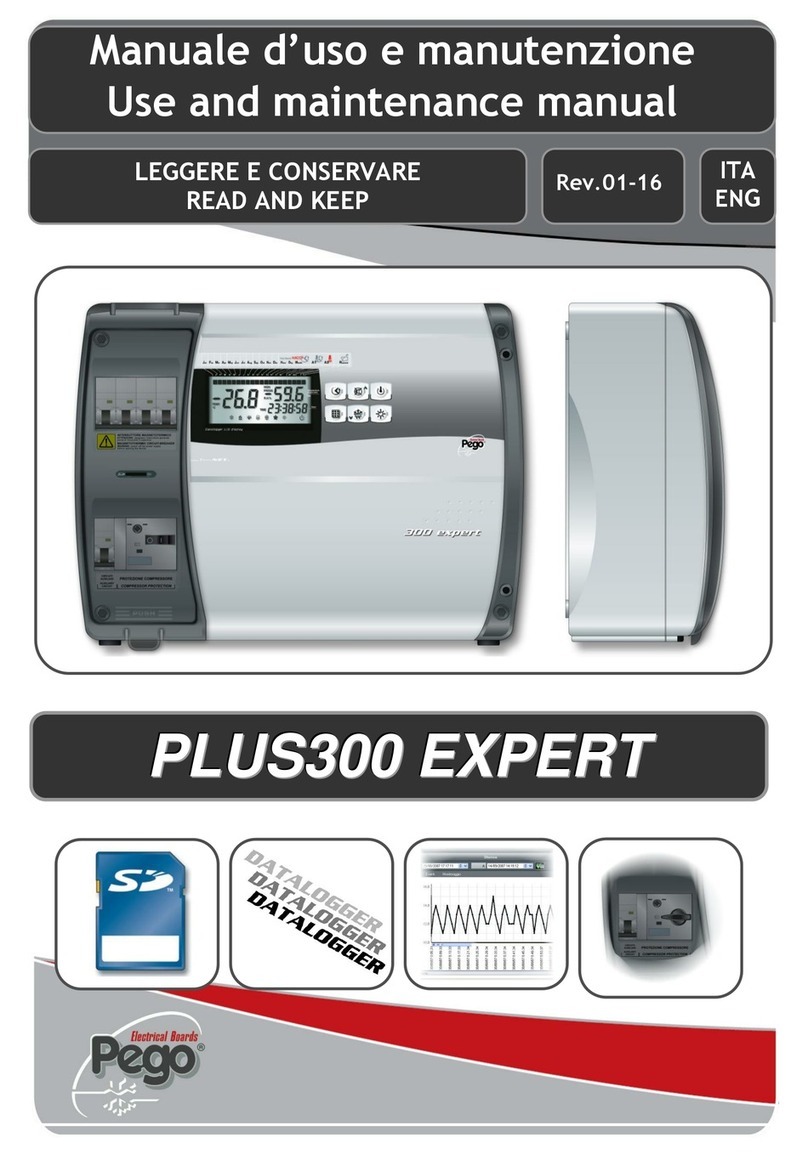
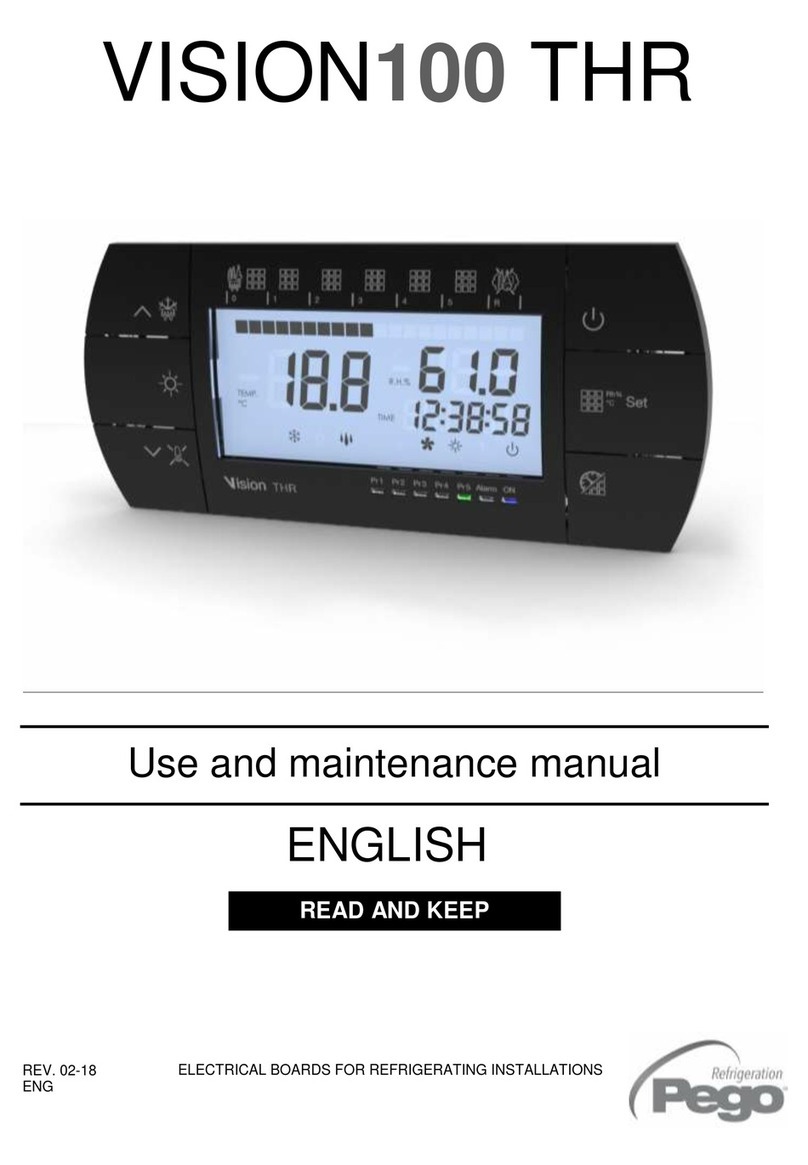
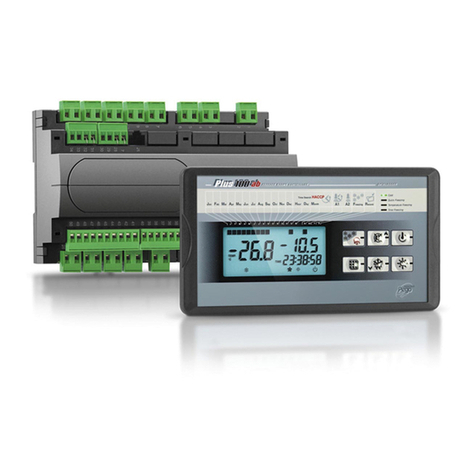
Pego VISION TOUCH PAN Operating instructions

REV. 01/04
User and maintenance manual
ELECTRICAL BOARDS FOR REFRIGERATING INSTALLATIONS
READ AND KEEP
REV. 01-19
ENG
VISION TOUCH PAN
ENGLISH
Rel. Software: VT_PAN_2_0_0_3

VISION TOUCH PAN
Pag. 2
USER AND MAINTENANCE MANUAL
Rev. 01-19
Thank you for choosing PEGO'S VISION TOUCH PAN controller.
Reading this manual thoroughly will guide you through proper installation and better use of
the various features. We therefore recommend keeping this manual near the controller to
make use of it during the device installation, configuration and use.
Waste disposal guidelines:
The Vision Touch controller consists of glass parts, plastic parts and metal parts.
With reference to the Directive 2012/19/UE of the European Parliament and of the Council
of 4 July 2012 and related national legislation, please note that:
A. There is the obligation not to dispose of WEEE as urban waste and to perform
separate collection of this waste.
B. Public or private waste collection facilities foreseen by local laws must be used to
dispose of the materials. It is also possible to give the device back to the distributor
at the end of its life when purchasing a new one.
C. This equipment can contain dangerous substances: improper use or incorrect waste
disposal could have negative effects on human health and on the environment.
D. The symbol (crossed-out waste bin on wheels) applied to the pack, product
and instructions indicates that the appliance was placed on the market after August
13, 2005, and must be disposed of separately.
E. In case of abusive disposal of electrical and electronic waste, there are sanctions
established by local standards in force concerning waste disposal.

VISION TOUCH PAN
Pag. 3
USER AND MAINTENANCE MANUAL
Rev. 01-19
INTRODUCTION
Page 5 1.1 General information
Page 6 1.2 Product identification codes
Page 7 1.3 Overall dimensions
Page 7 1.4 Identification data
Page 8 1.5 Technical features
INSTALLATION
Page 9 2.1 General rules for the installer
Page 9 2.2 Standard equipment for assembly and use
Page 10 2.3 Installation and assembly
ELECTRICAL CONNECTIONS
Page 12 3.1 Console / 100N MASTER3 power supply and connection
Page 14 3.2 Connection of digital outputs on 100N MASTER3
Page 15 3.3 Connection of digital inputs on 100N MASTER3
Page 16 3.4 Connection of analogue inputs on 100N MASTER3
Page 17 3.5 Connection of analogue outputs on 100N MASTER3
Page 17 3.6 Ethernet connection on Vision Touch
Page 18 3.7 Connection to RS-485 for TeleNET or Modbus- RTU
SWITCHING ON
Page 19 4.1 Commissioning
Page 20 4.2 Switch-on controller
USER INTERFACE
Page 21 5.1 Console functional zones
Page 22 5.2 Main display
Page 22 5.3 Status bar
Page 23 5.4 Button bar
Page 25 5.5 Gesture
HOME PAGES
Page 29 6.1 Manual mode: Selects manual mode and Temperature/Humidity Management
Page 32 6.2 Manual mode: Modify the Temperature/Humidity setpoint and fan speed
Page 34 6.3 Automatic programs Display, create, start and edit.
Page 36 6.4 Automatic programs: Description of the Program Steps
Page 37 6.5 Automatic programs: Add/Edit Program Steps
Page 44 6.6 Automatic programs: Automatic cycle
ACCESS LEVELS
Page 47 7.1 Access levels to parameters (User / installer)
Page 47 7.2 Lock screen and User / installer login
CHAPTER 1
CONTENTS
CHAPTER 2
CHAPTER 3
CHAPTER 4
CHAPTER 5
CHAPTER 6
CHAPTER 7

VISION TOUCH PAN
Pag. 4
USER AND MAINTENANCE MANUAL
Rev. 01-19
PARAMETERS
Page 48 8.1 Access to the “Parameters” menu
Page 49 8.2 Description of parameters setting page
Page 50 8.3 Parameters menu items list
Page 52 -8.3.1 Process adjustment
Page 53 - 8.3.2 Defrost cycles
Page 55 - 8.3.3 Ventilation
Page 56 - 8.3.4 Air change
Page 56 - 8.3.5 Configure PAN
Page 57 - 8.3.6 Machine protection
Page 58 - 8.3.7 Probes calibration
Page 58 -8.3.8 Configuration RS458
Page 59 -8.3.9 Web server
Page 63 - 8.3.10 Mail
Page 64 -8.3.11 PEGO humidifier
Page 65 - 8.3.12 Language
Page 66 - 8.3.13 Date and time
Page 67 - 8.3.14 General settings
Page 68 - 8.3.15 Software
Page 69 - 8.3.16 Info
Page 70 - 8.3.17 Password
Page 72 - 8.3.18 Test center
Page 76 - 8.3.19 Configure I/O
Page 81 - 8.3.20 I/O status
PROGRAM MANAGEMENT
Page 82 9.1 Program Management
DIAGNOSTICS
Page 83 10.1 Diagnostics
Page 85 10.2 Alarms management
Page 86 10.3 Pop-up management
WEB
SERVER
Page 87 11.1 Installation
Page 89 11.2 Web interface: user access
Page 90 11.3 Web interface: pages
OPERATION
Page 98 12.1 Cold/hot: preservation of ambient temperature
Page 99 12.2 Humidify/dehumidification: preservation of ambient humidity
Page 100 12.3 0-10V Proportional Humidifier management
Page 100 12.4 New software features
APPENDICES
Page 101 A.1 EU Declaration of Conformity
Page 102 A.2 Warranty terms
CHAPTER 8
CHAPTER 10
CHAPTER 12
CHAPTER 9
CHAPTER 11

VISION TOUCH PAN
Pag. 5
USER AND MAINTENANCE MANUAL
Rev. 01-19
GENERAL INFORMATION
DESCRIPTION:
VISION TOUCH PAN enables advanced control of retarding cells, cabinets or counters
with temperature and humidity control.
The system consists of the 100N MASTER3 unit, on which all the electrical connections
are made, and the VISION TOUCH PAN control console, equipped with 7'' TFT display
with capacitive touch screen combined with a highly advanced software and a highly user
friendly interface that allows easy use.
APPLICATIONS:
-Retarding cabinets, counters and cells for industrial and in-store bakeries and
confectioneries.
-Replacing other retarding controls on existing systems.
TECHNICAL SPECIFICATIONS FOR RETARDING:
-Hot manual mode (leavening)
-Cold manual mode (accumulation)
-Manages automatic retarding programs that can be customised, consisting of a
maximum of 9 steps that can be set (2 accumulation phases, 3 preservation phases, 3
leavening phases and 1 resting phase); the following is possible for each phase:
Enable its operation (with the exception of Preservation phase 3 that is always present);
Set the functions enabled in the phase (Cold , Hot , Humidify and Dehumidify );
Phase duration, Temperature setpoint and Humidity setpoint;
Select the evaporator fan speed and continuous fan forcing;
Switch to enable temperature threshold management, below which humidity control is
inhibited;
Switch to enable defrosting for the accumulation and preservation phases. (At the
beginning of the leavening phase, a defrosting phase is launched, if enabled, and this is
then inhibited during the leavening and resting phases);
Switch to enable the gradual increase to reach the Temperature setpoint (only for the
leavening phases).
-Possibility of enabling a warning for the end of program and oven advance ignition
command.
-Store up to 12 programs in the internal memory with the option of exporting them to a
USB or microSD.
-Diagram of the program in execution with progress display (completed phases, phases
in progress and phases yet to be executed) and a representation of the set values and
of all the remaining times.
-Temperature adjustment range: -45°C/+99°C; humidity adjustment range: 0-100 R.H.%

CHAPTER 1: INTRODUCTION
CHAP. 1 - Introduction
1.1

VISION TOUCH PAN
Pag. 6
USER AND MAINTENANCE MANUAL
Rev. 01-19
GENERAL CHARACTERISTICS OF THE CONTROLLER:
-7'' TFT display with high resolution (800x480 WVGA), LED backlighting and capacitive
touch screen.
-Front with 1,1 mm chemically treated glass.
-Ability to reverse the viewing angle of the display to ensure the possibility of mounting
at any height.
-Devices: USB 2.0, microSD, RS485.
-Acoustic signals.
-IP65 frontal protection.
-High quality design and icons.
-Touch screen interface with gestures, for an even more intuitive control.
-Clock and calendar (RTC).
-Password function.
-Multilingual.
-Customizable user parameter menu (unused features can be hidden, simplifying the
menu).
-Contextual help in the parameter configuration menu.
-Software updating from microSD or USB.
-Ability to export and import parameters on USB or microSD media.
-Alarm history combined with popup warning messages.
-Advanced HACCP function with detailed memory of temperature / humidity alarms
triggered.
-"Test center" mode to check, in a simple and intuitive way, all the digital and analogical
inputs/outputs.
-RS485 serial connection with TeleNET or Modbus protocol which can be selected in
the parameters.
-Web server: control the Vision Touch from web browsers (controlled access).
-Proportional humidifier control with 0-10V analogue output.
-Automatic sending of e-mail in case of alarm.
PRODUCT IDENTIFICATION CODES
200VT100PAN1 - TOUCH electronic controller for retarding cells. It has
a stylish 7'' TFT display with capacitive touch screen
combined with a highly advanced software and a
highly user friendly interface that allows for easy use.
- 5m telephone cord included.
- 2 NTC probes (1x1.5 m + 1x3 m) included.
Humidity probe is separate.
1.2

VISION TOUCH PAN
Pag. 7
USER AND MAINTENANCE MANUAL
Rev. 01-19
OVERALL DIMENSIONS
Dimensions in mm:
IDENTIFICATION DATA
The device described in this manual has, on the side of 100N MASTER3 and on the back
of the VISION TOUCH PAN console, a plate bearing its identification data:
• Name of Manufacturer
• Code of the device
• Serial number of the device
• Date of manufacture
VISION TOUCH
100N MASTER3
1.3
1.4

VISION TOUCH PAN
Pag. 8
USER AND MAINTENANCE MANUAL
Rev. 01-19
TECHNICAL FEATURES
Power supply
Voltage
110 - 230 V~ 10% 50/60Hz
Max power consumption (electronic controller only)
~ 15 VA
Climatic conditions
Operating temperature
-5 ÷ +50°C
Storage temperature
-10 ÷ +70°C
Relative ambient humidity
Less than 90% RH
General features
Type of connectable probes (temperature)
NTC 10K 1%
Resolution (ambient temperature)
0.1 °C.
Precision of probe detection (ambient temperature)
± 0,5 °C
Reading range
-45 ÷ +99 °C
Humidity probe
analogue input 4-20 mA
Precision of humidity probe detection
see humidity probe features
Range of humidity probe detection
0-99 rH%
Output features
Description
Relay installed
Features of output board
Notes
Output 3-4
(30A AC1 relay)
30A 240V~(AC1)
10A 240V~(AC3) (2HP)
(100000 cycles)
All the outputs are
voltage-free
contacts
11 outputs from 5 to 26
(see connections diagram)
(16A AC1 relay)
16A 240V~(AC1)
3A 240V~(AC3)
Dimensional features
Dimensions 100N MASTER3
121.50 mm x 71 mm x 175 mm (HxDxL)
Dimensions VISION TOUCH PAN
151 mm x 44 mm x 191 mm (HxDxL)
Insulation and mechanical properties
Degree of protection of display
IP65
Material of box
Self-extinguishing ABS
1.5

VISION TOUCH PAN
Pag. 9
USER AND MAINTENANCE MANUAL
Rev. 01-19
GENERAL RULES FOR THE INSTALLER
1. If the program is used in applications with the risk of harming persons, machines or
materials, it must be coupled with auxiliary alarm devices.
2. The programmer must NOT be installed in environments with dangerous atmospheres
(flammable or explosive); it can only be connected to elements which operate in this
atmosphere by means of appropriate and suitable types of interface compliant with
safety standards in force.
3. Install the appliance in places which respect the degree of protection.
4. Avoid using multi-pole cables with conductors connected to inductive and power
conductors and signal conductors like probes and digital inputs.
5. Avoid housing power cables in the same conduits as signal cables (probes, digital or
analogue inputs, communication cables).
6. Minimize the length of the connecting cables to prevent these from coiling up and
adversely affecting the electronics through induction.
7. All the conductors of the cables must be of an appropriate size to withstand the required
load.
8. Place a general protection fuse upstream the electronic controller.
9. Provide a two-phase disconnecting switch compliant with foreseen safety requirements
(CE marked) to shut off the power supply upstream the controller. The switch must be
placed in the immediate vicinity of the regulator and must be easily reachable by the
operator.
10. Should the length of the probes need to be extended, it is necessary to use conductors
with an appropriate cross-section and however no less than 1mm². Extension or
shortening of the probes may alter the factory settings; use an external thermometer,
therefore, for testing and calibration.
11. When using the console at low temperatures there could be a visible slow down in the
response from the display; this can be considered normal.
STANDARD EQUIPMENT FOR ASSEMBLY AND USE
The VISION TOUCH PAN electronic controller is provided with the following for assembly
and use:
• 2 temperature probes;
• 1 plug telephone cable (5m);
• 1 user quick guide;
• 1 Vision Touch PAN (200VTOUCHPAN) console;
• 4 media for Vision Touch console;
• N° 1 100N MASTER3 (200100NMSTH3);
CHAPTER 2: INSTALLATION
2.2
2.1

VISION TOUCH PAN
Pag. 10
USER AND MAINTENANCE MANUAL
Rev. 01-19
INSTALLATION AND ASSEMBLY
Fig. 1: Install the 100N MASTER3
module on the DIN guide and
close the bottom clamps to hold
it in place.
Fig. 2: VISION TOUCH console drilling
template.
Fig. 3: Configure properly the side switch
(if present) to reverse the viewing
angle of the display. This allows you
to mount the VISION TOUCH at any
height.
When mounted in the low position,
rotate the display by 180 ° in order
to have the signal leds at the top.
2.3
177mm
136mm

VISION TOUCH PAN
Pag. 11
USER AND MAINTENANCE MANUAL
Rev. 01-19
Fig. 4: Fasten the VISION TOUCH console
by means of the four media to be
inserted in their specific seats.
Tighten each screw until the entire
border front of the console rests on
the panel.

VISION TOUCH PAN
Pag. 12
USER AND MAINTENANCE MANUAL
Rev. 01-19
Following are the electrical connections of the controller divided by type. The
configurations of the inputs and outputs shown below are set by default but can be
changed to suit your needs. The connection between the console and 100N MASTER3
has two possible variants based on the distance between the two components.
POWER SUPPLY AND CONNECTION CONSOLE / 100N MASTER3
1) Connection between the console and 100N MASTER3 with distance within
10m:
CHAPTER 3: ELECTRICAL CONNECTIONS
Power
supply
Connect the ground to the GND
terminal of M2 in the console
(functional ground).
This connection helps to limit the
effects of the electromagnetic
noise on the control system.
The earth connection must be
made in a manner consistent with
applicable regulations.
Connect the power to terminals 1
and 2 of 100N MASTER3.
Switching power supply:
115÷230Vac ±10% 50/60Hz
Demand: 20 VA max.
.
Use the supplied telephone cord
and connect the 8-pin Plugs to
J1in the console and to J1 in the
100N MASTER3 (it includes
communication and power).
Power
supply
3.1

VISION TOUCH PAN
Pag. 13
USER AND MAINTENANCE MANUAL
Rev. 01-19
2) Connection between the console and 100N MASTER3 with distance within
500m:
Power
supply
Connect the ground to the GND
terminal of M2 in the console
(functional ground).
This connection helps to limit the
effects of the electromagnetic
noise on the control system. The
ground connection must be made
in a manner consistent with
applicable regulations.
Connect the power to terminals 1
and 2 of 100N MASTER3.
Switching power supply:
115÷230Vac ±10% 50/60 Hz
Demand: 20 VA max.
Connect terminal (-) of M1 in the
console to terminal 45 of 100N
MASTER3 and term (+) of M1 in
the console to terminal 46 of
100N MASTER3.
Avoid coupling with power cables.
Connect terminal (1) of M2 in the
console to terminal 37 of 100N
MASTER3 and term (B) of M2 in
the console to terminal 38 of
100N MASTER3.
Connect the braid of the shielded
cable to the (GND) terminal of
M2in the console.
Use twisted cable suitable for the
transmission of RS485 signals
with minimum section of 0.5mm2
(e.g. Belden 8762 cable). Avoid
coupling with power cables.

VISION TOUCH PAN
Pag. 14
USER AND MAINTENANCE MANUAL
Rev. 01-19
DIGITAL OUTPUT CONNECTION ON 100N MASTER3
PIN
TERMINALS
DIGITAL
OUTPUT
DEFAULT SETTINGS
DIGITAL OUTPUTS
RELAY OUTPUT FEATURES
(Voltage-free contacts)
3-4
DO1
2 = Cold
(contact N.O)
Relay 30A 240V~ (AC1)
10A 240V~ (AC3) (2HP)
5-6
DO2
1 = Hot
(contact N.O)
Relay 16A 240V~ (AC1)
3A 240V~ (AC3)
7-8
DO3
3 = Fans high speed
(contact N.O)
Relay 16A 240V~ (AC1)
3A 240V~ (AC3)
9-10
DO4
4 = Fans low speed
(contact N.O)
Relay 16A 240V~ (AC1)
3A 240V~ (AC3)
11-12
DO5
5 = Humidify
(contact N.O)
Relay 16A 240V~ (AC1)
3A 240V~ (AC3)
13-14
DO6
6 = Dehumidify
(contact N.O)
Relay 16A 240V~ (AC1)
3A 240V~ (AC3)
15-16
DO7
7 = Light
(contact N.O)
Relay 16A 240V~ (AC1)
3A 240V~ (AC3)
25-26
DO8
8 = Air renewal
(contact N.O)
Relay 16A 240V~ (AC1)
3A 240V~ (AC3)
23-24
DO9
11 = Oven advance ignition
(contact N.O)
Relay 16A 240V~ (AC1)
3A 240V~ (AC3)
21-22
DO10
9 = Defrosting
(contact N.O)
Relay 16A 240V~ (AC1)
3A 240V~ (AC3)
19-20
DO11
10 = End recipe
(contact N.O)
Relay 16A 240V~ (AC1)
3A 240V~ (AC3)
17-18
DO12
12 = Alarm
(contact N.O)
Relay 16A 240V~ (AC1)
3A 240V~ (AC3)
POSSIBLE CONFIGURATIONS
DIGITAL OUTPUTS DO1÷DO12
Access menu:
Parameters > Configure I/O > Digital outputs
0 = Disabled
1 = Hot
2 = Cold
3 = Fan high speed
4 = Fan low speed
5 = Humidification
6 = Dehumidification
7 = Light
8 = Air Renewal
9 = Defrosting
10 = End recipe
11 = Oven advance ignition
12 = Alarm (only DO12)
Positive values = Contact N.O.
Negative values = Contact N.C.
3.2

VISION TOUCH PAN
Pag. 15
USER AND MAINTENANCE MANUAL
Rev. 01-19
DIGITAL INPUT CONNECTION ON 100N MASTER3
PIN
TERMINALS
DIGITAL
INPUT
DEFAULT SETTINGS DIGITAL INPUTS
(Use voltage-free contacts)
47-59
DI1
1 = Door switch (function Not active with contact N.O.)
48-59
DI2
2 = Alarm (function Not active with contact N.O.)
49-59
DI3
3 = Stand-by from remote (function Not active with contact N.O.)
50-59
DI4
4 = Disable hot (function Not active with contact N.O.)
51-59
DI5
5 = Disable humidity (function Not active with contact N.O.)
52-59
DI6
6 = Compressor protection (function Not active with contact N.O.)
53-59
DI7
7 = Humidifier alarm (function Not active with contact N.O.)
54-59
DI8
8 = Fans protection (function Not active with contact N.O.)
55-59
DI9
9 = Generic Warning 1 (function Not active with contact N.O.)
56-59
DI10
10 = Generic Warning 2 (function Not active with contact N.O.)
57-59
DI11
12 = High pressure (function Not active with contact N.O.)
58-59
DI12
13 = Low pressure (function Not active with contact N.O.)
POSSIBLE CONFIGURATIONS
DIGITAL INPUTS DI1÷DI12
Access menu:
Parameters > Configure I/O > Digital inputs
0 = Disabled
1 = Door switch
2 = Alarm
3 = Stand-by
4 = Disable hot
5 = Disable humidity
6 = Compressor protection
7 = Humidifier alarm
8 = Fans protection
9 = Generic Warning 1
10 = Generic Warning 2
11 = Generic Warning 3
12 = High pressure
13 = Low pressure
Positive values = Contact N.O.
Negative values = Contact N.C.
3.3

VISION TOUCH PAN
Pag. 16
USER AND MAINTENANCE MANUAL
Rev. 01-19
ANALOGUE INPUT CONNECTION ON 100N MASTER3
PIN
TERMINALS
DESCRIPT.
TERMINALS
TYPE OF
SIGNAL
ANALOGUE
INPUT
DEFAULT SETTINGS
ANALOGUE INPUTS
DEFAULT
SETTINGS BRIDGES
ON 100N MASTER3
27
RH
4-20mA
AI1
3 = Ambient humidity
probe
J11=2-3
J12=1-2
J13= open
28
V+
29
NTC
AI2
1 = Ambient temp.
J21=1-2
J22=2-3
J13= open
30
31
NTC
AI3
2 = Evaporator temp.
J31=1-2
J32=2-3
J33= open
32
33
NTC
AI4
0 = Disabled
J41=1-2
J42=2-3
J43= open
34
35
NTC
AI5
0 = Disabled
J51=1-2
J52=2-3
J53= open
36
POSSIBLE CONFIGURATIONS
ANALOGUE INPUTS AI1÷AI5
Access menu:
Parameters >Configure I/O >Analogue inputs
0 = Disabled
1 = Ambient temperature (NTC)
2 = Evaporator temperature (NTC)
3 = Ambient humidity probe (4-20mA)
The selection of the desired function for each
analogue input is done by the configuration of the
dedicated parameter in the “ Parameters > Configure
I/O > analogue inputs” menu combined with the
correct setting of the Hardware configuration jumpers
on the 100N-MASTER3 under the removable front
cover (see the side image).
In particular, the configuration is as follows:
For NTC probes : J*1=1-2, J*2=2-3, J*3=open
For 4-20mA probes : J*1=2-3, J*2=1-2, J*3=open
*= number analogue input
3.4

VISION TOUCH PAN
Pag. 17
USER AND MAINTENANCE MANUAL
Rev. 01-19
ANALOGUE OUTPUT CONNECTION ON 100N MASTER3
PIN
TERMINALS
DESCRIPT.
TERMINALS
TYPE OF
SIGNAL
ANALOGUE
OUTPUT
DEFAULT SETTINGS
ANALOGUE OUTPUTS
41
Ref.
0-10V
AO1
1 = Speed of the evaporator fans
44
Gnd
42
Ref.
0-10V
AO2
0 = Disabled
44
Gnd
43
Ref.
0-10V
AO3
0 = Disabled
44
Gnd
ETHERNET CONNECTION ON VISION TOUCH
POSSIBLE CONFIGURATIONS
ANALOGUE OUTPUTS AO1÷AO3
Access menu:
Parameters>Configure I/O>analogue outputs
0 = Disabled
1 = Speed of the evaporator fans
2 = Humidifier regulation
Connect the Ethernet cable with
RJ45 connector to the J3 input of the
Vision Touch console. Connect the
other end of the cable to the existing
LAN or to the PC.
3.6
3.5

VISION TOUCH PAN
Pag. 18
USER AND MAINTENANCE MANUAL
Rev. 01-19
CONNECTION TO RS-485 FOR TELENET OR MODBUS-RTU
1) Example of connection between the console and the Modbus line:
It is recommended to connect a resistance equal to 120between A and B at the
beginning and end of the line in case of communication problems.
For a correct functioning the MASTER has to have a RS485 polarized.
Connect the earth to the GND
terminal of M3 in the console
(functional earth). This connection
helps to limit the effects of the
electromagnetic noise on the
control system.
The ground connection must be
made in a manner consistent with
applicable regulations.
Connect the terminal (A) of M3 in
the console to signal A of the
Modbus line and the terminal (B)
of M3 in the console to signal B of
the Modbus line. Connect the
braid of the shielded cable to the
terminal (GND) of M3 in the
console.
Use twisted cable suitable for the
transmission of RS485 signals with
minimum section of 0.5mm2(e.g.
Belden 8762 cable).
Avoid coupling with power cables.
3.7

VISION TOUCH PAN
Pag. 19
USER AND MAINTENANCE MANUAL
Rev. 01-19
COMMISSIONING
When the controller is switched on for the first time, the "Language Selection" and "time
and date setting" pages of the system are displayed to facilitate the user in starting up the
controller. These settings can even be modified further on by means of the "Language"
and "Date and time" items within the "Parameters" menu.
CHAPTER 4: SWITCHING ON
4.1
Confirm the
settings by
pressing the
confirmation
button
Set the
language by
pressing these
buttons
Confirm the
settings by
pressing the
confirmation
button
Set the date
and time
by scrolling
your finger
over the digits
from the top
downwards
Automatic date
and time
synchronization
via the Web
(required ethernet
connection)

VISION TOUCH PAN
Pag. 20
USER AND MAINTENANCE MANUAL
Rev. 01-19
SWITCH-ON CONTROLLER
Every time the controller is switched on, an information pop-up is displayed with the
starting date and time, requesting the user to acquire the information by pressing "OK".
This allows to verify the return from an electrical blackout.
The start-up event is also memorized inside the "alarms" menu to make it possible to verify
this information over time.
Device power on
Begin: 18-12-2012 13:45:24
Information
acquisition
button
Controller
starting date
and time
4.2
This manual suits for next models
1
Table of contents
Other Pego Control Unit manuals
Popular Control Unit manuals by other brands

Teledyne Lecroy
Teledyne Lecroy SAM40 Operator's manual

Ebyte
Ebyte E820-AIO user manual

Sonny's
Sonny's AQUA-LAB AX installation guide

Joy-it
Joy-it Talking-Pi manual

Spirax Sarco
Spirax Sarco ABV21i Installation and maintenance instructions

Sophos
Sophos SG 105wSG 105XG 105wXG 105SG 115SG 115wXG 115XG 115wSG 125SG 125wXG 125XG 125wSG 135SG 135wXG 135XG... Mounting instructions