User Manual // 3
CONTENTS
Important Safety Instructions ............................................. 4
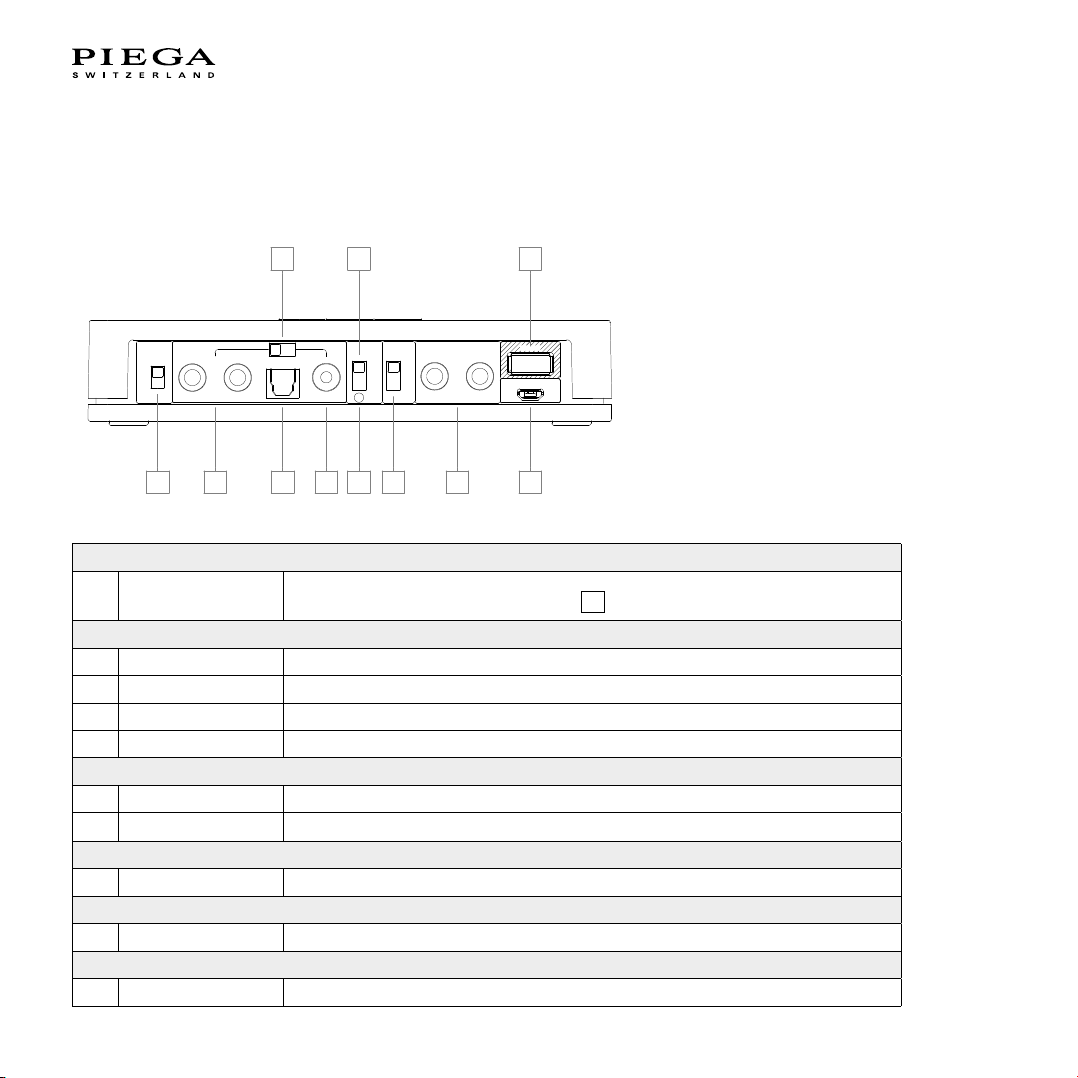
Operating elements of the PIEGA connect ........................ 6
Overview ........................................................................... 6
Description of the operating elements of the
PIEGA connect .................................................................... 8
Volume 1....................................................................... 8
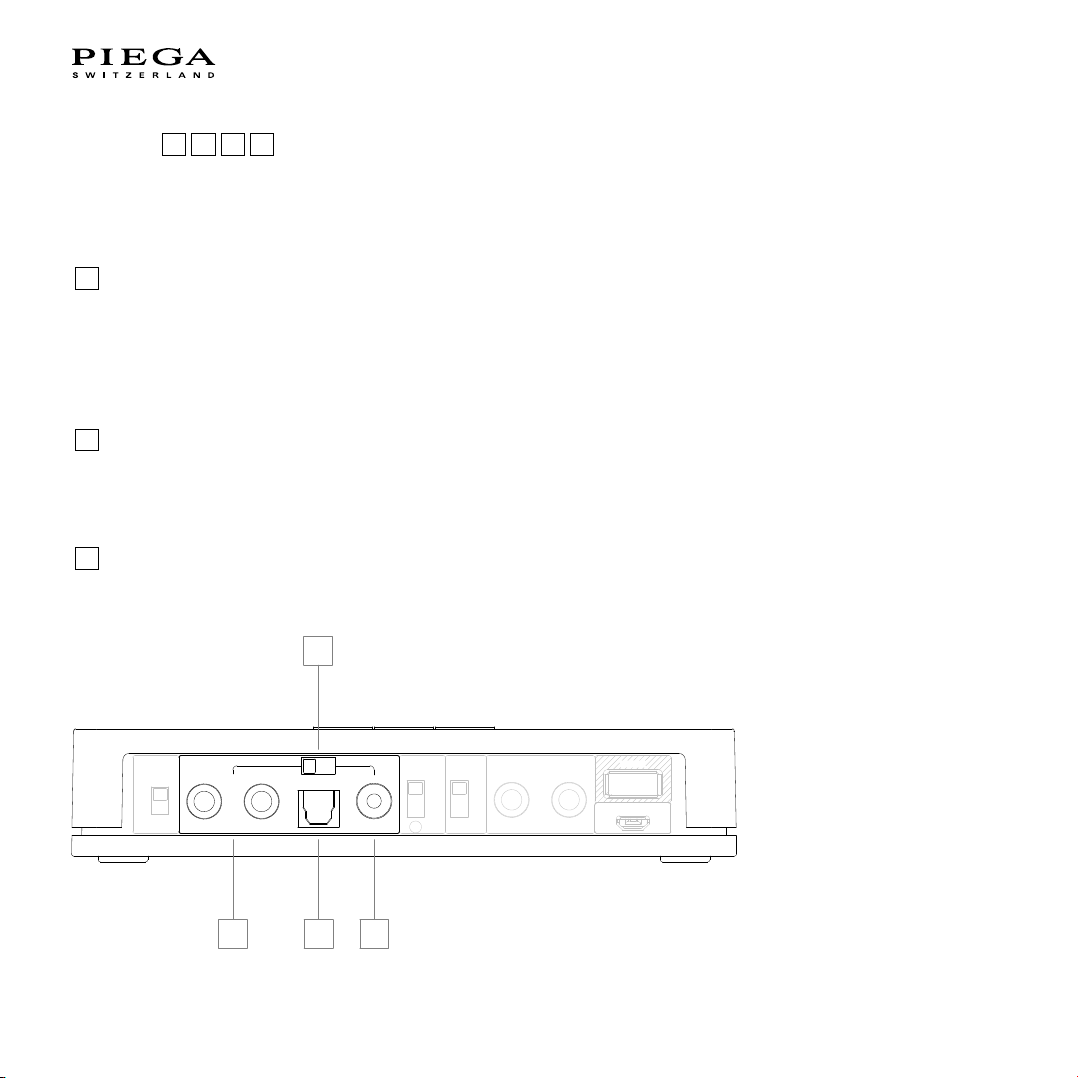
Input 23 4 5 .................................................... 10
Determination of input source and priority 5................. 11
Group 67................................................................ 13
Wireless 8.................................................................... 13
Output 9...................................................................... 14
Service 10 ..................................................................... 14
Power 11 ....................................................................... 15
Volume control 12 .......................................................... 15
Bluetooth pairing 13 ....................................................... 16
Operating elements of the PIEGA speaker ...................... 17
Overview ......................................................................... 17
Description of the operating elements of
the PIEGA speaker ............................................................ 18
Group 12................................................................ 18
Speaker position 34................................................ 18
Input 5......................................................................... 21
Service 6..................................................................... 21
Supply 78............................................................... 21
Installation instructions...................................................... 22
Wireless........................................................................... 24
1) Connection between playback device
and PIEGA connect ........................................................ 24
2) Operating elements settings............................................. 25
3) Power supply to the PIEGA connect........................... 27
4) Unpack and set up the speaker ................................. 27
5) Power supply to the speaker...................................... 27
6) Speaker settings........................................................ 27
7 ) Connection of Bluetooth devices (optional)................ 27
8) Your system is ready.................................................. 27
Connection of the subwoofer (peripheral equipment)........ 28
1) Introduction................................................................ 28
2) Connecting the PIEGA connect to a subwoofer.......... 28
Using several PIEGA connect systems............................. 29
As active speaker ............................................................ 31
1) Playback device......................................................... 31
2) Unpack and set up the speaker ................................. 31
3) Speaker settings........................................................ 31
4) Connecting the speaker to the playback device ......... 32
5) Power supply to the speaker...................................... 32
Operation ........................................................................... 33
General............................................................................ 33
Bluetooth function and priority .......................................... 33
Overview of the status displays........................................ 35
Technical data.................................................................... 36
PIEGA connect ................................................................ 36
PIEGA wireless speaker ................................................... 37
FAQs (frequently asked questions) ................................... 38
Declaration of Conformity ................................................. 40