G;"".:-"J,;;l '::j*,"".:'*;-;[,;*
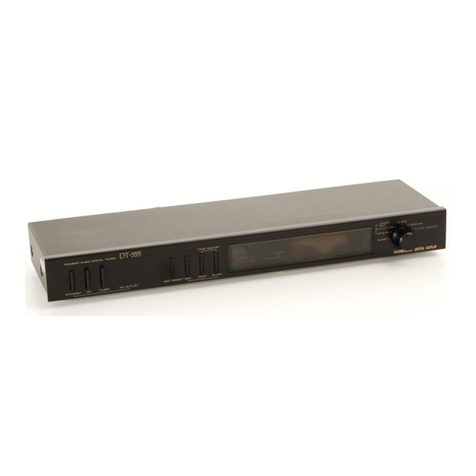
3. FRONT PANEL FACILITIES
e Ac ourLET sELEcroR
(OFF/ON/TIMER)
The AC OUTLET selectors are used when switching on
and off the power to the components connected to the
timer and thereby activating the timer, and also when
giving priority to the timer function and switching on and
off the power manually.
OFF: When this switch is depressed, the power being
supplied to the connected components is switch-
ed off.
ON: When this switch is depressed, the power to the
connected components is switched on.
TIMER: When this switch is depressed, the power being
supplied to the connected components can be
switched on and off by the timer switch func-
tion.
@ TIME ADJUST SWITcHES
These switches are operated when setting the present
clock time, the timer switch ON-OFF times and the sleep
timer OFF time.
SEC RESET:
This switch works when the mode selector has
been set to the SECOND position. When it is
depressed, "0:00" appears on the display and
when the switch is released, the seconds are
counted ("0:00" - "0:01 " - "O:02"1.
REV: When this switch is depressed together with the
FAST or SLOW switch, the displayed time is
put into reverse. The switch does not work when
the mode selector has been set to the SLEEP or
SECOND position.
FAST: When this switch is depressed, the displayed time
is forwarded quickly.
SLOW: When this switch is depressed, the displayed time
is forwarded slowly.
@ AC OUTLET TNDTCATOR
This indicator lights when power is being supplied to the
AC outlet on the rear panel.
@ TIMER INDIcAToR
This indicator lights when the AC OUTLET-TIMER
switch has been depressed.
@ TIME DISPLAY
The following displays appear in line with the position
of the mode selector.
MODE
SE LECTOR TIME DISPLAY
SLE EP lrme
OF F. remaining until the sleep timer goes
TIMER SET-OFF Time set for the timer switch to go OFF
TIMER SET-ON Time set for the timer switch to come ON.
CLOCK Present time in hours, minutes, AM or PM.
SECOND Rightmost minute digit and second dis
play.
CLOCK ADJUST When the clock is set to the present time,
the time is displayed in accordance with
the operation of the time adjust switches.
NOTE:
"AM l2:OO" or "0:OO" may flash on the time display when the
timer's power plug has been connected to a household AC outlet
or when the power is restored after a power faiture during actual
.operation.
@ MoDE sELEcroR
This is used to select the timer switch functions.
SLE EP: Set here to set the sleep time.
TIMER SET-OFF: Set here to set the time at which the
power to the connected components
is to be switched off by the timer.
TIMER SET-ON: Set here to set the time at which the
power to the connected components
is to be switched on by the timer.
CLOCK: The present time is indicated on the
time display. The mode selector is
normally set to this position.
SECOND: Set here to set seconds of the present
time correctly. Also set here to check
the rightmost minute digit of the
present time and the second display.
CLOCK ADJUST: Set here for setting the present time.
3