Planar SA2311W User manual

SA2311W
3D Ready Monitor
www.planar3d.com

Contents
Preface
.....................................................................................................................1
Installation
................................................................................................................4
Unpacking .......................................................................................................................................................................5
Introduction ............................................................................................................................................................... ....4
Features ....................................................................................................................................................................... ....4
Screen Position Adjustment .....................................................................................................................................8
Preparing The Monitor For Wall-Mounting .................................................................................................. ....6
Connecting Cables. ......................................................................................................................................................9
Settings for Stereoscopic 3D Use ................................................................................................................. .....10
Lock Function. ..................................................................................................................................................... ........13
OSD Operation .............................................................................................................................................................14
Supported Timing ......................................................................................................................................................17
Warning.............................................................................................................................................................................1
Safety Precaution.......... ................................................................................................................................................3
Display Controls
....................................................................................................12
Front Panel Controls...................................................................................................................................................12
Technical Information
...........................................................................................16
Specifications.............................................................................................................................................................. 16
Troubleshooting
....................................................................................................18
Product Registration andTechnical Support
....................................................19

The information contained in this document is subject to change without notice. This document contains
proprietary information that is protected by copyright. All rights are reserved. No part of this document
may be reproduced, translated to another language or stored in a retrieval system, or transmitted by any
means, electronic, mechanical, photocopying, recording, or otherwise, without prior written permission.
Windows is registered trademark of Microsoft Inc. Other brand or product names are trademarks of their
respective holders.
Preface
FCC Statement Warning
This equipment has been tested and found to comply with the limits for a Class B digital device, pursuant
to part 15 of the FCC Rules.These limits are designed to provide reasonable protection against harmful
interference in a residential installation. This equipment generates, uses, and can radiate radio frequency
energy, and if not installed and used in accordance with the instruction, may cause harmful interference
to radio communications. However, there is no guarantee that interference will not
installation. If this equipment does
occur in a particular
television reception, which cancause harmful interference to radio or
be determined by turning the equipment uraged to try to correct the
interference by one or more of
the following measures:
•Reposition or relocate the receiving antenna.
•Increase the separation between the equipment and the receiver.
•Connect the equipment into an outlet on a circuit different from that to which the receiver is connected.
•Consult the dealer or an experienced monitor technician for help.
Warning
Use only shielded signal cables to connect I/O devices to this equipment. You are cautioned that
changes or modifications not expressly approved by the party responsible for compliance could void
your authority to operate the equipment.
This device complies with part 15 FCC Rules. Operation is subject to the following two conditions(1) This
device may not cause harmful interference. (2) This device must accept any interference received,
including interference that may cause undesired operation.
1
off and on, the user is enco

Canadian DOC Notice
This Class B digital apparatus meets all requirements of the Canadian Interference-Causing
Equipment Regulations.
Cet appareil numérique de la classe B repecte toutes les exigences du Règlement sur le
matériel
Important Recycle Instruction:
Lamp(s) inside this product contain mercury. This product may contain other
electronic waste that can be hazardous if not disposed of properly. Recycle or dispose
in accordance with local, state, or federal Laws. For more information, contact the
Electronic Industries Alliance at WWW.EIAE.ORG. For lamp specific disposal information
check WWW.LAMPRECYCLE.ORG.
Contains Mercury, Dispose of Properly
2

About Power Cable
Check first to make sure that the power cord you use is the correct type required for your area.
This monitor has a universal power supply that allows operation in either 100/120V AC or 220/240 V
Plug one end of the power cord to the AC Inlet, plug another end to a proper AC outlet.
For unit using at 120 V AC: Use a UL Listed Cord Set, Type SVT wire and plug rated 10 A/125 V.
For unit using at 220/240 V AC (outside of U.S.): Use a Cord Set consisting of H05VV-F cord and plug
the equipment will be installed.
Safety Precautions
Avoid placing the monitor, or any other heavy object, on the power cord to prevent it from fire or
Do not expose the monitor to rain, excessive moisture, or dust to avoid fire or shock hazard.
Do not cover the slots or openings of the monitor for proper heat dissipation.
Always put the monitor in a place where there is adequate ventilation.
For optimal viewing avoid placing the monitor against a bright background or where sunlight or other
Handle with care when transporting the monitor.
Do not touch the screen except when lightly cleaning it with a soft cloth.
Cleaning Your Monitor
Please carefully follow the guidelines below when cleaning the monitor.
Always unplug the monitor before cleaning.
Use a soft cloth to wipe the screen and cabinet front and sides.
AC voltage area. No user-adjustment is required.
rated 10 A, 250 V. The cord set should have the appropriate safety approvals for the country In which
electrical shock.
light sources may reflect on the face of the monitor. Place the monitor just below eye level.
3
For some individuals, prolonged use of a stereoscopic monitor may cause discomfort. Take a break
from stereo viewing if you sense eye fatigue or other symptoms. Individuals who are unaccustomed
to using stereoscopic 3D monitors may require a period of adaptation.

Introduction
Installation
Features
4
* 23 “ TFT Color LCD monitor
* 16:9 Widescreen
* Full HD 3D functionality
*NVIDIA 3D vision certified
* Recommended resolution: 1920 x 1080 @ 60Hz
* Direct analog signal input
* Direct digital signal input
* Direct HDMI signal input
* Auto adjustment function
* OSD user control
* Kensington security slot
* 100mm VESA mount
* Compact, space saving, sleek cabinet design
* Height adjustable stand with tilt and swivel
TM
Congratulations on your purchase of the SA2311W high performance LCD monitor. This 23-inch wide-
format monitor is 3D ready with full HD resolution for both professional and entertainment use.

Unpacking
User Guide
LCD Monitor
AC Power Cord 15-pin D-Sub Cable DVI Cable
5
Please check that the following items are present when you unpack the box.
We recommend you save the packaging for future use.
SA2311W
3D Monitor

6
1. Lay the LCD monitor on a flat surface with the LCD screen face down.
To prevent the monitor from being scratched, put a soft cloth on the table.
2. Use a screw driver to release the four screws from the stand pedestal as below.
3. Take the stand away from the monitor head.
Preparing The Monitor For Wall-Mounting
4. Check the stability of the wall-mounting fixture.

7
5. The rear of this LCD display has 4 integrated 4 mm, 0.7 pitches threaded nuts.
Use the four holes (A), (B), (C), and (D) to attach the swing arm or other mounting fixture to the back of
the monitor with screws (not supplied).
6. Follow the instructions included with the mounting fixture to ensure that the monitor is safely attached.
The four threaded holes that are on the back of the panel are compliant with the VESA standard for
mounting flat-panel monitors.
7. Attach a swing arm or other mounting fixture.
Note: The wall-mount uses the 100mm x 100mm spacing standard.
Please use M 4mm x 10mm (L) Screw for this application.
A
C D
B

8
Screen Position Adjustment
In order to optimize the best viewing position, you can adjust the monitor as shown in the
figures below.
20
5
0
0
80 mm
30
0
30
0
Height adjust
Tilt
Swivel
Table of contents
Other Planar Monitor manuals
Planar
Planar PX2611W User manual
Planar
Planar PXL2240MW User manual

Planar
Planar PL171M User manual
Planar
Planar PT1510MX User manual
Planar
Planar PT1745P User manual

Planar
Planar LA1910R User manual

Planar
Planar VitalScreen D6015TM User manual

Planar
Planar TD3200 User manual

Planar
Planar SD2420W User manual
Planar
Planar PT1945R User manual

Planar
Planar PL1700 User manual
Planar
Planar PT191MU User manual
Planar
Planar PQ1710M User manual
Planar
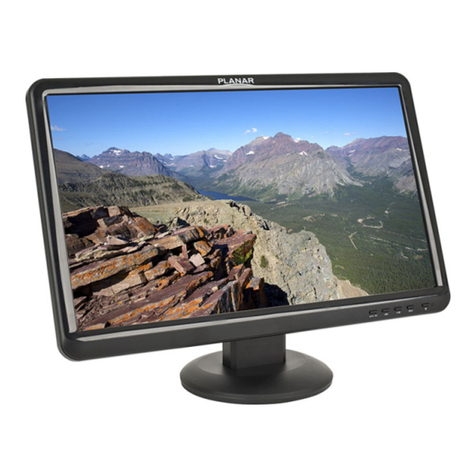
Planar PL1910W User manual

Planar
Planar RA-Series User manual
Planar
Planar PX171M User manual
Planar
Planar Dome E2 User manual
Planar
Planar LA1710R User manual

Planar
Planar PX1710M User manual
Planar
Planar PJ19W User manual