7/ 12
SETUPOPTIONS-UNIT CONFIGURATION
DMX
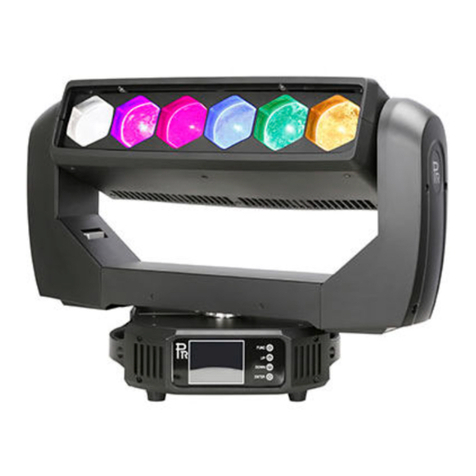
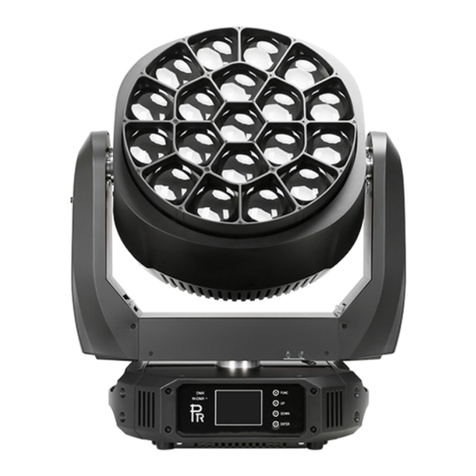
ExplanationsforControlPanel andPotentiometer
After power-on, LCD display displays the company’s LOGO “PR”. After reset, the display is at initial display status
showing information about company’s name including LOGO “PR”, fixture’s model and DMX address( if the start address
is001,itdisplaysas “address=001”) and at the same time the display is locked.
To browse through or change a fixture’s configuration, after ENTER button has been pressed for about 3 seconds, the display
of AddR means the entrance of the menu. To set or browse through a fixture’s settings, press buttons of UP and DOWN.
After button ENTER is pressed, a sub-menu is entered showing current parameters while parameters flashing. Press button
UP or DOWN to change values(plus or minus)
Pressbutton ENTER tosave your settingsorenterintotheupperlevel menuandtheparameters stopsfrom flashing.
Press FUNC to enterintothe upper level menu(parametersnotsaved)orbrowse throughtheupper levelmenu.
After FUNC is pressed for more than 1second or buttons not pressed for more than 1 minute, it will go back to LCD display
initialstage.
After the exitofthe menus, the fixture’s brightness can be adjusted by potentiometer.( Only after the exit of the menus and no
DMX signalcanthiswork)
If there is DMX signal, the DMX signal indication will be on, and at the same time LCD display displays DMX address
accordingly,otherwise,theindication willbe off..
After the startup of the fixture, reset begins, but the lamp willbe on after the reset is completed, at this stage, the brightness of
the fixture is as what the potentiometer points to. If the brightness needs to be changed, please follow the above-mentioned
instructions.Afterreset,thefocallengthwillbethe one setduringlastuse..
OperationGuide
1. Setupof StartAddress
Each unit must be given a DMX start address so that the correct unit respondsto thecorrect control signals. This DMX start
address is the channel number from which the unit starts to “listen” to the digital control information being sent out from the
controller. Theunithas3 DMXchannel,so setthe No.1unit’s address 001, No. 2 unit’s address 004,No.3unit’s address 007,
andsoon.
2.ConfigurationSetup
While the display is locked( initial stage of the display), press the ENTER for more than 3 seconds to unlock it, then press
UP or DOWN to find the menu of Config Setup and press ENTER to enter sub-menus. Press UP or DOWN to find
secondarysubmenusof Dimming, Focusing, LCD display, Language and DisplayInversion.Press ENTER if the submenu is