8
5.SETUPANDCONFIGURATION
●FRONTPANELOPERATION
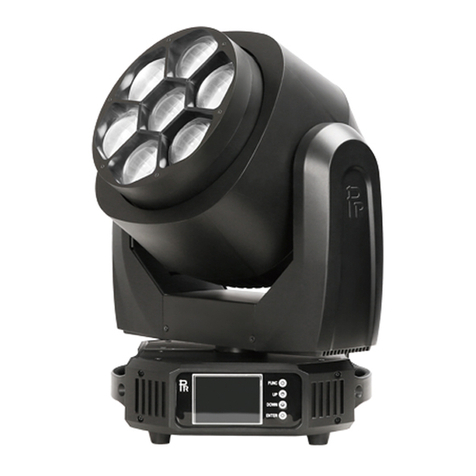
Theconfigurationandstartaddresscanbesetconvenientlyviapushbuttonandcolortouchscreen.
To view or change its setup, touch any white area of the screen or push the key OK for more than 3 seconds to unlock the
display(While onlyon battery, push OK key). After the unlocking, push ►key to enter into function menus. Each main menu has its
submenus and each submenu has a specific function. For details, please see the “OPERATION MENU” with following
the 6th point..
1. Inthepageoffunctionsetup,pushanykeyof ◄, ►, ▲and ▼or iconfor thefunctiondesired.
2. At2nd ,3rd and4th level menus,key ◄meansESCAPE, key ►won’t function, key OK means ENTER.Push key OK to
save any changes o enter into submenus. Push key ▲or ▼to change numbers(plus or minus) or tap any item required
forchanges.
Push the left key or shortcut key X to go back to the upper level menu. If none pushed, the system will go back to initial display
automatically.
Shortcut keys: after the interface of FUNCTION MENU, the upper part is with menus for many functions. On the right, there are 4
shortcut keys,whichare←,→,lamp control or English/Chinese menus.
●DMX STARTADDRESS
Eachprojector must be given aDMXstart address so that the correct projector responds to the correct controlsignals. This DMX start
address is the channel number from which the projector starts to “listen” to the digital control information being sent out from the
controller. The projector has 3 DMX modes. Thereare short mode ,standard mode and extended mode. For example standard mode
has 46 channels, so set the No. 1 projector’s address 001, No. 2 projector’s address 047, No. 3 projector’s address 093, No. 4
projector’s address139,andso on.
Launch theprojector.Presskey OK more than3secondsto unlock the display. After the unlocking, push key ►to enter into menus.
Afterselecting the signof DMX setting,pushOKkeyortap thescreendirectlyandselectDMXaddressat2nd level menus.
Pushkey▲or▼or tap sign <or >to set the number desired.
Push OK keytoconfirm.
Pushkey◄and it will returnto the upper menu
.
Theprojector has wirelesscontrol function with wirelessreceivermoduleandantennafor remotecontrol.
The setupofitisbelow:
1. Enter into the projector’s menu. Select the menu “Config Settigns” via the keys of ▲and ▼