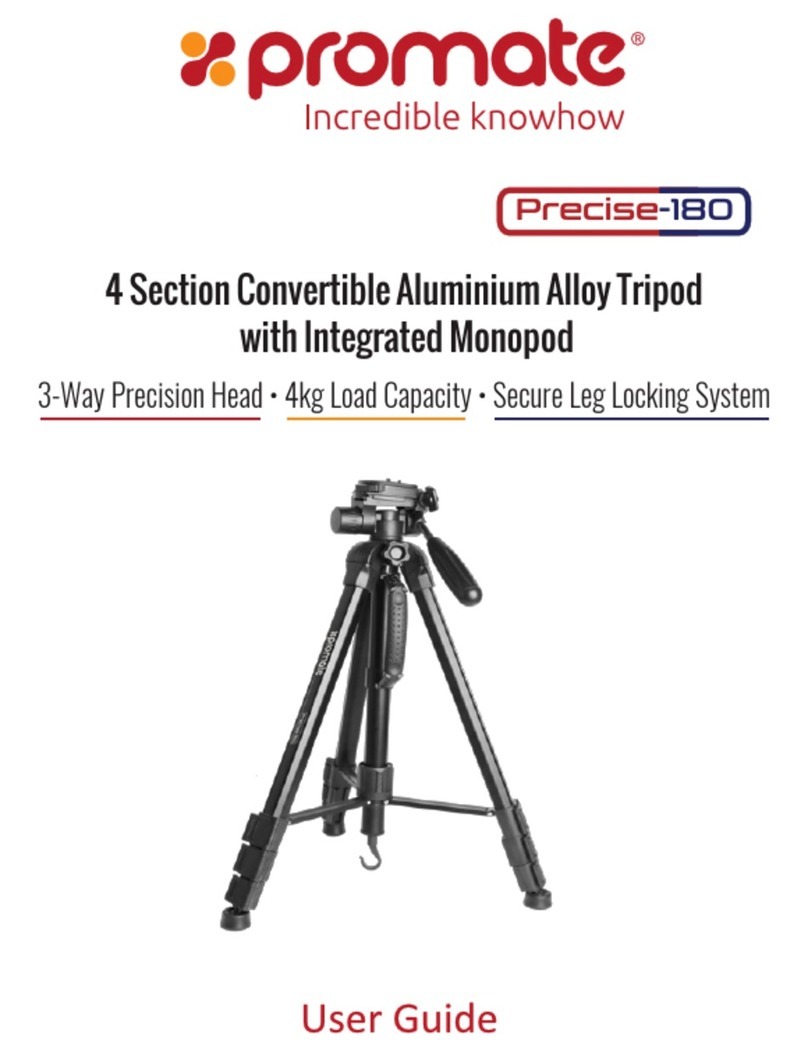
Promate Precise-155 User manual
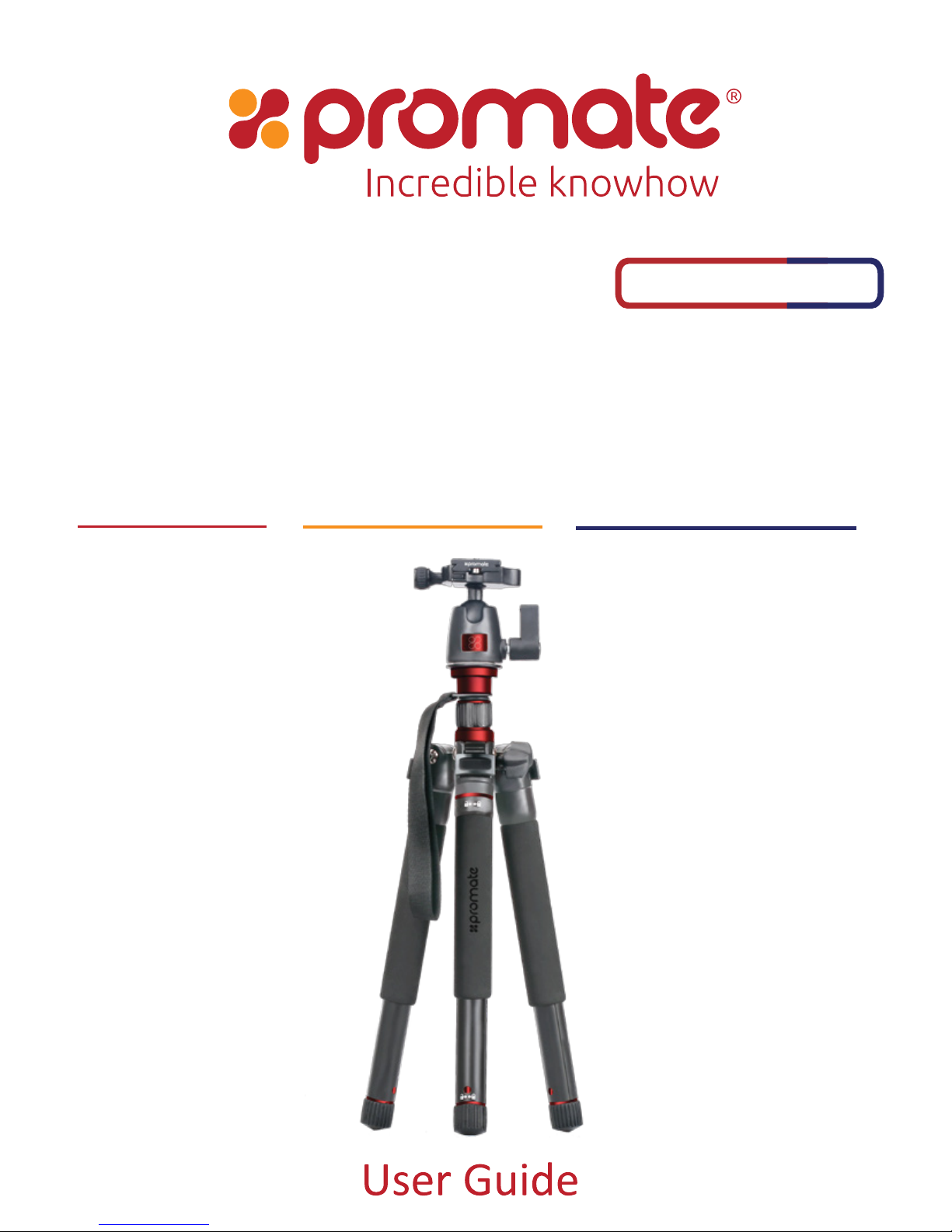
5-Section Aluminium Travel Tripod with
Integrated Monopod
Dual Bubble Level • Twist Leg Lock System • 360 Degree Panning Head
Precise-155

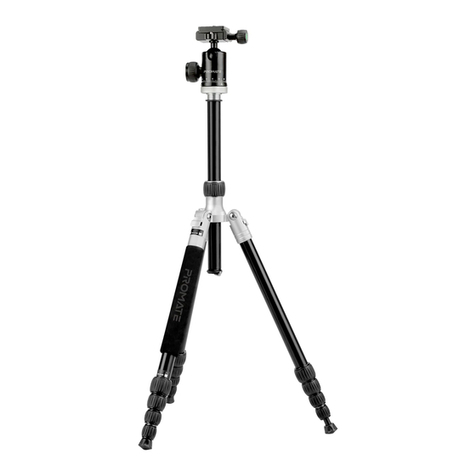
The Precise-155 anodized aluminium tripod is a sturdy yet lightweight tripod with 5-section legs
that fold upward 180° to create an extremely compact package for transport – with the included
head attached, folded length is only 32 cm. With a maximum load capacity of 5kg, the tripod and
head ensure a stable base for many DSLR body/lens combinations. This tripod’s key feature is the
center column mechanism, which allows the column to be extended vertically with great fluidity
and can be detached easily to be used as a monopod. This makes it an extremely versatile tripod,
suitable for a wide range of photography and videography applications.
Introduction
• Precise-155
• Carry Case
• User Guide
Packaging Contents
•MaximumHeight:154cm
•MinimumHeight:44cm
•FoldedHeight:32cm
•Sections:5
•LoadCapacity:5kg
•Weight:1.15kg
Specifications
Features
• 360 Degree Pan andTilt Head: The pan and tilt head allows for fluid camera positioning
and accurate alignment.
• Secure Twist Leg Locks:
Theflip-locksallowforquickandsecureadjustmentofthe
telescopingtripodlegs,while thecenter braceadds stabilityby connectingthe legsto
makethemmorerigid.
• Anodized Aluminium Finish:
Theanodizedaluminiumbodyensuresthatthetripod
lastsmuchlongertowearandtear
• Rapid Adjustment Center Column:
Therapidcentercolumnallowsquickandeasy
cameraheightadjustment.
1
English

• Bubble Level: The bubble level ensures that your shot is aligned to the best angle
always.
• Sure-Grip Rubber Feet: Get maximum traction on any surface for that impeccable
shot in any environment
• Lightweight & Portable: Specialized Twist Leg Lock System lets you fold the tripod to
just 32cm and fit it in a medium sized bag.
• Monopod Convertible: The rapid release column detaches to serve as an adjustable
5-section monopod.
• Carrying Case with Shoulder Strap: Carry this tripod anywhere easily using the
provided carry case
English
Please read all safety instructions and warnings thoroughly before using this product.
Improper use of this product may result in damage to this or attached products.
1. Do not disassemble the product or attempt to fix it.
2. Do not attempt to replace any part of this product.
3. Do not store or use the product in a high temperature environment, including
intense sunlight or heat.
Precautions:
2
English
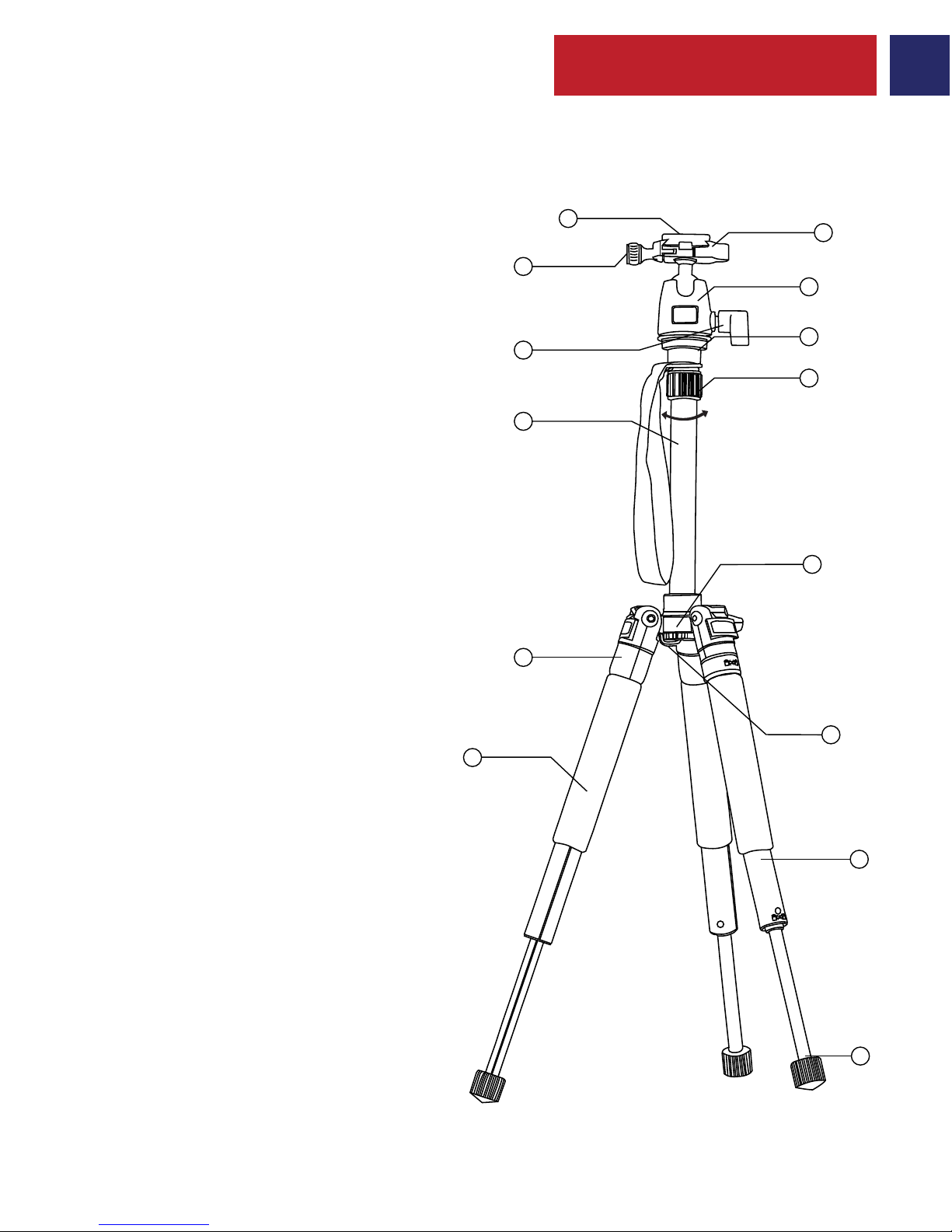
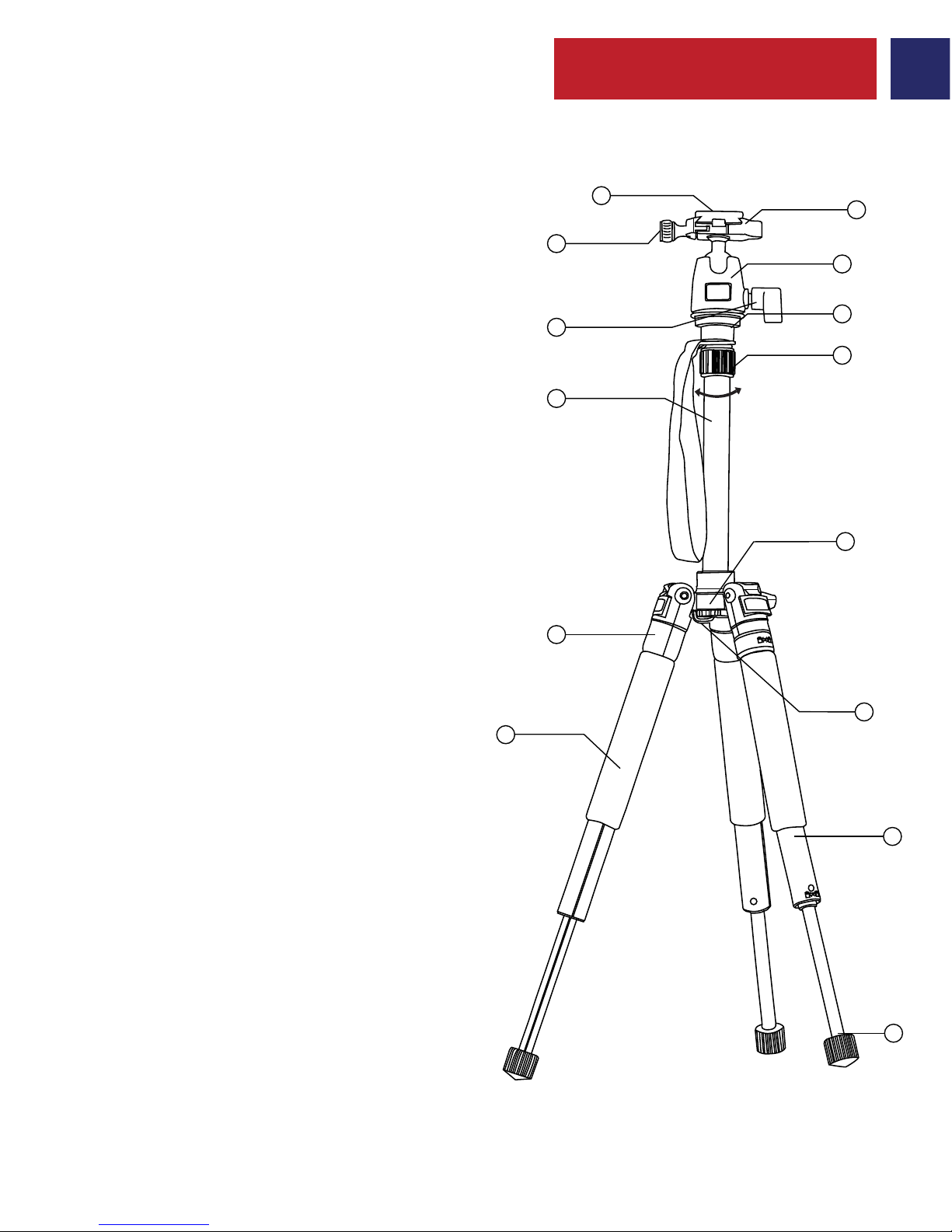
Appearance & Interface Description
3
1
3
5
7
10
11
2
4
8
9
12
6
13
14

1. Adjusting the Height Of The Cente r Column:
2. Installation and Removal Of Mounting Plate
Operation Instructions
English
• Loosen the Center Column Locking Knob.
• Elevate the center column to the desired height.
• Tighten the Center Column Locking Knob.
• Loosen the Locking Knob for Mounting Plate
• Flip up the Mounting Plate to release it.
4
English
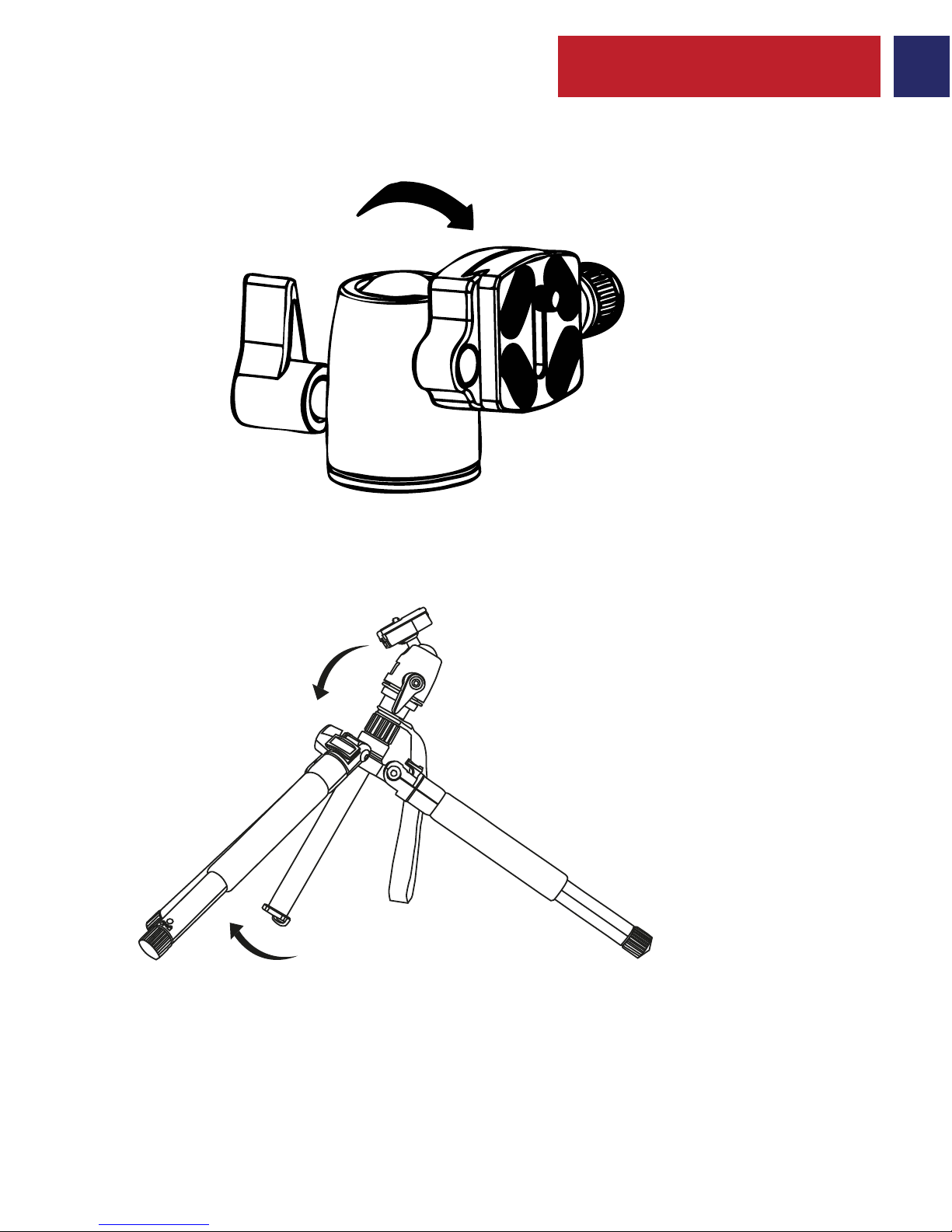
• The mounting plate can be tilted for portrait shots.
• Pull the Secure Flip Leg Locks Outward as shown.
• Adjust the tripod leg angle.
• Press the flip lock to secure the legs.
3. Adjusting the Tilt of the Mounting Plate
4. Using the Secure Leg Locks
5
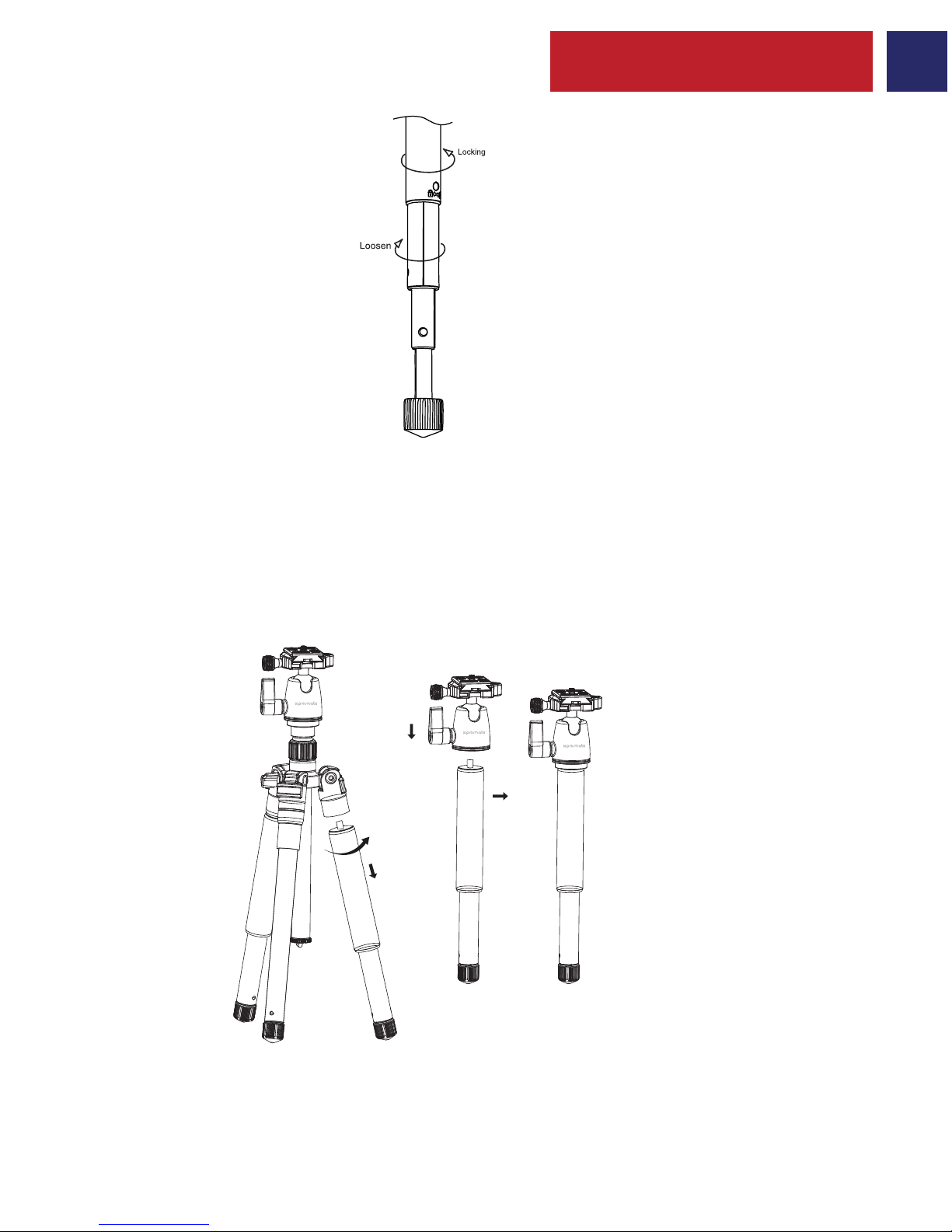
• Detach one of the tripod legs as shown.
• Detach the pivot head from the tripod.
• Screw the pivot head onto the detached tripod leg.
English
5. Extending the Tripod Legs:
6. Monopod Functionality
• Grasp the monopod’s rubber foot and twist it counter clockwise to loosen.
• Extend the monopod leg sections to the desired height.
• Twist the foot clockwise to lock the legs.
6
Appearance & Interface Description
1. Tornillo de montaje
2. Placa de montaje
3. Perilla de bloqueo para
la placa
de montaje con nivel de burbuja
4. Cabeza de pivote
5. Bloqueo de la cabeza de pivote
6. Columna de ajuste del
cabezal giratorio
7. Columna central de ajuste
rápido
8. Bloqueo de columna central
extendido
9. Bloqueo del ajuste de la columna
central
10. Cerraduras de la pierna del tirón
11. Patas telescópicas
12. Gancho de gravedad
13. Pierna Convertible en Monópodo
14. Pies de goma para bloqueo
de patas plegadas
7
1
3
5
7
10
11
2
4
8
9
12
6
13
14
Spanish

Spanish
1. Ajuste de altura de Columna Central:
2. Instalación y Retirada de la Placa de Montaje
Instrucciones de Uso
• Aflojar la perilla de bloqueo de la columna central.
• Elevar la columna central a la altura deseada.
• Apretar la perilla de bloqueo de la Columna Central.
• Aflojar la perilla de Bloqueo de la Placa de Montaje.
• Levante la Placa de Montaje para soltarle.
8

Spanish
• Tirar de los cierres de seguridad de las patas hacia fuera como se muestra.
• Ajustar el ángulo de la pata del trípode.
• Presionar el bloqueo para fijar las patas.
• La placa de montaje se puede inclinar para fotografías de retrato.
3. Ajustar la Inclinación de la Placa de Montaje
4. Uso de las cerraduras seguras
9
Other Promate Camera Accessories manuals
Popular Camera Accessories manuals by other brands

Viltrox
Viltrox EF-NEX Mount instructions

Calumet
Calumet 7100 Series CK7114 operating instructions

Ropox
Ropox 4Single Series User manual and installation instructions

Cambo
Cambo Wide DS Digital Series Main operating instructions

Samsung
Samsung SHG-120 Specification sheet

Ryobi
Ryobi BPL-1820 Owner's operating manual