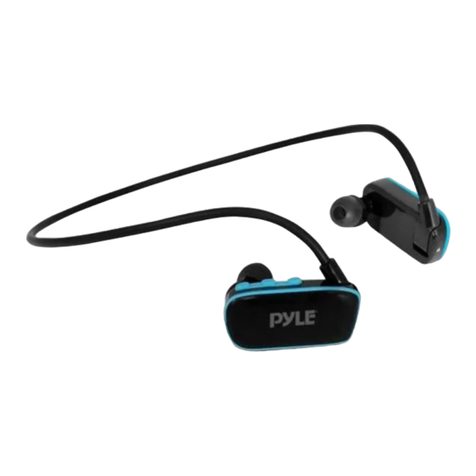
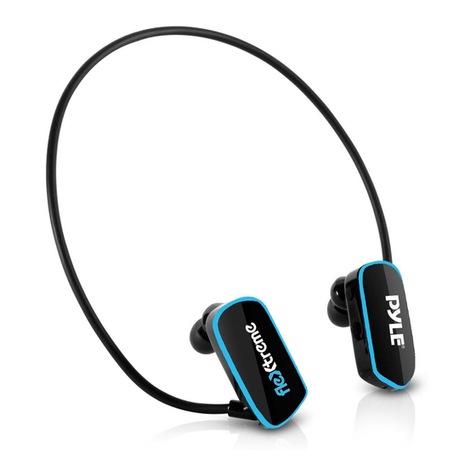
Pyle PSHWPMP3 User manual

WATERPROOF
I
MP3PlAYER
I
PSHWPMP3
User
Manual
Music
Format:
MP3JWMA
USB
Inferface:
USB
2.0
P.1

1.
Part.
1)
110m
Llot
PSHWPMP3 player
waterproofearphone
(~type
.
~
Earbud set
Goggle",,"""""
usa
cabM
(1p8OiII)
u-_
NormaIl-iA Earphone(1ob
.....
"'ouI)
2) Connocll
....
IlEDLE
::;::
~"'.~
=
=l~
~
\
POInR
OR/
OW
PLAY f
MUH
_LI!DLIDHr
....
-
VOL-I
p_
---\--\lrr
T-
¥DL+
'NUT
=e::::J
oc::::JiJ==O
PC
2.
O.,.-.t:lon
Inlllnlctlona
1) To
swttdllhe
MP3
playeron,
prea
the 8 button
for
ttne
seconds
till
lED
lightgoes
on
.
2)
To switch it
off,
press
1ha
8
button
for
ttne
sec::oods
iii
LED
light
gaM
off
.
3)
__
music, lapping
!he
(±)
or
e
.........
ones
wiI
skip a track 01'
replay
the pnrvioua one.
4)
Press and hold
!he
(±)
or
e
~
.......
vokJme.
3.
Ch_rglng
Insertthe
USB
cable into
Jack
1 and
connect
It
to
the
PC
USB
port.
It
Is
recommended that
you
leave
your
MP3
player
to
charge
for
minimum of1
hour
(or
until the red LED light
goes
off)
to
ensull!
optimum battery life.
4.
T
...
n.,erlng
Mu.lc
Transferring
music
to
your
MP3
1) Insertltle
USB
CIIIble
InIoJack 1
and
connect
It
to
a
PC
.
2)The
MP3
playerwiliappur
..
a
...
mOVllble drfve
in
'My
Compu1er'
.
3)Select the music files
you
want
and simply drag
"

and drop them onto the MP3 player.
4) When you are finished transferring music, right-
click on the MP3 player's icon and select 'eject'.
5) It is then safe to unplug.
5.
Operating
Diagrams
[
~
l[
~
POWER
ON
POWER
OFF
[
~
l [
~
HOLD
TO
ADJUST VOLUME QUICK TAP TO SKIP TRACKS
6.
Applications
360·
360 degree swivel clip
P.4
1.
For Swimming
2.
For Walking
3.
For Cycling
4.
For Skiing
P.5

Other
Information
• Please be aware that swimming pool and sea
water are corrosive and to keep your MP3 player
in
good condition we recommend that you rinse it
in
fresh water after use.
• The water will enter into the earphone and turns
the voice down when you are swimming. The
voice will turn up again when you shake offthe
water that inside the earphone.
• Your PSHWPMP3 MP3 player is waterproof down
to a depth
of
3 meters. It is suitable
for
use
in
the
shower, bath
or
while swimming on the surface
in
a pool
or
in
the sea.
•
To
ensure proper use, make sure you pull on
the
jack
instead
of
the MP3 player.
•
Do
not
connect your
USB
cable
to
the
PC
while
the
water
remain
inside your
phone
jack. It may
cause short circuit
and
damage the system.
Do
shake off the water before the connection.
x
Note:
User
may
find
out
the
earphone
lines
are
not
equally
in
length.
This
is
to
be
connected
to
PSHWPMP3
player
which
may
be
worn
on
user's
right
or
left
side
on
his
head.
P.6
Other Pyle MP3 Player manuals