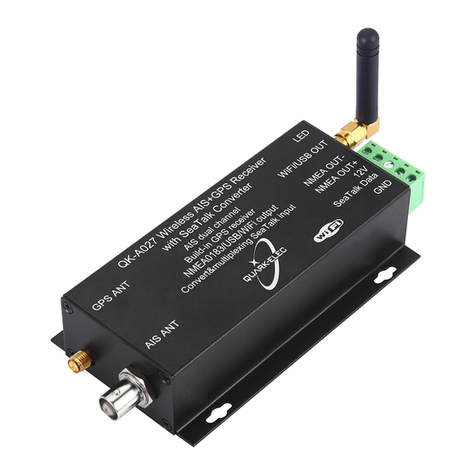
QK-A027-plus Manual
V 1.0 2 of 19 2022
Contents
1. Introduction ......................................................................................................................................3
2. Mounting ..........................................................................................................................................4
3. Connections.....................................................................................................................................4
3.1. Status LEDs.........................................................................................................................5
3.2. Power...................................................................................................................................6
3.3. VHF/AIS antenna.................................................................................................................6
3.4. GPS antenna.......................................................................................................................7
3.5. NMEA input and output connection.....................................................................................7
NMEA 0183 default baud rates ...............................................................................7
NMEA 0183 wiring - RS422 / RS232? ....................................................................7
3.6. SeaTalk1Input .....................................................................................................................8
3.7. Ethernet Connection (RJ45 port).........................................................................................9
3.8. NMEA 2000 Port..................................................................................................................9
Conversion Lists......................................................................................................9
3.9. WiFi connection.................................................................................................................10
WiFi Ad-hoc mode connection...............................................................................11
3.10. USB connection.............................................................................................................11
Will you need a driver to connect via USB? ..........................................................11
Checking the USB connection (Windows).............................................................12
4. Configuration (via USB).................................................................................................................13
4.1. Configuring Baud Rates ....................................................................................................14
4.2. WiFi - Station mode...........................................................................................................14
4.3. WiFi –Standby/Disable .....................................................................................................15
4.4. Filtering..............................................................................................................................15
Configuring filters...................................................................................................16
Routing data away from chosen outputs...............................................................16
4.5. Ethernet Settings...............................................................................................................16
4.6. USB - Monitoring NMEA Messages ..................................................................................16
5. Upgrading firmware........................................................................................................................17
6. Specification...................................................................................................................................17
7. Limited Warranty and Notices........................................................................................................18
8. Disclaimer ......................................................................................................................................18
9. Document History ..........................................................................................................................18
10. Glossary .................................................................................................................................18
11. For more info… ......................................................................................................................18