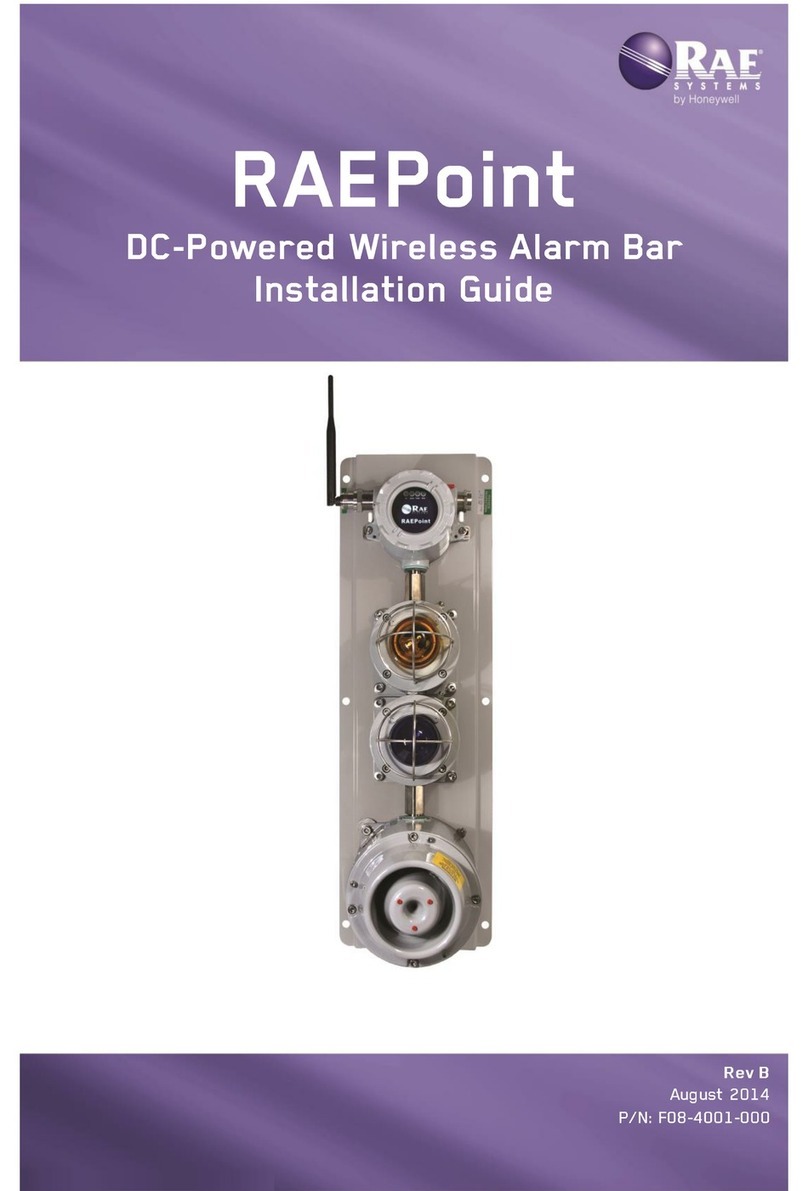
Rae RAEPoint User manual


2
SpecialServicingNote
If the instrument needs to be serviced, contact either:
The RAE Systems distributor from whom the instrument was
purchased; they will return the instrument on your behalf.
or
The RAE Systems Technical Service Department. Before
returning the instrument for service or repair, obtain a Returned
Material Authorization (RMA) number for proper tracking of
your equipment. This number needs to be on all documentation
and posted on the outside of the box in which the instrument is
returned for service or upgrade. Packages without RMA
Numbers will be refused at the factory.
© Copyright 2014 RAE Systems by Honeywell.

Contents
1General Information ............................................................3
2Purpose Of This Guide........................................................4
3Proper Product Disposal At End Of Life.............................4
4FCC Part 15 Statement........................................................4
5Flexible Configurations.......................................................5
5.1 RAEPoint AC-Powered Wireless Alarm Bar
Mounting ...............................................................6
5.1.1 Drilling Chart & Dimensions ............................6
5.2 RAEPoint AC-Powered Wireless Alarm
Bar Wiring.............................................................7
5.2.1 Complete RAEPoint Alarm Bar Wiring
Diagram.............................................................8
5.2.2 Opening The Junction Box..............................10
5.2.3 Connecting Power Wiring...............................11
5.2.4 Internal Grounding ..........................................11
5.2.5 Reassembly......................................................12
5.2.6 External Grounding .........................................12
6Powering And Programming.............................................12
6.1 RAEPoint AC-Powered Wireless Alarm Bar
Specifications ......................................................13
7Technical Support..............................................................18
8RAE Systems Contacts......................................................18

1
IMPORTANT!
Read Before Installing
This Installation Guide is for wiring and installation
of the AC-Powered Alarm Bar only. It must be used
in conjunction with the RAEPoint User’s Guide for
safe configuration and operation. The RAEPoint
User’s Guide is available at www.raesystems.com.

2
Read Before Operating
This manual must be carefully read by all individuals who
have or will have the responsibility of using, maintaining,
or servicing this product. The product will perform as
designed only if it is used, maintained, and serviced in
accordance with the manufacturer’s instructions. The user
should understand how to set the correct parameters and
interpret the obtained results.
CAUTION!
To reduce the risk of electric shock, turn the power off
before opening this instrument or performing service.
Never operate the instrument when the instrument is
open. Service this product only in an area known to be
non-hazardous.
WARNINGS
For safety reasons, this equipment must be operated and
serviced by qualified personnel only. Read and
understand instruction manual completely before
operating or servicing.
AVERTISSEMENT
Pour des raisons de sécurité, cet équipment doit être
utilisé, entretenu et réparé uniquement par un personnel
qualifié. Étudier le manuel d’instructions en entier avant
d’utiliser, d’entretenir ou de réparer l’équipement.

3
1 General Information
As part of a wireless mesh network, the RAEPoint AC-
Powered Wireless Alarm Bar communicates with wireless
detectors and controllers and can direct any of its five internal
relays to trigger audible and visible alarms. Remote alarm
notifications are critical for many applications where local
device alarms are simply not visible enough or loud enough to
alert a wide area. RAEPoint relay settings can be fully
configured wirelessly via the system controller. The RAEPoint
AC-Powered Wireless Alarm Bar is suitable for use in Class I,
Division 2, Groups C & D hazardous locations (USA only).
Key Features
Mounted and pre-wired with two 15J xenon lights and a
100dB horn.
Five internal SPDT relays
Wireless transmission distance of 1000 ft (300m) line-of-
sight. Range can be extended by using wireless routers.
Suitable for use in Class I , Division 2, Groups C & D
hazardous locations(USA only)
LEDs indicate status
Applications
Oil and gas exploration
Refineries and petrochemical plants
Fenceline monitoring

4
2 Purpose Of This Guide
This guide is designed to provide information on
installing and wiring the RAEPoint AC-Powered Wireless
Alarm Bar. Refer to the RAEPoint User’s Guide for
testing and operation information (all functions of the
RAEPoint AC-Powered Wireless Alarm Bar are
controlled through the RAEPoint that is integrated with
the horn and strobe lights).
3 Proper Product Disposal At End Of Life
The Waste Electrical and Electronic Equipment
(WEEE) directive (2002/96/EC) is intended to
promote recycling of electrical and electronic
equipment and their components at end of life.
This symbol (crossed-out wheeled bin) indicates
separate collection of waste electrical and
electronic equipment in the EU countries.
4 FCC Part 15 Statement
This device complies with Part15 of the FCC rules. Operation
is subject to the following two conditions: (1) This device may
not cause harmful interference, and (2) this device must accept
any interference received, including interference that may
cause undesired operation.

5
5 Flexible Configurations
RAEPoint, including the RAEPoint AC-Powered Wireless
Alarm Bar, can be configured for large or small systems, and
the network can be expanded or units removed, depending on
the facility or facilities being monitored.
Simple configuration that uses MeshGuard sensors and
a RAEPoint AC-Powered Wireless Alarm Bar remote
Full network, including externally controlled devices

6
5.1 RAEPoint AC-PoweredWireless Alarm
BarMounting
Make sure that there is approximately 12" (30 cm) of
clearance on all sides of the RAEPoint AC-Powered
Wireless Alarm Bar so that the horn’s sound is not
attenuated and to ensure clear view of the two visible
alarm lights.
5.1.1 Drilling Chart & Dimensions
When mounting the RAEPoint on a wall, make sure to
use heavy-duty steel screws spaced as indicated below.

7
Follow these steps:
1. Locate the RAEPoint AC-Powered Wireless Alarm
Bar on a wall or other flat surface and mark the six
holes’ locations.
2. Remove the RAEPoint Wireless Alarm Bar.
3. Drill the six holes.
4. Hold the RAEPoint AC-Powered Wireless Alarm Bar
firmly against the wall and insert and tighten the screws.
The RAEPoint AC-Powered Wireless Alarm Bar is now
ready for electrical wiring and testing.
5.2 RAEPoint AC-PoweredWireless Alarm
Bar Wiring
The RAEPoint AC-Powered Wireless Alarm Bar already has
most wiring done at the factory. It is only necessary to connect
the power supply wires and grounding (according to local
requirements). Power and internal grounding wires must be fed
through a connector at the bottom of the unit.
Wires must be fed in
through a 3/4" NPT
insert (UL-certified).
Conduit seals are
required within 18″
(45 cm) of conduit
entrances for Group C
hazardous locations.
Other manuals for RAEPoint
1
Table of contents
Other Rae Security System manuals
Popular Security System manuals by other brands

EDM
EDM Solution 6+6 Wireless-AE installation manual

Highway Safety Group
Highway Safety Group EA401 user manual

Siren
Siren LED GSM operating manual

Detection Systems
Detection Systems 7090i Installation and programming manual

Se-Kure Controls
Se-Kure Controls MicroMini SK-4841 instructions

Siemens
Siemens FDM273 manual