Page : 3 / 4
REMARKS
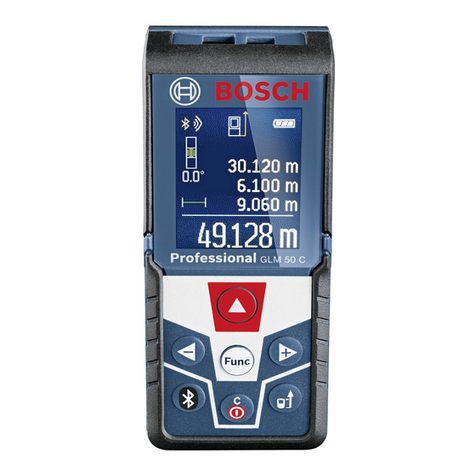
The measure appears for about 4 min (or more if you press another key). ERROR may
appear if you try to measure a distance longer or shorter than the range chosen or longer
than 18.288m.
How to carry out a good measurement
- Some types of curtains and window-blinds may absorb waves, thus causing
inaccurate measurements. If you measure the dimensions of a room with
curtains, open the curtains before measuring the distance between the window
and yourself. Ensure also that the window is firmly closed.
- If you do not have a direct way, free of obstacles, between the points you want to
measure, you will get wrong values due to the waves rebounding on objects such
as chairs, tables and uneven surface objects. If you are not sure that a
measurement is correct, move slightly to a side and measure once more the
distance.
- If the surface of a wall you are measuring is not flat and solid, or if you are
measuring in a narrow corridor, you will get wrong values. If that is the case, use
a solid surface to measure or move from the centre of the corridor.
- To avoid wrong values, if you set LD/NORMAL/OFF to LD, ensure that there is no
object at 2.5 meters from the point you are measuring (except in the case the
floor is below a point).
- To measure a distance longer than 18.288 meters, choose a point in the middle of
the room (for instance), from the centre, measure the room towards each side,
and add the two measures.
Saving a measure
1/ Follow the steps in paragraph “Measuring” for measuring a dimension.
2/ Press STORE then a memory key (M1, M2 or M3). M and the number you
choose (1, 2 or 3) to locate, the memory appears and the measure is stored in the
memory.
3/ If necessary, repeat steps 1 and 2 for saving 3 measures.
4/ To display a measure stored in the memory, press memory key (M1, M2 or M3). And
the measure that you saved is displayed again.
To delete a stored measure, simply enter a new measurement in the place of the older
one.
To clear all the measures stored, set LD/NORMAL/OFF to OFF during at least 3 seconds.
The distance measurer alarm and the memory figure M that you choose (1, 2 or 3)
disappear.
Calculation of volume
To find the volume of a room, measure the height, the width and the length of the room
and save each measure in a different memory (see “Saving a measure”), then press VOL.
FEET 3 or METER3, VOLUMEN and the result of the calculated volume is displayed.
Calculation of area
Follow these steps to find the area saving two measures.
1/ Measure the width and the length of the room and store the values in M1 and M2 (see
“Saving a measure”).
2/ Press AREA; M1 and M2, METER2 or FEET2 and AREA and the result of the calculated
area appears.