EnglishDeutsch
 logo
Brands
  1. Home
  2. •
  3. Brands
  4. •
  5. Samson
  6. •
  7. Controllers
  8. •
  9. Samson TROVIS 5431 Service manual

Samson TROVIS 5431 Service manual

Other Samson Controllers manuals

Samson 42-34 Service manual

Samson

Samson 42-34 Service manual

Samson 3374 Service manual

Samson

Samson 3374 Service manual
Samson 4708-45 Service manual

Samson

Samson 4708-45 Service manual

Samson TROVIS 5575 Service manual

Samson

Samson TROVIS 5575 Service manual
Samson 2780-1 Service manual

Samson

Samson 2780-1 Service manual
Samson TROVIS 5573 Service manual

Samson

Samson TROVIS 5573 Service manual

Samson 45-6 Service manual

Samson

Samson 45-6 Service manual
Samson 2357-3 Service manual

Samson

Samson 2357-3 Service manual
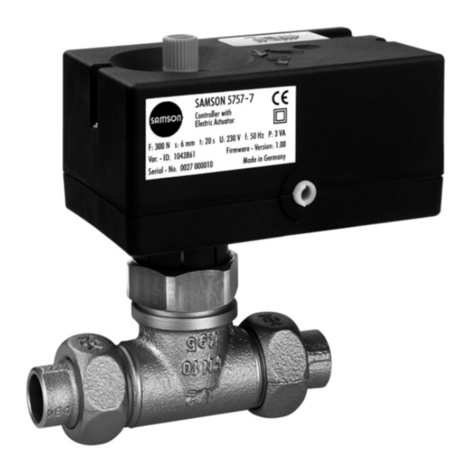
Samson TROVIS 5757-7 Service manual

Samson

Samson TROVIS 5757-7 Service manual
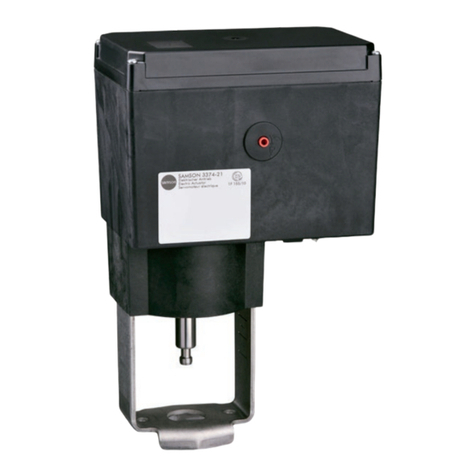
Samson 3274 Service manual

Samson

Samson 3274 Service manual
Samson TROVIS 6495 Series Service manual

Samson

Samson TROVIS 6495 Series Service manual

Samson TROVIS 5572 Service manual

Samson

Samson TROVIS 5572 Service manual
Samson TROVIS 5579 Service manual

Samson

Samson TROVIS 5579 Service manual
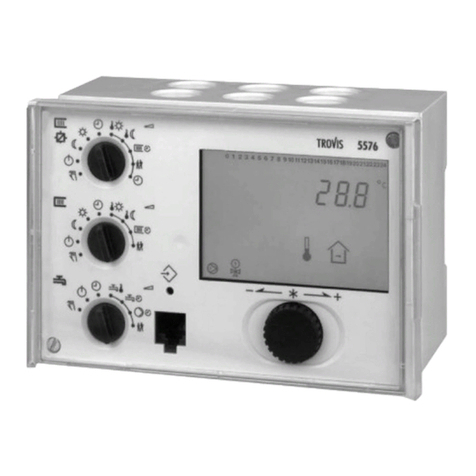
Samson TROVIS 5500 Service manual

Samson

Samson TROVIS 5500 Service manual
Samson 3371 Series Service manual

Samson

Samson 3371 Series Service manual
Samson 2479 Service manual

Samson

Samson 2479 Service manual

Samson 2357-11 Service manual

Samson

Samson 2357-11 Service manual

Samson 42-36 Service manual

Samson

Samson 42-36 Service manual
Samson 3374 Service manual

Samson

Samson 3374 Service manual
Samson 43-3 Service manual

Samson

Samson 43-3 Service manual

Samson TROVIS 5757-7 Service manual

Samson

Samson TROVIS 5757-7 Service manual

Samson TROVIS 3730-1 Service manual

Samson

Samson TROVIS 3730-1 Service manual

Samson 42-24 Service manual

Samson

Samson 42-24 Service manual

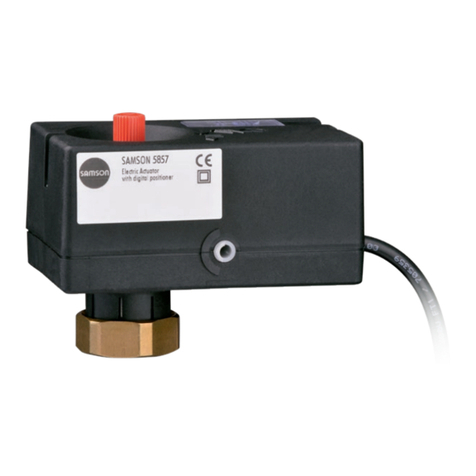
Samson 5857 Service manual

Samson

Samson 5857 Service manual

Popular Controllers manuals by other brands

Digiplex DGP-848 Programming guide

Digiplex

Digiplex DGP-848 Programming guide

YASKAWA SGM series user manual

YASKAWA

YASKAWA SGM series user manual

Sinope Calypso RM3500ZB installation guide

Sinope

Sinope Calypso RM3500ZB installation guide

Isimet DLA Series Style 2 Installation, Operations, Start-up and Maintenance Instructions

Isimet

Isimet DLA Series Style 2 Installation, Operations, Start-up and Maintenance Instructions

LSIS sv-ip5a user manual

LSIS

LSIS sv-ip5a user manual

Airflow Uno hab Installation and operating instructions

Airflow

Airflow Uno hab Installation and operating instructions

ABB ACS580-01 drives Hardware manual

ABB

ABB ACS580-01 drives Hardware manual

Panasonic GM1 Series Reference manual

Panasonic

Panasonic GM1 Series Reference manual

Emerson SW93 owner's manual

Emerson

Emerson SW93 owner's manual

AutoAqua Smart ATO micro SATO-120P manual

AutoAqua

AutoAqua Smart ATO micro SATO-120P manual

Panasonic FP? Positioning Unit RTEX Technical manual

Panasonic

Panasonic FP? Positioning Unit RTEX Technical manual

Alpha IP MIOB 21001 manual

Alpha IP

Alpha IP MIOB 21001 manual

Siemens OpenAir GMA 1 Series Mounting instructions

Siemens

Siemens OpenAir GMA 1 Series Mounting instructions

Surecom SR-629 user manual

Surecom

Surecom SR-629 user manual

Regulus SRS1 T Installation and operation manual

Regulus

Regulus SRS1 T Installation and operation manual

3M MicroTouch EX113 reference guide

3M

3M MicroTouch EX113 reference guide

KUHN TKS user manual

KUHN

KUHN TKS user manual

S&C PMH Instructions for operation

S&C

S&C PMH Instructions for operation

https://manuals.online logo
https://manuals.online logoBrands
  • About & Mission
  • Contact us
  • Privacy Policy
  • Terms and Conditions

Copyright 2026 Manuals.Online. All Rights Reserved.

Automation System TROVIS 5400
Heating and District Heating Controller
TROVIS 5431
Mounting and
operating instructions
EB 5431 EN
®
Electronics from SAMSON
Firmware Version 1.20
Edition February 2001
Contents
1 General . . . . . . . . . . . . . . . . . . . . . . . . . . . . . . . . 5
1.1 Whats new compared to the previous version? . . . . . . . . . . . . . 5
2 Warning . . . . . . . . . . . . . . . . . . . . . . . . . . . . . . . . 6
3 Operation . . . . . . . . . . . . . . . . . . . . . . . . . . . . . . . 7
3.1 Operating controls on the front panel . . . . . . . . . . . . . . . . . . 7
3.1.1 Control switch (A). . . . . . . . . . . . . . . . . . . . . . . . . . . . 7
3.1.2 Mode selector switch (B) . . . . . . . . . . . . . . . . . . . . . . . . 8
3.1.3 Arrow keys and enter key (E, F) . . . . . . . . . . . . . . . . . . . . . 8
3.2 Manual operation . . . . . . . . . . . . . . . . . . . . . . . . . . . 9
3.3 Control levels . . . . . . . . . . . . . . . . . . . . . . . . . . . . . 12
3.3.1 Info levels . . . . . . . . . . . . . . . . . . . . . . . . . . . . . . . 14
3.3.2 Changing the system code number . . . . . . . . . . . . . . . . . . . 16
3.3.3 Parameter levels. . . . . . . . . . . . . . . . . . . . . . . . . . . . 19
3.3.4 Configuration levels . . . . . . . . . . . . . . . . . . . . . . . . . . 26
4 System descriptions . . . . . . . . . . . . . . . . . . . . . . . . . . 29
5 Functional descriptions . . . . . . . . . . . . . . . . . . . . . . . . 36
5.1 Inputs. . . . . . . . . . . . . . . . . . . . . . . . . . . . . . . . . 36
5.1.1 Selecting the sensor (CO-SYS F02) . . . . . . . . . . . . . . . . . . . 36
5.1.2 Calibrating the sensor (CO-SYS F08). . . . . . . . . . . . . . . . . . 36
5.1.3 Binary input for storage tank thermostat . . . . . . . . . . . . . . . . 36
5.1.4 Analog input AI (CO1 F08; CO-SYS F10, F11) . . . . . . . . . . . . . 36
5.2 Outputs . . . . . . . . . . . . . . . . . . . . . . . . . . . . . . . . 37
5.2.1 Outputs to the control valve (CO-SYS F05, F15) . . . . . . . . . . . . 37
5.2.2 Limiting the system deviation for OPEN signal (CO-SYS F06, F16) . . . . 37
5.2.3 Transmitting the outdoor temperature (CO-SYS F12) . . . . . . . . . . 37
5.2.4 Pump management (CO1 F09). . . . . . . . . . . . . . . . . . . . . 38
5.2.5 Collective error message (CO-SYS F13) . . . . . . . . . . . . . . . . 38
5.3 Time-controlled functions . . . . . . . . . . . . . . . . . . . . . . . 38
5.3.1 Time, date, year (PA-SYS) . . . . . . . . . . . . . . . . . . . . . . . 38
5.3.2 Delayed outdoor temperature adaptation (CO1 F05) . . . . . . . . . . 38
5.3.3 Automatic clock reset summer time/winter time (CO-SYS F03). . . . . . 39
5.3.4 Summer time operation (PA1, CO1 F06) . . . . . . . . . . . . . . . . 39
5.3.5 Public holidays and vacations (PA-SYS, CO2 F07) . . . . . . . . . . . 40
5.3.6 Times-of-use (PA1, PA2) . . . . . . . . . . . . . . . . . . . . . . . . 40
5.4 Control functions . . . . . . . . . . . . . . . . . . . . . . . . . . . 41
2EB 5431 EN
Contents
5.4.1 Characteristic (CO1 F04) . . . . . . . . . . . . . . . . . . . . . . . 41
5.4.2 Reduced operation (PA1) . . . . . . . . . . . . . . . . . . . . . . . 42
5.4.3 Limitation of return flow temperature (CO-SYS F01) . . . . . . . . . . . 43
5.4.4 External request (CO-SYS F10, F11) . . . . . . . . . . . . . . . . . . 43
5.4.5 Optimize (CO1 F02) . . . . . . . . . . . . . . . . . . . . . . . . . 45
5.4.6 Flash adaptation (CO1 F03, only with room sensor) . . . . . . . . . . 46
5.5 Drinking water heating system (systems 2 to 5) . . . . . . . . . . . . . 47
5.5.1 Storage tank sensor/Storage tank thermostat (CO2 F01, F02) . . . . . . 47
5.5.2 Forced charging of drinking water storage tank. . . . . . . . . . . . . 47
5.5.3 Intermediate heating for drinking water charging (CO2 F10) . . . . . . 48
5.5.4 Switchover of control for drinking water heating in the storage tank charging
system (CO2 F03) . . . . . . . . . . . . . . . . . . . . . . . . . . . . . . . . . . 48
5.5.5 Build-up of charging temperature via the return flow sensor with deactivated
heating circuit (CO2 F08) . . . . . . . . . . . . . . . . . . . . . . . . . . . . . . . 48
5.5.6 Priority of drinking water heating system (CO2 F09) . . . . . . . . . . 49
5.5.7 Circulation pump for storage tank charging (CO2 F04) . . . . . . . . . 50
5.5.8 Parallel pump operation (CO2 F06) . . . . . . . . . . . . . . . . . . 50
5.5.9 Thermal disinfection of drinking water storage tank (CO2 F05) . . . . . 50
5.5.10 Times-of-use for the drinking water heating system (PA2) . . . . . . . . 51
5.5.11 Vacation and public holidays for drinking water heating (CO2 F07) . . 51
5.5.12 Control in systems with an instantaneous water heater (CO2 F11) . . . . 51
5.5.13 Recognition of drinking water tapping in systems with an instantaneous
water heater (CO2 F12). . . . . . . . . . . . . . . . . . . . . . . . . . . . . . . . 51
5.6 Controller response in case of faults . . . . . . . . . . . . . . . . . . 52
5.6.1 Defective sensor and malfunctions . . . . . . . . . . . . . . . . . . . 52
5.6.2 Setting the default values (CO-SYS F09) . . . . . . . . . . . . . . . . 52
5.6.3 Monitoring the temperature (CO-SYS F14) . . . . . . . . . . . . . . . 53
5.7 Protective functions . . . . . . . . . . . . . . . . . . . . . . . . . . 54
5.7.1 Frost protection . . . . . . . . . . . . . . . . . . . . . . . . . . . . 54
5.7.2 Blocking manual operation (CO-SYS F04) . . . . . . . . . . . . . . . 54
5.7.3 Forced operation of the pumps. . . . . . . . . . . . . . . . . . . . . 54
6 Memory pen . . . . . . . . . . . . . . . . . . . . . . . . . . . . . 55
6.1 Data exchange between heating controller and memory pen . . . . . . 55
7 Installing the heating controller . . . . . . . . . . . . . . . . . . . . 56
8 Electrical connection. . . . . . . . . . . . . . . . . . . . . . . . . . 58
9 Technical data . . . . . . . . . . . . . . . . . . . . . . . . . . . . 63
EB 5431 EN 3
Contents
Appendix A Function block lists . . . . . . . . . . . . . . . . . . . . . . . . . . 64
Appendix A.1 Function block list for heating circuit CO1 . . . . . . . . . . . . . . . 64
Appendix A.2 Function block parameters CO1 . . . . . . . . . . . . . . . . . . . . 65
Appendix A.3 Function block list for drinking water heating circuit CO2 . . . . . . . . 66
Appendix A.4 Function block parameter CO2 . . . . . . . . . . . . . . . . . . . . 67
Appendix A.5 Function block list CO-SYS. . . . . . . . . . . . . . . . . . . . . . . 68
Appendix A.6 Function block parameters CO-SYS . . . . . . . . . . . . . . . . . . 69
Appendix B Parameters . . . . . . . . . . . . . . . . . . . . . . . . . . . . . . 71
Appendix B.1 Level PA1 (heating circuit) parameters . . . . . . . . . . . . . . . . . 71
Appendix B.2 Level PA2 (drinking water heating circuit) parameters . . . . . . . . . . 77
Appendix B.3 Level PA-SYS parameters . . . . . . . . . . . . . . . . . . . . . . . 80
Appendix C Info levels. . . . . . . . . . . . . . . . . . . . . . . . . . . . . . . 82
Appendix C.1 InFO 1 level. . . . . . . . . . . . . . . . . . . . . . . . . . . . . . 82
Appendix C.2 InFO 2 level. . . . . . . . . . . . . . . . . . . . . . . . . . . . . . 83
Appendix D Error messages . . . . . . . . . . . . . . . . . . . . . . . . . . . . 85
Appendix E Resistance values of temperature sensors . . . . . . . . . . . . . . . 86
Appendix F Configured data . . . . . . . . . . . . . . . . . . . . . . . . . . . 87
Code number . . . . . . . . . . . . . . . . . . . . . . . . . . . . . 97
Important display symbols . . . . . . . . . . . . . . . . . . . . . . 99
Front view. . . . . . . . . . . . . . . . . . . . . . . . . . . . . . 100
EB 5431 EN 4
Contents
1 General
The TROVIS 5431 Heating and District
Heating Controller is designed for weather-
compensated flow temperature control of
heating systems. These Mounting and oper-
ating instructions describe how to operate
the controls including the controller switches
and keys as well as describe the electrical
connection and the mechanical installation.
In addition, they describe the comprehensive
configuration and parameterization options.
Please note, however, that you require expert
knowledge to change the configuration and
parameterization of the heating control
system. Once you have connected it to the
mains and the controller is supplied with aux-
iliary power, it is basically ready for opera-
tion. Since its operation is based on time
schedules, however, it is absolutely required
that you set the current time and date. To do
this, follow the step-by-step instructions start-
ing on page 20.
The controller stores configuration and
parameterization data even over prolonged
periods of storage without being connected
to a power supply source. Only time, date
and year must be reset after an extended
power failure.
The factory default is set to heating operation
from 7 a.m. to 10 p.m. and, if applicable, to
provide hot drinking water twenty-four hours
a day. (The heating and district heating con-
troller does not necessarily control the drink-
ing water heating in all systems!) If you want
different operating times, you have to
change the time-of-use. For a detailed
description of how to change the time-of-use,
refer to page 23 ff.
The index in the back makes it easier for you
to quickly access information on a specific
subject.
To simplify reading, the device is referred to
as heating controller instead of heating
and district heating controller hereafter.
1.1 Whats new compared to the previous version?
For Version 1.20, the external request function was revised (see chapter 5.4.4.).
EB 5431 EN 5
General
2 Warning
4Assembly, start-up and operation of the
device may only be performed by trained
and experienced personnel familiar with
this product. Proper shipping and appro-
priate storage are assumed.
4The heating controller is designed for use
in power installations. For connection and
maintenance you are required to observe
the relevant safety regulations.
4In automatic operating mode (time-
controlled operation), the device ensures
that all protective functions that are vital
for the system are monitored. Safety fea-
tures, such as frost protection monitoring
and excess temperature monitoring, how-
ever, are not active in the following cases:
defective heating controller and failure of
functions; defective or not connected sen-
sors, or sensors which were not
deactivated; missing auxiliary power sup-
ply to the heating controller.
4The installation of the controller and its
electrical connection described in the
following, must be carried out by autho-
rized personnel only.
4In addition, changing function blocks and
function block parameters (see chapter
3.3.4 and Appendix A) requires special-
ized knowledge of heating systems and
should only be performed by an expert.
6EB 5431 EN
Warning
3 Operation
For an easier understanding of how to oper-
ate this controller, please unfold the last page
of these Mounting and operating instruc-
tions! Switches and keys are used to oper-
ate the controller. You can access them by
opening the transparent front door. Use
switch (B) to change operating modes. Use
switch (A) and keys (E) and (F) to prompt
parameters such as temperature and setpoint
as well as to determine the selectable
controller functions and parameters. This will
take you to different levels which are
described in chapter 3.3. All the entered set-
tings and the information you require are rep-
resented by symbols in the display (D).
You have the option of feeding the controller
with configuration and parameterization
data using a memory pen (see chapter 6).
The individual switches and keys as well as
the operation on the different levels are
described in the following chapters.
3.1 Operating controls on the front panel
3.1.1 Control switch (A)
Use this switch to prompt several temperature
values and set the most important
parameters.
For a detailed description on the functions of
this switch, refer to the Quick Guide
KA 5431 EN.
Displays outdoor temperature
Displays flow and return flow temper-
ature of the heating circuit
Displays storage temperature and
charging temperature of the drinking
water circuit depending on the config-
uration
Displays and changes the time and
date
Displays and changes the parameters
of the heating circuit, depending on
the configuration
Displays and changes the time sched-
ule of the heating circuit
Displays and changes the parameters
of the drinking water circuit, depend-
ing on the configuration
Standard operation via menus,
operation via arrow and enter keys,
see chapter 3.3.
EB 5431 EN 7
Operation
3.1.2 Mode selector switch (B)
Use this switch to select the operating mode:
Automatic operation: The controller
operates on a time schedule and
switches between heating and set-back
mode. Select this mode as default
switch position!
Rated operation: The controller contin-
uously operates in heating mode.
Reduced operation: The controller con-
tinuously operates in set-back mode.
+
0
−
Manual operation: The control valve is
operated in manual mode:
+ open, 0 maintain, −close
Use these switch positions for start-ups
and repairs only!
Drinking water heating operation: The
drinking water is heated up according
to the demand. The heating system is
off.
Standby: Heating and drinking water
heating systems are off. The frost pro-
tection is active.
3.1.3 Arrow keys and enter key (E, F)
Use the arrow keys to access the dif-
ferent levels up and down, select
parameters and function blocks,
increase and decrease values
Use the enter key to activate levels,
parameters, function blocks, to
acknowledge changed values
8EB 5431 EN
Operation
M
M
3.2 Manual operation
CAUTION
In manual operation, all outputs can be manipulated by the operator as desired. When
you enter the manual operating mode, all limiting temperature values and logic interlock
signals are inactive. The operator is responsible for the interaction between all outputs
and the outcome!
Accessing the manual level
EB 5431 EN 9
Operation
Press Display Comment
Set the control
switch (A) to If you want to operate the control valve
only, this switch position is not required. To
manually operate the pumps, however, you
must select this switch position to gain
access.
Set the mode
switch (B) to
+, 0
or −
This allows you to operate the control valve
(open, maintain position, or close). At the
same time, the manual symbol appears on
the display.
until You reach the pump level.
M
M
10 EB 5431 EN
Operation
Press Display Comment
You now have access to this level. On the
display, you can see the heating pump HCP
(PU 1). In this example, the pump is active:
-1
either
or Use the arrow keys to select the output you
want to activate:
PU 2 Heat exchanger charging pump HEP
PU 3 Storage charging pump SCP
PU 4 Circulation pump CP
PU 5 Binary output BO1
PU 6 Binary output BO2
PU 7 Binary output BO3
You have activated the selected output, PU
blinks.
either
or
Activate the desired output, observing the
following:
Activate pump/binary output,
display indicates, e.g. PU 1-1 or
Deactivate pump/binary output,
display indicates, e. g. PU 1-0.