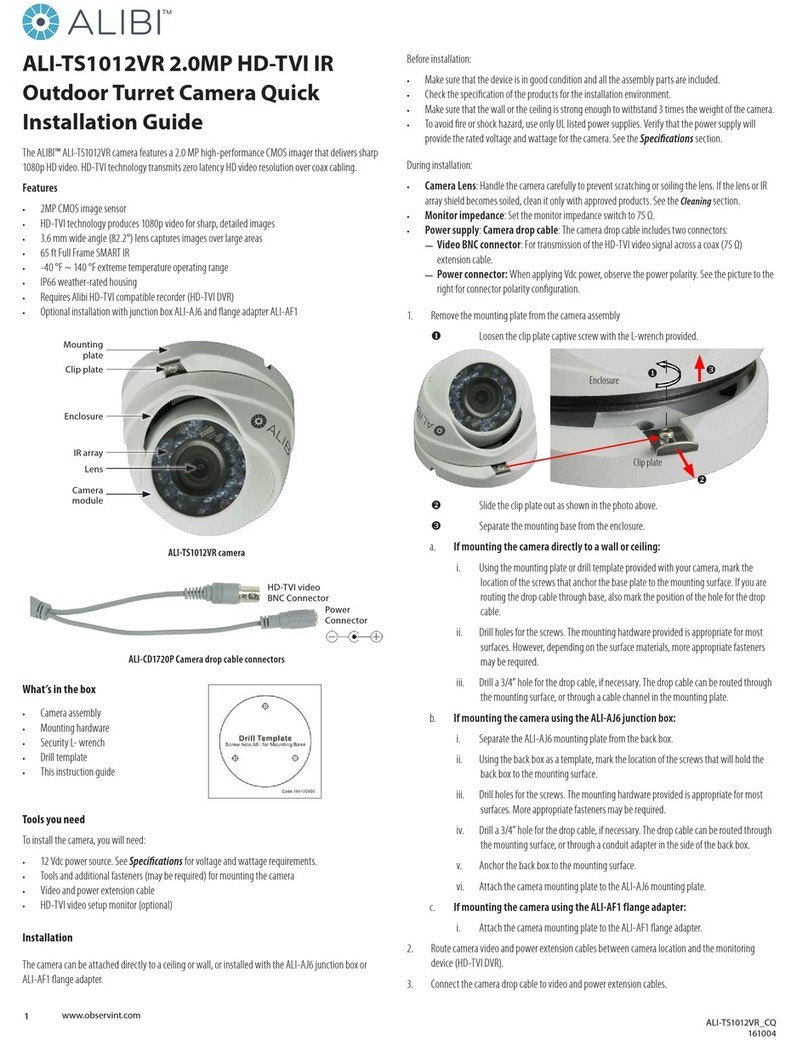
6
Camera setup and registration
Open the Wisenet
SmartCam+ app and create
an account. Follow the
on-screen instructions to
register.
Save your Account and
Device information here.
Assemble the power plug
with PoE adapter as shown
in the figure below.
Connect the LAN cable
from the PoE adapter [DATA
& POWER OUT] port to the
camera PoE port and then
plug-in the PoE adapter to
the wall.
1
2
3
4
User ID : ___________________
User Password : _____________
Camera Name : ______________
Camera Password : ___________
PT01-004802A-SNH-V6430BNH-QG-ENG-.indd 6 2017-04-05 오후 6:02:34