manuals.online logo
Brands
  1. Home
  2. •
  3. Brands
  4. •
  5. Samsung
  6. •
  7. Watch
  8. •
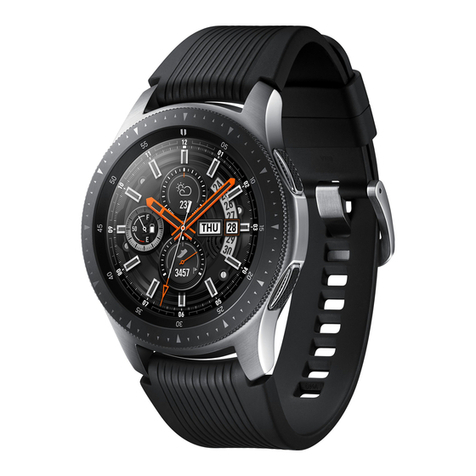
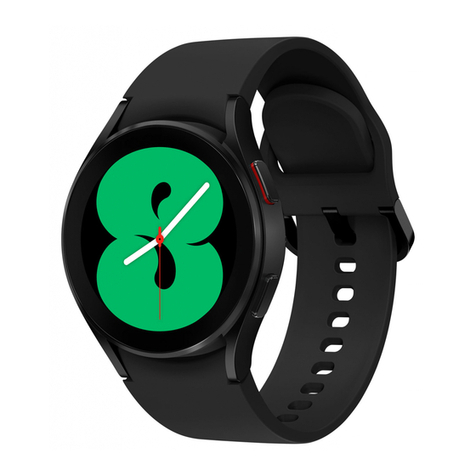
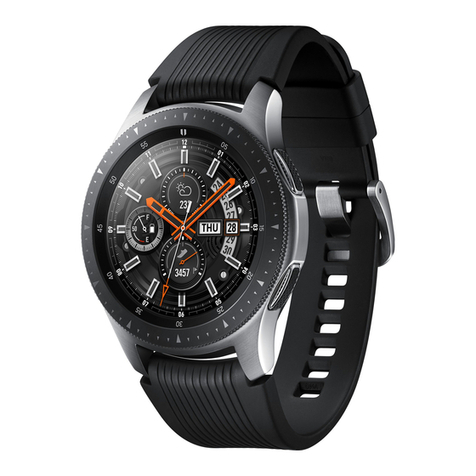
  9. Samsung Galaxy Watch4 User manual

Samsung Galaxy Watch4 User manual

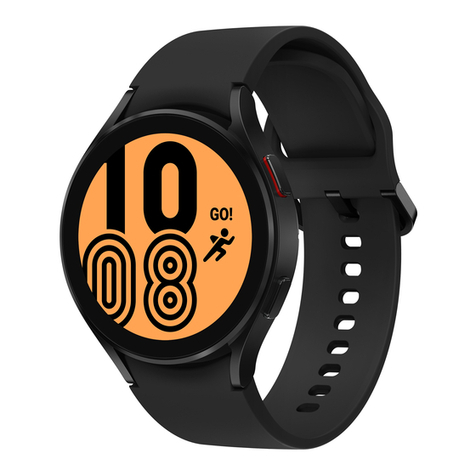
Other manuals for Galaxy Watch4

2

This manual suits for next models

3

Other Samsung Watch manuals

Samsung Galaxy Watch User manual

Samsung

Samsung Galaxy Watch User manual

Samsung SM-R840 User manual

Samsung

Samsung SM-R840 User manual

Samsung SM-R820 Golf Edition User manual

Samsung

Samsung SM-R820 Golf Edition User manual

Samsung SM-R350 User manual

Samsung

Samsung SM-R350 User manual

Samsung SM-R380 User manual

Samsung

Samsung SM-R380 User manual

Samsung SM-R770 User manual

Samsung

Samsung SM-R770 User manual

Samsung Galaxy Watch5 User manual

Samsung

Samsung Galaxy Watch5 User manual

Samsung GEAR SPORT SM-R600 User manual

Samsung

Samsung GEAR SPORT SM-R600 User manual

Samsung GEAR S2 User manual

Samsung

Samsung GEAR S2 User manual

Samsung Gear S2 SM-R730A User manual

Samsung

Samsung Gear S2 SM-R730A User manual

Samsung GEAR S3 CLASSIC User manual

Samsung

Samsung GEAR S3 CLASSIC User manual

Samsung Galaxy Watch3 User manual

Samsung

Samsung Galaxy Watch3 User manual

Samsung SM-R380 Original instructions

Samsung

Samsung SM-R380 Original instructions

Samsung Watch 3 User manual

Samsung

Samsung Watch 3 User manual

Samsung GEAR S3 CLASSIC User manual

Samsung

Samsung GEAR S3 CLASSIC User manual

Samsung SM-R381 User manual

Samsung

Samsung SM-R381 User manual

Samsung SM-R805W User manual

Samsung

Samsung SM-R805W User manual

Samsung SM-R365 User manual

Samsung

Samsung SM-R365 User manual

Samsung Galaxy Fit2 Rosso User manual

Samsung

Samsung Galaxy Fit2 Rosso User manual

Samsung GEAR SPORT SM-R600 User manual

Samsung

Samsung GEAR SPORT SM-R600 User manual

Samsung Galaxy Gear User manual

Samsung

Samsung Galaxy Gear User manual

Samsung SM-R900 User manual

Samsung

Samsung SM-R900 User manual

Samsung fit gear 2 User manual

Samsung

Samsung fit gear 2 User manual

Samsung Galaxy Watch4 User manual

Samsung

Samsung Galaxy Watch4 User manual
Popular Watch manuals by other brands

Casio QW 5513 Operation guide

Casio

Casio QW 5513 Operation guide

Piaget 560P Instructions for use

Piaget

Piaget 560P Instructions for use

Armitron pro sport MD0346 instruction manual

Armitron

Armitron pro sport MD0346 instruction manual

West Marine BlackTip 13411293 Instruction Booklet and Care Guide

West Marine

West Marine BlackTip 13411293 Instruction Booklet and Care Guide

Jaeger-leCoultre HYBRIS MECHANICA CALIBRE 184 manual

Jaeger-leCoultre

Jaeger-leCoultre HYBRIS MECHANICA CALIBRE 184 manual

FOREVER iGO PRO JW-200 user manual

FOREVER

FOREVER iGO PRO JW-200 user manual

Relic OS10 quick start guide

Relic

Relic OS10 quick start guide

MyKronoz ZeClock manual

MyKronoz

MyKronoz ZeClock manual

Casio QW-782 General guide

Casio

Casio QW-782 General guide

Strikes and Spares SASM80 E-manual

Strikes and Spares

Strikes and Spares SASM80 E-manual

Christopher Ward C1000 Owner's handbook

Christopher Ward

Christopher Ward C1000 Owner's handbook

Lotus ILMFS01 instruction manual

Lotus

Lotus ILMFS01 instruction manual

Chronos Manufactures Chrono Diamond Thyrso 10400 instruction manual

Chronos Manufactures

Chronos Manufactures Chrono Diamond Thyrso 10400 instruction manual

Pandora WATCH2 quick guide

Pandora

Pandora WATCH2 quick guide

Suunto X6 user guide

Suunto

Suunto X6 user guide

Seiko N830 instruction manual

Seiko

Seiko N830 instruction manual

MotionX 365 user guide

MotionX

MotionX 365 user guide

Aplus GV18 user guide

Aplus

Aplus GV18 user guide

manuals.online logo
manuals.online logoBrands
  • About & Mission
  • Contact us
  • Privacy Policy
  • Terms and Conditions

Copyright 2025 Manuals.Online. All Rights Reserved.

Printed in Korea
GH68-53507B Rev.1.0
English, German, French, Italian,
Spanish, Dutch, Portuguese. 07/2021
R890_QSG_EUROPE_TYPE_B.indb 2R890_QSG_EUROPE_TYPE_B.indb 2 2021-07-15 오전 9:10:522021-07-15 오전 9:10:52
SM-R890
QUICK START GUIDE
KURZANLEITUNG
GUIDE DE PRISE EN MAIN RAPIDE
GUIDA DI RIFERIMENTO RAPIDO
GUÍA DE INICIO RÁPIDO
SNELSTARTGIDS
MANUAL DE CONSULTA RÁPIDA
R890_QSG_EUROPE_TYPE_B.indb 3R890_QSG_EUROPE_TYPE_B.indb 3 2021-07-15 오전 9:10:522021-07-15 오전 9:10:52
2
Package contents
•
Galaxy Watch4 Classic
•
Wireless charger
•
Quick start guide
The items supplied may vary by region.
Connecting to a mobile device
Download the Galaxy Wearable app and connect the
product to a mobile device by following the on-screen
instructions.
Using the Galaxy Wearable app, you can view your
product’s status and customise its settings.
•
Supported mobile devices and features may vary
depending on your region, service provider, or device
manufacturer.
Accessing the full user manual and safety information
Visit
www.samsung.com
to view the full user manual and
the detailed safety information.
R890_QSG_EUROPE_TYPE_B.indb 2R890_QSG_EUROPE_TYPE_B.indb 2 2021-07-15 오전 9:10:522021-07-15 오전 9:10:52
English
3
Device layout
Speaker
Bezel
Atmospheric
pressure sensor
Home key
(Power key)
Back key
Optical heart
rate sensor
Microphone
Pressure vent
•
Do not insert sharp objects into the atmospheric
pressure sensor, the pressure vent, speaker, or the
microphone. The inner components may be damaged
along with the water-resistance feature.
•
Do not look directly at the optical heart rate sensor’s
lights. Doing so may impair your vision.
•
If the product becomes hot to the touch, remove it until
it cools. Exposing your skin to the product’s hot surface
for a long time may cause low-temperature burns.
•
If your device is frozen and unresponsive, press and
hold the Home key and the Back key simultaneously for
more than 7 seconds to restart it.
R890_QSG_EUROPE_TYPE_B.indb 3R890_QSG_EUROPE_TYPE_B.indb 3 2021-07-15 오전 9:10:532021-07-15 오전 9:10:53
4
T
Safety information
Read all safety information before using the device to
ensure safe and proper use.
Follow the warnings below to prevent incidents, such as
fires or explosions, injuries, or damage to the device
•
Your device contains magnets. Keep a safe distance
between your device and objects that may be affected
by magnets such as credit cards and implantable
medical devices. If you have an implantable medical
device, consult your physician before use.
•
Do not expose the device to physical impact or damage.
•
Use only Samsung-approved batteries, chargers, and
cables specifically designed for your device.
•
Prevent the multipurpose jack and battery terminals
from coming into contact with foreign materials such as
metal, liquids, or dust.
•
If any part of the device, such as the glass or acrylic body,
is broken, smokes, or emits a burning odor, stop using
the device immediately. Use the device again only after
it has been repaired at a Samsung Service Centre.
•
Do not turn on or use the device when the battery
compartment is exposed.
•
Do not disassemble or reuse the battery.
•
The device can be used in locations with an ambient
temperature of 0 °C to 35 °C.You can store the device
at an ambient temperature of -20 °C to 50 °C. Using
or storing the device outside of the recommended
temperature ranges may damage the device or reduce
the battery’s lifespan.
R890_QSG_EUROPE_TYPE_B.indb 4R890_QSG_EUROPE_TYPE_B.indb 4 2021-07-15 오전 9:10:532021-07-15 오전 9:10:53
English
5
•
Though this device has met international safety
standards, some people may experience skin irritation if
they are allergic to certain substances.
To prevent possible hearing damage when
using a headset, do not listen to sound at
high volume for long periods.
This marking on the product, accessories or
literature and without the bar on batteries
indicates that the product, battery and its
electronic accessories (e.g. charger, headset,
USB cable) should not be disposed of with
other household waste.
• For information on Samsung’s environmental
commitments and product regulatory obligations,
e.g. REACH, visit our sustainability page available via
www.samsung.com
.
• It is recommended not to use fixed graphics on part or
all of the touchscreen for extended periods. Doing so
may result in afterimages (screen burn-in) or ghosting.
The device may be damaged if water or dust enters the
device. Follow these tips carefully to maintain the water-
and dust-resistant performance of the device.
•
Do not expose the device to water moving with force.
Do not suddenly apply water pressure to the device,
such as when diving.
R890_QSG_EUROPE_TYPE_B.indb 5R890_QSG_EUROPE_TYPE_B.indb 5 2021-07-15 오전 9:10:532021-07-15 오전 9:10:53
6
T
T
•
Do not use your device while diving into the water,
playing water sports, or moving in fast-flowing water.
It is designed for regular use in normal swimming
conditions, such as for swimming pools or beaches.
•
If the device is exposed to fresh water, dry it thoroughly
with a clean, soft cloth. If the device is exposed to other
liquids, such as salt water, swimming pool water, soapy
water, oil, perfume, sunscreen, hand cleaner, or chemical
products such as cosmetics, rinse it with fresh water and
dry it thoroughly with a clean, soft cloth. If you do not
follow these instructions, the device’s performance and
appearance may be affected.
•
If the device has been immersed in water or the
microphone or speaker is wet, sound may not be heard
clearly during a call.
•
The touchscreen and other features may not work
properly if the device is used in water.
Removing the battery
•
To remove the battery, contact an authorised service
centre.To obtain battery removal instructions, please
visit
www.samsung.com/global/ecodesign_energy
.
•
For your safety, you must not attempt to remove
the battery. If the battery is not properly removed, it
may lead to damage to the battery and device, cause
personal injury, and/or result in the device being unsafe.
•
Samsung does not accept liability for any damage or
loss (whether in contract or tort, including negligence)
which may arise from failure to precisely follow these
warnings and instructions, other than death or personal
injury caused by Samsung’s negligence.
R890_QSG_EUROPE_TYPE_B.indb 6R890_QSG_EUROPE_TYPE_B.indb 6 2021-07-15 오전 9:10:532021-07-15 오전 9:10:53
English
7
Specific Absorption Rate (SAR) certification
information
For SAR values specific to your model, visit
www.samsung.com/sar
and search for your region and
device with the model number.
Band and mode Output power
Wi-Fi 2.4 GHz 20 dBm
Bluetooth 2.4 GHz 20 dBm
Wi-Fi 5.1–5.7 GHz 23 dBm
Wi-Fi 5.8 GHz 25 mW
NFC 13.56 MHz 42 dBμA/m at 10 m
Wireless Charging
110.01 kHz–148 kHz 37.7 dBμA/m at 10 m
The use of the WLAN band is restricted to indoor use only.
This restriction is applicable in: AT, BE, BG, CH, CY, CZ, DE,
DK, EE, ES, EL, FI, FR, HR, HU, IE, IS, IT, LI, LT, LU, LV, MT, NL,
NO, PL, PT, RO, SE, SI, SK, TR, UK(NI), GB.
Declaration of Conformity
Samsung declares that this device is in compliance with
Directive 2014/53/EU and with the relevant UK statutory
requirements. Go to
www.samsung.com/mobile_doc
to
view the Declaration of Conformity.
Samsung
PO Box 12987, Dublin. IE / Yateley, GU46 6GG. UK
Copyright © 2021 Samsung Electronics Co., Ltd.
R890_QSG_EUROPE_TYPE_B.indb 7R890_QSG_EUROPE_TYPE_B.indb 7 2021-07-15 오전 9:10:532021-07-15 오전 9:10:53
8
Lieferumfang
•
Galaxy Watch4 Classic
•
Induktive Ladestation
•
Kurzanleitung
Laden Sie das Gerät nicht länger als eine Woche auf, da
eine Überladung die Akkulebensdauer beeinträchtigen
kann.
Die bereitgestellten Artikel variieren möglicherweise je
nach Region.
Verbindung mit einem Mobilgerät herstellen
Laden Sie die Anwendung„Galaxy Wearable“ herunter und
verbinden Sie das Produkt mit einem Mobilgerät. Befolgen Sie dazu
die Anweisungen auf dem Bildschirm.
In der Anwendung„Galaxy Wearable“ können Sie den Status des
Produkts aufrufen und seine Einstellungen anpassen.
•
Die unterstützten Mobilgeräte und Funktionen variieren
möglicherweise je nach Region, Dienstanbieter oder
Gerätehersteller.
Vollständiges Benutzerhandbuch und Sicherheitshinweise
aufrufen
Unter
www.samsung.com
finden Sie das vollständige
Benutzerhandbuch sowie detaillierte Sicherheitshinweise.
R890_QSG_EUROPE_TYPE_B.indb 8R890_QSG_EUROPE_TYPE_B.indb 8 2021-07-15 오전 9:10:532021-07-15 오전 9:10:53
Deutsch
9
Geräteaufbau
Lautsprecher
Lünette
Luftdrucksensor
Zurück-Taste
Home-Taste
(Ein-/Aus-Taste)
Optischer
Pulssensor
Mikrofon
Druckventil
•
Stecken Sie keine scharfen Gegenstände in den Luftdrucksensor,
das Druckventil, den Lautsprecher oder das Mikrofon. Dadurch
können die Innenteile beschädigt und der Schutz gegen Wasser
beeinträchtigt werden.
•
Sehen Sie auf keinen Fall direkt in das Licht des optischen
Pulssensors. Dies kann zu Sehschäden führen.
•
Sollte sich das Produkt erhitzen, nehmen Sie es ab und lassen Sie
es abkühlen. Ein längerer Kontakt mit der heißen Oberfläche des
Produkts kann zu Niedertemperaturverbrennungen führen.
•
Wenn das Gerät nicht reagiert, halten Sie die Home-Taste und
die Zurück-Taste gleichzeitig mehr als 7 Sekunden lang gedrückt,
um es neu zu starten.
R890_QSG_EUROPE_TYPE_B.indb 9R890_QSG_EUROPE_TYPE_B.indb 9 2021-07-15 오전 9:10:542021-07-15 오전 9:10:54