EN-3
Getting ready to laminate
6.1. Site the machine so that there is enough space to insert the laminating pouches (in other words,
not right in front of a wall or other objects).
6.2. Insert the plug into an earthed power socket (220–240 V = domestic power supply).
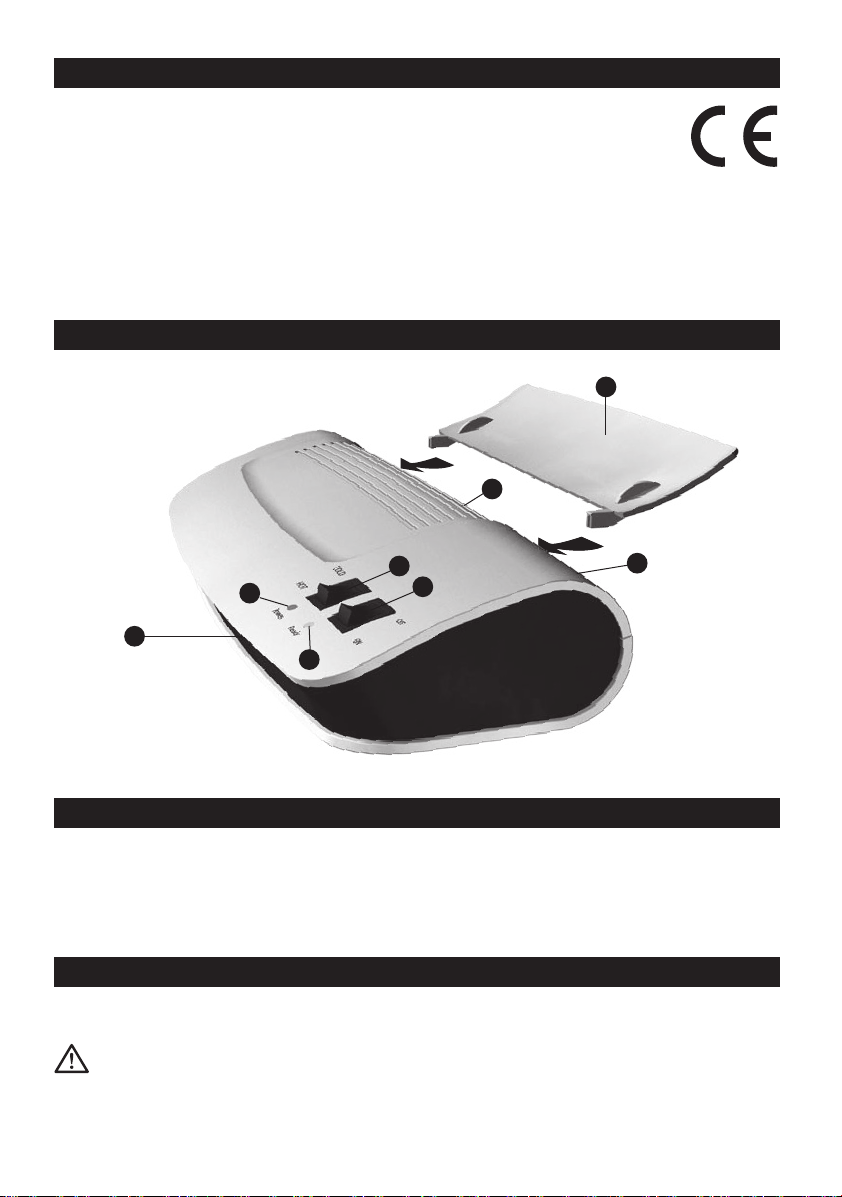
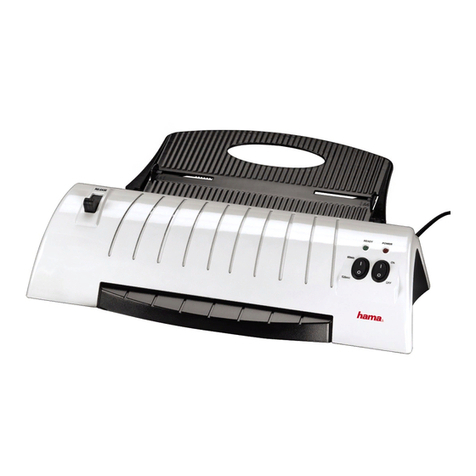
6.3. Switch the machine on using the ON/OFF switch 1. The red power light 3will come on.
6.4. Select either hot or cold lamination by flipping the HOT/COLD switch 2to the desired position.
Note: Your laminator supports lamination of 75 mic and 125 mic pouch without mode-switching.
6.5. The green standby indicator 5light appears as soon as the machine has reached the right
temperature. The preheating time can vary depending on the ambient temperature and air
humidity.
General tips on laminating
After laminating
1. Set the ON/OFF switch 1to “off”.
2. Pull the mains plug from its socket.
3. Leave the machine to cool.
Cleaning the rollers
1. Switch on the machine.
2. Fold a sheet of A4 paper and insert this, folded edge first, into the pouch feed tray 5. Keep
repeating this process until no more glue deposits cling to the paper.
Cleaning the machine
1. Always remove the mains plug from its socket before cleaning the machine.
2. Let the machine cool down.
3. Always clean the machine with a soft cloth. Use neutral cleansing agents, never abrasives.
How to laminate
8.1. Please note! Only take one pouch per lamination, as pouches stick tightly together. Place the
document that you wish to laminate between the two sides of the laminating pouch. Ensure that it
lies flush with the enclosed edge.
8.2. Insert the laminating pouch closed-edge-first into the pouch infeed slot 5on the back of the
machine. The rollers will automatically pull the pouch in and transport it to the pouch output slot
6on the front of the machine. Don’t use force to pull out the samples. In the event of jamming,
see the ABS section
8.3. Let the pouch cool for a bit, and then it’s ready.
8.4. If the laminating pouch has not adhered properly to the paper, repeat the process.
Cold laminating
Please note that only pouches intended specifically for cold lamination may be used.
Originals with a treated surface, such as fax thermopaper or Polaroid pictures, and papers with
surfaces that may be altered through heat should only be laminated using cold lamination. In these
cases, set the HOT/COLD switch 2to position “COLD”.
Slide the foils, with the item to be laminated between them, into the feed slot 5.
Please note: After hot lamination, wait 20-30 minutes after flipping the HOT/COLD switch 6to
<COLD> to allow the unit to cool down before you start cold laminating.