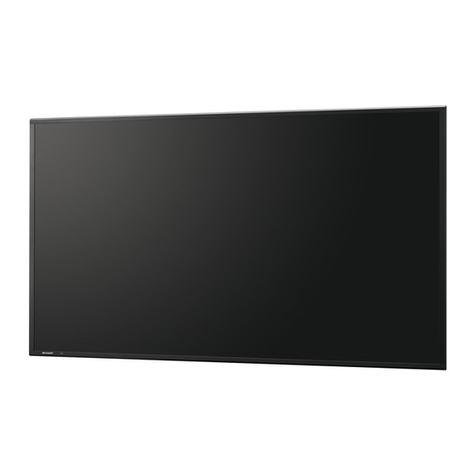
Sharp PN-525U User manual

PN-525U
LCD MONITOR
MONITEUR LCD
OPERATION MANUAL
MODE D’EMPLOI
ENGLISH ...... E1
FRANÇAIS .... F1
ENGLISH FRANÇAIS


ENGLISH
1E
IMPORTANT INFORMATION
PN-525U
LCD MONITOR
ENGLISH
IMPORTANT:
To aid reporting in case of loss or theft, please record the
product’s model and serial numbers in the space provided.
The numbers are located in the rear of the product.
Model No.:
Serial No.:
U.S.A. ONLY
WARNING: TO REDUCE THE RISK OF FIRE OR ELECTRIC SHOCK, DO NOT
EXPOSE THIS PRODUCT TO RAIN OR MOISTURE.
RISK OF ELECTRIC
SHOCK
DO NOT OPEN
CAUTION
CAUTION: TO REDUCE THE RISK OF ELECTRIC
SHOCK, DO NOT REMOVE COVER.
NO USER-SERVICEABLE PARTS
INSIDE.
REFER SERVICING TO QUALIFIED
SERVICE PERSONNEL.
The lightning flash with arrowhead symbol, within
an equilateral triangle, is intended to alert the
user to the presence of uninsulated “dangerous
voltage” within the product’s enclosure that may
be of sufficient magnitude to constitute a risk of
electric shock to persons.
The exclamation point within a triangle is
intended to alert the user to the presence of
important operating and maintenance (servicing)
instructions in the literature accompanying the
product.
CAUTION: The AC outlet shall be installed near the equipment and shall be easily accessible.

2
E
WARNING: FCC Regulations state that any unauthorized changes or modifications to this equipment not expressly
approved by the manufacturer could void the user’s authority to operate this equipment.
U.S.A. ONLY
CAUTION: Use the supplied power cord as it is.
NOTE:
This equipment has been tested and found to comply with the limits for Class A digital device, pursuant to Part 15 of the
FCC Rules. These limits are designed to provide reasonable protection against harmful interference when the equipment
is operated in a commercial environment. This equipment generates, uses, and can radiate radio frequency energy and, if
not installed and used in accordance with the instruction manual, may cause harmful interference to radio communications.
Operation of this equipment in a residential area is likely to cause harmful interference in which case the user will be required
to correct the interference at his own expense.
U.S.A. ONLY
IMPORTANT INFORMATION (Continued)
This product utilizes fluorescent tubes containing a small amount of mercury.
Disposal of these materials may be regulated due to environmental considerations. For disposal or recycling information,
please contact your local authorities or the Electronic Industries Alliance: www.eia.org

ENGLISH
3E
Thank you for your purchase of a SHARP LCD product. To ensure safety and many years of trouble-free operation of your
product, please read the Safety Precautions carefully before using this product.
SAFETY PRECAUTIONS
Electricity is used to perform many useful functions, but it can also cause personal injuries and property damage if improperly
handled. This product has been engineered and manufactured with the highest priority on safety. However, improper use can
result in electric shock and/or fire. In order to prevent potential danger, please observe the following instructions when installing,
operating and cleaning the product. To ensure your safety and prolong the service life of your LCD product, please read the
following precautions carefully before using the product.
1. Read instructions — All operating instructions must be read and understood before the product is operated.
2. Keep this manual in a safe place — These safety and operating instructions must be kept in a safe place for future
reference.
3. Observe warnings — All warnings on the product and in the instructions must be observed closely.
4. Follow instructions — All operating instructions must be followed.
5. Cleaning — Unplug the power cord from the AC outlet before cleaning the product. Use a dry cloth to clean the product. Do
not use liquid cleaners or aerosol cleaners.
6. Attachments — Do not use attachments not recommended by the manufacturer. Use of inadequate attachments can result
in accidents.
7. Water and moisture — Do not use the product near water.
8. Ventilation — The vents and other openings in the cabinet are designed for ventilation.
Do not cover or block these vents and openings since insufficient ventilation can cause overheating and/or shorten the life
of the product. Do not place the product on a sofa, rug or other similar surface, since they can block ventilation openings.
Do not place the product in an enclosed place such as a bookcase or rack, unless proper ventilation is provided or the
manufacturer’s instructions are followed.
9. Power cord protection — The power cords must be routed properly to prevent people from stepping on them or objects from
resting on them.
10. The LCD panel used in this product is made of glass. Therefore, it can break when the product is dropped or applied with
impact. Be careful not to be injured by broken glass pieces in case the LCD panel breaks.
11. Overloading — Do not overload AC outlets or extension cords. Overloading can cause fire or electric shock.
12. Entering of objects and liquids — Never insert an object into the product through vents or openings. High voltage flows in
the product, and inserting an object can cause electric shock and/or short internal parts.
For the same reason, do not spill water or liquid on the product.
13. Servicing — Do not attempt to service the product yourself. Removing covers can expose you to high voltage and other
dangerous conditions. Request a qualified service person to perform servicing.
14. Repair — If any of the following conditions occurs, unplug the power cord from the AC outlet, and request a qualified service
person to perform repairs.
a. When the power cord or plug is damaged.
b. When a liquid was spilled on the product or when objects have fallen into the product.
c. When the product has been exposed to rain or water.
d. When the product does not operate properly as described in the operating instructions.
Do not touch the controls other than those described in the operating instructions. Improper adjustment of controls
not described in the instructions can cause damage, which often requires extensive adjustment work by a qualified
technician.
e. When the product has been dropped or damaged.
f. When the product displays an abnormal condition. Any noticeable abnormality in the product indicates that the product
needs servicing.
DEAR SHARP CUSTOMER

4
E
15. Replacement parts — In case the product needs replacement parts, make sure that the service person uses replacement
parts specified by the manufacturer, or those with the same characteristics and performance as the original parts. Use of
unauthorized parts can result in fire, electric shock and/or other danger.
16. Safety checks — Upon completion of service or repair work, request the service technician to
perform safety checks to ensure that the product is in proper operating condition.
17. Wall mounting — When mounting the product on a wall, be sure to install the product according to the method
recommended by the manufacturer.
18. Heat sources — Keep the product away from heat sources such as radiators, heaters, stoves and other heat-generating
products (including amplifiers).
19. Usage of the monitor must not be accompanied by fatal risks or dangers that, could lead directly to death, personal injury,
severe physical damage or other loss, including nuclear reaction control in nuclear facility, medical life support system, and
missile launch control in a weapon system.
WARNING:
This is a class A product. In a domestic environment this product may cause radio interference in which case the user may be
required to take adequate counter measures.
SAFETY PRECAUTIONS (Continued)

ENGLISH
5E
- The TFT color LCD panel used in this monitor is made with
the application of high precision technology. However, there
may be minute points on the screen where pixels never light
or are permanently lit. Also, if the screen is viewed from
an acute angle there may be uneven colors or brightness.
Please note that these are not malfunctions but common
phenomena of LCDs and will not affect the performance of
the monitor.
- Do not display a still picture for a long period, as this could
cause a residual image.
- Never rub or tap the monitor with hard objects.
- Please understand that Sharp Corporation bears no
responsibility for errors made during use by the customer or
a third party, nor for any other malfunctions or damage to this
product arising during use, except where indemnity liability is
recognized under law.
- This monitor and its accessories may be upgraded without
advance notice.
- Do not use the monitor where there is a lot of dust, where
humidity is high, or where the monitor may come into contact
with oil or steam, as this could lead to fire.
- Ensure that the monitor does not come into contact with
water or other fluids. Ensure that no objects such as paper
clips or pins enter the monitor as this could lead to fire or
electric shock.
- Do not place the monitor on top of unstable objects or in
unsafe places. Do not allow the monitor to receive strong
shocks or to strongly vibrate. Causing the monitor to fall or
topple over may damage it.
- Do not use the monitor near heating equipment or in places
where there is likelihood of high temperature, as this may
lead to generation of excessive heat and outbreak of fire.
The Power Cord
- Do not damage the power cord nor place heavy objects on
it, stretch it or over bend it. Also, do not add extension cords.
Damage to the cord may result in fire or electric shock.
- Use only the power cord supplied with the monitor.
- Insert the power plug directly into the AC outlet.
Adding an extension cord may lead to fire as a result of
overheating.
- Do not remove or insert the power plug with wet hands.
Doing so could result in electric shock.
- Unplug the power cord if it is not used for a long time.
- Do not attempt to repair the power cord if it is broken
or malfunctioning. Refer the servicing to the service
representative.
Manual Scope
- Microsoft and Windows are registered trademarks of
Microsoft Corporation.
- This product comes with RICOH Bitmap Fonts produced and
sold by RICOH COMPANY, LTD.
- All other brand and product names are trademarks or
registered trademarks of their respective holders.
- Language of OSD menu used in this manual is English by
way of example.
- Illustrations in this manual may not exactly represent the
actual product or display.
- This manual assumes use in horizontal orientation, except
where specifically noted.
Fluorescent Tubes
● The fluorescent tubes in this product have a limited lifetime.
* If the screen gets dark, flashes, or does not turn on,
change the fluorescent tubes with new exclusive ones.
* For more information, please contact your product
dealer.
● Because of the property of fluorescent tubes, the screen
may flash during the initial period of use. If this happens,
please turn off the main power switch of the monitor and
turn on again to confirm operation.
TIPS AND SAFETY INSTRUCTIONS

6
E
Contents
Introduction
IMPORTANT INFORMATION ............................................1
DEAR SHARP CUSTOMER ..............................................3
SAFETY PRECAUTIONS ..................................................3
TIPS AND SAFETY INSTRUCTIONS ...............................5
Supplied Accessories ......................................................7
Part Names .......................................................................7
Front view .....................................................................7
Rear view .....................................................................8
Remote control unit ......................................................8
Connection and Installation
How to Install the Monitor ...............................................9
Mounting precautions ...................................................9
Connecting Peripheral Equipment ...............................10
Connection with a PC .................................................10
Connection with AV equipment ..................................10
Other terminals ...........................................................11
Connecting external speakers ....................................11
Connecting multiple monitors .....................................11
Connecting the Power Cord .........................................12
Mounting the Temporary Stands ..................................12
Binding Cables ...............................................................13
Preparing the Remote Control Unit ..............................13
Installing the batteries ................................................13
Remote control operation range .................................13
Basic Operation
Turning Power On/Off ....................................................14
Turning on the main power ........................................14
Turning power on/off ..................................................14
Disabling power on/off operations ..............................14
Basic Operation .............................................................15
Menu Items .....................................................................17
Displaying the menu screen .......................................17
Menu item details .......................................................18
Adjustments for PC screen display ............................22
Initialization (Reset)/
Functional Restriction Setting ..................................23
PC Operation
Controlling the Monitor with a PC ................................24
PC connection ............................................................24
Communication conditions .........................................24
Communication procedure .........................................24
RS-232C command table ...........................................28
Troubleshooting and Specifications
Troubleshooting .............................................................32
Specifications ................................................................33

ENGLISH
7E
Supplied Accessories
If any component should be missing, please contact your dealer.
INPUT
� Liquid Crystal Display: 1
� Remote control
unit: 1
� Cable clamp: 2� Temporary stand: 2 � Power cord
clamp: 1
� Power cord (Approx. 13.1 feet [4 m]): 1
� “AA” size battery: 2
� CD-ROM (Utility Disk for Windows): 1
� Operation manual: 1
� Blank sticker: 1
Place a blank sticker onto the SHARP logo to cover the logo.
� Vertical logo
sticker: 2
* Sharp Corporation holds authorship rights to the Utility Disk program. Do not reproduce it without permission.
* For environmental protection!
Do not dispose of batteries in household waste. Follow the disposal instructions for your area.
Part Names
Front view
INPUT
1
2 3 45
1. LCD panel
2. Remote control sensor (See page 13.)
3. Input switch (See page 15.)
4. Power switch (See page 14.)
5. Power LED (See page 14.)
TIPS
• Use a pointed object such as a pen tip to press the
switches at the front of the monitor.

8
E8
E
Part Names
Rear view
1 6 8 9 11 14
2 3 4 5 7 10 12 13
15
16
1. Main power switch (See page 14.)
2. AC input terminal (See page 12.)
3. PC/AV output terminal (DVI-D) (See page 11.)
4. PC1 input terminal (DVI-D) (See page 10.)
AV1 input terminal (DVI-D) (See page 10.)
5. PC2 input terminal (Mini D-sub 15 pin) (See page 10.)
6. PC3 input terminals (BNC) (See page 10.)
7. AV2 input terminals (BNC) (See page 10.)
8. AV3 input terminal (BNC) (See page 10.)
9. RS-232C output terminal (D-sub 9 pin) (See page 24.)
10. RS-232C input terminal (D-sub 9 pin) (See page 24.)
11. External speaker terminals (See page 11.)
12. PC/AV audio output terminals (See page 11.)
13. AV audio input terminals (See page 10.)
14. PC audio input terminal (See page 10.)
15. Handles
16. Vents
Remote control unit
1
2
3
4
5
6
9
8
7
1. Signal transmitter
2. POWER button (See page 14.)
3. MUTE button (See page 15.)
4. VOL +/- buttons (See page 15.)
BRIGHT +/- buttons (See page 15.)
Cursor control ( / / / ) buttons
5. DISPLAY button (See page 15.)
6. MODE button (See page 15.)
7. INPUT button (See page 15.)
8. MENU button (See page 17.)
9. SIZE button (See page 15.)
This manual suits for next models
2
Table of contents
Other Sharp Monitor manuals

Sharp
Sharp PN-L703WA User manual

Sharp
Sharp PN-HW651 User guide
Sharp
Sharp PN-L702B User manual
Sharp
Sharp PN-T322B User manual
Sharp
Sharp MZ-1D19 User manual
Sharp
Sharp LC-121M2E User manual

Sharp
Sharp PN-60TA3 User manual

Sharp
Sharp PN-L401C User guide

Sharp
Sharp LL-S201A User guide
Sharp
Sharp PN-S655 User manual
Sharp
Sharp PN-V701 Instruction sheet
Sharp
Sharp PN-E702 User manual
Sharp
Sharp AQUOS LB-1085 User manual
Sharp
Sharp PN-T322B User guide
Sharp
Sharp LL-E15G1 User manual

Sharp
Sharp PN-S655 User manual

Sharp
Sharp PN-70TB3 User manual
Sharp
Sharp LL-T15G1 User manual

Sharp
Sharp PN-L401C User manual
Sharp
Sharp LL-T15A1 User manual