the user’s authority to operate the equipment.
General Precautions
Liquid Crystal Precautions
If the LCD screen on the radio is damaged, do not to touch the liquid crystal fluid.
If any of the following situations happen, take the action indicated:
If the liquid crystal fluid comes in contact with your skin, wipe the skin area
with a cloth and then wash the skin thoroughly with soap and running water.
If the liquid crystal fluid gets into your eye, flush the eye with clean water for at
least 15 minutes. Seek medical care.
If the liquid crystal fluid is ingested, flush your mouth thoroughly with water.
Drink large quantities of water and induce vomiting. Seek medical care.
Safety Precautions
Be sure to observe the following warnings. Failure to follow these safety instruc-
tions and warnings may result in a serious accident.
Be sure the radiois installed as described in the installation instructions which
accompany this kit. Sirius Satellite Radio is not responsible for issues arising
from installations which were not installed according to the instructions.
To avoid short circuits, do not open the radio or accessories, and never put or
leave any metallic objects (coins, tools, etc.) inside the radio.
If the radio or accessories emits smoke or unusual odors, turn the power off
immediately, and disconnect the radio from any power source.
Do not drop the radio or subject it to strong shocks.
If the radio doesn’t seem to be working properly, turn the radio off, wait 10
seconds, and then turn it on again.
The installation and use suggestions contained in this manual are subject
to any restrictions or limitations that may be imposed by applicable law. The
purchaser should check applicable law for any restrictions or limitations before
installing and/or operating this radio.
Operating Temperature
The radio is designed to operate between -20° to +85° C (-4° to +185° F). Avoid
leaving the radio in a vehicle or elsewhere where the temperature may fall outside
this range. Extreme temperatures or extreme temperature fluctuations can degrade
the performance of the LCD display screen, and possibly damage it.
Cleaning and Maintenance
If the radio or accessories become dirty, turn the power off and wipe it clean with
a soft cloth. Do not use hard cloths, strong cleaning fluids, paint thinner, alcohol,
or other volatile solvents to clean. These may cause damage to the radio.
Installation
A successful installation consists of the following steps:
Finding a suitable mounting location on your building for the outdoor
antenna.
Mounting the antenna and routing the antenna cable into your building to
where you will locate the SIRIUS radio.
Installing the dock and connecting it to your sound system.
Testing the strength of the SIRIUS signal.
Activating your SIRIUS subscription.
Installing the Outdoor Antenna
Please refer to the installation manual which accompanies the outdoor antenna in
the kit. This manual will guide you in finding a suitable mounting location on your
building for the outdoor antenna. The manual illustrates several mounting options
and will guide you through the installation process.
Please note that the outdoor antenna has a 30 ft. cable. If 30 ft. will not be long
enough you can extend the cable length by using the 50 ft. antenna extension
cable included in the kit.
Installing the Dock
Connect the antenna cable, audio cable, and AC power adapter to the dock as
shown. Connect the audio cable to your sound system.
•
•
•
•
•
•
•
•
•
1.
2.
3.
4.
5.
Dock
Audio Cable to
Sound System
Outdoor
Antenna
AC Adapter
Antenna Cable
Testing the SIRIUS Signal Strength
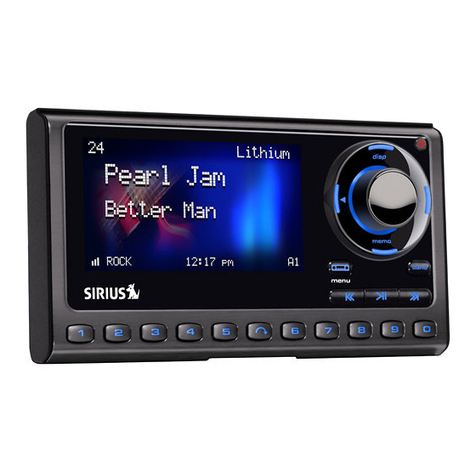
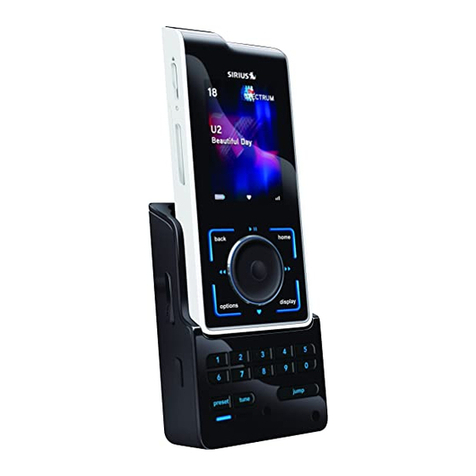
Place the Sportster radio into the dock and press the power button. Once the
radio is on, display the Antenna Aiming screen as follows:
Press the MENU button to enter the “Menu Options” mode.
Use the Rotary Knob to highlight “Antenna Aiming” and press the Rotary
Knob to select.
Two 10 segment horizontal bar graphs will be displayed (SAT and TER) with a “-“
sign to the left and a “+” sign to the right. SAT indicates satellite signal strength
and TER indicates terrestrial signal strength, if available.
For consistent audio, you need to have at least 3 bars of either SAT or TER signal.
If you do not have at least 3 bars, you’ll need to find a better location for the
outdoor antenna.
To exit this screen, press the Rotary Knob or MENU button.
Activating your SIRIUS Subscription
Before you can listen to your SIRIUS radio, you must subscribe to SIRIUS Music
For Business as follows:
Make sure that the SIRIUS Sportster radio is installed and receiving the
SIRIUS satellite signal as described in the previous installation sections.
Place the SIRIUS Sportster radio into the dock and press the power button
to turn the radio ON. After displaying the SIRIUS logo, the radio will update
all the SIRIUS channels. The display will read “UPDATING CHANNELS” on
the top line and “X% Completed” (0%-20%-40%-60%-80%-100%) on the
bottom line until the update completes.
NOTE: Don’t push any buttons or perform any operations until updat-
ing has been completed. Once updated and the SIRIUS channels are re-
ceived, the display will change to “Call 1-888-539-SIRIUS to Subscribe” and
will tune to the SIRIUS preview channel, channel 184. For a SIRIUS Music
for Business subscription see step 5 below. You will not be able to tune to
any other channels until you activate your SIRIUS subscription.
Press the MENU button to enter the “Menu Options” mode. The “Sirius ID”
menu option will now be highlighted.
Press the Rotary Knob to select “Sirius ID”. This will display your radio’s
unique 12-digit SIRIUS ID number. This SID number should also be available
on the SIRIUS Sportster radio packaging. Write the number down in the
space provided at the end of this manual.
To activate a SIRIUS Music for Business subscription, please phone our
authorized agent Applied Media Technology Corporation at 1-800-741-2682
(Monday – Friday, 9am - 8pm ET).
Once your subscription information is received the display changes to
SUBSCRIPTION UPDATED.
1.
2.
1.
2.
3.
4.
5.
6.