manuals.online logo
Brands
  1. Home
  2. •
  3. Brands
  4. •
  5. Smanos
  6. •
  7. Security Sensor
  8. •
  9. Smanos MD7000 User manual

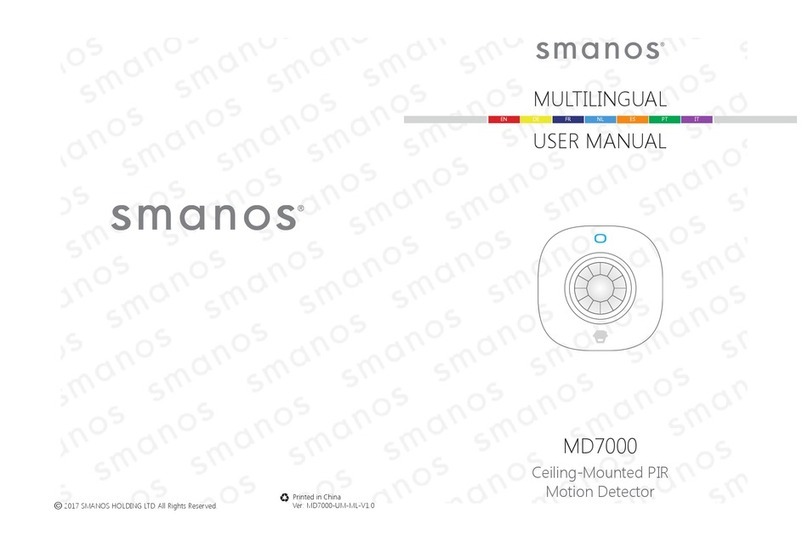
Smanos MD7000 User manual

Other manuals for MD7000

1

Other Smanos Security Sensor manuals

Smanos MD7000 User manual

Smanos

Smanos MD7000 User manual

Smanos MD-20 User manual

Smanos

Smanos MD-20 User manual

Smanos MD2300 User manual

Smanos

Smanos MD2300 User manual

Smanos GB1260 User manual

Smanos

Smanos GB1260 User manual

Smanos VD8000 User manual

Smanos

Smanos VD8000 User manual

Smanos DS2300 User manual

Smanos

Smanos DS2300 User manual

Smanos GD8800 User manual

Smanos

Smanos GD8800 User manual

Smanos FD2100 User manual

Smanos

Smanos FD2100 User manual

Smanos FD2100 User manual

Smanos

Smanos FD2100 User manual

Smanos MD9260 User manual

Smanos

Smanos MD9260 User manual

Smanos MD8000 User manual

Smanos

Smanos MD8000 User manual

Popular Security Sensor manuals by other brands

THORLABS PDA10JT user guide

THORLABS

THORLABS PDA10JT user guide

Waeco UV-DETECT operating manual

Waeco

Waeco UV-DETECT operating manual

Intermatic IOS-DSIMF manual

Intermatic

Intermatic IOS-DSIMF manual

urmet domus 1083 manual

urmet domus

urmet domus 1083 manual

Siemens AZL66 Series manual

Siemens

Siemens AZL66 Series manual

BTI Profiline Multi Finder operating instructions

BTI

BTI Profiline Multi Finder operating instructions

Challenger SL01 instruction manual

Challenger

Challenger SL01 instruction manual

DMP Electronics 1122INT installation guide

DMP Electronics

DMP Electronics 1122INT installation guide

Rielta Ladoga MK-RK installation guide

Rielta

Rielta Ladoga MK-RK installation guide

Mirion Technologies ACCURAD PRD user manual

Mirion Technologies

Mirion Technologies ACCURAD PRD user manual

Bosch DS835 installation instructions

Bosch

Bosch DS835 installation instructions

Lamptime ST05C instructions

Lamptime

Lamptime ST05C instructions

Ubiquiti MFI-MSC quick start guide

Ubiquiti

Ubiquiti MFI-MSC quick start guide

Subsite 910R Support

Subsite

Subsite 910R Support

Satel OPAL Pro manual

Satel

Satel OPAL Pro manual

Aleph XC-1XTEU manual

Aleph

Aleph XC-1XTEU manual

Pima LARIS QUAD installation instructions

Pima

Pima LARIS QUAD installation instructions

Solinst 301 user guide

Solinst

Solinst 301 user guide

manuals.online logo
manuals.online logoBrands
  • About & Mission
  • Contact us
  • Privacy Policy
  • Terms and Conditions

Copyright 2025 Manuals.Online. All Rights Reserved.

EN EN
Introduction
The detector works based on detecting human body’s infrared
spectrum. When human moves within the scope, the detector
receives the signal and inputs it into microprocessor after
magnication. Microprocessor continues to sample infrared signal
and send wireless signal to wireless control panel after calculating,
thus to form a security system. The product can be applied in banks,
warehouses and homes etc.
Features
Accurate Detection
360° detection, no dead angle
Automatic temperature compensation and anti-air turbulence
technology
False Alarm Prevention
Digital dual-core fuzzy logic infrared control processing technology
Effectively identify interference signals from body movement signals
through intelligent analysis
Space-saving
Ceiling-mounted, not much space occupation
Integrated to home decoration, suitable for luxury premises
Energy-saving
Featured power-saving mode enables 1 year standby
Product Overview
1. Test Button
2. Detection Lens
3. LED Indicator
4. Mounting Plate
PCB Layout
LED ON/OFF
Infrared Sensor
EN EN
Infrared sensor: Detecting human body’s infrared spectrum. Don’t
touch the surface by hand and keep it clean.
LED Indication
The LED indicator can be turned on or off by setting jumpers. See
“PCB Layout” above.
Flash continuously: Under self-testing state
Flash once: Intruder is detected
Flash twice: Test mode is nished, enters into the power saving
mode.
Flash once every 3 seconds: Low battery, please change the
batteries immediately.
Detection Range
Side View
6 m
3.6 m
Top View 360°
Usage
Remove the battery activation strip to activate batteries. It will enter
working state after one-minute’s self-testing.
Working Mode
Testing Mode: Press test button, the sensor enters into the testing
mode and detects once every 10 seconds. After 3 minutes, the LED
ashes twice, and the sensor enters into the power saving mode.
Power-Saving Mode: In working state, if the sensor is triggered
twice within 3 minutes, it will enter sleeping mode to save power.
After no movement within next 3 minutes, the sensor goes back to
the working state.
EN EN
Installation & Notice
Choose a suitable position and x the mounting plate on the
ceiling with screws. Fasten the detector on the mounting plate in a
clockwise direction. It is suggested to mount it at the height of
2.5-5 meters from the ground.
Keep the detector away from air conditioner, electronic fan,
refrigerator, oven, heater or any other objects which will cause fast
temperature changing.
Avoid mounting it under direct sunlight or any objects blocking the
lens, so as not to inuence the detection effect.
Testing (Walk Test)
After installation, power on the detector. After self-testing for
1 minute, press the test button, walk in the scope by crossing the
infrared spectrum (see below diagram), and watch the LED indicator
to make sure it is working. The LED indicator will ash once when
body movement is detected.
High detection sensitivity
Low detection sensitivity
Connect with the Control Panel
When the control panel is in connecting state, press the test button
twice to send wireless signal. One beep is heard after panel receives
signal, which means of successful connection.
Arm the system, and trigger the detector again. The panel will
alarm immediately. This indicates the detector has been successfully
connected with the panel.

EN
Specications
Power Supply: DC 3 V (AA LR6 1.5 V Battery x 2 pcs)
Static Current: < 50 uA
Alarm Current: < 9.5 mA
Installation Height: 2.5-6 m
Detection Scope: Dia. 6 m (when installation height is 3.6 m)
Transmitting Distance: < 80 m (in open area)
Radio Frequency: 868 MHz
Housing Material: PC+ABS Plastic
Operating Condition:
Temperature: 0 °C ~ + 55 °C
Relative Humidity: < 80% (non-condensing)
Detector Dimensions (L x W x H): 90 x 90 x 36.8 mm
Mounting Plate Dimensions (L x W x H): 56 x 56 x 8 mm