manuals.online logo
Brands
  1. Home
  2. •
  3. Brands
  4. •
  5. Sony
  6. •
  7. Adapter
  8. •
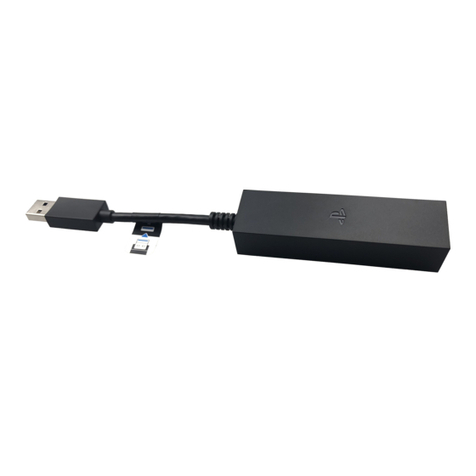
  9. Sony PlayStation VITA PCH-ZAC1 H User manual

Sony PlayStation VITA PCH-ZAC1 H User manual

This manual suits for next models

1

Other Sony Adapter manuals

Sony PCG-ABA1 Series User manual

Sony

Sony PCG-ABA1 Series User manual

Sony AC-V30 User manual

Sony

Sony AC-V30 User manual

Sony BDV-E770W  (UWA-BR100) User manual

Sony

Sony BDV-E770W (UWA-BR100) User manual

Sony BKM-FW50 User manual

Sony

Sony BKM-FW50 User manual

Sony CCMA-2DAR Instruction Manual

Sony

Sony CCMA-2DAR Instruction Manual

Sony BKM-FW50 User manual

Sony

Sony BKM-FW50 User manual

Sony AC-550CE User manual

Sony

Sony AC-550CE User manual

Sony AC-PW10AM User manual

Sony

Sony AC-PW10AM User manual

Sony TDM-BT1 - Digital Media Port Bluetooth... User manual

Sony

Sony TDM-BT1 - Digital Media Port Bluetooth... User manual

Sony UWA-BR100 User manual

Sony

Sony UWA-BR100 User manual

Sony AC-VQ1051D User manual

Sony

Sony AC-VQ1051D User manual

Sony SA-NS300 User manual

Sony

Sony SA-NS300 User manual

Sony AC-110MD User manual

Sony

Sony AC-110MD User manual

Sony MSAC-FD1B User manual

Sony

Sony MSAC-FD1B User manual

Sony DDC-L50B User manual

Sony

Sony DDC-L50B User manual

Sony XLR-K3M Reference guide

Sony

Sony XLR-K3M Reference guide

Sony YS-W270 User manual

Sony

Sony YS-W270 User manual

Sony AC V16 User manual

Sony

Sony AC V16 User manual

Sony PRSA-CC1 User manual

Sony

Sony PRSA-CC1 User manual

Sony PGV-220 User manual

Sony

Sony PGV-220 User manual

Sony AC-UD20 User manual

Sony

Sony AC-UD20 User manual

Sony AC-U50A User manual

Sony

Sony AC-U50A User manual

Sony AC-81MD User manual

Sony

Sony AC-81MD User manual

Sony XA-CC1 User manual

Sony

Sony XA-CC1 User manual

Popular Adapter manuals by other brands

Mini Gadgets BB2Outlet user manual

Mini Gadgets

Mini Gadgets BB2Outlet user manual

LSI LSISAS3442E-R Quick installation guide

LSI

LSI LSISAS3442E-R Quick installation guide

Moeller BBA -16 Series installation instructions

Moeller

Moeller BBA -16 Series installation instructions

Acer MWA3 quick start guide

Acer

Acer MWA3 quick start guide

Connect Tech ADG095 user guide

Connect Tech

Connect Tech ADG095 user guide

cable matters 604002 user manual

cable matters

cable matters 604002 user manual

Solwise PL-85PEW Easy start

Solwise

Solwise PL-85PEW Easy start

HP Photosmart 7100 user guide

HP

HP Photosmart 7100 user guide

HP E2494A installation guide

HP

HP E2494A installation guide

StarTech.com USB150WN1X1 quick start guide

StarTech.com

StarTech.com USB150WN1X1 quick start guide

Lindy 43198 user manual

Lindy

Lindy 43198 user manual

A&D AD-8527 instruction manual

A&D

A&D AD-8527 instruction manual

Motorola WU830G user guide

Motorola

Motorola WU830G user guide

Hawking HUF2 Specifications

Hawking

Hawking HUF2 Specifications

Allen-Bradley E3 Plus installation instructions

Allen-Bradley

Allen-Bradley E3 Plus installation instructions

Trust BT-2210Tp manual

Trust

Trust BT-2210Tp manual

HP NC7170 overview

HP

HP NC7170 overview

Uconnect BLE-485C user manual

Uconnect

Uconnect BLE-485C user manual

manuals.online logo
manuals.online logoBrands
  • About & Mission
  • Contact us
  • Privacy Policy
  • Terms and Conditions

Copyright 2025 Manuals.Online. All Rights Reserved.

EN
Precautions
To ensure the safe use of this product, carefully read this instruction manual and the
PlayStation®Vita instruction manual before using it and save the manuals for future reference.
The parents or guardians of small children should read the manuals for them to ensure that they
use the product safely.
Safety
Keep this product out of the reach of small children. Small children may swallow small parts or
may wrap the cables around themselves, which may inflict injury or cause an accident or a
malfunction.
Unplug the AC power cord from the electrical outlet before cleaning or when you do not
intend to use the system for an extended period of time.
Do not touch the product with wet hands.
Do not connect the AC power cord to a voltage transformer or inverter. Connecting the AC
power cord to a voltage transformer for overseas travel or an inverter for use in an automobile
may cause heat to build up in the system and may cause burns or a malfunction.
Never disassemble or modify the product.





AC Adaptor
交流電轉換器
Do not allow water or small particles to get into the product.
Do not expose the product to dust, smoke or steam.
Do not expose the product to high temperatures, high humidity or direct sunlight.
Do not use the product when it is covered by a cloth. Heat could be trapped causing fire or
malfunction.
Do not touch the product if connected to an electrical outlet during an electrical storm.
Do not touch the product for an extended period of time while in use.
Do not use a power cord other than the supplied AC power cord. Do not modify the cord.
Use and handling
Do not allow any metal to touch the connectors.
Do not place any objects on top of the product. Do not stand on the product.
Do not throw or drop the product, or otherwise expose it to strong physical impact.
Do not place the product on surfaces that are unstable, tilted or subject to vibration.
Do not allow the product to come into contact with liquids.
Follow the instructions below to help prevent the product exterior from deteriorating or
becoming discoloured.
Wipe with a soft, dry cloth.
Do not place any rubber or vinyl materials on the product exterior for an extended period
of time.
Do not use solvents or other chemicals. Do not wipe with a chemically-treated cleaning cloth.
The socket-outlet shall be installed near the equipment and shall be easily accessible.
Specifications
Input AC 100 – 240V, 50/60Hz
Output DC 5V, 1500mA (1.5A)
Operating temperature 5 °C – 35 °C (41 °F – 95 °F)
External dimensions
(w × h × d)
Approx. 45×22×68mm (1.8×0.9×2.7in)
Weight Approx. 51g
Design and specifications are subject to change without notice.
LIMITATIONS OF LIABILITY
Other than as expressly set forth by Sony Computer Entertainment Hong Kong
Limited ("SCEH") or any other Sony entity, or their suppliers or authorised service
facilities, except to the extent prohibited by applicable laws, SCEH or any other Sony
entity, or their suppliers or authorised service facilities, shall not be liable for any
damages, including special, incidental or consequential damages, or fees arising out
of the use or inability to use this product.

















Instruction Manual / 使用說明書
PCH-ZAC1 H / PCH-ZAC1 T 4-414-739-11(1)

" " and "PlayStation" are registered trademarks of Sony Computer Entertainment Inc.
" " is a trademark of the same company.
"SONY" and " " are registered trademarks of Sony Corporation.
" " 和"PlayStation" 爲SonyComputerEntertainmentInc.之註冊商標。
" " 亦為該公司之商標。
"SONY" 和" " 為SonyCorporation之註冊商標。
© 2011 Sony Computer Entertainment Inc. All rights reserved. Printed in China
© 2011SonyComputerEntertainmentInc.保留所有權利。 中國印刷
CT
使用前須知事項
使用本產品以前,請先詳細閱讀本說明書,並妥善保存,以備將來參考之用。同時並請參
閱PlayStation®Vita主機的使用說明書。未成年人請在監護人的陪同下閱讀,並安全使用。
關於安全
請將本產品放在兒童拿不到的地方保管。兒童可能會吞下細小零件,或用連接線纏繞
自己,造成人身損傷或導致意外發生、機器故障。
在您準備開始清潔或打算長時間不使用本產品時,請自電源插座拔出交流電源線。
請勿用濕手觸摸本產品。
請勿使用本產品連接變壓器或反相器。將交流電源線插入海外旅行者使用的變壓器或
汽車專用的反相器,可能會導致本產品發熱,並造成灼傷或故障。
切勿分解,改造本產品。
請勿讓液體或小顆粒掉入本產品中。
請勿將本產品暴露在灰塵、煙霧或蒸氣中。
請勿將本產品放在高溫、濕氣極重或受日光直射的地方。
請勿於使用布等物品覆蓋本產品時使用,否則可能會導致火災或故障。
請勿在雷雨天氣中觸摸本產品。
本產品已連接至電源插座時,請勿長時間觸摸本產品。
請勿使用隨附之交流電源線以外的其他電源線。且切勿改造該電源線。
使用與保管
請勿讓端子部分觸碰到其他金屬物體。
請勿在本產品上放置重物。請勿在本產品上站立。
請勿投擲或掉落本產品,或使其受到強烈的外力撞擊。
請勿將本產品放置在不平穩、傾斜或易受震動的地方。
請勿讓本產品被液體沾濕。
請遵循以下使用說明,以免產品外殼變形或變色。
使用乾淨軟布輕柔擦拭。
切勿在產品外殼上長時間放置任何橡膠或乙烯基材質。
切勿使用溶劑或其他化學藥劑。切勿使用經化學處理的擦布擦拭。
請插入接近且容易連接的電源插座。
規格
輸入 AC100-240V,50/60Hz
輸出 DC5V,1500mA(1.5A)

操作溫度 5℃-35℃(41℉-95℉)
外觀尺寸(寛×高×深) 約45×22×68mm(1.8×0.9×2.7in)
重量 約51g
本公司保留在沒有事先通知情況下,變更設計或規格之權利。






















免責聲明
除SonyComputerEntertainmentHongKongLimited(簡稱SCEH)、其他
Sony相關單位,以及經其正式認可之製造廠商或售後服務機構已明文規定之
項目外,對於任何由於使用或無法使用本產品而造成的損害(包括和種特
殊、偶發或後果性損害)或所衍生的費用,除適用法律禁止外,SCEH或任何
其他Sony相關單位或其正式認可之製造廠商或售後服務機構,概不承擔任何
責任。
Removing the 3-pin converting adaptor (PCH-ZAC1
H
only)
Electrical outlet conguration may vary depending on the region of use. If the plug on the supplied
AC power cord does not match the electrical outlet, loosen the screw and remove the converting
adaptor.
拆除3插針電源插頭轉換器(僅限
PCH-ZAC1
H
)
電源插座的形狀因地區而異。若預裝於交流電源線上的插頭形狀與您府上的電源插座不相
容時,請鬆開螺絲並拆掉電源插頭轉換器。
3-pin converting adaptor
3插針電源插頭轉換器 Mains power plug
主電源插頭
製造年份:請見產品本體標示
製造號碼:請見產品本體標示