manuals.online logo
Brands
  1. Home
  2. •
  3. Brands
  4. •
  5. Sony
  6. •
  7. Batteries Charger
  8. •
  9. Sony PS4 DUALSHOCK 4 User manual

Sony PS4 DUALSHOCK 4 User manual

Other manuals for PS4 DUALSHOCK 4

3

This manual suits for next models

2

Other Sony Batteries Charger manuals

Sony ACC-HDCSG User manual

Sony

Sony ACC-HDCSG User manual

Sony BC V615 User manual

Sony

Sony BC V615 User manual

Sony ActiForce AC-VQV10 User manual

Sony

Sony ActiForce AC-VQV10 User manual

Sony BC-U2A User manual

Sony

Sony BC-U2A User manual

Sony BC-CSQ2 User manual

Sony

Sony BC-CSQ2 User manual

Sony BC-L70 User manual

Sony

Sony BC-L70 User manual

Sony AIBO ERA-210P1 User manual

Sony

Sony AIBO ERA-210P1 User manual

Sony BC-TRN User manual

Sony

Sony BC-TRN User manual

Sony CUH-ZDC1 User manual

Sony

Sony CUH-ZDC1 User manual

Sony BCG-34HW User manual

Sony

Sony BCG-34HW User manual

Sony BC-TR30 User manual

Sony

Sony BC-TR30 User manual

Sony AC-DN10A User manual

Sony

Sony AC-DN10A User manual

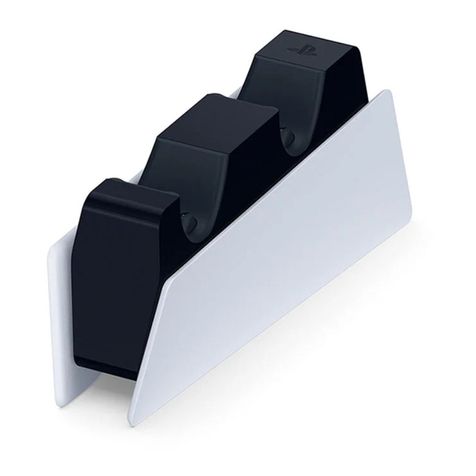
Sony PlayStation DualSense CFI-ZDS1 User manual

Sony

Sony PlayStation DualSense CFI-ZDS1 User manual

Sony PS3 CECH-ZDC1U User manual

Sony

Sony PS3 CECH-ZDC1U User manual

Sony BC-TRF User manual

Sony

Sony BC-TRF User manual

Sony UCH12 User manual

Sony

Sony UCH12 User manual

Sony PEGA-BC10 Operating Instructions  (primary... User manual

Sony

Sony PEGA-BC10 Operating Instructions (primary... User manual

Sony VGPBPL9 User manual

Sony

Sony VGPBPL9 User manual

Sony BC-TR1 User manual

Sony

Sony BC-TR1 User manual

Sony PS4 DUALSHOCK 4 User manual

Sony

Sony PS4 DUALSHOCK 4 User manual

Sony BC-L500 User manual

Sony

Sony BC-L500 User manual

Sony CP-W5 User manual

Sony

Sony CP-W5 User manual

Sony CP-E5 User manual

Sony

Sony CP-E5 User manual

Sony PlayStation DualSense CFI-ZDS1 User manual

Sony

Sony PlayStation DualSense CFI-ZDS1 User manual

Popular Batteries Charger manuals by other brands

EVBox BusinessLine manual

EVBox

EVBox BusinessLine manual

Goobay 71808 user manual

Goobay

Goobay 71808 user manual

Kogan KACRDQIS4XA user manual

Kogan

Kogan KACRDQIS4XA user manual

Sealey WCB3 quick start guide

Sealey

Sealey WCB3 quick start guide

Vanner SP00143/181 owner's manual

Vanner

Vanner SP00143/181 owner's manual

KeyOuest KO037515 quick start guide

KeyOuest

KeyOuest KO037515 quick start guide

Enplus Silk Series user manual

Enplus

Enplus Silk Series user manual

Intermec SF51 user guide

Intermec

Intermec SF51 user guide

Colorovo PowerBox 6800 user guide

Colorovo

Colorovo PowerBox 6800 user guide

Smartech WBC-250 Operator's manual

Smartech

Smartech WBC-250 Operator's manual

PIXO C-USB instruction manual

PIXO

PIXO C-USB instruction manual

Gunson G4104 quick start guide

Gunson

Gunson G4104 quick start guide

Dometic NDS SCE320 Short Operating Manual

Dometic

Dometic NDS SCE320 Short Operating Manual

ABB HT572708 Operation manual

ABB

ABB HT572708 Operation manual

EVOline Square80 manual

EVOline

EVOline Square80 manual

Redarc SBC24025 Operating instructions and owner's manual

Redarc

Redarc SBC24025 Operating instructions and owner's manual

Absaar HV04 manual

Absaar

Absaar HV04 manual

DazeTechnology Cover Dazebox Home installation manual

DazeTechnology

DazeTechnology Cover Dazebox Home installation manual

manuals.online logo
manuals.online logoBrands
  • About & Mission
  • Contact us
  • Privacy Policy
  • Terms and Conditions

Copyright 2025 Manuals.Online. All Rights Reserved.

WARNING
NOTICE FOR CUSTOMERS IN THE UNITED KINGDOM
A moulded plug complying with BS1363 is fitted to this equipment for your safety and
convenience. Should the fuse in the plug supplied need to be replaced, a 5AMP fuse approved by
ASTA or BSI to BS1362, (i.e., marked with or mark) must be used. If the plug supplied with
this equipment has a detachable fuse cover, be sure to attach the fuse cover after you change
the fuse. Never use the plug without the fuse cover. If you should lose the fuse cover, please
contact your nearest Sony service station.
This product has been manufactured by or on behalf of Sony Computer Entertainment Inc., 1-7-1
Konan Minato-ku Tokyo, 108-0075 Japan.
Imported into Europe and Distributed by Sony Computer Entertainment Europe Ltd, 10 Great
Marlborough Street, London, W1F 7LP, United Kingdom.
The Authorised Representative for issuing and holding Declarations of Conformity is Sony
Deutschland GmbH, Hedelfinger Strasse 61, 70327 Stuttgart, Germany.
DUALSHOCK®4 Charging Station
Precautions
Before using this product, carefully read this manual and any manuals for compatible hardware.
Retain instructions for future reference.
Safety
For your safety, only use the AC adaptor and AC power cord included with this product. Other
types may cause fire, electrical shock or malfunction.
Do not connect the AC power cord to a voltage transformer or inverter. Connecting the AC
power cord to a voltage transformer for overseas travel or an inverter for use in an automobile
may cause heat to build up in the AC adaptor and may cause burns or a malfunction.
Do not allow liquid or small particles to get into the product. If this happens, stop use and
disconnect it from the electrical outlet immediately.
Never disassemble or modify the product.
Do not expose the product to high temperatures, high humidity, or direct sunlight.
Do not leave the product in a car with the windows closed, particularly in hot weather.
Do not expose the product to dust, smoke or steam.
Do not touch the product with wet hands.
Unplug the AC power cord from the electrical outlet before cleaning or when you do not intend
to use the product for an extended period of time.
Keep this product out of the reach of small children. Small children may swallow small parts or
may wrap the cables around themselves, which may inflict injury or cause an accident or a
malfunction.
Do not touch or insert foreign objects into the connectors of the charging station.
Do not swing the charging station, AC adaptor or the AC power cord around by their cables.
Use and handling
Do not put heavy objects on the product.
Do not throw or drop the product, or otherwise expose it to strong physical impact.
Do not place this product on an unstable surface or leave on the floor.
The product and its parts are made from metal and plastic materials. When disposing of the
product, follow local regulations for the proper disposal of such materials.
To clean this product, use a soft, dry cloth. Do not use solvents or other chemicals. Do not wipe
with a chemically-treated cleaning cloth.

















Instruction Manual
CUH-ZDC1 A/ CUH-ZDC1 B4-476-862-11(1)

Approximate charging time
It takes approximately 2 hours to charge the controller when the battery has no
remaining charge.
Specifications
Input Charging station: DC 5 V
AC adaptor: AC 100-240 V, 0.3 A, 50/60 Hz
Output AC adaptor: DC 5 V, 2 A
External dimensions (w × h × d) Approx. 45.0 × 55.5 × 135.0 mm

Mass Approx. 230 g
Operating temperature
5 °C - 35 °C
Design and specifications are subject to change without notice.
GUARANTEE
This product is covered for 12 months from date of purchase by the manufacturer’s
guarantee. Please refer to the guarantee supplied in the PlayStation®4 package for
full details.
Charging
1 Connect the supplied AC adaptor and the AC power cord.
DC IN 5V connector
AC adaptor
AC power cord
To an electric outlet
2 Attach the DUALSHOCK®4 wireless controller to the charging station.
Align the charging connector on the charging station with the extension port on
the controller, and then press down on the controller until it clicks. The light bar
on the controller blinks slowly in orange, and then the controller starts charging.
When the controller finishes charging, the light bar turns off.
Light bar
Extension port
Charging connector
To remove the controller
Lift the controller, and then remove it from the charging station.
Where you see this symbol on any of our electrical products or packaging, it
indicates that the relevant electrical product should not be disposed of as general
household waste in Europe and Turkey. To ensure the correct waste treatment of
the product, please dispose of it in accordance with any applicable local laws or
requirements for disposal of electrical equipment. In so doing, you will help to
conserve natural resources and improve standards of environmental protection in
treatment and disposal of electrical waste.
" ", "PlayStation", "DUALSHOCK" and " " are registered trademarks of Sony
Computer Entertainment Inc. " " is a trademark of the same company.
"SONY" and " " are registered trademarks of Sony Corporation.
eu.playstation.com/ps4
© 2013 Sony Computer Entertainment Inc. All rights reserved. Printed in China