1
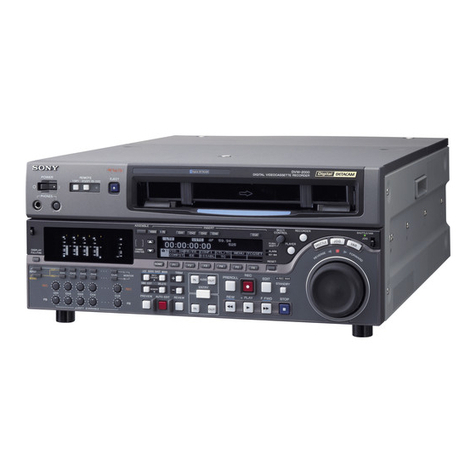
DNW-A100/A50/A45
DNW-A100P/A50P/A45P
Table of Contents
Manual Structure
Purpose of this manual .............................................................................................. 5
Contents ..................................................................................................................... 5
Related manuals......................................................................................................... 6
Caution for Handing the Unit with Built-in HDD (for part 1)............................ 7
1. Installation
1-1. Installation Procedure..................................................................................1-1
1-2. Supplied Accessories ..................................................................................1-1
1-3. Operating Conditions ..................................................................................1-2
1-4. Power Supply ..............................................................................................1-2
1-4-1. Voltage and Power Requirements ..............................................1-2
1-4-2. Power Cord.................................................................................1-2
1-5. Installation Space ........................................................................................1-3
1-6. Rack Mounting............................................................................................1-4
1-7. Connecting Connector/Cable ......................................................................1-9
1-8. Signal Inputs and Outputs .........................................................................1-10
1-9. Switch Settings on Connector Panel .........................................................1-13
1-10. Switch and Shorting Plug Setting on PC Boards ......................................1-14
1-10-1. APR-12 Board ..........................................................................1-14
1-10-2. APR-13 Board ..........................................................................1-16
1-10-3. DM-89 Board ...........................................................................1-18
1-10-4. TBC-23 Board ..........................................................................1-19
1-10-5. SS-63 Board .............................................................................1-20
1-10-6. SSX-1 Board ............................................................................1-22
1-11. Mode Switching of Search Dial ................................................................1-23
1-12. Setup Menu Items .....................................................................................1-24
1-13. Reference System......................................................................................1-26
1-14. 525/625 Switchable Function....................................................................1-27
1-15. Settings and Adjustment when Peripheral Equipment is Connected ........1-28
1-15-1. Time Code Setting....................................................................1-28
1-15-2. System Phase Alignment..........................................................1-29
1-15-3. Setup Menu Setting ..................................................................1-29
1-15-4. Settings when Extended Hard Disk is Connected
(Will be available as a supplement.)
1-16. Installation of BKDW-505/506.................................................................1-31
1-16-1. Procedure..................................................................................1-31
1-16-2. Check after Installing ...............................................................1-32
1-17. Installation of BKNW-103
(Will be available as a supplement.)
http://getMANUAL.com