manuals.online logo
Brands
  1. Home
  2. •
  3. Brands
  4. •
  5. Soundcore
  6. •
  7. Speakers
  8. •
  9. Soundcore Infini User manual

Soundcore Infini User manual

This manual suits for next models

1

Other Soundcore Speakers manuals

Soundcore Motion + B07X5TD8FN User manual

Soundcore

Soundcore Motion + B07X5TD8FN User manual

Soundcore Motion X600 User manual

Soundcore

Soundcore Motion X600 User manual

Soundcore Flare Mini User manual

Soundcore

Soundcore Flare Mini User manual

Soundcore Soundcore Motion Boom User manual

Soundcore

Soundcore Soundcore Motion Boom User manual

Soundcore Zero User manual

Soundcore

Soundcore Zero User manual

Soundcore Rave Neo 2 User manual

Soundcore

Soundcore Rave Neo 2 User manual

Soundcore Trance User manual

Soundcore

Soundcore Trance User manual

Soundcore Rave Plus User manual

Soundcore

Soundcore Rave Plus User manual

Soundcore Motion X600 User manual

Soundcore

Soundcore Motion X600 User manual

Soundcore Zero+ User manual

Soundcore

Soundcore Zero+ User manual

Soundcore Flare Mini 3 User manual

Soundcore

Soundcore Flare Mini 3 User manual

Soundcore Glow Mini User manual

Soundcore

Soundcore Glow Mini User manual

Soundcore Infini 2 User manual

Soundcore

Soundcore Infini 2 User manual

Soundcore A3399 User manual

Soundcore

Soundcore A3399 User manual

Soundcore Zero User manual

Soundcore

Soundcore Zero User manual

Soundcore Rave Neo User manual

Soundcore

Soundcore Rave Neo User manual

Soundcore A3371 User manual

Soundcore

Soundcore A3371 User manual

Soundcore Motion B User manual

Soundcore

Soundcore Motion B User manual

Soundcore A3391Z12 User manual

Soundcore

Soundcore A3391Z12 User manual

Soundcore Zero User manual

Soundcore

Soundcore Zero User manual

Soundcore Motion+ User manual

Soundcore

Soundcore Motion+ User manual

Soundcore Wakey User manual

Soundcore

Soundcore Wakey User manual

Soundcore Flare 2 User manual

Soundcore

Soundcore Flare 2 User manual

Soundcore Select Pro A3126 User manual

Soundcore

Soundcore Select Pro A3126 User manual

Popular Speakers manuals by other brands

Yamaha DXR10 null

Yamaha

Yamaha DXR10 null

argon audio IE20 quick start

argon audio

argon audio IE20 quick start

Denon SC-N7 owner's manual

Denon

Denon SC-N7 owner's manual

Gemline Ace 3952 user manual

Gemline

Gemline Ace 3952 user manual

Focal ON WALL 300 User manua

Focal

Focal ON WALL 300 User manua

HEADRUSH Maximus HRSP 5024 manual

HEADRUSH

HEADRUSH Maximus HRSP 5024 manual

SoundLogic BCCS-6/6395 instruction manual

SoundLogic

SoundLogic BCCS-6/6395 instruction manual

Peavey DTH 218 Specification sheet

Peavey

Peavey DTH 218 Specification sheet

Avantree Pluto Air user guide

Avantree

Avantree Pluto Air user guide

Morel Integra Series INTEGRA OVATION 4 install guide

Morel

Morel Integra Series INTEGRA OVATION 4 install guide

Oppo SONICA quick start guide

Oppo

Oppo SONICA quick start guide

Bose SoundLink Wireless Music System owner's guide

Bose

Bose SoundLink Wireless Music System owner's guide

Rocksteady Stadium owner's manual

Rocksteady

Rocksteady Stadium owner's manual

Bowers & Wilkins 4 owner's manual

Bowers & Wilkins

Bowers & Wilkins 4 owner's manual

Sonance SONOS OUTDOOR Series installation manual

Sonance

Sonance SONOS OUTDOOR Series installation manual

Electro-Voice EVID FM4.2 Brochure & specs

Electro-Voice

Electro-Voice EVID FM4.2 Brochure & specs

Pioneer XW-HTD630 manual

Pioneer

Pioneer XW-HTD630 manual

Onn BWA16AA002 Product guide

Onn

Onn BWA16AA002 Product guide

manuals.online logo
manuals.online logoBrands
  • About & Mission
  • Contact us
  • Privacy Policy
  • Terms and Conditions

Copyright 2025 Manuals.Online. All Rights Reserved.

User Manual
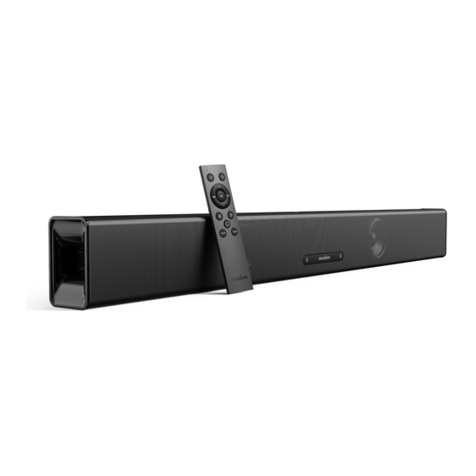
Soundcore Infini
Soundbar
A3371
FCC Caution
Any Changes or modifications not expressly approved by the party responsible for compliance
could void the user's authority to operate the equipment.
Note: This equipment has been tested and found to comply with the limits for a Class B digital d
evice, pursuant to part 15 of the FCC Rules. These limits are designed to provide reasonable pr
otection against harmful interference in a residential installation. This equipment generates use
s and can radiate radio frequency energy and, if not installed and used in accordance with the i
nstructions, may cause harmful interference to radio communications. However, there is no gua
rantee that interference will not occur in a particular installation. If this equipment does cause h
armful interference to radio or television reception, which can be determined by turning the equi
pment off and on, the user is encouraged to try to correct the interference by one or more of the
following measures:
-Reorient or relocate the receiving antenna.
-Increase the separation between the equipment and receiver.
-
Connect the equipment into an outlet on a circuit different from that to which the receiver is con
nected.
-Consult the dealer or an experienced radio/TV technician for help.
This equipment complies with FCC radiation exposure limits set forth for an uncontrolled enviro
nment. This equipment should be installed and operated with minimum distance 20cm between
the radiator & your body.
This device complies with part 15 of the FCC Rules. Operation is subject to the following two co
nditions: (1) This device may not cause harmful interference, and (2) this device must accept an
y interference received, including interference that may cause undesired operation.
IC Caution
“This equipment complies with IC RF radiation exposure limits set forth for an uncontrolled
environment.
This equipment should be installed and operated with a minimum distance of 20 centimeters
between the radiator and your body.”
" ce matériel est conforme aux limites d'exposition aux rayonnements rf de ic énoncés dans un
autre environnement.
ce matériel doit être installé et exploité à une distance minimale de 20 cm entre le radiateur et
votre corps. "

- English:
This device complies with Industry Canada licence-exempt RSS standard(s).
Operation is subject to the following two conditions: (1) This device may not cause interference,
and (2) This device must accept any interference, including interference that may cause
undesired operation of the device.
- French:
Le présentappareilestconforme aux CNR d'Industrie Canada applicables aux appareils radio
exempts de licence. L'exploitationestautorisée aux deux conditions suivantes:
(1) l'appareil ne doit pas produire de brouillage, et
(2) l'utilisateur de l'appareildoit accepter tout brouillageradioélectriquesubi, mêmesi le
brouillageest susceptible d'encompromettre le fonctionnement.
Safety Instructions
① Avoid dropping.
② Do not disassemble.
③ Do not submerge in water.
④ Avoid extreme temperatures.
⑤ Do not use the device outdoors during thunderstorms.
⑥ Use original or certified cables.
⑦ Do not use any corrosive cleaner / oil to clean.
8. The product should not be exposed to dripping or splashing water.
What’s Included
① Soundbar
② Power cord
③ Remote control
④ AAA Batteries
⑤ 3.5mm to RCA audio cable
⑥ Optical cable
⑦ Wall mounting brackets
8. Wall mounting bolts
9. User manual
10. Wall mounting template
At a Glance
① Status indicator
Status Status indicator light
Standby Solid red
Optical Solid green (stays on for 10 seconds)
Coaxial Solid orange (stays on for 10 seconds)
Aux in Solid cyan (stays on for 10 seconds)
Bluetooth pairing mode Flashing blue
Bluetooth device
connected Solid blue (stays on for 10 seconds)
Volume up and down Flashing white
Maximum volume Solid white (stays on for 10 seconds)
Minimum volume Solid white (stays on for 10 seconds)
Music equalizer mode Flashing white (once)
Movie equalizer mode Flashing white (2 times)
Dialogue mode Solid white (stays on for 5 seconds)
Mute Solid yellow
② Power button
③ Volume-down control
④ Volume-up control
⑤ Source input button
⑥ Wall mounting screw holes
⑦ Power input
⑧ Service port
9. Aux input
10. Optical input
11. Coaxial
Note: Press source input button and hold for 3 seconds to activate Bluetooth pairing mode.
Placement
●Table Placement
1. Place the soundbar on a solid surface.
●Wall mount Installation
Step 1: Insert two wall mounting screws into the wall mounting screw holes, then fasten the
screws.
Step 2: Place the wall mounting template against the wall, under your TV. Mark the 4bracket
holes on the wall with a pencil.
Step 3: Fix the two mounting brackets on the wall according to the center points. Use bolts
(not included) to secure the brackets.
Step 4: Hang the soundbar on the brackets.
Remote Control
1. Battery installation
2. Remote control buttons
Button Button functions
① Power button Press to switch on / off the soundbar.
② Volume-up control To increase the volume.
③ Previous Return to previous track.
④ Play / Pause To pause / resume playback.
⑤ Bluetooth button To activate Bluetooth mode.
1. Press to activate Bluetooth mode.
2. Press and hold for 3 seconds to reconnect.
⑥ Dialogue mode
button
To activate the dialogue mode.
⑦ Music equalizer
button
To activate the music equalizer mode.
⑧ Mute button To temporarily turn off the sound. Press the button again to turn
the sound back on.
9. Next Move to next track.
10. Volume-down
control To decrease the volume.
11. Source input
button To change source input. Press this button for 3 seconds to
activate Bluetooth pairing mode.
12. Movie equalizer
button To activate the movie equalizer mode.
Note: The status indicator light will stay on for approximately 10 seconds when thesoundbar
is in Bluetooth mode / Aux in mode / Optical mode / Coaxial mode.
Using Your Soundbar
1. Turn On / Off
Note: The soundbar will automatically switch to standby mode when no audio input is
received for over 30 minutes. The soundbar will wake up from standby mode when any
button is pressed or source input is received.
a. Connect to your TV
1. You can use optical cable, coaxial cable or 3.5mm to RCA audio cable to connect to
the respective output port of your TV.
2. Press the source input button on the soundbar or remote control to activate the
corresponding mode.The status indicator will be solid green in optical mode,orange
in coaxial mode and cyan in Aux mode.
Note: The status indicator light will stay on for 10seconds.
Note: Not all TVs have the audio outputs shown as above, please check your TV's
specifications before setup.
Note: Try set the TV output to PCM if there is no audio sound when using either of
the optical or coaxial inputs.
Note: Coaxial cable is not included.
b. Connect to other devices
1. You can use optical cable / coaxial cable or 3.5mm to RCA audio cable, or 3.5mm to
3.5mm cable (not included) to connect to the respective output port of otherdevices
(such as Blu-ray player, game console, tablet, MP3 Player / laptop etc).