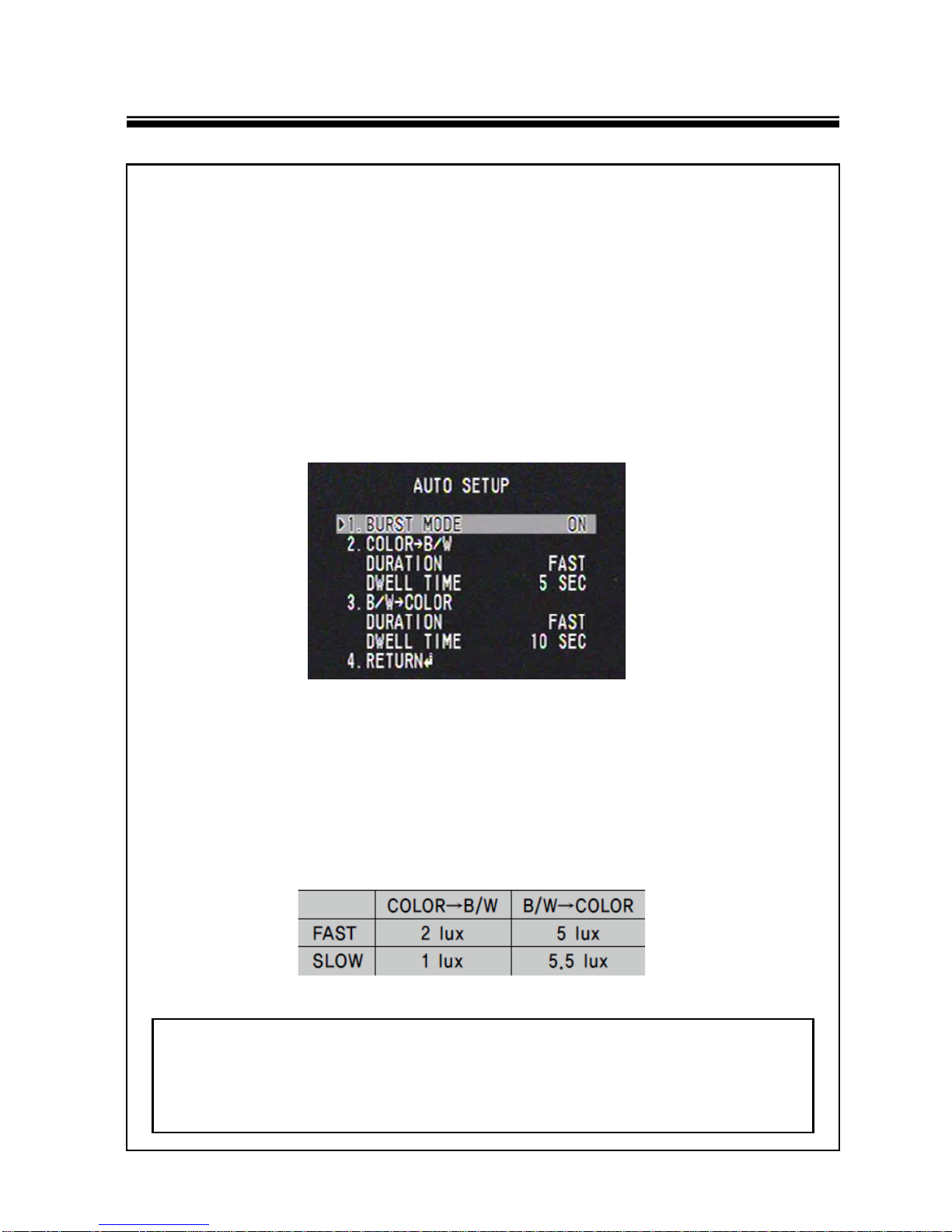
OSD MENU DETAILS
8
◆AGC(AUTO GAIN CONTROL) : The higher the gain level, the brighter
the screen, but higher the noise.
* OFF : Deactivates the AGC function.
* LOW : Allows automatic gain control from 5.3dB to 32dB.
* HIGH : Allows automatic gain control from 5.3dB to 37dB.
◆INTENSIFY : When it is night or dark, the camera automatically detects
the light level and maintains a clear picture if this mode is activated.
* OFF : Deactivates the INTENSIFY function.
•AUTO : Activates the INTENSIFY function.
☞NOTE
■If you press the SET button in ‘AUTO’ mode, you can adjust brightness by
increasing or decreasing the shutter speed. (x2 ~ x512)
■Note that the higher the INTENSIFY level, the brighter the screen, but the more
likely there will be a ghosting effect.
■It is normal for noise, spots and whitish symptoms to appear in INTENSIFY
mode when the D-ZOOM level is increased.
4. WDR SETUP
WDR illuminates darker areas of an image while retaining the same light
level for brighter area to even out the overall brightness of images
with high contrast between bright and dark areas.
5. WHITE BALANCE SETUP
◆ATW : Select this when the color temperature is between 1,700˚K and
11,000˚K.
◆OUTDOOR : Select this when the color temperature is between
1,700˚K and 11,000˚K.(sodium light inclusion)
◆INDOOR : Select this when the color temperature is between 4,500˚K
and 8,500˚K.
◆MANUAL : Select this to fine-tune White Balance manually. Set White
Balance first by using the ATW or AWC mode. After that switch to
MANUAL mode, fine-tune the White Balance and then press the
SET button.
◆AWC→SET : To find the optimal luminance level for the current
environment, point the camera towards a sheet of white paper and
press the Function Setup switch. If the environment changes,
readjust it.