4
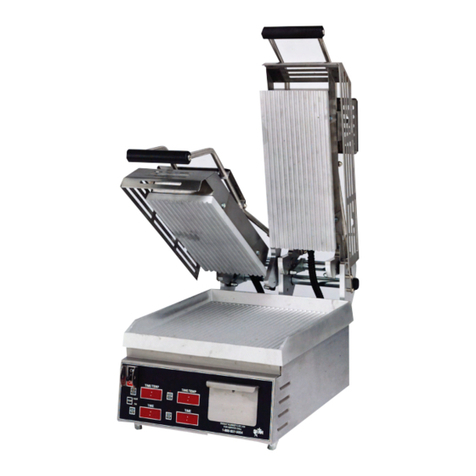
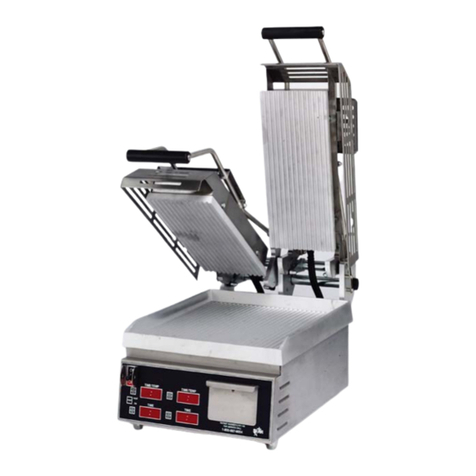
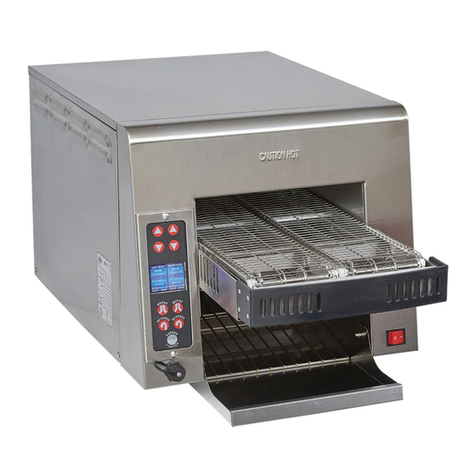
TEMPERATURE/TIMER CONTROLLER OPERATION SPECIFICATIONS
Startup:
1. Thepresettimewillashuntilpresettemperatureisreached.
2. Whenthecontrolreachespresettemperature,timedisplay,"HeatOn"indicatorand
programindicatorwillstopashingandthealarmwillbeepthreetimes.
Temperature:
1. Toviewtheactualtemperature,pressandhold"TempButton".Displaywillread"LoF"
if temperature is below 273°F and "Hi F" if temperature is above 573°F.
To Program Time and Temperature:
1. Press and hold "TEMP" (actual temperature displays).
2. Whileholding"TEMP",pressandholdanyprogrambuttonontheLeftonesecond,the
LED above the program number light and the display reads "_ _ _ _".
Enterthefour-digitsecuritycodesequence,4, 3, 2, 1. The security code will not
showondisplay.Oncethecorrectsequencehasbeenentered,thepresettimewillbe
displayedandtheLEDforthatprogramwillbegintoash.
3. Set the time with the "+ or -" buttons.
4. Press the "TEMP" button to save the time.
5. The preset temperature will now be displayed.
6. Set the desired temperature for this program using the "+ or -" buttons.
7. Press the "TEMP" button to save temperature and to exit programming mode
for this program. TheLEDwillstopashingbutwillremainlit.
8. Press any other program button within 15 seconds to continue programming without re-
entering the security code.
9. Whileprogrammingaprogram(LEDisashing),ifnoinputisreceivedfor15seconds,
the unit will revert to normal operation and the security code must be re-entered.
Note: Temperature settings are done with the Left side buttons only. The time settings
programmed on the Left buttons will also be programmed onto the Right side. See below to
make time changes to the Right side only. Each programming change must be saved by
pressing the "TEMP" button!
Right Side (Timer only):
1. ToChangethetimeonRight,pressandholdthe"TEMP"button,andpressandhold
any program button on the Right for one second. The LED above the program button
will light and the Right Display will read "_ _ _ _". Enter the four-digit security code
sequence,4, 3, 2, 1. The security code will not show on display. Once the correct
sequencehasbeenentered,thepresettimewillbedisplayedandtheLEDforthat
programwillbegintoash.
2. Set the time with the "+ or -" buttons.
3. Press the "TEMP" button to save the time.
4. TheLEDwillstopashingbutwillremainlit.
5. Press any other program button within 15 seconds to continue programming without
re-entering the security code.
6. Whileprogrammingaprogram(LEDisashing),ifnoinputisreceivedfor15seconds,
the unit will revert to normal operation and the security code must be re-entered.
Operation:
1. Pressing any program button (1-4) will start the timer countdown and display the preset
time remaining. The LED for the appropriate program will be lit during countdown and
remain lit until another program is selected.
2. Whenthedisplayreaches"00:00",thebuzzerwillsoundandthedigitswillash.
3. Presstheprogrambuttontosilencethebuzzerandreturnthereadouttoprogrammed
time.
4. The Right and Left sides will operate independent of each other. Both timers can be in
operation at the same time. The "00:00" display will show which side is timed out.