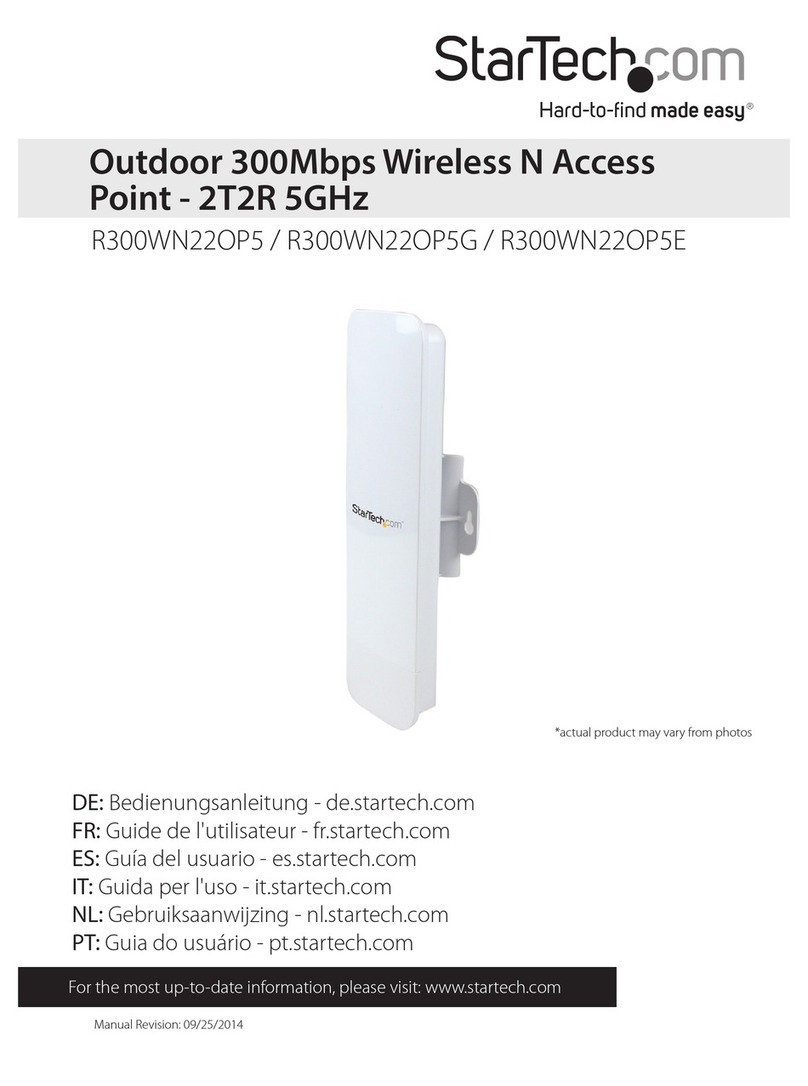
StarTech.com WFREPEAT300N User manual

Manual Revision: 05/18/2012
For the most up-to-date information, please visit: www.startech.com
DE: Bedienungsanleitung - de.startech.com
FR: Guide de l'utilisateur - fr.startech.com
ES: Guía del usuario - es.startech.com
IT: Guida per l'uso - it.startech.com
NL: Gebruiksaanwijzing - nl.startech.com
PT: Guia do usuário - pt.startech.com
WFREPEAT300N
300MbpsWireless-N Access Point/Repeater
*actual product may vary from photos

Instruction Manual
FCC Compliance Statement
This equipment has been tested and found to comply with the limits for a Class B digital
device, pursuant to part 15 of the FCC Rules. These limits are designed to provide reasonable
protection against harmful interference in a residential installation. This equipment generates,
uses and can radiate radio frequency energy and, if not installed and used in accordance with
the instructions, may cause harmful interference to radio communications. However, there
is no guarantee that interference will not occur in a particular installation. If this equipment
does cause harmful interference to radio or television reception, which can be determined by
turning the equipment o and on, the user is encouraged to try to correct the interference by
one or more of the following measures:
• Reorient or relocate the receiving antenna.
• Increase the separation between the equipment and receiver.
• Connect the equipment into an outlet on a circuit dierent from that to which the receiver
is connected.
• Consult the dealer or an experienced radio/TV technician for help.
Use ofTrademarks, RegisteredTrademarks, and other Protected Names and Symbols
This manual may make reference to trademarks, registered trademarks, and other
protected names and/or symbols of third-party companies not related in any way to
StarTech.com. Where they occur these references are for illustrative purposes only and do not
represent an endorsement of a product or service by StarTech.com, or an endorsement of the
product(s) to which this manual applies by the third-party company in question. Regardless
of any direct acknowledgement elsewhere in the body of this document, StarTech.com hereby
acknowledges that all trademarks, registered trademarks, service marks, and other protected
names and/or symbols contained in this manual and related documents are the property of
their respective holders.

Instruction Manual
i
Table of Contents
Introduction............................................................................................1
Packaging Contents ................................................................................................................................. 1
System Requirements.............................................................................................................................. 1
Diagram ...................................................................................................2
Front............................................................................................................................................................... 2
Back................................................................................................................................................................ 2
Installation ..............................................................................................3
Repeater Mode Setup:............................................................................................................................. 3
Access Point Mode Setup:...................................................................................................................... 6
Advanced Conguration.......................................................................8
Wireless......................................................................................................................................................... 9
Wireless Cont’d........................................................................................................................................... 10
LAN Interface.............................................................................................................................................. 11
Management .............................................................................................................................................. 11
Save/Reload Settings............................................................................................................................... 12
Reboot........................................................................................................................................................... 12
Specications..........................................................................................13
Technical Support ..................................................................................14
Warranty Information............................................................................14

Instruction Manual
1
Introduction
The WFREPEAT300N 300Mbps Wireless-N WiFi Access Point and Repeater has two
selectable modes for extending the range of existing wireless networks or adding
wireless capabilities to a non-wireless network. Using a wall plug design, this allows
for convenient or hidden placement anywhere there is an available AC outlet. As a
wireless repeater, the eective range of any 802.11n WiFi network can be increased,
while still providing up to 300Mbps of data bandwidth. This WiFi signal booster can
help eliminate dead spots and provide a stronger signal in areas with obstructions that
can reduce the range of a wireless signal. The WiFi range extender is also backward
compatible with 802.11b/802.11g networks. As a wireless access point (AP), any non-
wireless router can be given wireless-N capabilities. Built in wireless security (WEP/
WPA/WPA2) will help to keep the network private. Backed by a StarTech.com 2-year
warranty and free lifetime technical support.
Packaging Contents
• 1x Wireless-N Repeater
• 1x RJ45 Ethernet Cable
• 3x Interchangeable Wall Socket Plug (NA/UK/EU)
• 1x Instruction Manual
System Requirements
• Available AC electrical outlet
Repeater Mode:
• IEEE 802.11B or G or N compliant wireless access point (AP)
Access Point Mode:
• IEEE 802.3i/802.3u (10/100 Mbps) compliant network router
• RJ45 terminated UTP Ethernet cable

Instruction Manual
2
Diagram
Front
Back
Power
Wireless Link/Activity
RJ45 Ethernet port
Reset Button
Ethernet Link/Activity
Modular Wall Plug
Plug Release Button

Instruction Manual
3
Installation
Repeater Mode Setup:
1. Connect the Repeater to an available AC electrical outlet.
2. Wired Setup: Connect an RJ45 Ethernet cable from the Repeater to your computer.
Wireless Setup: Connect to the wireless network ‘WiFi-Repeater’.
3. The default IP address on the Repeater is 192.168.10.1; congure your computer to
a matching network address (192.168.10.x, where ‘x’ is between 2~255) with subnet
set to 255.255.255.0 and gateway to 192.168.10.1.
4. Open a web browser window and enter 192.168.10.1 into the address bar. This will
bring up the login prompt for the Repeater. The default user name and password
are ‘admin’ (without quotes).
5. From the main menu on the left side of the web interface, click the‘Setup Wizard’link
followed by the‘Wireless Repeater Mode (Station) option. Click‘Next’ to continue.
6. The next screen will list some basic conguration information, so click the‘Repeater –
OneKey Setting’button to continue, followed by the‘Wireless Network Selection’button.

Instruction Manual
4
7. The next screen will display a list of detected wireless networks. Click the‘Refresh List’
button to rescan. Select the desired wireless network and then click the‘Next’button.
8. Wireless encryption settings will be automatically detected and listed on the
following screen. If the wireless network has a password, then enter this into the
‘Pre-Shared Key’ eld. You should not need to change any other settings on this
screen. Click ‘Apply and Reboot’ and you will receive a conrmation prompt. Click
‘OK’ to proceed.

Instruction Manual
5
9. After the unit has rebooted, the conguration settings/status will be listed. Conrm
that the Mode has been set and the correct network name (SSID) is listed and
connected to.

Instruction Manual
6
Access Point Mode Setup:
1. Connect the Repeater to an available AC electrical outlet.
2. Wired Setup: Connect an RJ45 Ethernet cable from the Repeater to your computer.
Wireless Setup: Connect to the wireless network ‘WiFi-Repeater’.
3. The default IP address on the Repeater is 192.168.10.1; congure your computer to
a matching network address (192.168.10.x, where ‘x’ is between 2~255) with subnet
set to 255.255.255.0 and default gateway to 192.168.10.1.
4. Open a web browser window and enter 192.168.10.1 into the address bar. This will
bring up the login prompt for the Repeater. The default user name and password
are ‘admin’ (without quotes).
5. From the main menu of the Repeater conguration utility, click the ‘Setup Wizard’
link followed by the ‘Standard Wireless AP Mode’ option. Click ‘Next’ to continue.
6. The next screen will list some basic information. Click the ‘AP – OneKey Setting’
button to proceed.

Instruction Manual
7
7. The Repeater will automatically pre-congure itself with default information and then
reboot. If there are multiple wireless networks or a problem occurs with the automatic
setup, Advanced Conguration may be required. Otherwise the setup is complete.
Table of contents
Other StarTech.com Wireless Access Point manuals
StarTech.com
StarTech.com WAP1055BG User manual
StarTech.com
StarTech.com R300WN22MOD User manual
StarTech.com
StarTech.com AP150WN1X1OD User manual
StarTech.com
StarTech.com R300WN22OP5G User manual
StarTech.com
StarTech.com R300WN22GA User manual
StarTech.com
StarTech.com AP300WN2X2W User manual
StarTech.com
StarTech.com WAP1011BB Manual
StarTech.com
StarTech.com R300WN22GA User manual
StarTech.com
StarTech.com WIFIDETG User manual
StarTech.com
StarTech.com WFRAP433ACD User manual