manuals.online logo
Brands
  1. Home
  2. •
  3. Brands
  4. •
  5. SWELLPRO
  6. •
  7. Drone
  8. •
  9. SWELLPRO Splashdrone Fisherman FD1 User manual

SWELLPRO Splashdrone Fisherman FD1 User manual

Other SWELLPRO Drone manuals

SWELLPRO GC2-S User manual

SWELLPRO

SWELLPRO GC2-S User manual

SWELLPRO SplashDrone 4 User manual

SWELLPRO

SWELLPRO SplashDrone 4 User manual

SWELLPRO SWIFT 2 User manual

SWELLPRO

SWELLPRO SWIFT 2 User manual

SWELLPRO SPLASH DRONE User manual

SWELLPRO

SWELLPRO SPLASH DRONE User manual

SWELLPRO SPLASH DRONE User manual

SWELLPRO

SWELLPRO SPLASH DRONE User manual

SWELLPRO Splash Drone Auto User manual

SWELLPRO

SWELLPRO Splash Drone Auto User manual

SWELLPRO SPLASH DRONE User manual

SWELLPRO

SWELLPRO SPLASH DRONE User manual

SWELLPRO SplashDrone 4 WQMS User manual

SWELLPRO

SWELLPRO SplashDrone 4 WQMS User manual

SWELLPRO Splash Drone Pro User manual

SWELLPRO

SWELLPRO Splash Drone Pro User manual

SWELLPRO Splash Drone Pro User manual

SWELLPRO

SWELLPRO Splash Drone Pro User manual

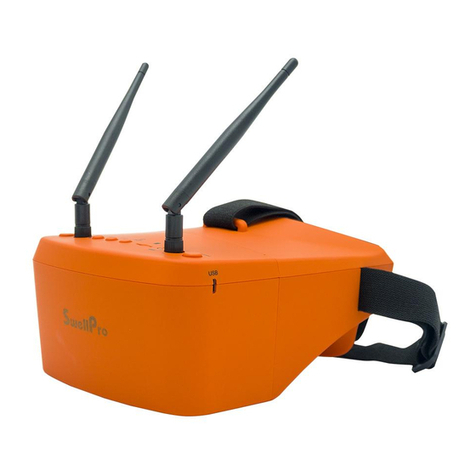
SWELLPRO FPV Goggle User manual

SWELLPRO

SWELLPRO FPV Goggle User manual

SWELLPRO SWIFT 2 User manual

SWELLPRO

SWELLPRO SWIFT 2 User manual

SWELLPRO JCMATTHEW D1 User manual

SWELLPRO

SWELLPRO JCMATTHEW D1 User manual

SWELLPRO Splash Drone 3 Instruction Manual

SWELLPRO

SWELLPRO Splash Drone 3 Instruction Manual

SWELLPRO Splash Drone 3 Instruction Manual

SWELLPRO

SWELLPRO Splash Drone 3 Instruction Manual

SWELLPRO SPLASH DRONE User manual

SWELLPRO

SWELLPRO SPLASH DRONE User manual

SWELLPRO SPLASH DROME 3 User manual

SWELLPRO

SWELLPRO SPLASH DROME 3 User manual

SWELLPRO Splash Drone 3 User manual

SWELLPRO

SWELLPRO Splash Drone 3 User manual

SWELLPRO JCMatthew FD1 User manual

SWELLPRO

SWELLPRO JCMatthew FD1 User manual

SWELLPRO spry Use and care manual

SWELLPRO

SWELLPRO spry Use and care manual

SWELLPRO GC3-T User manual

SWELLPRO

SWELLPRO GC3-T User manual

SWELLPRO Splash Drone 3 User manual

SWELLPRO

SWELLPRO Splash Drone 3 User manual

SWELLPRO SPLASH DRONE User manual

SWELLPRO

SWELLPRO SPLASH DRONE User manual

SWELLPRO SPLASHDRONE 3 Operating instructions

SWELLPRO

SWELLPRO SPLASHDRONE 3 Operating instructions

Popular Drone manuals by other brands

Foxtech GAIA 160MP user manual

Foxtech

Foxtech GAIA 160MP user manual

Ryze Tello quick start guide

Ryze

Ryze Tello quick start guide

PowerVision PowerRay user manual

PowerVision

PowerVision PowerRay user manual

Force1 rogue F72 user manual

Force1

Force1 rogue F72 user manual

Zerotech DOBBY user manual

Zerotech

Zerotech DOBBY user manual

Walkera ZHUN quick start guide

Walkera

Walkera ZHUN quick start guide

Arris M900 user manual

Arris

Arris M900 user manual

Potensic D58 Operation Guidance

Potensic

Potensic D58 Operation Guidance

Protocol VIDEODRONE AP instruction manual

Protocol

Protocol VIDEODRONE AP instruction manual

dji Matrice M210 quick start guide

dji

dji Matrice M210 quick start guide

Storm DJI Flamewheel F450 RTF manual

Storm

Storm DJI Flamewheel F450 RTF manual

SYMA X440 user manual

SYMA

SYMA X440 user manual

XIRO Xplorer G Calibration guide

XIRO

XIRO Xplorer G Calibration guide

Freefly ALTA Setup guide

Freefly

Freefly ALTA Setup guide

Twodots TVVIN BOARD quick guide

Twodots

Twodots TVVIN BOARD quick guide

Parrot Bebop quick start guide

Parrot

Parrot Bebop quick start guide

Potensic ATOM SE user manual

Potensic

Potensic ATOM SE user manual

SYMA X5UW(720P) user manual

SYMA

SYMA X5UW(720P) user manual

manuals.online logo
manuals.online logoBrands
  • About & Mission
  • Contact us
  • Privacy Policy
  • Terms and Conditions

Copyright 2025 Manuals.Online. All Rights Reserved.

©2021 Swellpro All rights reserved
1
FD1
User Manual
V1.0
©2021 Swellpro All rights reserved
2
Thank you for purchasing SwellPro Fisherman FD1 .We have designed and manufactured the FD1
specially developed for marine fishing enthusiasts. FD1 continues the excellent waterproof
feature of Swellpro. The design focuses on simplifying than complex , with new feature of
super payload capacities, superior flight performance, easy to maintenance. come with higher
competitive performance. FD1 is a kind of fishing drone which widespread using in bait release
that Swellpro offering to the majority of fishing enthusiasts. (FD1 is a great all-weather eagle
training drone as well)
Reading Notes:
To watch the Tutorial videos or download the related software, please visit the official website of
Swellpro www.swellpro.cn or follow Swellpro WeChat official account.
Contents:
©2021 Swellpro All rights reserved
3
Reading Notes
Icons Used in This Manual
Reading Notes
Drone Components
Remote Controller Components
Remote Controller Screen interface
Drone status indicator
Propellers
Drone battery
Drone low battery warning
Flight mode
Flight mode
Return home
Preparing for Flight
Accelerometer (Gyroscope) calibration
Compass Calibration
IMU calibration
Remote Controller
Flight Control
Low Battery Alarm Warnings
Flight
Flight environmental impact
Starting / Stopping the Motors
Basic flight steps
Take off and landing on the water
Flip over on the water
Take off and landing on boat
Appendix
Specification
Warranty and after-sales service
Accessories available
Guidelines for the safety use of batteries
Safe operation guidelines and disclaimer and Warning
Safe Operation Guide
Disclaimer and warning
Version Information
Drone Components
©2021 Swellpro All rights reserved
4
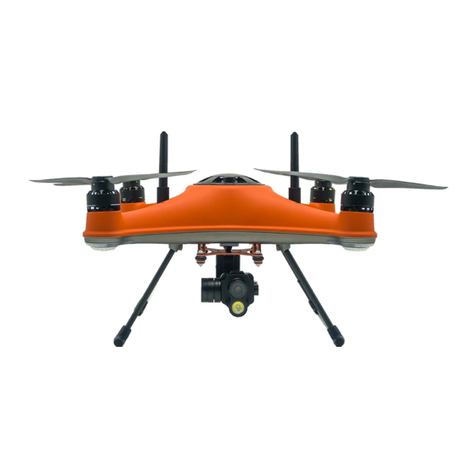
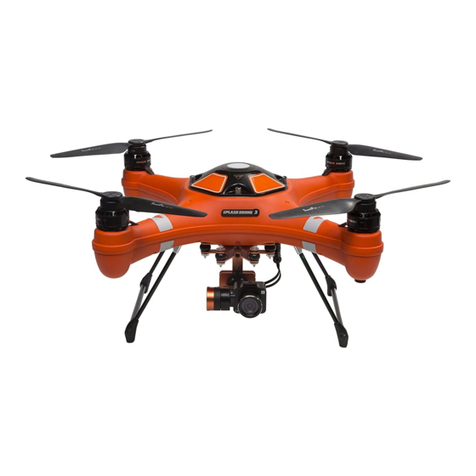
[01] Waterproof membrane protective cover
[02] GPS top cover fixing bolt
[03] Quick release carbon fiber propellers
[04] Waterproof brushless motor
[05] Flight Indication Lights
[06] Antenna
[07] Rubber Damper Ball
[08] Landing gear
[09] GPS top cover
[10] Drone indicator lights are visible through the top cover
[11] Nose direction markers
[12] Power Switch
[13] Airdrop release dispenser PL1-F
Remote Controller Components
©2021 Swellpro All rights reserved
5
[01] Remote Antenna
For drone control signal 2.4GHz
[02] Airdrop switch
Opens and closes the airdrop release dispenser
[03] Throttle rudder fine adjustment switch
Adjust the release volume of throttle rudder
[04] Left joystick
Controls the drone’s ascent (up), descent (down) and/or to rotate the aircraft nose left or right
(Yaw).
[05] Rotation Rudder fine adjustment switch
Adjust the degree volume of the drone nose rotation rudder
[06] FPV screen
Real-time display the data of flight
[07] FPV screen next page switch
[08] Code switch
Press and hold the button to turn on code
[09] Power button
Push the button to the top to power on the controller
[10] FPV screen previous page switch
[11] Left and right flying stick fine adjustment swift
Adjust the release volume of throttle rudder for the left and right flying
[12] Right joystick
Controls the drone direction of flight (left , right ,forward, backward)
[13] Front and backward flying rudder fine adjustment switch
Adjust the release volume of throttle rudder for the front and backward flying
[14] Flight mode swift
GPS/headless flight /ATTI
[15] Return home switch
Commands the drone to return home automatically
[16] Handle
Throttle switching method:
©2021 Swellpro All rights reserved
6
1. Hold and keep the left and right joysticks [04][12] to the lower left corner and turn on the
power to enter the setting page.
2. Use [07][10] to select the "Def sticks mode" option, push the [05] swift to the left to enter the
options, and use the [07][10] swift to select Mode3 (default is Mode2 left-hand throttle, Mode3
is right-hand throttle)
3.After selecting, push the [11] swift to the right until the setting is complete and rereturn to the
previous menu to complete the setting, turn off the remote controller, restart the controller to
take the setting effect.
Remote Controller Screen interface
[01] Vertical height
[02] Horizontal distance from the take-off point
[03] Ascent/Descent Speed
[04] Horizontal flight speed
[05] GPS Satellite accuracy
[06] Drone battery level
[07] Flight Mode
(G:GPS/H:headless flight/A:ATTI)
[08] Signal strength of Remote control
[09] Remote control battery level
[10] Pitch angle
[11] Yaw angle
[12] Latitude
[13] Longitude
[14] Flight time
[15] Roll angle
[16] the release volume of throttle rudder for the left and right flying
[17] the release volume of throttle rudder for the front and backward flying
©2021 Swellpro All rights reserved
7
[18] The release volume of the throttle rudder
[19] The degree volume of the drone nose rotation rudder
[20] Version of the remote control software
[21] Version of the remote control hardware
Drone status indicator Light
The drone body contains a nose red indicator light and a Green GPS signal status indicator light.
Their location is shown in the picture below.
nose red light Green GPS signal light
The red light indicates the direction of the nose of the drone and prompts the drone to have low
voltage. The green indicator light indicates the GPS search situation and the calibration process
prompt. Please refer to the following table for the different messages.
Drone Status Indicators
GPS Status
Solid Green on Good GPS signal
Green Fast Flashing Poor GPS signal
Low battery warnings
Two Red Flashes First level low battery warning, for safety, land as soon as possible.
Red Fast Flashing Second level low battery warning, the drone will start its auto landing sequence.
Calibration Status
Alternating Red and Green slow flashing Compass error needs to be calibrated
Green Fast Flashing Compass calibration enters horizontal rotation
Green slow Flashing The compass is calibrated into the nose vertical rotation.
Alternating Red and Green slow flashing Gyro error needs to be calibrated
Alternating Red and Green slow flashing IMU error needs to be calibrated
Red and Green alternate slow flashing Initialization process
The flashing mode of all calibration prompts is the same. For specific calibration, please refer
to the display prompts on the remote control screen.
Propellers
©2021 Swellpro All rights reserved
8
The FD1 drone has two pairs of propellers - two clockwise propellers and two counter-clockwise
propellers. The hub of each motor shows the type of propeller used for that motor. Propellers
cannot be attached to the wrong motor by accident.
Always place one hand under the motor to support it when installing or removing propellers.
Failure to provide this support could result in bending or breaking the landing gear.
Attaching and Removing Propellers:
1. Check that the propeller rotation (CW or CCW) matches the motor hub.
2. Grasp the motor housing with one hand and hold the arm of the aircraft upward; grasp the
carbon fiber propeller with the other hand and install in the slot correctly.
3. Press down firmly and rotate it so that the carbon fiber propeller is installed in place (the lock
mark on the blade is aligned with the dot on the propeller seat), and then slightly force the
propeller up.Pull up a little so that the paddle cannot turn left and right.
4. To remove propellers, press down firmly and rotate in the opposite direction to unlock it from
the hub.
The blades are sharp, please be careful to avoid personal injury.
Prior to each flight, please check that the propellers are smooth all over and are correctly
installed and securely fastened.
Spin each propeller by hand to check that the motors are free of sand or salt and spin
freely.If there are impurities in the motor, be sure to clean it up before starting the motor.
Batteries
©2021 Swellpro All rights reserved
9
Drone Battery Installation
1. Fold the battery charging cable and power cable to the side and press it with your thumb.
2. 2. Tilt the battery and insert into the slot from the rear of the drone to the drone nose
direction, tighten the rolled strip. Insert the power plug to complete the battery installation.
Power Switch
A power switch is located underneath the drone. when you connect the battery, press and hold
the power swift for 3 seconds to power on the drone, and press and hold again for 3 seconds to
power off. (*after flying, please be sure to disconnect the battery, Do not store the drone with
the battery connected as this can cause permanent damage to the battery.)
Drone low battery warning
There are two low battery warning levels:
Level 1 low battery warning:
when the drone battery level reached at 14.6V, the remote control screen will shows the low
voltage icon slowly flash, At the same time alternating nose red indicator light flashing twice at an
interval. Now,land the drone as soon as possible.
Level 2 low battery warning:
when the drone battery level reached at 14.2V, and the remote control screen will shows the low
voltage icon slowly flash. After 10 seconds, the drone will automatically landing to protect the
drone and battery. At this time, alternating nose red indicator light fast flashing. (If you want to
land the drone manually,Please switch to ATTI mode to take over the drone control again)
Level 1 warning: pop-up icon, slow flashing prompt (interval 3 seconds)
©2021 Swellpro All rights reserved
10
Level 2 warning: pop-up icon, fast flashing prompt (interval 1 seconds)
----------------------------------------------------------------------------------------------------------------
During the flight , it is important to continuously monitor the battery voltage,since the flight
conditions such as strong windy, heavy load or fast maneuvering will be more severe and drain
the battery faster.
It is very dangerous to continue to fly the drone when in low battery condition, which may
cause battery damage and the risk of crash.
Low temperature precautions :
1.In low temperature environments (-10C degrees to 5C degrees) , flight time will be
reduced. Ensure batteries are fully charged and kept warm for the batteries before use.
2. Also be aware that the low battery warnings will provide less warning time, so land the
drone as soon as the first battery warning appears.
Flight Modes
The GPS satellite positioning accuracy of the drone is displayed as 0-10 on the remote
controller. 10 is the highest accuracy. It is recommended to take off at least 5 ,the accuracy is
within 1 meter if 10. 9=1.1 meters; 8=1.2 meters, 7=1.3 meters, 6=1.4 meters, 5=1.5 meters.
GPS mode :
This mode uses the GPS module to achieve accurate and stabilized hovering,
braking, intelligent flight, intelligent return and other intelligent flight mode
functions. In this mode, maximum flight speed is 10m/s, maximum ascend speed is 4m/s, and
maximum descend speed is 3m/s.
Headless flight mode:
No matter what direction of the current drone is located in, as long as the joystick is pulled down,
the drone will keep the current condition and fly straight towards to return home.
ATTI mode:
This is a more advanced flight mode which does not provide positioning function, but provides
fixed altitude, maintains altitude stabilization, the maximum flight speed up to 18m/s, if the GPS
satellite signal is good, return home is available.
In both ATTI and GPS mode, it is recommended to wait for at least 5 GPS satellites before
take-off to ensure that the home point is correctly registered for the return home function to
operate.
Attention to the user: the speed is more faster when flying in the attitude(ATTI) mode. when
flying in a windless environment, we recommend the reserve at least 30 meters for the braking
distance to ensure flight safety.
Return home
Flare maneuver Description

If the drone’s height > 20 Meters and distance from Home
Point > 15 Meters, the drone will maintain its altitude and return
to its Home Point.