manuals.online logo
Brands
  1. Home
  2. •
  3. Brands
  4. •
  5. Swiss Timing
  6. •
  7. Timer
  8. •
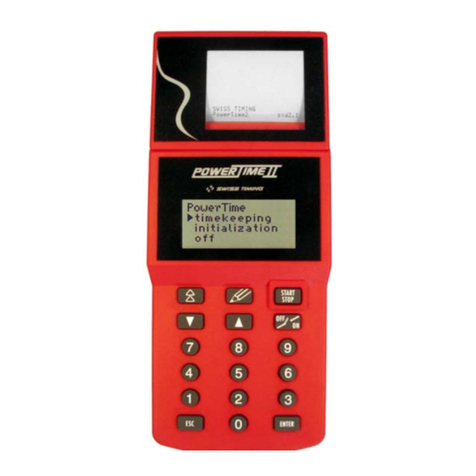
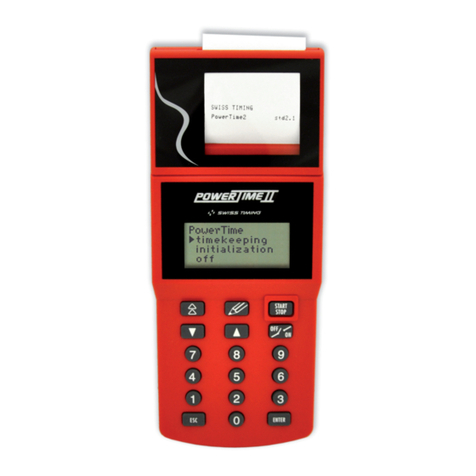
  9. Swiss Timing POWERTIME II User manual

Swiss Timing POWERTIME II User manual

Other manuals for POWERTIME II

1

Other Swiss Timing Timer manuals

Swiss Timing POWERTIMEII User manual

Swiss Timing

Swiss Timing POWERTIMEII User manual

Swiss Timing POWERTIME II User manual

Swiss Timing

Swiss Timing POWERTIME II User manual

Popular Timer manuals by other brands

SATO TM-29 instruction manual

SATO

SATO TM-29 instruction manual

Full Gauge Controls ICEMATIC quick start guide

Full Gauge Controls

Full Gauge Controls ICEMATIC quick start guide

CEI Ultrak T-3 instructions

CEI

CEI Ultrak T-3 instructions

Raindrip R675CT Installation & programming

Raindrip

Raindrip R675CT Installation & programming

Intermatic P1131 owner's manual

Intermatic

Intermatic P1131 owner's manual

Profile 010200280 instruction manual

Profile

Profile 010200280 instruction manual

Gizmo T4 instructions

Gizmo

Gizmo T4 instructions

Tekmar Timer 031 Data brochure

Tekmar

Tekmar Timer 031 Data brochure

Daikin DST301B61 Operation manual

Daikin

Daikin DST301B61 Operation manual

sisel ENDA ETM2432 manual

sisel

sisel ENDA ETM2432 manual

B&Q TE103 Installation and use instructions

B&Q

B&Q TE103 Installation and use instructions

Hozelock AC Plus 2700 instructions

Hozelock

Hozelock AC Plus 2700 instructions

GIC Eliro V7DDSS3Eliro V7DFTS3 user manual

GIC

GIC Eliro V7DDSS3Eliro V7DFTS3 user manual

Emos EMT400F quick start guide

Emos

Emos EMT400F quick start guide

FarmTek Polaris operating instructions

FarmTek

FarmTek Polaris operating instructions

Citizen ME2 series instruction manual

Citizen

Citizen ME2 series instruction manual

Primex OneVue Sync B100 install guide

Primex

Primex OneVue Sync B100 install guide

Rain Bird Optima PRT-4 owner's manual

Rain Bird

Rain Bird Optima PRT-4 owner's manual

manuals.online logo
manuals.online logoBrands
  • About & Mission
  • Contact us
  • Privacy Policy
  • Terms and Conditions

Copyright 2025 Manuals.Online. All Rights Reserved.

User Manual
TOP-8
3462.511.02
Version 3.2
The TOP-8 program is intended for the timing
of Track & Field and swimming competitions.
The [lane mode] program allows to measure
times of up to 8 lanes, where each judge,
through a pushbutton, is responsible for the
time of a lane; this mode is used, for example,
for competitions such as a 100m.
The [non lane mode] is intended for use with
one pushbutton, and a single judge measures
the time of competitors crossing the finish line;
as an example, we will use this mode for a
marathon or a 1500m.
This manual is a complement of the general
manual 3462.501. Please, read
the latter first; most of the functions of the
[Initialization] menu are described there. This
manual only describes the specific issues of
the TOP-8 program.
[timekeeping] [lane mode] menu:
When you enter this
mode, a first screen
allows the choice of the
heat-event values (0 to
199 are available). Use
the arrow keys to move from one line
to the other. Once the correct selection is
made, press the key to validate the
choice. The selected information is printed and
the selection screen is replaced by the
following race screen:
At this point the start is armed, the PowerTime
is ready to manage the race (pressing the
key will desarm the start). Once the start is
received, the time starts to run on the screen
and the cursor moves on lane 1. The “lanes
status” shows the arming of the finish lanes;
once the arming time assigned is elapsed, the
“X” is replaced by a “-“, meaning that the lanes
are armed and ready to accept a finish time.
If a numeric key (1 to 8) is pressed once the
race has started, the cursor moves to this
lane.
If a numeric key (0) is pressed once the race
has started, all lanes will be disarmed.
If a numeric key (9) is pressed once the race
has started, all lanes will be rearmed and all
previous times will be flushed.
An impulse on the corresponding finish lane
will assign the finish time for the
corresponding lane. The day time and the race
time are both printed.
On the screen, you
can see the time and
the place for this lane,
and the lane number
in the “lane status”
field meaning that the result is taken.
Once all times are entered the race has
ended. Press the key once. At this point
you can re-enter the race by choosing
[continue], export the results with the [send
results] option or clear the race information
with the [reset] entry.
Pressing the key again will bring you onto
the selection screen. The program
automatically increments the heat number.
Press accept the selection or enter the
new heat/event information followed by to
enter into the new race.
How to handle the exceptions
After the start, a judge presses a button by
inadvertence; you can key the lane number
key [1 to 8] followed by ; the last lane of
the screen displays “?clear”, prompting for
erase this result. at this point clears the
time and rearms the lane (use to quit the
function without altering the result).
The judge presses the button twice, the
second impulse being the correct one; the
program has already taken the first impulse as
the official one, but the second is stored in the
stack of times. Use the key to enter the
“CORRECTION” screen and select the [buffer]
entry. Use the cursors to scroll the
day times of the impulses received until the
official one is displayed and validate it using
the key. The printer prints the modification
using the “correction” text. The new finish time
is computed and assigned into the memory.

R
ACE
event 1
heat 2_
1
/ 2
-
2
-
-----
L P on 12.9
1
2
1 11.12
heat event lanes status
1
/ 2 XXXXXXXX
L P on 0.0
1
2
running time
start status
curso
r
lanes
- 3 -- 2 -- 1 -
[timekeeping] [non lane mode] menu:
Select the heat/event race as described in the
[lane mode] chapter. The following screen is
displayed:
Once the race has started the time runs on the
screen, the cursor moves on the first screen
line allowed for the results and the expected
rank is shown on the screen.
Whenever an armed stop impulse is received,
the time is memorised and shown on the
display. The printer prints the day time of the
signal. To assign the corresponding bib
number of the time pointed by the cursor,
enter the bib number followed by the key.
The printer prints the bib number with the day
time and, on the following lane, the effective
time for this competitor.
during the race will arm/disarm the
system. This key is useful when no
competitors are expected on the finish line to
prevent the PowerTime, if connected with a
photocell, to interpret people crossing the line
as if they were competitors.
To handle the CORRECTION menu, see the
description in the [lane mode] chapter.
[Initialization] menu:
[Initialization][scoreboard][type]
[rollertime] standard scoreboard protocol
[multiline] this new protocol has been
implemented to drive up to 8 lanes of
numeric scoreboards (for example the
Omega GEMINI scoreboard). Select the
scoreboard you intend to drive.
[Initialization][scoreboard][page
time] (For Top 8 version 3.2 or higher)
For scoreboards of less than 8 lines, a
scrolling by page allows to display all results.
This option allows to define the duration of
display of every page.
[Initialization][non lane race]
(For Top 8 version 3.2 or higher)
The two settings available in this menu allow
the user to have or not an automatic
numbering for every finish time and to let or
not the running time on scoreboard after first
arrival.
[Initialization][dh run time][on/off]
[on] instructs the program to send the running
time also to the computer output.
- 6 -
- 5 -- 4 -
CH - 2606 Corgémont , Switzerland
P.O. Box 138, Rue de l’Envers 1
Phone ++41 32 488 36 11

Fax ++41 32 488 36 09
e-mail: [email protected]
Web: http://www.swisstiming.com
A COMPANY OF
heat event
1/ 2 stop on
1 12.2

runnin
g
time
stop status
curso
r
Ran
k
Item Part Number
9 boxes swimming harness 3361.611
9 entries box (T&F) 3361.609
OIT3 pushbutton 3m coiled 2872.003
Adapter for SCB+PC output 3361.616