2 OF 16
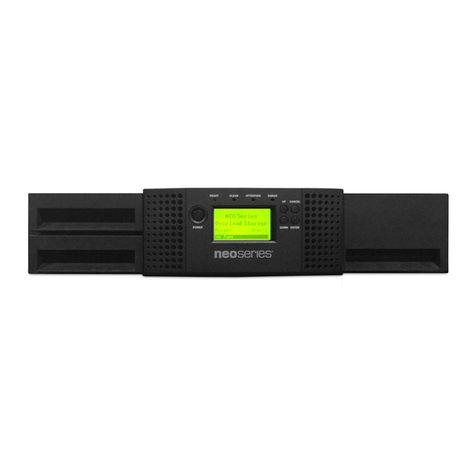
This document explains how to install or replace a tape drive in the Magnum 448 LTO library. Please read the
entire section that you are using prior to beginning the procedure.
PREPARING FOR INSTALLATION OR REPLACEMENT
Note: If your library is installed in a rack, it is not necessary to remove the library from the rack to complete this
procedure. It is also not necessary to disconnect the Ethernet cable from the back of the library.
Obtain these items—a #2 Phillips screwdriver and a small flat-blade screwdriver.
Ensure that the environment is freeofconditions thatcould causeelectrostatic discharge(ESD)—Ifpossible,
use an antistatic mat and a grounded static protection wristband during installation. If a mat and wristband
are not available, touch a known grounded surface, such as a computer’s metal chassis.
GENERAL INFORMATION
The library accommodates Ultrium 3 (LTO-3) or Ultrium 2 (LTO-2) tape drives in half height (HH) or full height
(FH) configurations. It will NOT accommodate LTO-1 tape drives.
Notes: The Magnum 448 library shipped with either a Rev “A” or a Rev “B” power supply installed. Refer to the
instructions appropriate for your configuration. Rev B power supplies have a Rev B label, as shown in Figure 3.
Most of the illustrations show SCSI configurations. Use the same steps to install Fibre Channel tape drives.
The library accommodates one or two full height tape drives, or one, two, three, or four half height tape
drives.
Warning Before performing any installation or maintenance procedures, be sure that the library’s
power switch is off and that the power cord is disconnected from the library and the outlet.
Warnung Vor der Ausführung von Installations- oder Wartungsarbeiten ist darauf zu achten, daß der
Library-Netzschalter auf “Aus” gestellt ist und daß das Anschlußkabel vom Library und der
Steckdose entfernt ist.
Advertencia Antes de realizar cualquier procedimiento de instalación o de mantenimiento, comprobar
que el interruptor de alimentación de la biblioteca está apagado y que el cable de
alimentación no está enchufado ni a la biblioteca ni a la toma de corriente.
! Important The tape drives must be specially configured (at the factory) for use in the libraries.
Purchase tape drive kits only from Tandberg Data or Tandberg Data-approved suppliers.
To view this information... go to...
Installing additional tape drives page 7
Replacing a tape drive with the same configuration
(half height -to- half height or full height -to- full height) page 11
Replacing a half height tape drive with a full height tape drive page 13
Resuming operation page 15
Confirming the installation page 16