6TASCAM MZ-223
Thank you very much for purchasing the TASCAM MZ-
223.
Before using this unit, read this Owner’s Manual care-
fully so that you will be able to use it correctly and
enjoy working with it for many years. After you have
finished reading this manual, please keep it in a safe
place for future reference.
You can also download this Owner’s Manual from the
TEAC Global Site (http://teac-global.com/).
Features
0Rackmount mixer that enables routing input
channels to multiple outputs as desired
0Mic and line inputs can be mixed for output
0Talkover function automatically lowers back-
ground music volume according to mic volume
0Five input channels are equipped with gain con-
trols, signal LEDs, and faders
0Two mic input channels are equipped with vol-
ume controls, LED level meters and three-band
equalizers
0Three zone main outputs are equipped with vol-
ume controls, LED level meters and three-band
equalizers
0Headphone output with volume control can be
used for pre-fader monitoring of selected input
channels and the main output
0Monitoring output is independent from main out-
puts
02U rackmount size
Items included with this product
This product includes the following items.
Take care when opening the package to avoid dam-
aging the items. Keep the packing materials for trans-
portation in the future.
Please contact the store where you purchased this
unit if any of these items are missing or have been
damaged during transportation.
0Main unit...........................................................................× 1
0AC adapter (TASCAM PS-M1524).............................× 1
0Cord for AC adapter
(JAPAN USA/EUROPE) ..................................................× 2
0Rackmount screw kit....................................................× 1
0Owner’s Manual (this document)
including warranty........................................................× 1
CAUTION
Always use the included AC adapter (TASCAM
PS-M1524) when using this unit. Never use the
included AC adapter with any other device. Doing
so could cause damage, fire or electric shock.
Contents
IMPORTANT SAFETY PRECAUTIONS....................... 3
IMPORTANT SAFETY INSTRUCTIONS ..................... 4
Features.................................................................... 6
Items included with this product ........................... 6
Conventions used in this manual ........................... 7
Precautions for placement and use........................ 7
Beware of condensation ......................................... 7
Cleaning the unit ..................................................... 7
User registration...................................................... 7
Using the TEAC Global Site ..................................... 7
Product registration................................................ 7
About TASCAM customer support service............. 7
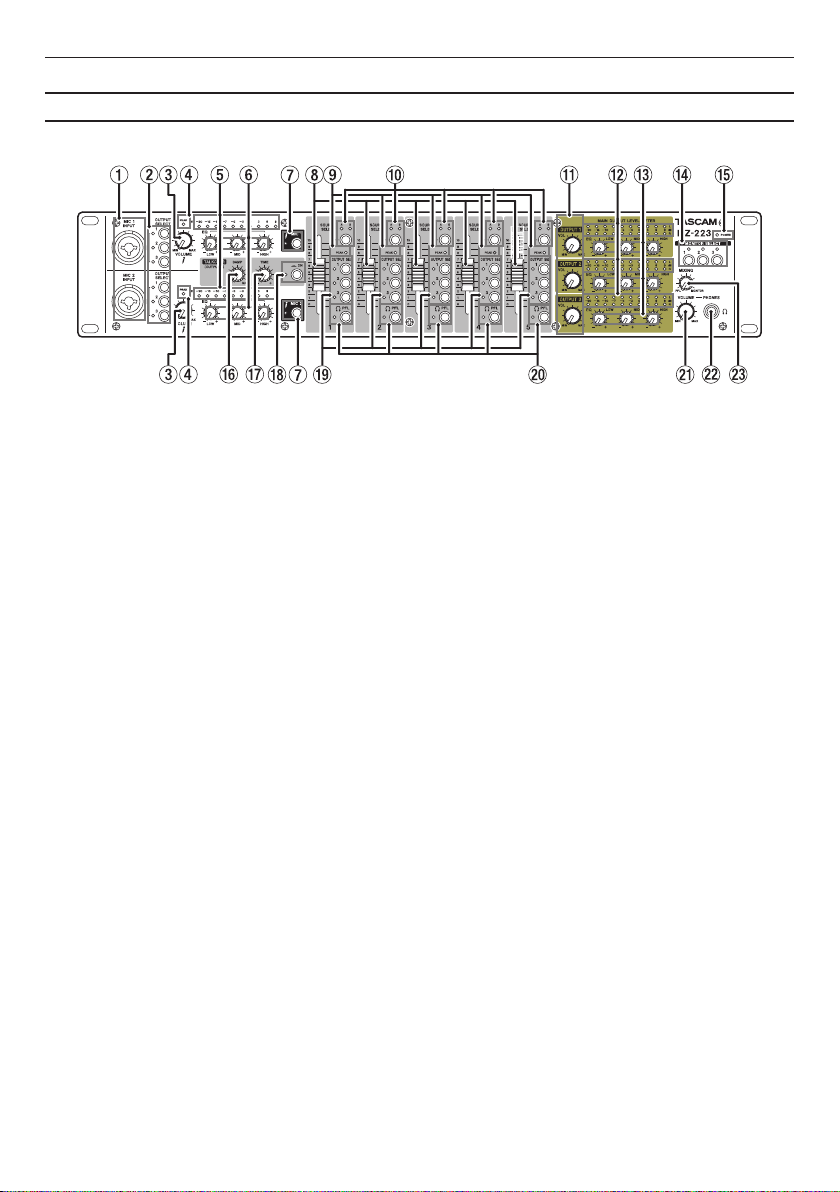
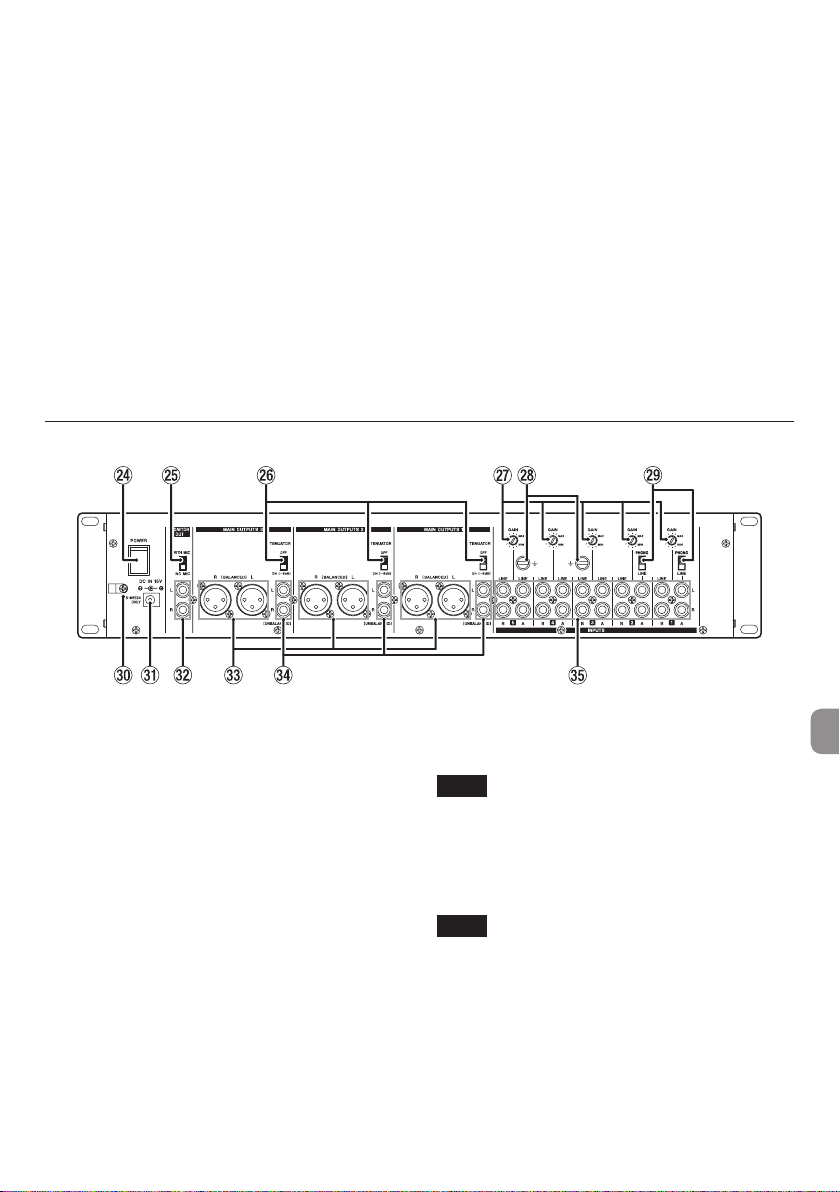
Names and functions of parts ................................ 8
Front panel ............................................................................8
Rear panel..............................................................................9
Preparation ............................................................ 10
Connecting the power ................................................... 10
Attaching the cord........................................................... 10
Connecting other equipment...................................... 10
Turning the power on and off...................................... 12
Operation procedures........................................... 13
Adjusting line input channels (1–5)........................... 13
Adjusting the inputs of mics connected to the
MAIN MIC 1–2 INPUT jacks............................................ 13
Output channels............................................................... 13
Using the talkover function.......................................... 13
Listening to channel pre-fader signals..................... 13
Troubleshooting.................................................... 14
Specifications......................................................... 14
Audio inputs....................................................................... 14
Audio outputs ................................................................... 14
Audio performance ......................................................... 15
General................................................................................. 15
Dimensional drawings.................................................... 15
Block diagrams.................................................................. 16