manuals.online logo
Brands
  1. Home
  2. •
  3. Brands
  4. •
  5. Teac
  6. •
  7. Floppy Disk Drive
  8. •
  9. Teac FD-55 Series User manual

Teac FD-55 Series User manual

Other manuals for FD-55 Series

2

Other Teac Floppy Disk Drive manuals

Teac FD-55 Series User manual

Teac

Teac FD-55 Series User manual

Teac FD-235 Series User manual

Teac

Teac FD-235 Series User manual

Teac FD-55 Series User manual

Teac

Teac FD-55 Series User manual

Teac FD-05PUB User manual

Teac

Teac FD-05PUB User manual

Teac FD-05PU User manual

Teac

Teac FD-05PU User manual

Teac Internal Floppy Drives User manual

Teac

Teac Internal Floppy Drives User manual

Teac FD-55BR-100 User guide

Teac

Teac FD-55BR-100 User guide

Teac FD-05PUB User manual

Teac

Teac FD-05PUB User manual

Popular Floppy Disk Drive manuals by other brands

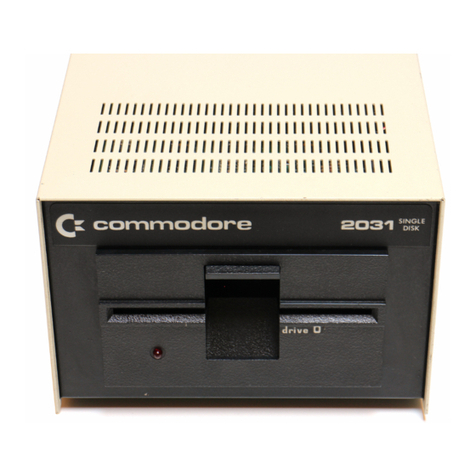
Commodore 2031 user manual

Commodore

Commodore 2031 user manual

Atari 810 Operator's manual

Atari

Atari 810 Operator's manual

Freecom USB FLOPPY DISK DRIVE datasheet

Freecom

Freecom USB FLOPPY DISK DRIVE datasheet

Apricorn USB Floppy Drive user guide

Apricorn

Apricorn USB Floppy Drive user guide

Addonics Technologies Pocket Floppy DigiDrive quick start guide

Addonics Technologies

Addonics Technologies Pocket Floppy DigiDrive quick start guide

Tandon TM848-1E user manual

Tandon

Tandon TM848-1E user manual

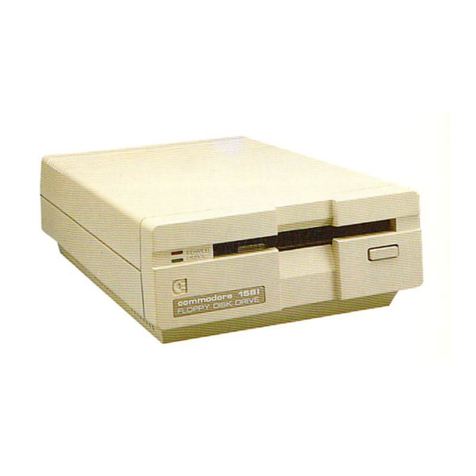
Commodore 1571 Diagnostic manual

Commodore

Commodore 1571 Diagnostic manual

Siemens 100-8D Technical manual

Siemens

Siemens 100-8D Technical manual

Sony MSFD-20U Specifications

Sony

Sony MSFD-20U Specifications

Qume QumeTrak 242 Maintenance manual

Qume

Qume QumeTrak 242 Maintenance manual

Sony MSFD-20U user guide

Sony

Sony MSFD-20U user guide

Zenith Data Systems SM-H-17-1 Service manual

Zenith Data Systems

Zenith Data Systems SM-H-17-1 Service manual

Shugart SA400L Minifloppy Service manual

Shugart

Shugart SA400L Minifloppy Service manual

Epson SMD-100 series specification

Epson

Epson SMD-100 series specification

BASETech GEN-144 operating instructions

BASETech

BASETech GEN-144 operating instructions

Dynex DX-IF101 user manual

Dynex

Dynex DX-IF101 user manual

Sharp FDD-412A Service manual

Sharp

Sharp FDD-412A Service manual

SWTPC MF-68 Assembly instructions

SWTPC

SWTPC MF-68 Assembly instructions

manuals.online logo
manuals.online logoBrands
  • About & Mission
  • Contact us
  • Privacy Policy
  • Terms and Conditions

Copyright 2025 Manuals.Online. All Rights Reserved.

-
MINI
FLEXIBLE
DISK
DRIVE
INSTRUCTION
MANUAL
TEAC
FD-55(L)
MINI FLEXIBLE DISK
DRIVE
INSTRUCTION
MANUAL
-
1.
-
P/N
10131159-0CA
TABLE
OF
CONTENTS
Title
Page
2-1
2-1-1
INSTRUcrIONS
FOR
HANDLING
..........................................
201
Disk
...•...............................................•.........
201
2-1-2
2-1-3
2-1-4
Disk
Handling
Write
Protect
...........
~
........
"
..............................
.
205
209
210
FDD
Handling
......................................
~
.............
.
2-1-5
Installation
and
Ejection
of
Disk
............•...................
211
2-1-6
Precautions
for
Transportation
...................................
213
2-2
INSTRUcrIONS
FOR INSTALLATION
...
~
...............•..................
214
2-
2-1
Precautions
for
Installation
..................••.................
214
2-2-2
2-2-2-1
2-2-2-2
2-2-2-3
2-2-3
2-2-3-1
2-2-3-2
2-2-3-3
2-2-3-4
2-2-3-5
2-2-4
2-2-5
Connector
and
Cable
Connection
........................•..........
216
Signal
connector
and
cable
.........................•.•.........
217
Power
connector
aria
cable
........•..•.......................•...
221
Frame
grounding
................................................
223
Setting
of
Straps
and
Terminator
...........•................•...•
225
Terminators
and
interface
drivers
.............•...........•....
226
Straps
..........................................................
229
Turn-on
conditions
of
front
bezel
indicator
....................
237
Rotating
conditions
of
spindle
motor
........•........•.........
240
Operating
conditions
of
head
load
solenoid
...........•.........
242
Inductive
Noise
in
Installed
Environment
•........................
244
Front
Bezel
......................................................
248
2- 3
CONTROL
P
ROCEDURE
................•..............•..................
2
50
2-4
POWER
SUPPLY
............•..........................................
255
2-4-1
Power
On
and
Off
........•........•.................•..•..........
255
2-4-2
Internal
Current
Consumption
of
the
FDD
.........•................
257
2-4-3
Current
Consumption
Timing
Chart
.................................
261
2-
5 WRITE/READ
METHOD
....................................•.............
264
2-5-1
Single
Density
.........•.................................•.......
265
2-
5-
2
Double
Densi
ty
.......•.....•.....•..............•................
267
-
ii
-

2-1.
INSTRUCTIONS FOR
HANDLING
The
TEAC
FD-55(L)
series
mini
flexible
disk
drive
(hereinafter
referred
to
as
FDD)
does
not
require
specially
delicate
handling
as
long
as
it
is
handled
according
to
the
following
instructions.
The
same
care
as
other
similar
mini
flexible
disk
drives
is
required.
Read
through
and
referred
to
this
Instruction
Manual
before
your
operation
or
system
design
so
that
the
FDD
can
show
the
expected
performance.
2-1-1.
Disk
Two
types
are
commercially
available
for
5.25
inch
(mini)
flexible
disks
(hereinafter
referred
to
as
disk)
according
to
the
sectoring
of
a
track.
One
is
hard
sectored
method,
which
detects
each
sector
photo-electrically
by
means
of
sector
holes.
The
other
is
soft
sectored
method
which
records
an
identification
pattern
on
the
initial
position
of
each
sector.
The
FD-55
may
be
used
with
either
type
of
disks.
Generally,
hard
sectored
disk
is
used
only
for
some
specific
applications.
Fig.20l
shows
the
external
view
of
the
disks.
The
only
difference
is
that
the
hard
sectored
disk
has
the
same
number
of
sector
holes
as
the
number
of
sectors,
on
a
concentric
circle
together
with
an
index
hole.
The
disk
itself
on
which
data
are
recorded
is
made
of
80~
thick
polyethylene
film
with
coated
magnetic
surfaces.
The
disk
is
protected
in
a
vinyl
chloride
jacket
with
liner
to
retain
dust
without
damage
to
-the
disk
surface.
The
jacket
has
open
areaSi
disk
positioning
and
disk
driving
window
(central
window),
oval
window
for
magnetic
head
contact
with
the
disk
(head
window),
and
index/sector
hole
detection
window
(index
window).
In
order
to
maintain
high
data
reliability,
it
is
recommended
to
use
high
quality
disks.
-
201
-
.-
Innermost
track
/
/
I
I
,
,
\
133.3mm
(5.25
in)
,,-
"
'"
/
-,' "
/
I
,
I
I
I
I
I
I
/
/
Outermost
track
Central
window
Notch
(write
enable
notch)
e
e
co
N
o
.....
Head
window
Index
window
Sector
holes
Soft
sectored
disk
Hard
sectored
disk
(16
sectors)
(Fig.201)
External
view
of
disk
-
202
-
There
are
many
types
in
the
commercially
available
soft
sectored
disks
which
are
classified
according
to
the
following
factors.
Select
the
most
appropriate
one
for
your
application.
(1)
Oata
recording
density
Single
density
(FM
method)
or
Double
density
(MFM
method)
Da
not
use
a
single
density
disk
for
a
double
density
recording.
Expected
data
reliability
will
not
be
obtained
and
error
may
occur.
A
double
density
disk
can
be
used
for
a
single
density
recording.
All
the
models
of
FD-55A~F
are
used
for
both
single
and
double
density
recordings.
(2)
Number
of
used
sides
Single
sided
(only
side
0
can
be
used)
or
double
sided
(both
sides
0
and
1
can
be
used).
Use
a
double
sided
disk
for
a
double
sided
FDD.
If
a
single
sided
disk
is
used
for
a
double
sided
FDO
,
data
reliability
of
the
side
1
might
be
degraded.
A
double
sided
disk
can
be
used
for
a
single
sided
FDO.
(3)
Track
density
48tpi
or
96tpi.
It
is
recommended
to
use
a
disk
of
the
same
track
density
as
the
track
density
of
an
FOO.
If
a
48tpi
disk
is
used
for
a
96tpi
FOO
,
the
data
reliability
might
be
degraded
rarely.
Though
such
an
application
of
using
a
96tpi
disk
for
a
48tpi
FOD
does
not
cause
practical
problem,
it
is
not
thoughtful
to
use
in
that
way.
-
203
-
(4)
Track
numbers
Same
of
commercially
available
48tpi
single
sided
FOOs
can
access
only
35
tracks
from
track
00
to
34.
And
35
track
disks
are
used
by
same
people
in
a
few
application.
The
operation
of
the
FO-55A
is
guaranteed
for
track
00
through
39
<total
40
tracks).
However,
the
data
reliability
of
five
tracks
from
35
to
39
are
not
guaranteed
when
a
35
track
disk
is
used.
Almost
all
the
disks
commercially
available
are
guaranteed
for
up
to
40
tracks.
(5)
High
density
disk
For
the
high
density
FDD
(FO-55G)
which
is
put
to
practical
use
recently,
use
an
exclusive
HO
disko
Da
not
use
disks
for
FO-55A
~
F.
Generally,
disks
written
by
an
FD-55A
~
F
cannot
be
read
by
an
FD-55G.
Da
not
use
an
HO
disk
with
FO-55A
~
F.
The
da
ta
reliability
may
be
degraded.
-
204
-
2-1-2.
Disk
Handling
Disk
is
aprecision
recording
media.
Be
sure
to
observe
the
following
precautions.
(1)
Oe
not
tear,
fold,
or
distort
the
jacket
or
disk.
(2)
Oe
not
install
a
damaged
disk
in
the
FDD,
damaged
disk
not
only
disturbs
the
normal
read
or
write
operation
but
also
it
may
damage
the
FDD.
(3)
Oe
not
touch
the
opening
areas
of
the
jacket
(magnetic
coating
area
of
the
disk).
Fingerprints
left
on
the
disk
will
cause
errors.
For
manual
handling
of
the
disk,
it
is
recommended
to
hold
the
label
area
in
Fig.202.
Disk
(Jacket)
Label
area
Write
enable
notch
I
'--::~',
I
I I
I
I,
\\
I
I
1I
I I
.'"'
I
~.,
,"""
I
I
':~,,'
I
~
I
r,
I
ket
I
I I
•
I I : I
I
~
I
L..
__________
.J\-
____
--'
Opening
areas
of
jac
Envelope
(Fig.202)
Protective
envelope
and
label
area
of
the
disk
(4)
Return
the
disk
to
its
envelope
for
the
protection
of
the
window
area
whenever
it
is
removed
from
the
FDD.
The
disk
should
not
be
left
outside
of
the
protective
envelope
such
as
on
a
desk
even
for
a
while.
(5)
For
a
long
term
storage,
keep
the
disk
in
a
protective
container
with
the
envelope
in
an
upright
position.
Far
a
short
term
storage,
a
few
disks
may
be
piled
horizontally
without
a
container.
Da
not
lean
the
disks
and
do
not
place
any
heavy
objects
-
205
-
such
as
books
on
the
disk,.
which
will
cause
distortion
of
the
disk.
(6)
Keep
and
use
the
disk
away
from
dust.
Also
do
not
install
a
dusty
disk
into
the
FOO.
Such
dust,
if
carried
to
the
magnetic
head,
may
cause
data
errors
and
may
shorten
the
life
of
the
disk
and
the
FDO.
(7)
Da
not
clip
the
jacket.
The
clipped
portion
will
be
distorted.
(S)
Oe
not
write
on
the
index
label
of
the
jacket
with
a
hard
tipped
object
such
as
a
lead
pencil
or
a
ball
point
pen
which
may
damage
the
disk
surface.
Use
a
soft
writing
object
which
will
not
damage
the
disk
such
as
a
feIt
tip
pen.
Generally,
it
is
desirable
not
to
write
on
a
label
which
is
already
stuck
on
the
disk.
It
is
recommended
to
stick
the
label
after
writing
the
information.
(9)
D6
not
ruh
out
the
information
on
the
label
with
an
eraser.
Rubbish
from
the
eraser
may
get
into
the
jacket.
(10)
Index
label
shold
be
applied
on
the
label
area
shown
in
Fig.202.
Da
not
apply
more
than
two
labels
on
the
same
area
.
•
(lI)
Keep
the
disks
away
from
magnetic
fields
such
as
by
magnets,
transformers,
motors,
etc.
These
may
degrade
the
recorded
data
on
the
disk.
The
ambient
stray
magnetic
field
should
not
exceed
50
Oersted.
(12)
Da
not
smear
the
disk
with
a
solvent
such
as
thinner,
freon,
or
alcohol,
it
damages
the
magnetic
coating
of
the
disk.
(13)
Da
not
expose
the
disk
to
sunlight,
micro-waves,
or
infrared
ray.
Keep
the
disk
away
from
heater
or
stove.
Also
do
not
put
the
disk
on
the
electric
apparatus
such
as
TV
set.
{14}
Disks
should
be
operated
within
the
following
conditions:
-
206
-
Ambient
temperature:
10°C
~
Sl.soe
(50°F
~
125°F)
Relative
humidity:
20\
~
80\
Wet
bulb
temperature:
29°C
(84°F),
Max.
The
above
temperature
applies
to
the
jacket
surface.
In
the
actual
operating
condition,
approximately
15°C
of
temperature
margin
is
required
against
the
operating
limit
taking
the
temperature
rise
in
the
FDD
assembled
in
a
host
system
into
consideration.
Generally
upper
limit
of
the
temperature
is
determined
by
adeformation
limit
of
the
jacket
material
because
the
jacket
deformation
disturbs
good
contact
between
the
disk
and
the
magnetic
head
which
may
degrade
performance
characteristics.
Also
a
sudden
change
in
environmental
conditions
should
be
avoided
even
within
the
specified
range.
(15)
Disks
should
be
stored
within
the
following
conditions:
Ambient
temperature:
4°C
~
sl.soe
(40°F
~
125°F)
Relative
humidity:
8%
~
80%
(16)
For
transportation,
disks
should
be
in
the
protective
container.
It
is
recommended
that
a
sufficient
space
exists
between
the
recorded
disk
and
outer
surface
of
the
final
container,
so
that
risk
of
damage
due
to
stray
magnetic
fields
will
be
negligible.
Disks
should
be
transported
within
the
following
conditions:
Ambient
temperature:
-40°C
~
sl.s
oe
(-40°F
~
125°F)
Relative
humidity:
8%
~
90%
Temperature
gradient:
20
o
e/hour
(17)
Disks
which
have
been
stored
or
transported
at
temperature
and
humidity
exceeding
the
operating
conditions
may
exhibit
degradeed
perfQrmance.
Such
disks
should
be
subjected
to
a
conditioning
period
of
not
less
than
-
207
-