manuals.online logo
Brands
  1. Home
  2. •
  3. Brands
  4. •
  5. Tektronix
  6. •
  7. Multimeter
  8. •
  9. Tektronix DM 5010 User manual

Tektronix DM 5010 User manual

Other Tektronix Multimeter manuals

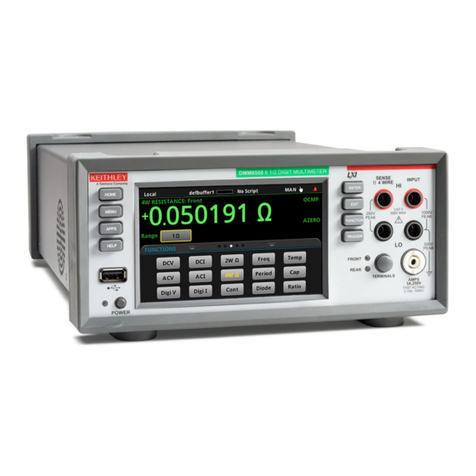
Tektronix Keithley DMM7510 User manual

Tektronix

Tektronix Keithley DMM7510 User manual

Tektronix Keithley 2002 Use and care manual

Tektronix

Tektronix Keithley 2002 Use and care manual

Tektronix Keithley DMM7512 Instructions for use

Tektronix

Tektronix Keithley DMM7512 Instructions for use

Tektronix DM2510 Manual

Tektronix

Tektronix DM2510 Manual

Tektronix THM500 Series User manual

Tektronix

Tektronix THM500 Series User manual

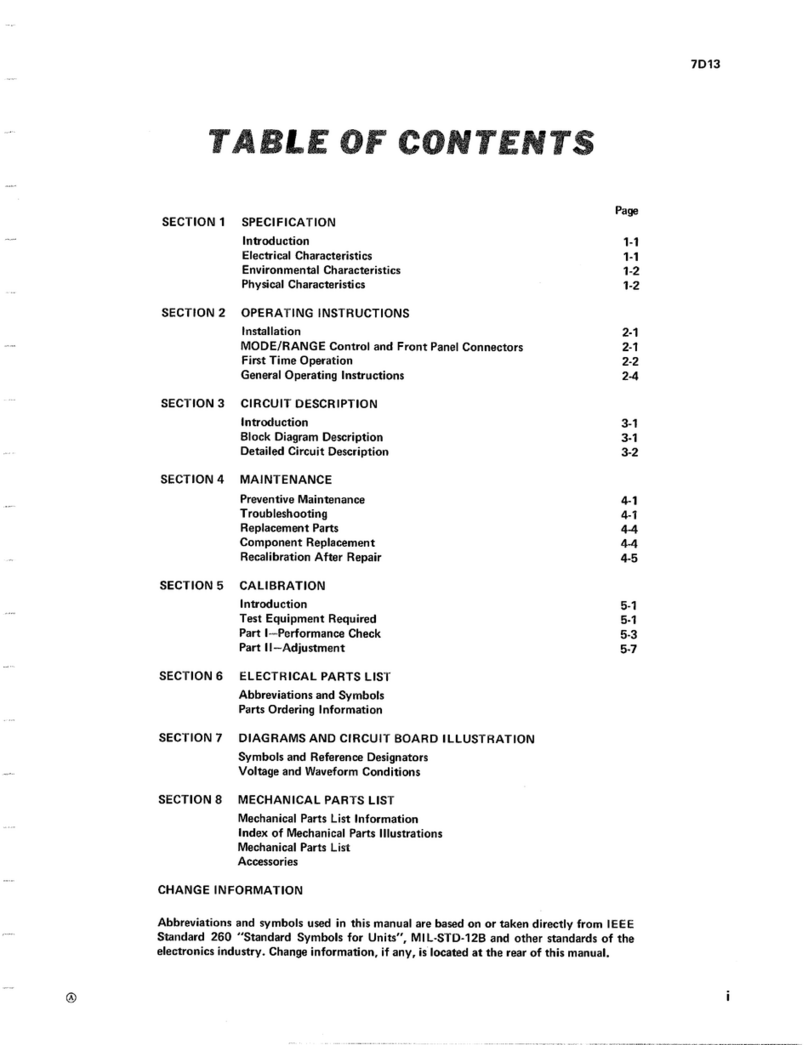
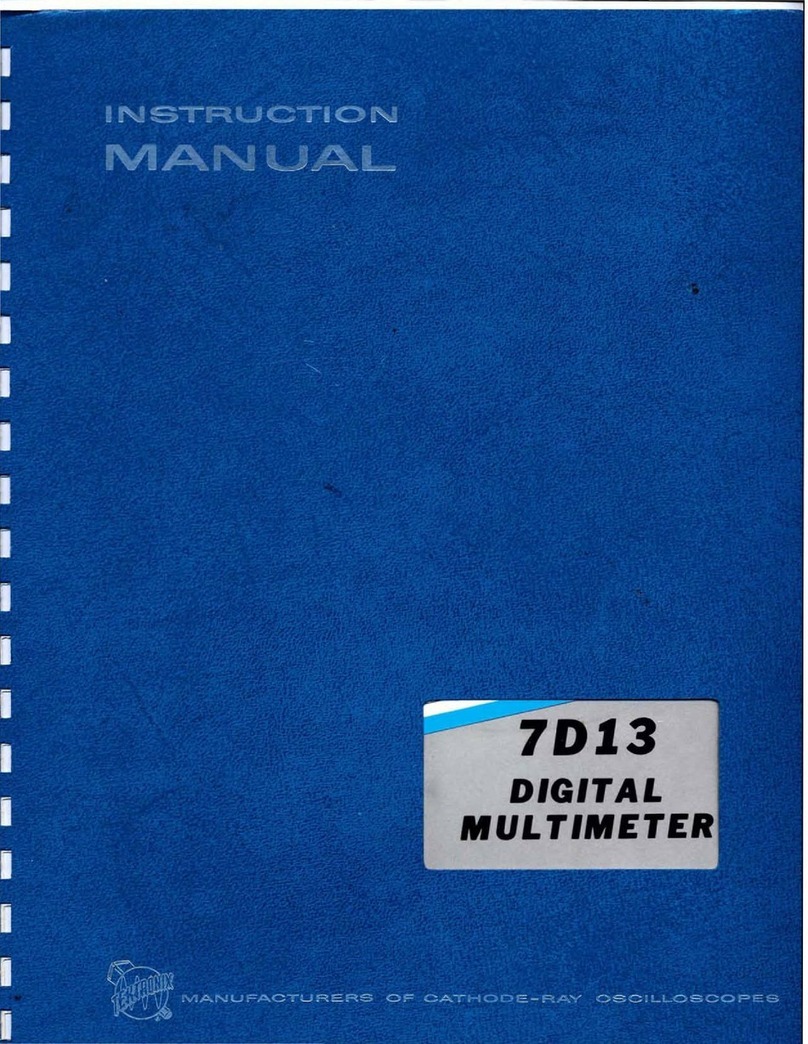
Tektronix 7D13 User manual

Tektronix

Tektronix 7D13 User manual

Tektronix DM2510 User manual

Tektronix

Tektronix DM2510 User manual

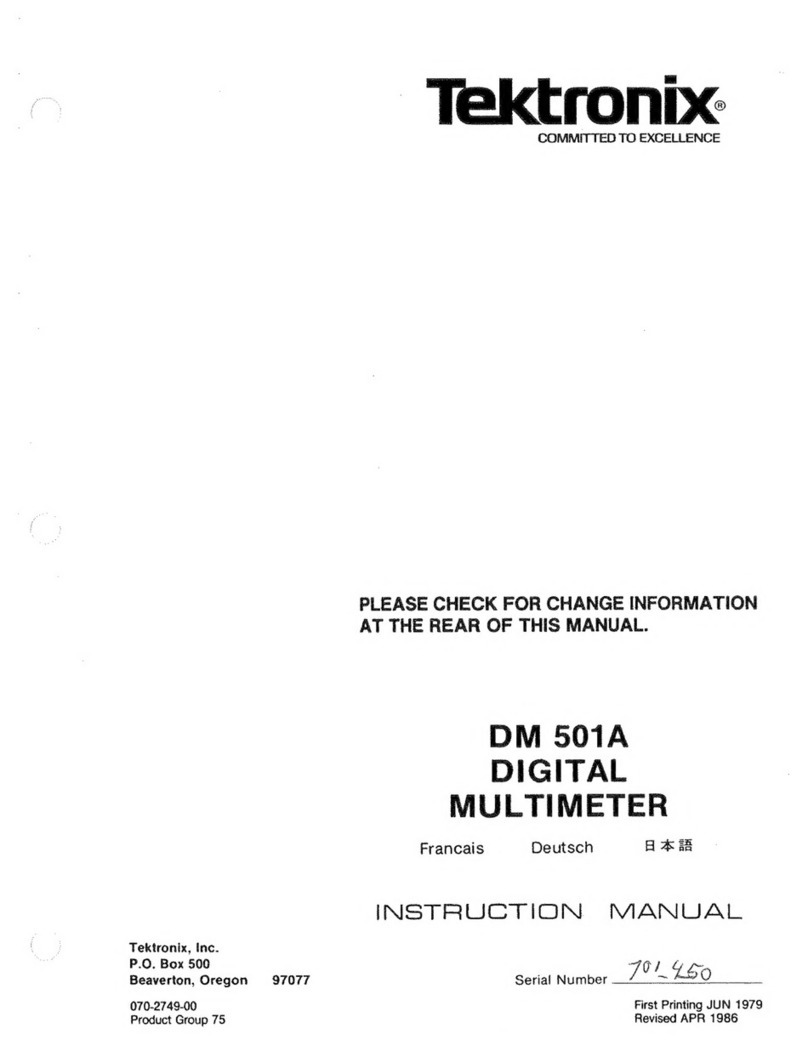
Tektronix DM501A User manual

Tektronix

Tektronix DM501A User manual

Tektronix DM 502 User manual

Tektronix

Tektronix DM 502 User manual

Tektronix DMM150 User manual

Tektronix

Tektronix DMM150 User manual

Tektronix KEITHLEY DMM6500 Use and care manual

Tektronix

Tektronix KEITHLEY DMM6500 Use and care manual

Tektronix DM 504A User manual

Tektronix

Tektronix DM 504A User manual

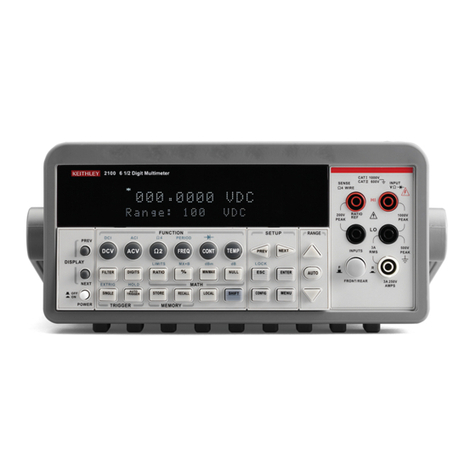
Tektronix KEITHLEY 2100 Use and care manual

Tektronix

Tektronix KEITHLEY 2100 Use and care manual

Tektronix KEITHLEY DAQ6510 Use and care manual

Tektronix

Tektronix KEITHLEY DAQ6510 Use and care manual

Tektronix DM 504A User manual

Tektronix

Tektronix DM 504A User manual

Tektronix TEKTOOLS DMM155 User manual

Tektronix

Tektronix TEKTOOLS DMM155 User manual

Tektronix Keithley DMM7510 User manual

Tektronix

Tektronix Keithley DMM7510 User manual

Tektronix DM505 User manual

Tektronix

Tektronix DM505 User manual

Tektronix Keithley 3700A Series User manual

Tektronix

Tektronix Keithley 3700A Series User manual

Tektronix 7D13 User manual

Tektronix

Tektronix 7D13 User manual

Tektronix DMM4040 Setup guide

Tektronix

Tektronix DMM4040 Setup guide

Tektronix VX4234 User manual

Tektronix

Tektronix VX4234 User manual

Tektronix 47E5A User manual

Tektronix

Tektronix 47E5A User manual

Tektronix DM501A User manual

Tektronix

Tektronix DM501A User manual

Popular Multimeter manuals by other brands

Fluke 106 user manual

Fluke

Fluke 106 user manual

VAR DV-71600 manual

VAR

VAR DV-71600 manual

Agilent Technologies 34420A user guide

Agilent Technologies

Agilent Technologies 34420A user guide

Fluke 83 user manual

Fluke

Fluke 83 user manual

Hameg HM 8012 manual

Hameg

Hameg HM 8012 manual

Mastech MY70 Operation manual

Mastech

Mastech MY70 Operation manual

Steren MUL-300 user manual

Steren

Steren MUL-300 user manual

Somogyi Elektronic home SMA 92 instruction manual

Somogyi Elektronic

Somogyi Elektronic home SMA 92 instruction manual

Gossen MetraWatt METRAmax 6 operating instructions

Gossen MetraWatt

Gossen MetraWatt METRAmax 6 operating instructions

PeakTech 4000 Procedure of calibration

PeakTech

PeakTech 4000 Procedure of calibration

YOKOGAWA 90050B user manual

YOKOGAWA

YOKOGAWA 90050B user manual

Fluke 8846A Programmer's manual

Fluke

Fluke 8846A Programmer's manual

Tempo Communications MM200 instruction manual

Tempo Communications

Tempo Communications MM200 instruction manual

APPA 607 user manual

APPA

APPA 607 user manual

Elenco Electronics CM-1555 operating instructions

Elenco Electronics

Elenco Electronics CM-1555 operating instructions

Mastech MS8238C user manual

Mastech

Mastech MS8238C user manual

SDAR 830A, 830B, 830D, 830C user manual

SDAR

SDAR 830A, 830B, 830D, 830C user manual

RS PRO RS-9519BT instruction manual

RS PRO

RS PRO RS-9519BT instruction manual

manuals.online logo
manuals.online logoBrands
  • About & Mission
  • Contact us
  • Privacy Policy
  • Terms and Conditions

Copyright 2025 Manuals.Online. All Rights Reserved.

T
ektronix
COMMITTED
TO
EXCELLENCE
All
references
to
the
SA
501
in
this
manual
now
apply
to
the
067-1090-00
Signature
Analyzer.
PLEASE
CHECK
FOR
CHANGE
INFORMATION
AT
THE
REAR
OF
THIS
MANUAL.
DM
5010
PROGRAMMA LE
DIGITAL
MULTIMETER
Francais
Deutsch
INSTRUCTION
MANUAL
Tektronix,
Inc.
P.O.
ox
500
eaverton,
Oregon
070-2994-01
Pr duct
Gr up
76
97077
Serial
Number
------------------------------
—
First
Printing
SEP
1981
Revised
JUL
1986
C pyright
1981
Tektr nix,
Inc.
All
rights
reserved.
C ntents
f
this
publicati n
may
n t
be
repr duced
in
any
f rm
with ut
the
written
permissi n
f
Tektr nix,
Inc.
Pr ducts
f
Tektr nix,
Inc.
and
its
subsidiaries
are
c vered
by
U.S.
and
f reign
patents
and/ r
pending
patents.
TEKTRONIX,
TEK,
SCOPE-MOBILE,
and
are
registered
trademarks
f
Tektr nix,
Inc.
TELEQUIPMENT
is
a
registered
trademark
f
Tektr nix
U.K.
Limited.
Printed
in
U.S.A.
Specificati n
and
price
change
privileges
are
reserved.
Copyright
(C)
198
6
durch
Tektronix,
Inc.
Alle
Rechte
vorbe-
halten
Der
Innait
dieser
Publikation
dart
ohne
Genehmigunc-
von
Tektronix,
Inc
mcht
wettergegeben
werden
Produkte
von
Tektronix,
Inc
und
seinen
Tochtergesellschaften
sind
durch
US-
und
Auslandspatente
und/oder
schwebende
Patente
abgedeckt.
TEKTRONIX,
TEK.
SCOPE-MO ILE
und
sind
geschutzle
Warenzeichen
von
Tektronix,
Inc
Gedruckt
in
USA
Speziftkations-
und
PreisSnderungen
bleiben
vorbehalten
Copyright
c.
1986
TEKTRONIX
INC,
Tous
droits
reserves.
Le
contenu
de
ce
manuel
ne
peut
etre
reproduit
sous
quetque
for

me
que
ce
soil
sans
('accord
de
Tektronix
Inc.
Tous
les
produits
TEKTRONIX
sont
brevet&s
US
et
Etranger
et
les
logotypes
TEKTRONIX.
TEK
SCOPE
MO ILE,
sont
deposes
Imprime
aux
USA
TEKTRONI
X
se
reserve
le
droit
de
modifier
caract^ristiques
et
prix
dans
le
cadre
de
diveloppements
techno-
logiques.
INSTRUMENT
SERIAL
NUM ERS
Each
instrument
has
a
serial
number
n
a
panel
insert,
tag,
r
stamped
n
the
chassis.
The
first
number
r
letter
designates
the
c untry
f
manufacture.
The
last
five
digits
f
the
serial
number
are
assigned
sequentially
and
are
unique
t
each
instrument.
Th se
manufactured
in
the
United
States
have
six
unique
digits.
The
c untry
f
manufacture
is
identified
as
f ll ws:
B000000
Tektr nix,
Inc.,
Beavert n,
Oreg n,
USA
100000
Tektr nix
Guernsey,
Ltd.,
Channel
Islands
200000
Tektr nix
United
Kingd m,
Ltd.,
L nd n
300000
S ny/Tektr nix,
Japan
700000
Tektr nix
H lland,
NV,
Heerenveen,
The
Netherlands
DM
5010
TA LE
OF
CONTENTS
Page
LIST
OF
ILLUSTRATIONS
.........................................
iii
LIST
OF
TA LES
........................................................
iv
OPERATORS
SAFETY
SUMMARY
..........................
v
SERVICE
SAFETY
SUMMARY
..................................
vii
Section
1
SPECIFICATION
Intr ducti n
...............................................
1-1
Standard
Access ries
..............................
1-1
IEEE
488
(GPIB)
Functi ns
.....................
1-1
Perf rmance
C nditi ns
..........................
1-1
Section
2
OPERATING
INSTRUCTIONS
Intr ducti n
.........................................
2-1
Preparati n
F r
Use
..............................
2-1
Installati n
and
Rem val
.................
2-1
Fr nt
Panel
C ntr ls
and
C nnect rs
.
2-2
General
Inf rmati n
..........................
2-2
Display
Wind w
................................
2-2
C ntr ls
and
C nnect rs
.................
2-4
Operat rs
Familiarizati n
.....................
2-6
P wer
On
Seif
Test
.........................
2-6
General
Operating
Inf rmati n
........
2-7
Input
C nnecti ns
...........................
2-7
Rear
interface
Measurements
........
2-7
De
V ltage
Measurements
.................
2-9
Resistance
Measurements
.................
2-9
Measuring
Di des
................................
2-9
Ac
V ltage
Measurments
...................
2-9
C nversi n
Rates
................................2-9
Triggering
...........................................
2-9
Calculati ns
........................................
2-10
Changing
C nstant
Values
...............
2-10
Calculati n
Examples
.........................
2-11
Repackaging
Inf rmati n
.................
2-12
Chapitre
2
INSTRUCTIONS
D
’
UTILISATION
Intr ducti n
.......................................
2-1
Preparati n
............................................
2-1
Installati n
et
retrait
de
I'appareil
...........................................
2-1
C mmandes
et
c nnecteurs
de
la
face
avant
...............................................
2-2
Fenetre
d
’
affichage
..........................
2-2
C mmandes
et
c nnecteurs
..........
2-4
Tableau
2-2
-
C des
d
’
erreur
affiches
en
face
avant
.....................
2-7
Instructi ns
generales
d
’
util
isati n
.......................................
2-7
C nnexi ns
d
’
entree
.......................
2-7
Mesures
sur
I
’
interface
arriere
.....
2-8
Mesures
de
tensi ns
c ntinues
....
2-9
Mesures
de
resistances
..... ...........
2-9
Tableau
2.3
-
Tensi ns
de
s urce
(f ncti n
hms)
................ ...............
2-9
Page
Mesures
de
tensi ns
alternatives...
2-9
Vitesses
de
c nversi n
...................
2-9
Declenchement
.................................
2-9
Calcuis
.................................................
2-10
M dificati n
des
valeurs
des
c nstantes
.........................................
2-10
Tableau
2.4
-
F ncti ns
calcul
et
c nstantes
ass ciees
......................
2-1
0
Exemples
de
calcuis
.......................
2-11
Instructi ns
de
reemballage
...........
2-1
2
Abschnitt
2
EDIENUNGSANLEITUNG
Section
3
PROGRAMMING
Intr ducti n
.........................................
3-1
Talk
Only
M de
................................
3-1
C mmands
.............................................
3-3
Functi nal
C mmand
List
......................
3-3
Detailed
C mmand
List
..........................
3-5
Messages
and
C mmunicati n
Pr t c l
....................................................
3-21
C mmand
Separat r
........................
3-21
Message
Terminata r
........................
3-21
F rmatting
a
Message
......................
3-21
Number
F rmats
.................................
3-21
Message
Pr t c l
..............................
3-22
Multiple
Messages
............................
3-22
Instrument
Resp nse
t
IEEE
488
Interface
Messages
...........................
3-22
Rem te-L cal
Operati n
...................
3-23
Status
and
Err r
Rep rting
.....................
3-24
Sending
Interface
C mmands
.................
3-26
P wer
On
(Initial)
C nditi ns
...................
3-26
Example
Pr grams
..................................
3-28
Pr gramming
Aids
....................................
3-29
Handling
Service
Requests
.................
3-29
Fr nt
Panel
L ck ut
............................
3-29
Using
INIT
.............................................
3-29
Invalidating
a
Pending
Reading
.........
3-29
All wing
Setting
Timel
.........................
3-30
Triggering
Measurements
...................
3-30
Determining
Reading
Availability
.......
3-30
Sending
Readings
t
a
Listener
........
3-30
Chapitre
3
PROGRAMMATION
Intr ducti n
.........................................
3-1
M de
Emetteur-seulement
(Talk
nly)
............................................
3-1
C mmandes
............................................
3-3
Liste
de
c mmandes
f ncti nnelles
...
3-3
C mmandes
de
(
’
instrument
...............
3-3
C mmandes
d
’
entree/s rtie
...........
3-4
REV
JUL
1986

DM
5010
TA LE
OF
CONTENTS
(cont)
C mmandes
du
systeme
.................
3-4
C mmandes
d
’
etat
............................
3-4
Liste
de
c mmandes
detaillees
..........
3-5
Messages
et
pr t c le
de
c mmunicati n
.......................................
3-21
Delimiteur
de
c mmande
.................
3-21
Fin
de
message
.................................
3-21
F rmattage
d
’
un
message
...............
3-21
F rmatdes
arguments
numeriques
3-21
Pr t c le
des
messages
.................
3-22
Messages
multiples
.........................
3-22
Rep nse
de
(
’
instrument
aux
messages
de
I'interface
IEEE-488
..
3-22
Indicati ns
d
’
etats
et
d
’
erreurs
............
3-24
Tableau
3.1
-
Indicati ns
d
’
erreurs
et
d
’
etats
...............................................
3-25
Tableau
3.2
-
C des
d
’
erreur
visualises
en
face
avant
.....................
3-25
Transmissi n
de
messages
de
c ntr le
de
I
’
interface
............................
3-26
Regiages
effectues
a
la
mise
en
service
.....................................................
3-26
Tableau
3.3
-
Regiages
existants
a
la
mise
s us
tensi n
....................
3-26
Table
de
c nversi n
ASCII
et
IEEE
488
(GPIB)
..............................
...3-27
Aide
a
la
pr grammati n
du
DM
5010
.3-29
Traitement
des
demandes
de
service
.........................................
...3-29
Bl cage
de
la
face
avant
.................
3-29
Utilisati n
de
la
c mmande
I
NIT
......
3-29
Invalidati n
d
’
une
mesure
en
attente
..............................................
3-29
Temps
d
’
etablissement
......................
3-30
Mesures
par
declenchement
............
3-30
Disp nibilite
d
’
une
mesure
................
3-30
Transmissi n
de
mesures
a
un
recepteur
..............................................
3-30
Abschnitt
3
PROGRAMMIERUNG
Seite
Einfiihrung
......................................
3-1
Betriebsart
Talk
Only
....................
3-1
Befehle
...................................................
3-3
Liste
der
funkti nellen
Befehle
.......
3-3
Detaillierte
Befehlsliste
......................
3-3
Mitteilungen
und
K mmunikati nspr t k ll
................
3-21
Befehls-Trennzeichen
....................
3-21
Mitteilungs-Endezeichen
........
3-21
F rmatierung
einer
Mitteilung.
...
3-21
Zahlen-F rmate
.............................
3-21
Mitteilungs-Pr t k ll
......................
3-22
Mehrfach-Mitteilungen
..................
3-22
GerStereakti nen
auf
IEEE
488
Interface-Mitteilungen
....................
3-22
Rem te-L cal
Operati n
................
3-23
Status-
und
Fehlerbericht
................
3-24
Das
Senden
v n
Interface
Steuermitteilungen
.............................
3-26
Einschalt-
(Anfangs-)
Bedingungen.
3-26
Pr grammbeispiele
.............................
3-28
Pr grammierungshilfen
.............................
3-29
Behandlung
v n
Service-Abfragen
...3-30
Interrupt
Handler
..................................
3-30
Fr ntplatten-Abschaltung
...................
3-30
Die
Verwendung
v n
I
NIT
...................
3-30
L schen
einer
Darstellung
..................
3-30
All wing
Settling
Time
........................
3-30
Getriggerte
Messungen
......................
3-30
Verfugbarkeit
v n
Ablesungen
...........
3-30
Senden
an
einen
H rer
(Listener)
......
3-30
WARNING
THE
FOLLOWING
SERVICING
INSTRUCTIONS
ARE
FOR
USE
BY
QUALIFIED
PERSONNEL
ONLY.
TO
AVOID
PERSONAL
INJURY,
DO
NOT
PERFORM
ANY
SERVICING
INSTRUCTIONS
UNLESS
YOU
ARE
QUALIFIED
TO
DO
SO.
Section
4
THEORY
OF
OPERATION
Bl ck
Diagram
Descripti n
...................
4-1
Detailed
Circuit
Descripti n
...................
4-4
Attenuat r
...........................................
4-5
DCV
signal
c nditi ner
.....................
4-6
Charge
Balancing
c nverter
.............
4-7
Aut
Zer
..........................................
4-8
Is lated
Regulat rs
..........................
4-12
Functi n
and
Range
C ntr l
...........
4-13
Ohms
C nverter
................................
4-14
RMS
C nverter
................................
4-14
Gr unded
P wer
Supplies
...............
4-14
Is lated
P wer
Supplies
...................
4-16
C ntr l
L gic
....................................
4-16
Timing
L gic
.......................................
4-18
Data
....................................................
4-20
Micr pr cess r
...................................
4-21
GPIB
....................................................
4-25
Section
5
PERFORMANCE
CHECK
Intr ducti n
.............................................
5-1
Test
Equipment
Required
.....................
5-1
Preparati n
.............................................
5-2
Perf rmance
Check
Summary
Sheet
..
5-13
ii
REV
JUL
1986

DM
5010
TA LE
OF
CONTENTS
(cont)
Section
6
ADJUSTMENT
PROCEDURE
Intr ducti n
...............................................
6-1
Services
Available
....................................
6-1
Test
Equipment
Required
.......................
6-1
Preparati n
...............................................
6-3
Section
7
MAINTENANCE
Preparati n
F r
Use
...............................
7-1
Setting
the
GPIB
Address
Switches
7-1
Message
Terminat r
Switch
Setting
7-2
Talk
Only
Switch
Setting
...................
7-2
Using
the
Rear
Interface
C nnecti ns
........................................
7-2
General
Maintenance
.............................
7-2
Rear
Circuit
B ard
Rem val
............
7-2
Fr nt
Panel
B ard
Rem val
..............
7-2
Input
Switch
Assembly
.......................
7-4
Adjusting
C1301
and
C1404
............7-4
Battery
Replacement
................................7-4
Tr ublesh ting
Aids
................................7-5
Calibrati n
Fixtures
..................................
7-5
Tr ublesh ting
Equipment
.....................
7-5
Static-Sensitive
C mp nents
.................
7-5
Obtaining
Replacement
Parts
.................
7-6
S ldering
Techniques
.............................
7-6
Semic nduct rs
........................................
7-7
Section
8
OPTIONS
Section
9
REPLACEA LE
ELECTRICAL
PARTS
Section
10
DIAGRAMS
AND
CIRCUIT
OARD
ILLUSTRATIONS
Section
11
REPLACEA LE
MECHANICAL
PARTS
Accessories
Change
Information
REV
JUL
1986
iii
DM
5010
LIST
OF
ILLUSTRATIONS
Fig.
No.
Page
DM
5010
Pr grammable
Digital
Multimeter
2-1
Plug-in
installati n
and
rem val
...................
2-1
2-2
DM
5010
fr nt
panel
range
indicati n
..........
2-2
2-
3
DM
5010
fr nt
panel
c ntr ls
and
c nnect rs
.....................................................
2-3
2-4
Examples
f
fr nt
panel
input
c nnecti n
meth ds
..........................................................
2-8
2-5
Setup
f r
calculati n
example
1
..................
2-11
2-
6
Setup
f r
calculati n
example
2
..................
2-12
3-
1
Instrument
c mmands
and
relati nship
t
fr nt
panel
c ntr ls
.......................................
3-2
3-2
Definiti n
f
STB
bits
...................................
3-24
3-
3
ASCII
and
IEEE
488
(GPIB)
C de
Chart
..
3-27
4-
1
Attenuat r
......................................................
4-5
4-
2
Simplified
verv ltage
pr tecti n
and
functi n
switching
........................................
4-6
4-
3
Simplified
DCV
signal
c nditi ner
buffer
amplifier
..........................................................
4-7
4-
4
Simplified
DCV
signal
c nditi ner
b tstrap
buffer
.............................................
4-8
4-5
Simplified
charge-balancing
c nverter
........
4-9
4-6
U/D
c ntr l
f r
the
measurement,
verride,
and
aut -zer
peri ds
..................................
4-10
4-7
Charge-balancing
c nverter
c nfigurati n
during
the
aut -zer
peri d
..........................
4-11
4-8
Override
and
aut -zer
timing
f r
measurement
peri d
ending
........................
4-12
4-9
Simplified
functi n
and
range
c ntr l
circuitry4-1
3
4-10
Measurement
switching
during
an
Ohms
c nversi n
......................................................
4-15
4-11
Transf rmer
drive
timing
...............................
4-16
4-12
Timing
f
the
divide
by
eighteen
c unter
..
4-18
4-13
Influence
f
p wer
line
frequency
n
A/D
c nversi n
......................................................
4-20
4-14
GPIB
three
wire
handshake
state
diagram
.
4-26
4-15
GPIB
handshake
fl wchart
.............................
4-27
Fig.
No.
Page
5-1
C mm n
m de
check
setup
........................5-7
5-2
De
n rmal
m de
rejecti n
setup
..................5-8
5-
3
Ohms
accuracy
setup
....................................
5-10
6-
1
Ohms
adjustment
setup
..............................
6-5
7-
1
GPIB
address
and
message
terminat r
switches
..........................................................
7-1
7-2
Back
plate
and
retainer
bar
rem val
...........
7-2
7-3
Latch
disassembly
...........................................
7-3
7-4
Fr nt
panel
rem val
.....................................
7-3
7-5
Setup
f r
C1301
and
C1404
adjustment
..
7-4
7-6
L cati n
f
C1301
and
C1404
....................
7-5
7-7
I
M/Z,
I
U/D,
ICOMP
and
the
zer -reference
v ltage
wavef rms
after
p wer
n
..............
7-16
7-8
FET
Gate
timing
diagram
.............................
7-16
7-9
Over-v ltage
pr tecti n
and
functi n
switching
wavef rm
........................................
7-17
7-10
DCV
Signal
C nditi ner
and
Charge-
Balancing
C nverter
wavef rm
.......................
7-17
NOTE
The
followng
llustrat ons
are
located
n
the
dagrams
foldout
sect on
at
the
rear
of
th s
manual.
10-1
Jumper
and
GPIB
address
switch
l cati ns
10-2
L cati n
f
DM
5010
adjustments
and
test
p ints
10-2
ADC
B ard
(A17)
10-4
RMS
B ard
(A16)
10-5
Is lati n
B ard
(A15)
10-6
CPU
B ard
(A14)
10-7
Main
Interc nnect
B ard
(A13)
10-8
Fr nt
Panel
Drive
B ard
(A12)
10-
9
Fr nt
Panel
B ard
(A1
1)
11-
1
Expl ded
View
iv
REV
JUL
1986

DM
5010
LIST
OF
TA LES
Table
No.
Page
1-1
IEEE
488
Interface
Functi n
Subsets
..........
1-1
1-1
Electrical
Characteristics
...............................
1-2
1-3
Miscellane us
................................................
1-8
1-4
Envir nmental
................................................
1-9
1-
5
Physical
Characteristics
...............................
1-10
2-
1
P wer
On
Settings
(Fr nt
Panel
Functi ns
Only)
..............................................................
2-6
2-2
Fr nt
Panel
Err r
C des
...............................
2-7
2-3
S urce
V ltages
(Ohms
Functi n)
..............
2-9
2-
4
Calculati ns
and
C nstants
........................
2-10
3-
1
Err r
Query
and
Status
Inf rmati n
............
3-25
3-2
Fr nt
Panel
Err r
C des
...............................
3-25
3-
3 DM
5010
P wer
On
Settings
.......................
3-26
4-
1
DCV
Signal
C nditi ner
Gain
Settings
....
4-6
4-2
Ohms
c nverter
Parameters
.........................
4-14
4-3
RMS
C nverter
Parameters
.........................
4-15
4-4
Address
Dec ding
..........................................
4-22
4-
5
Address
Dec de
Mem ry
Map
....................
4-23
5-
1
Test
Equipment
List
........................................
5-1
5-2
De
V ltage
Accuracy
......................................
5-3
5-3
Ac
V ltage
Accuracy
......................................
5-4
5-4
Ac
V ltage
Accuracy
......................................
5-6
5-5
De
N rmal
M de
Rejecti n
...........................
5-9
5-6
Ohms
Offset
Accuracy
.................................
5-9
5-
7
Ohms
Gain
Accuracy
...................................
5-11
6-
1
Test
Equipment
List
........................................
6-1
6-2
Dev
Offset
Calibrati n
Fact rs
.....................
6-3
6-3
Dev
Gain
Calibrati n
Fact rs
.......................
6-4
6-4
Ohms
Offset
Calibrati n
Fact rs
................
6-4
6-5
Ohms
Gain
Calibrati n
Fact rs
....................
6-6
6-
6
Acv
Gain
Calibrati n
Fact rs
......................
6-7
7-
1
IEEE
488
(GPIB)
Primary
Addresses
..........
7-1
7-2
Relative
Susceptibility
t
Static
Discharge
.
7-6
7-3
Typical
Tr uble
Sympt ms
...........................
7-9
7-4
N
L ad
P wer
Supply
V ltages
................
7-12
7-5
P wer
Supply
and
Reference
V ltages
...
7-13
Table
No.
Page
7-6
N
L ad
P wer
Supply
V ltages
................
7-13
7-7
Err r
C de
311
Faults
...................................
7-14
7-8
Attenuat r
Faults
.........................................
7-15
7-9
DCV
Signal
C nditi ner
Faults
....................
7-15
7-10
Charge-Balancing
C nverter
Faults
...........
7-15
7-11
RMS
C nverter
Faults
.................................
7-17
7-12
RMS
C nverter
Faults
.................................
7-17
7-13
P wer
Supply
Reference
V ltages
..............
7-18
7-14
Ohms
C nverter
Faults
.................................
7-18
7-15
Signature
Versi ns
.......................................
7-19
NOTE
The
followng
tables
are
located
n
the
d agrams
foldout
sect on
at
the
rear
of
th s
manual.
10-1
C mp nent
Reference
Chart
10-2
Input
and
Attenuati n
Switching
10-3
C mp nent
Reference
Chart
10-4
C mp nent
Reference
Chart
10-5
Input
and
Attenuati n
Switching
10-6
C mp nent
Reference
Chart
10-7
C mp nent
Reference
Chart
10-8
C mp nent
Reference
Chart
10-9
C mp nent
Reference
Chart
10-10
C mp nent
Reference
Chart
10-11
C mp nent
Reference
Chart
10-12
C mp nent
Reference
Chart
10-13
Rear
Interface
C nnect r
Asignments
10-14
Rear
Interface
C nnect r
Asignments
10-15
Rear
Interface
C nnect r
Asignments
10-16
C mp nent
Reference
Chart
10-17
C mp nent
Reference
Chart
REV
JUL
1986

V
DM
5010
OPERATORS
SAFETY
SUMMARY
The
general
safety
inf rmati n
in
this
part
f
the
sum

mary
is
f r
b th
perating
and
servicing
pers nnel.
Specific
warnings
and
cauti ns
will
be
f und
thr ugh ut
the
manual
where
they
apply,
but
may
n t
appear
in
this
summary.
TERMS
Power
Source
This
pr duct
is
intended
t
perate
fr m
a
p wer
m dule
c nnected
t
a
p wer
s urce
that
will
n t
apply
m re
than
250
v lts
rms
between
the
supply
c nduct rs
r
between
either
supply
c nduct r
and
gr und.
A
pr tective
gr und
c nnecti n
by
way
f
the
gr unding
c nduct r
in
the
p wer
c rd
is
essential
f r
safe
perati n.
In
This
Manual
CAUTION
statements
identify
c nditi ns
r
practices
that
c uld
result
in
damage
t
the
equipment
r
ther
pr perty.
WARNING
statements
identify
c nditi ns
r
practices
that
c uld
result
in
pers nal
injury
r
l ss
f
life.
As
Marked
on
Equipment
CAUTION
indicates
a
pers nal
injury
hazard
n t
immediate

ly
accessible
as
ne
reads
the
marking,
r
a
hazard
t
pr p

erty
including
the
equipment
itself.
DANGER
indicates
a
pers nal
injury
hazard
immediately
ac

cessible
as
ne
reads
the
marking.
SYM OLS
Grounding
the
Product
This
pr duct
is
gr unded
thr ugh
the
gr unding
c nduct r
f
the
p wer
m dule
p wer
c rd.
T
av id
electrical
sh ck,
plug
the
p wer
c rd
int
a
pr perly
wired
receptacle
bef re
c nnecting
t
the
pr duct
input
r
utput
terminals.
A
pr

tective
gr und
c nnecti n
by
way
f
the
gr unding
c nduc

t r
in
the
p wer
m dule
p wer
c rd
is
essential
f r
safe
perati n.
Danger
Arising
From
Loss
of
Ground
Up n
l ss
f
the
pr tective-gr und
c nnecti n,
all
accessi

ble
c nductive
parts
(including
kn bs
and
c ntr ls
that
may
appear
t
be
insulating)
can
render
an
electric
sh ck.
Use
the
Proper
Fuse
T
av id
fire
hazard,
use
nly
the
fuse
f
c rrect
type,
v lt

age
rating
and
current
rating
as
specified
in
the
parts
list
f r
y ur
pr duct.
In
This
Manual
This
symb l
indicates
where
applicable
cauti n

ary
r
ther
inf rmati n
is
t
be
f und.
As
Marked
on
Equipment
DANGER
—
High
v ltage.
Pr tective
gr und
(earth)
terminal.
ATTENTION
—
refer
t
manual.
Refer
fuse
replacement
t
qualified
service
pers nnel.
Do
Not
Operate
in
Explosive
Atmospheres
T
av id
expl si n,
d
n t
perate
this
pr duct
in
an
expl

sive
atm sphere
unless
it
has
been
specifically
certified
f r
such
perati n.
Do
Not
Operate
Without
Covers
T
av id
pers nal
injury,
d
n t
perate
this
pr duct
with

ut
c vers
r
panels
installed.
D
n t
apply
p wer
t
the
plug-in
via
a
plug-in
extender.
vi
REV
JUL
1986
DM
5010
SERVICE
SAFETY
SUMMARY
FOR
QUALIFIED
SERVICE
PERSONNEL
ONLY
Refer
also
to
the
preced ng
Operators
Safety
Summary
Do
Not
Service
Alone
D
n t
perf rm
internal
service
r
adjustment
f
this
pr d

uct
unless
an ther
pers n
capable
f
rendering
first
aid
and
resuscitati n
is
present.
Use
Care
When
Servicing
With
Power
On
Danger us
v ltages
may
exist
at
several
p ints
in
this
pr d

uct.
T
av id
pers nal
injury,
d
n t
t uch
exp sed
c nnec

ti ns
and
c mp nents
while
p wer
is
n.
Disc nnect
p wer
bef re
rem ving
pr tective
panels,
s l

dering,
r
replacing
c mp nents.
Power
Source
This
pr duct
is
intended
t
perate
in
a
p wer
m dule
c n

nected
t
a
p wer
s urce
that
will
n t
apply
m re
than
250
v lts
rms
between
the
supply
c nduct rs
r
between
either
supply
c nduct r
and
gr und.
A
pr tective
gr und
c nnec

ti n
by
way
f
the
gr unding
c nduct r
in
the
p wer
c rd
is
essential
f r
safe
perati n.
@
vii
DM
5010
RECAPITULATE
DES
CONSIGNES
DE
SECURITE
Termes
utilises
dans
ce
manuel
Les
paragraphes
intitules
ATTENTION
identifient
les
cir-
c nstances
u
perati ns
p uvant
entrainer
la
deteri rati n
de
I'appareii
u
de
t ut
autre
equipement.
Danger
provoque
par
la
coupure
de
connexion
de
masse
En
cas
de
c upure
de
la
c nnexi n
de
masse,
t us
les
elements
c nducteurs
accessibles
(y
c mpris
b ut ns
et
c mmandes
apparaissant
is lants)
peuvent
pr v quer
un
ch c
electrique.
Les
paragraphes
intitules
AVERTISSEMENT
indiquent
les
circ nstances
dangereuses
p ur
I'utilisateur
(danger
de
m rt
u
risque
de
blessure).
Reperes
graves
sur
I'appareii
CAUTION
(ATTENTION)
:
ce
m t
identifie
les
z nes
de
ris

que
de
blessure
n n
perceptibles
immediatement
u
un
risque
eventuel
de
deteri rati n
de
I'appareii.
DANGER
(DANGER)
:
ce
m t
indique
les
z nes
de
risque
imm^diat
p uvant
entrainer
blessures
u
m rt.
Utiliser
le
cordon
d'alimentation
approprie
N'utiliser
que
le
c rd n
d'alimentati n
et
la
prise
rec m-
mandes
p ur
v tre
appareil.
Utiliser
un
c rd n
d'alimen

tati n
en
parfait
etat.
Seul,
un
pers nnel
qualifie
peut
pr ceder
a
un
changement
de
c rd n
et
prises.
Symboles
graves
sur
I'equipement
DANGER
—
Haute
tensi n
B rne
de
masse
de
pr tecti n
(terre)
ATTENTION
—
se
rep rter
au
manuel
Source
d'alimentation
L'appareil
est
c ngu
p ur
f ncti nner
£
partir
d'une
s urce
d'alimentati n
maximale
de
250
V
efficaces
entre
les
c nduc-
teurs
d'alimentati n
u
entre
chaque
c nducteur
d'alimenta

ti n
et
la
terre.
P ur
utiliser
I'appareii
en
t ute
securite,
une
c nnexi n
£
la
masse,
rSalisee
au
m yen
d'un
c nducteur
prevu
dans
le
c rd n
d'alimentati n,
est
indispensable.
Mise
£
la
masse
de
I'appareii
Une
f is
installe
dans
le
chassis
d'alimentati n,
I'appareii
est
reliS
£
la
masse
£
i'aide
d'un
c nducteur
du
c rd n
d'alimen

tati n.
P ur
eviter
t ut
ch c
electrique,
insurer
la
prise
du
c rd n
d'alimentati n
dans
une
prise
de
distributi n
c rres-
p ndante
avant
de
c nnecter
I'entree
u
les
s rties
de
I'appa

reii.
P ur
utiliser
I'appareii
en
t ute
$£curit6,
une
c nnexi n
£
la
masse
r£alis£e
au
m yen
d'un
c nducteur
pr6vu
dans
le
c rd n
d'alimentati n,
est
indispensable.
Utiliser
le
fusible
approprie
P ur
eviter
t ut
risque
d'accident
(incendie...)
n'utiliser
que
le
fusible
rec mmande
p ur
v tre
appareil.
Le
fusible
de
remplacement
d it
t uj urs
c rresp ndre
au
fusible
remplace
:
meme
type,
meme
tensi n
et
meme
c urant.
Un
remplacement
de
fusible
ne
d it
etre
effectue
que
par
un
pers nnel
qualify.
Ne
pas
utiliser
I'appareii
en
atmosphere
explosive
P ur
eviter
t ute
expl si n,
ne
pas
utiliser
cet
appareil
dans
une
atm sphere
de
gaz
expl sifs.
Ne
pas
dgmonter
les
capots
P ur
Eviter
t ute
blessure,
ne
pas
utiliser
cet
appareil
sans
cap ts
u
panneaux.
Ne
pas
alimenter
le
tir ir
£
travers
un
pr l ngateur.
viii
ADD
JUL
1986