manuals.online logo
Brands
  1. Home
  2. •
  3. Brands
  4. •
  5. Tenmars
  6. •
  7. Measuring Instrument
  8. •
  9. Tenmars TM-4100 User manual

Tenmars TM-4100 User manual

This manual suits for next models

1

Other Tenmars Measuring Instrument manuals

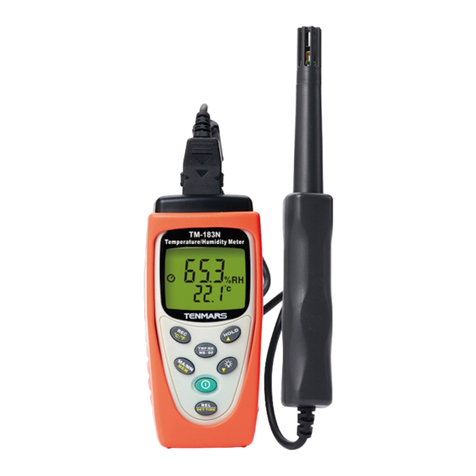
Tenmars TM-183N User manual

Tenmars

Tenmars TM-183N User manual

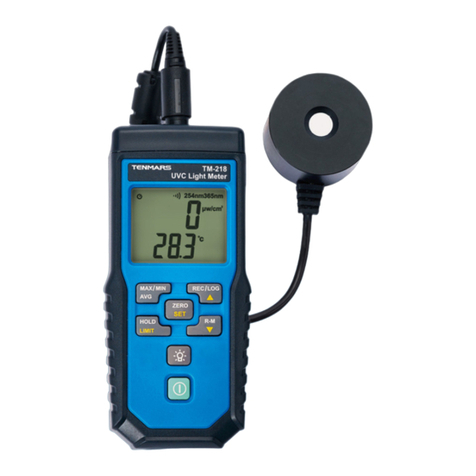
Tenmars TM-218 User manual

Tenmars

Tenmars TM-218 User manual

Tenmars TM-196 User manual

Tenmars

Tenmars TM-196 User manual

Tenmars TM-207 User manual

Tenmars

Tenmars TM-207 User manual

Tenmars TM-801 User manual

Tenmars

Tenmars TM-801 User manual

Tenmars TM-288 User manual

Tenmars

Tenmars TM-288 User manual

Tenmars TM-223 User manual

Tenmars

Tenmars TM-223 User manual

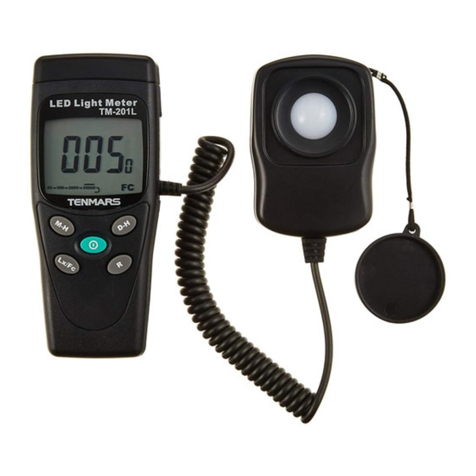
Tenmars TM201 User manual

Tenmars

Tenmars TM201 User manual

Tenmars TM-215 User manual

Tenmars

Tenmars TM-215 User manual

Tenmars TM-190 User manual

Tenmars

Tenmars TM-190 User manual

Tenmars TM-411 User manual

Tenmars

Tenmars TM-411 User manual

Tenmars TM-185 User manual

Tenmars

Tenmars TM-185 User manual

Tenmars TM-1016 User manual

Tenmars

Tenmars TM-1016 User manual

Tenmars ST-109R User manual

Tenmars

Tenmars ST-109R User manual

Tenmars TM-720 User manual

Tenmars

Tenmars TM-720 User manual

Tenmars TM-223 User manual

Tenmars

Tenmars TM-223 User manual

Tenmars TM-93 User manual

Tenmars

Tenmars TM-93 User manual

Tenmars ST-140 User manual

Tenmars

Tenmars ST-140 User manual

Tenmars TM-206 User manual

Tenmars

Tenmars TM-206 User manual

Tenmars TM- 4100N User manual

Tenmars

Tenmars TM- 4100N User manual

Tenmars TRIAXIAL ELF User manual

Tenmars

Tenmars TRIAXIAL ELF User manual

Tenmars ST-109R User manual

Tenmars

Tenmars ST-109R User manual

Tenmars TM201 User manual

Tenmars

Tenmars TM201 User manual

Tenmars TRIAXIAL ELF User manual

Tenmars

Tenmars TRIAXIAL ELF User manual

Popular Measuring Instrument manuals by other brands

Suaoki D40 user manual

Suaoki

Suaoki D40 user manual

Elster BK-G1.6 operating instructions

Elster

Elster BK-G1.6 operating instructions

Endress+Hauser Deltabar FMD71 technical information

Endress+Hauser

Endress+Hauser Deltabar FMD71 technical information

Duratool D03128 manual

Duratool

Duratool D03128 manual

Vega VEGAPULS 65 Quick setup guide

Vega

Vega VEGAPULS 65 Quick setup guide

Tonghui TH2618B Operation manual

Tonghui

Tonghui TH2618B Operation manual

MSR 145 user manual

MSR

MSR 145 user manual

TPS WP-82 manual

TPS

TPS WP-82 manual

PCB Piezotronics 003C30 Installation and operating manual

PCB Piezotronics

PCB Piezotronics 003C30 Installation and operating manual

Tenma 72-10465 manual

Tenma

Tenma 72-10465 manual

Endress+Hauser Proline Promag 50 Brief operating instructions

Endress+Hauser

Endress+Hauser Proline Promag 50 Brief operating instructions

Siemens SITRANS F Coriolis FCT030 Function manual

Siemens

Siemens SITRANS F Coriolis FCT030 Function manual

KLINGER CMF V Series instruction manual

KLINGER

KLINGER CMF V Series instruction manual

Keysight M8290A Getting started guide

Keysight

Keysight M8290A Getting started guide

Acterna MS1400 Operation manual

Acterna

Acterna MS1400 Operation manual

R&S ZPH manual

R&S

R&S ZPH manual

Datacolor ColorReader DC10-2 user guide

Datacolor

Datacolor ColorReader DC10-2 user guide

Konica Minolta BC-10 Plus instruction manual

Konica Minolta

Konica Minolta BC-10 Plus instruction manual

manuals.online logo
manuals.online logoBrands
  • About & Mission
  • Contact us
  • Privacy Policy
  • Terms and Conditions

Copyright 2025 Manuals.Online. All Rights Reserved.

TENIVIARS @
Professional Electrical and
Environment Test & Measurement
Instruments:
Battery Capacity,lmpedance Tester,
TACHO Meter,LED light meter,Temperature &
Humidity meter,lnfrared Thermometer,Sound
level meter,Light meter,EMF meter,UV Light
meter ,RF mete r ,Hot wire Anemometer ,CO
meter,Anemometer ,Lan cable tester ,COz
meter ,Solar power meter ,Radiation meter,
Clamp meter,Multimeter,Phase Rotation test,
Digital I nsulation tester.
TENMARS ELECTRONICS CO., LTD
6F,586, RUIGUANG ROAD, NEIHU,
TAIPEI 114, TAIWAN.
E-mail : [email protected]
Http : //www.tenmars.com
TENre
TACHO Meter
TM- 4100 / TM- 4100D
User's
Manual
C(
H82TM4100001
TENMARS ELECTRONICS CO.. LTD
can anse.
All field strength measuring devices have a
limited specified frequency range. Fields with
spectral oomponents outside of this frequency
range are generally incorrectly evaluated and
tend to be undenated. Before using field
strength measuring devices, you should thus
be certain that all field components to be
measured lie in the specified frequency range
of the measuring device.
11 End of life
Gaution :
This symbol indicates that
equipment and its accessories shall
be subject to a separate c,ollection
I andcorrectdisposal
25
II," a
TM4100/TM-4100D
Information
In some cases, work in the vicinity of
powerful radiation sources can be a risk of
your life.
Be aware that persons with electronic
implants (e.9. cardiac pacemakers) are
subject to particular dangers in some cases.
Observe the local safety regulations of the
facility operation.
Observe the operating instructions for
equipment, which is used to generate,
conduct, or consumer electromagnetic
energy.
Be aware that secondary radiators (e.g.
reflective objects such as a metallic fence)
can cause a local amplification of the field.
Be aware that the field strength in the near
vicinity of radiators increases proportionally to
the inverse cube of the distance. This means
that enormous fleld strengths can result in the
immediate vicinity of small radiation sources
(e.9. leak in wave guides, inductive ovens)
Field strength measuring device can
underrate pulsed signals. Particularly with
radar signals, significant measurement errors
1
z
4
6
Table of Contents
Foreword.. .......-.2
Features:.. - .- .- ... -2
ldentifying Parts.. .... ... ....... ......... ..4
LCD Description .. ....... . .... 5
Specifications ................. 6
Measurement Procedures and Preparation. .. .. .. .... 10
6.1 Battery Loading: .. . .... . .12
6.2 Power Button :
6.3 Data Hold /Backlight Button: ..... ..... . . 13
6 4 Units Button:..... .. . .. .... ..... 13
6.5 MA)0M|N Button: .. ...... . ..... . ....14
6.6 RESET/CLR Button: .. . ......... ...... . 14
6.7 AVG and Ring call ON/OFF Bufton : ... .. ............. 15
6.8 Manual Data Memory Storing ...... . .................. .16
6I Viewing Data Record . ........ . .. .16
7 Setup Mode.... ... . ..... . .. ....... 17
7.1 Stl Automatic Power On/off:..... . . .. ...17
7.2 St2AutoPoweroffTimeSetting: .................... 18
7.3 St3 Record Interval Time Setup.. ...... .. ........ .... 19
7 4 St4 Screen Backlight ON / OFF Setting Note:.... . 20
7.5 Sts Backlight off Time to Setect the Setting.... .. .. 21
7.6 StG Buzzer Sound ON / OFF Note ......... .. ..........21
t 7.7 St7 ft. / m Unit Conversion Options: . ...... .. ..... - 22
' I Battery replacement. ... .... ....... .... ..... .. ........ .. . 23
I 10 Safetylnformation ... .......... ........ ......24
11 End of life.. ....... . ... ....... . ... 25
24

2
T
TENMARS TM-4100/TM-4100D
1 Foreword
Thank you for purchasing this tacho meter. Please,
read this user's manual before you operate it.
Features
Measurement method: Using red visible
spectrum light source and reflective tape or a
reflector plate.
Reflex indicators : When you receive the
reflected signals the RING bright LCD screen
locked. Thebuzzer.
Features : Max / Min display, display hold, on
average, automatic shutdown, buzzer,
backlight.
Contact measurement and non-contact,
non-contact measuring the distance from the
50 - 500mm, allowing in this way would be
dangerous to use the case of the measured
object. Light weight, make the instrument
easier to handle.
Low battery detector "lifl'.
Manual data memory storing : 200 data
TEN]VIARS TM-4100/TM-4100D
8
a
a
a
a
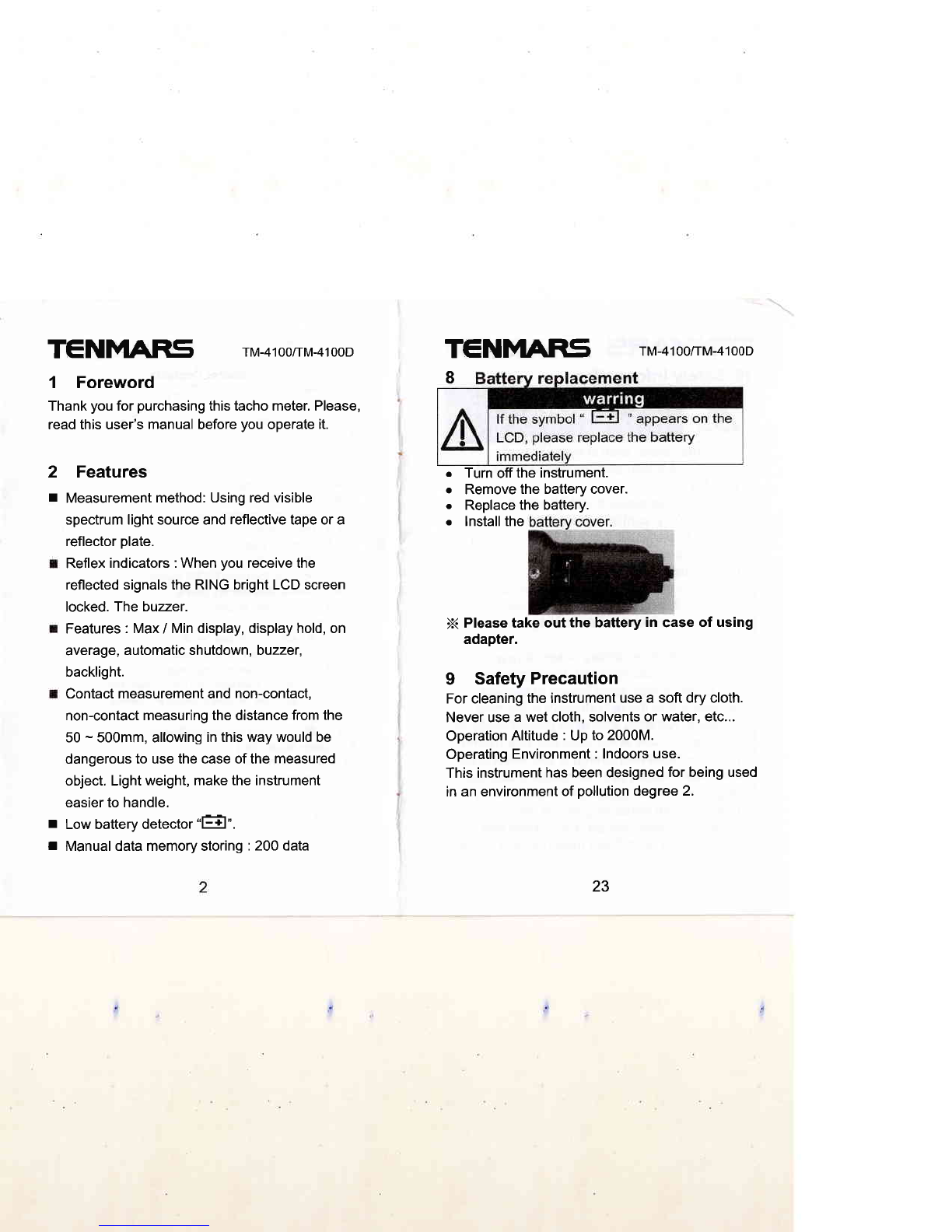
Turn off the instrument.
Remove the battery cover.
Replace the battery.
lnstall the
X Please take out the battery in case of using
adapter.
9 Safety Precaution
For cleaning the instrument use a soft dry cloth.
Never use a wet cloth, solvents or water, etc...
Operation Altitude : Up to 2000M.
Operating Environment : Indoors use.
This instrument has been designed for being used
in an environment of pollution degree 2.
T
T
23
TENFITRS rM-4100/rM-41ooD
bufton to confirm the action,
Itr.rtl ltt'ttl
N- ^EE
Un r.rrt
5t5 516
7.7 St7 ft. / m Unit Conversion Options:
Into the ST7 screen displayed on the" - t"switch "
%'Outton for the conversion unit, the screen
displays"'-b nPress'@'button to confirm the
selection unit.
Such as to be altered in accordance with the
above instructions, and then operate a return to
the original unit
' f,,, rr,, ft
yd
TENN1ry15 rM-4100/rM-41ooD
(tm-4100D memory storing : 20000 data)
I Connect the USB Cable : The Screen
Display "USB" (Stop the Auto Power Off
function).
r With AC/DC power supply :
The Screen Display "ADP"
(Stop the Auto Power Off function).
r Installation of Contact :
The Screen Display "a'.
r Reflected red light signal received :
The Screen Display " RING'.
b
5tt
22
TENMARS
3 ldentifying Parts
TM-4100/TM-4100D TM-4100/TM-4100D
ffF
o
Bn,,, r*,
Battery covers.
Contact adapter
mounting nut.
Contact adapter.
Fixed screws
Contact type
XO.1M
Contact-type
shoulder
Power Supply DC
9V
USB Connecter
Analog /pulse
output port
11.
12.
13.
14.
15.
16.
17.
18.
19.
5r I
7.5 St5 Backlight off Time to Select the
Setting
After entering st6 screen then click '% 'to
switch converted to a 5.00t' 0.30t' 1.00" 1.30>>
2.00r' 2.30rr 3.00" 3.30>> 4.00" 4.30>> 5.00
cycle
Speed the Sensor.
Liquid-crystal
LCD.
MAX / MIN
Button.
Hold / Backlight
Button.
Power Button.
REC/ MEM /
Button.
UNIT Button.
RESET/CLR
Button.
AYGlBuzzerl
Right
fixed tripod screw
hole
B r00
5t5 , *>> 5t5 B BB 0010
'-:515 ., ,,,,.:
Select the time you want and then click' @ "
button to confirm
7.6 St6 Buzzer Sound ON / OFF Note
After enterino st6 screen then click "%" to
switch from "-lln" to.df " then ctick, @ "
21
TEN]VLAFIS TM4100/TM-4100D
cursor to move from hour to minute. then to
second for the setup.
oEl f*'.1 El
--T
nnnnnn
U U.U U.UU
^5t J
Press "@'button to determine the set of the
time, and from the setting mode.
7.4 St4 Screen Backlight ON / OFF
Setting Note:
After entering st4 screen then click'%" to
switch from "frn",o " nd:f:" then ctick'@
"button to confirm the action, performed without
backlight.
To reply to st4 backlight ON, please follow the
steps to cancel without backlight unit, select the
'f,
LCD screen on tne "Ufl" symbol, then click"
@"lutton to confirm, on the implementation of
a backlight.
Auto Power off Time function
n
TM4100/TM4100D
1. Primary Display.
2. Low battery symbol.
3. Auto power off .symbol
4. AVG symbol
5. OVER symbol
6. ADP symbol
7. APS: Analog /pulse
output port connector
indicate
8. MAX symbol
9. USB symbol
10. Hold symbol
11. Min symbol
12. Buzzer symbol
13. REL symbol.
14.M-Memoryreading
symbol
15.R-RECsymbol
16. <-- Gontactsymbol.
17. RING symbol.
18. counts unit
19. r/min RPM unit
20. ms r/s m/minunit
21. Decimal point
22. ml s mlmin yard /s
yard / min unit
20
5 Specifications
I Measurement method : Using red visible
spectrum light source and reflective tape or a
reflective plate.
r Display : Liquid-crystal (LCD), 6 digits
r Range switching: Automatic.
I Contactless measurement detection range :
50mm to 500mm (1.97" to 19.7")
I Sampling period : 62.5 ms to 2 s (depending
on usage conditions).
r Measuring range :
. Measuring range (non-contact, AVG = ON)
lr/sl (0.5000-1.geee) - (200.0-1600.0)
lmsl (0.6000-1.9999) - (200.0-1999.9) .
o Measuring range (contact, AVG = ON)
[m/m] ( 1.500-19.999) - (200.0-1999.9)
lmsl (0.0250-1.9e9e) - (20.00-33.30)
r Only speed measurement :
precision required for the above plus
10.5%rdg.
r Display refresh rate :Approx.0.5 to10
times/sec.
I Functions : MAXMIN display, Display hold,
Average, Auto power save, Buzzer, Backlight
function.
lt, lhts"l
-
F*l
--------
,b
'5
sil 5t?
O !'n-;l
-
99
5tf ,
TM-4100/TM-4100D TEN]VIARS TM-4100/TM-4100D
Setting Auto Power Off time from : 15 to 99
minutes.
pr"..'@' button and enter the settings from
the setting mode.
The auto power off time default setting is 15
minutes.
7.3 St3 Record IntervalTime Setup
Entered into the records of each storage interval
st3 time setting
By the press'%" button or " @ " button to
modify the time value of the duration.
press"@" button or. "@" button to shift the
19
TGNMARS rM-4100/rM-41ooD
no longer displays " " symbol.
Will be appeared on the LCD display.
OO n -'-r
un oil
5il 5t I
To reply to automatic shutdown feature, please
follow the steps to cancel automatic shutdown st1,
LCD screen, select the "0fl" symOot, then click "
@" button to confirm the test status LCD
screen on the " " symbol to restore light, for
automatic shutdown.
Press "@" key to save and exit.
7.2 St2 Auto Power off Time Setting:
After entering to St2 automatic shutdown time
setting function, then the LCD screen will display
the time, st2, and symbols together to adjust
minutes.
Pr"r" "%" button or "@" button to enter the
value to adjust the duration of the auto power off
time.
TENMARS TM-4100/TM-4100D
r Operating temperature humidity range :
0'C to + 40"C.25Vo to 75 % RH.
I Storage temperatures humidity range :
-10"C to +60'C. 0% to 80% RH.
r Power supply : 9V alkaline batteryx1.
r AC Adapter : 9V(1A) (Option).
r Maximum rated power:0.5VA.
r Compatible jack diameter : 3.5mm.
I Output Level : 0 to 3.3V.
(Active low, low level fixed at 300 p s) .
r Instrument output setting
(analog outpuUpulse output).
I Continuous operating time : Approx. 24 hours
(TM4100).
r Dimensions :Approx. 186x70x36 mm
(LxWxH).
I Mass:Approx.2009.
I Accessories : 9V alkaline battery xl, Carrying
case x1, REFLECTIVE TAPE x1 sheet per
piece).
r Ranges and measurement ranges:
NOTE 1 : the lowermost digit is fixed at 0 at
speeds of 20,000 r/min and over.
NOTE 2 : the lowermost digit is fixed at 0 when
the averaging setting is off.
18
TENMARS rM-4100/rM-4100D TGNMARS rM-4100irM-4100D
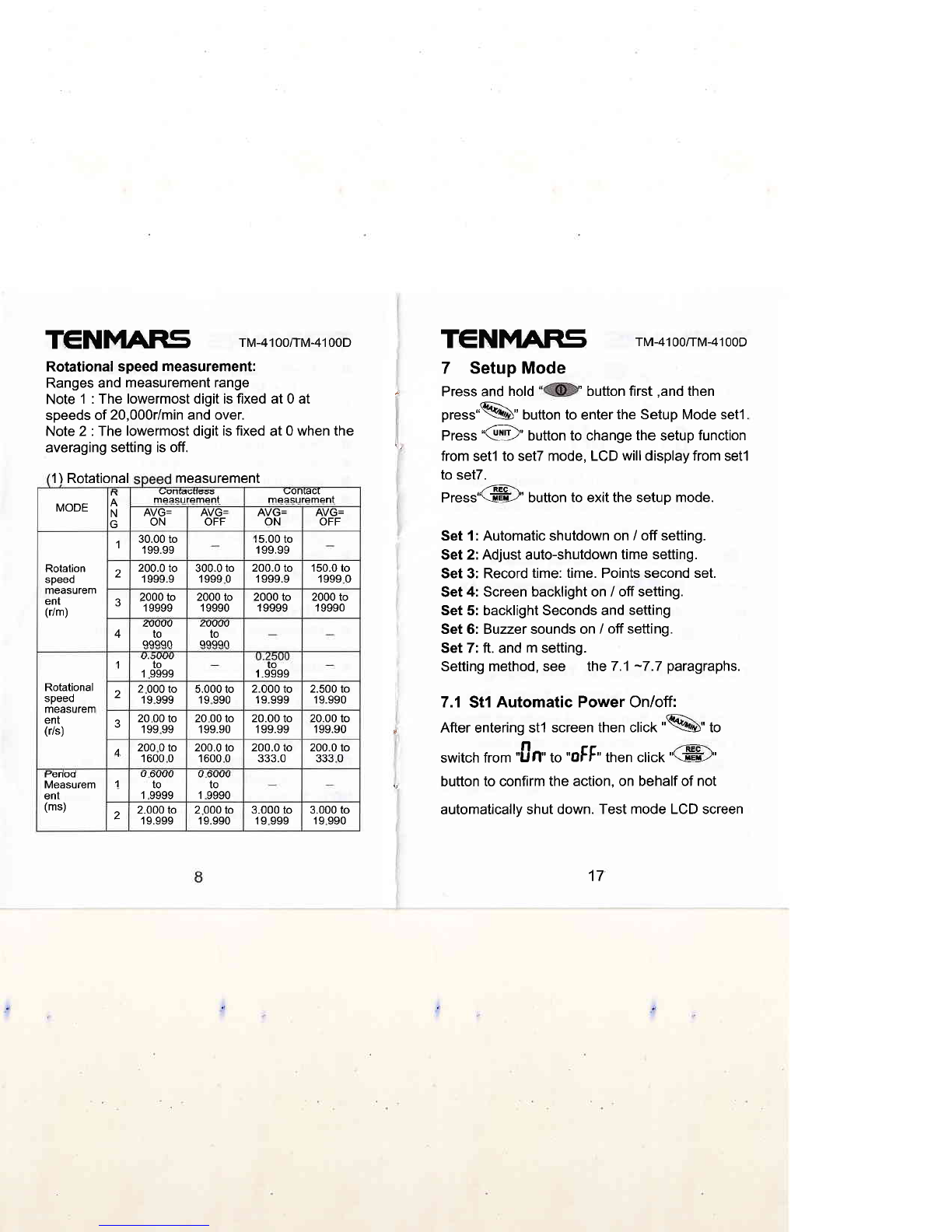
Rotationalspeed measurement: 7 SetUp MOde
Ranges and measurement range
Note 1 : The lowermost digit is fixed at 0 at " Press and hold button first 'and then
speeds of 20,000r/min and over. pr"r."%" button to enter the Setup Mode set'l .
Note 2 : The lowermost digit is fixed at 0 when the press ,,GD" button to change the setup function
averaging setting is off' from setl to setT mode, LCD wiil dispray from setl
1) Rotational measurement
MODE n
A
N
uuI[auueuS
measurement uontact
measurement
AVG=
ON AVG=
OFF AVG=
ON AVG=
OFF
Rotation
speeo
measurem
ent
(r/m)
30.00 to
199.99 15.00 to
199.99
200.0 to
1999.9 300.0 to
1999 0200.0 to
1999.9 150.0 to
1999 0
2000 to
1 9999 2000 to
1 9990 2000 to
1 9999 2000 to
1 9990
4zwvu
IO
qqqqn zuvw
to
qqqqn
Rotational
speeo
measurem
ent
(r/s)
to
1 9999 to
1.9999
2 000 to
19 999 5.000 to
19 990 2.000 to
19.999 2.500 to
19.990
J20 00 to
199 99 20 00 to
1 99.90 20.00 to
199.99 20.00 to
199.90
A200 0 to
1600 0200.0 to
'1600 0200.0 to
JJJ.U 200.0 to
333 0
tsenoo
Measurem
ent
(ms)
1U OUUU
to
1 9999
U OUUU
to
1 9990
2.000 to
'19.999 2 000 to
19.990 3.000 to
19 999 3.000 to
19 990
to set7.
Press"@" button to exit the setup mode.
Set 1: Automatic shutdown on / off setting.
Set 2: Adjust auto-shutdown time setting.
Set 3: Record time: time. Points second set.
Set 4: Screen backlight on / off setting.
Set 5: backlight Seconds and setting
Set 6: Buzzer sounds on / off setting.
Set 7: ft. and m setting.
Setting method, see the 7.1 -7.7 paragraphs.
7.1 St1 Automatic Power On/off:
, After entering st1 screen then click'%" to
switch from "0n',o "otF" tnen click "@"
., button to confirm the action, on behalf of not
automatically shut down. Test mode LCD screen
17