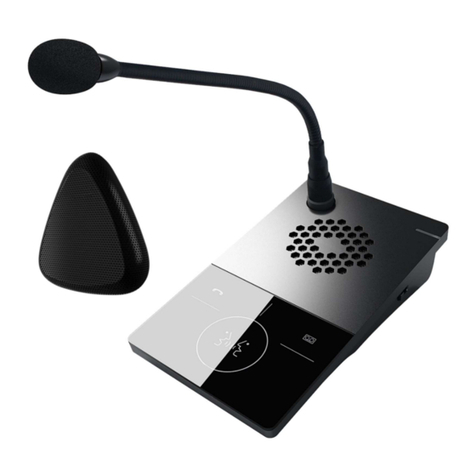
Toa HF-250M User manual

TOA INTERCOM SYSTEM
INTERCOM STATION HF-250M
OPERATING INSTRUCTIONS
Please follow the instructions in this manual to obtain the optimum results from this unit.
We also recommend you to keep this manual handy for future reference.
TOA Corporation

except EX-200 and EX-600 .
CONTENTS
General description
Nomenclature and functions
Installation and connection
. Desk-top applications
2. Wall-mounted applications
(2. ) Wall-mount installation without a switch box
(2.2) Wall-mount installation with a switch box
3. Internal speaker volume (L/H) adjustment
4. External speaker connection
5. Speaker volume and microphone sensitivity adjustment
6. External microphone or headset connection
Exchange connection
. EXES-6000 series exchange connection
( . ) When connecting to the DT-E70 data transmitting unit
( .2) When not connecting to the DT-E70 data transmitting unit
2. EXES-2000 series exchange connection
Operation
. Auto-dialer registration
2. Re-registration
3. Detaching the auto-dialer name card
4. Setting calling party station number indication
5. His-own-station number registration
6. Calling
7. Answering
Liquid crystal display senction
Specifications
GENERA DESCRIPTION
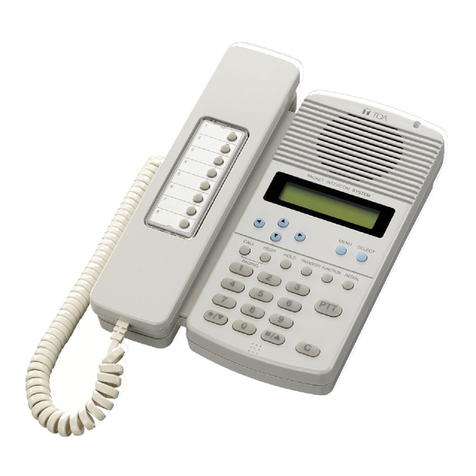
The TOA HF-250M intercom station is designed for exclusive use with TOA's 2-line intercom system.
It features an auto-dialer function (up to 6 stations), and both handset and hands-free communication
capability. In addition, a calling party indication function can be utilized in conjunction with the DT-E70 (data
transmitting unit) and the EX-6 0/620/630 (EXES-6000 series exchange)
The HF-250M can be use in either desk-top or wall-mounted applications.
2
3-4
5
5
6
7
7
8
8
9
0
0
2
2
3
4
4
4
5
5
- 2 -

NOMENC ATURE AND FUNCTIONS
[FRONT VIEW]
Liquid crystal display (LCD)
LCD cover
Internal speaker
Station number directory
Cord
Handset
"In-use" lamp
Auto-dialer keys
Hook switch
Station number card
Cradle hook
Hands-free microphone
: Displays call status and registered data.
: Sounds call tones and permits "hands-free" conversation.
: Terminates calls.
Used for paging, registration, and other programing function.
Comes on during the conversation.
Used for auto-dialer station registration (up to eight stations each on A
or B page).
Used for privacy mode operation.
Selects auto-dialer pages A or B.
Used in PTT operation or for voice calls in privacy mode.
Switches on power when handset is lifted.
Holds handset in wall-mounted applications.
key
page select key
key
Dial keys
key
key
- 3 -

Terminal cover
Hook for wall-mounting bracket
External speaker terminal Used for connection of the external speaker.
Microphone sensitivity control Used for adjustment of the external microphone.
Speaker volume control Used for adjustment of the external speaker.
[TOP VIEW]
[EXTERNAL MIC/HEADSET] jack : External microphone or headset jack.
[REGISTER ON/OFF] switch : Enables auto-dialer registration. Normally set to OFF.
[LINE] connector : Insert modular (6-pin, 4-conductor) telephone line plug.
[SIDE VIEW]
[SPEAKER VOLUME (L/H)] control : Internal speaker volume selection.
[BOTTOM VIEW]
- 4 -
:
:
:

INSTA ATION AND CONNECTION
1. Desk-top applications
Connect the supplied modular plug.
Attach a modular plug to 6-pin modular jack type
rosette (4-conductor) and insert the plug into the unit.
2. Wall-mounted applications
(2.1) Wall-mount installation without a switch box.
Pull out the cradle hook and rotate 80° for wall-
mounted use.
Install the wall-mounting hook.
Use wood screws to mount the bracket directly on the
wall.
Connect the supplied modular plug.
Attach a modular plug to 6-pin modular jack type
rosette (4-conductor) and insert the plug into the unit.
Hang the station on the wall-mounting bracket.
Align the four slots on the station bottom with the
wall-mounting bracket hooks, press on, and lock in
place by sliding downward.
- 5 -

(2.2) Wall-mount installation with a switch box.
Pull out the cradle hook and rotate 80° for wall-
mounted use.
Install the wall-mounting hook.
Use screws to mount the bracket directly on the wall.
Connect the supplied modular plug.
Attach a modular plug to 6-pin modular jack type
rosette (4-conductor) and insert the plug into the unit.
Hang the station on the wall-mounting bracket.
Align the four slots on the station bottom with the
wall-mounting bracket hooks, press on, and lock in
place by sliding downward.
- 6 -

3. Internal speaker volume ( /H) adjustment
Select the internal speaker volume setting (L/H) that best suits the mounting location.
4. External speaker connection
If the internal speaker's volume is insufficient, refer to following procedure to connect an external speaker
(4-8
) to the station.
Open the case and cut jumper wire JP3 or R82, located at the upper left-hand corner of the printed
circuit (PC) board.
Note : Sound from an external speaker is not reproduced when the jumper JP3 or R82 is cut.
Remove the underside terminal cover and connect the speaker cable to the EXT. SP terminals.
Terminal cover
Speaker cable
External speaker terminals
Microphone sensitivity control
Speaker volume control
- 7 -

5. Speaker volume and microphone sensitivity adjustment
The station's speaker volume and microphone sensitivity can be independently adjusted at the controls,
located under the terminal cover.
Microphone sensitivity control
Speaker volume
6. External microphone or headset connection
An external microphone or headset can be connected for use instead of the handset. Refer to the
illustration below for connection.
Note : If a headset is connected, its operation is essentially the same as that of headset. Likewise, if an
external microphone is connected, its operation is essentially the same as that of the internal
microphone. Accordingly, when wishing the hands-free conversation using the station with an
external microphone, pull out the external microphone plug from the station.
- 8 -

EXCHANGE CONNECTION
1. EXES-6000 series exchange connection
(1.1) When connecting to the DT-E70 data transmitting unit
Modular plug's L and L2 connect to terminal box BX-6 0 or BX-620. Plugs L3 and L4 connect to
terminal box YC-900 (optional) with a 6-pin modular jack type rosette (4-conductor) < site procurement >.
[ EXES-6000 Series Exchange Connection ]
Note : . The calling party indication function is not available when the exchange is EX-600.
2. Detach the front and upper panels of the exchange cabinet when connecting the EX-600
exchange using the optional YR-806 connecting cable.
6-pin modular jack type
rosette (4-conductor)
[Front view]
[YC-900]
[BX-6 0/620]
Data line
Intercom line
6-pin modular jack type
rosette (4-conductor)
[Rear view of DT-E70]
[Rear view of DT-E70]
YC-900
BX-610/620
EXES-6000
series exchange
Interface
connector
YR-810
24V DC power supply
[AD-242A (2.5A)]
HF-250M HF-250M HF-250M
Modular plug
DR-B61
DR-B61
DR-B61
YR-803
YR-802/YR-806
- 9 -

(1.2) When not connecting to the DT-E70 data transmitting unit
Modular plug's L and L2 from the HF-250M connects to the BX-6 0 or BX-620 terminal box using 6-pin
modular jack type rossette (4-conductor) < site procurement >.
Note : Calling party and time indications can not be displayed when the DT-E70 data transmitting unit is
not connected.
2. EXES-2000 series exchange connection
Modular plug's L and L2 from the HF-250M connects to the EX-200 exchange using 6-pin modular jack
type rossette (4-conductor) < site procurement >.
Note : Calling party and time indications are not displayed.
6-pin modular jack type rosette
(4-conductor)
HF-250M HF-250M HF-250M
BX-610/620
YR-810
Modular plug
EXES-6000
series Exchange
HF-250M HF-250M HF-250M
Modular plug
6-pin modular jack type
rosette (4-conductor)
EX-200 Exchange
- 0 -
Other manuals for HF-250M
2
Other Toa Intercom System manuals