manuals.online logo
Brands
  1. Home
  2. •
  3. Brands
  4. •
  5. Toa
  6. •
  7. Speakers System
  8. •
  9. Toa H-1 User manual

Toa H-1 User manual

Other manuals for H-1

1

Other Toa Speakers System manuals

Toa SF-60 User manual

Toa

Toa SF-60 User manual

Toa AC-M1 User manual

Toa

Toa AC-M1 User manual

Toa F-2352SC User manual

Toa

Toa F-2352SC User manual

Toa 312-ME-AV User manual

Toa

Toa 312-ME-AV User manual

Toa HX-7B User manual

Toa

Toa HX-7B User manual

Toa BS-301B User manual

Toa

Toa BS-301B User manual

Toa CS-760B-AS User manual

Toa

Toa CS-760B-AS User manual

Toa SL-122 User manual

Toa

Toa SL-122 User manual

Toa SR-A12L User manual

Toa

Toa SR-A12L User manual

Toa F-2000W User manual

Toa

Toa F-2000W User manual

Toa ES-5071-95 User manual

Toa

Toa ES-5071-95 User manual

Toa 22-ME-AV User manual

Toa

Toa 22-ME-AV User manual

Toa SR-M3L User manual

Toa

Toa SR-M3L User manual

Toa F-1000B User manual

Toa

Toa F-1000B User manual

Toa F-1000W User manual

Toa

Toa F-1000W User manual

Toa F-2322C2 User manual

Toa

Toa F-2322C2 User manual

Toa SM-60 User manual

Toa

Toa SM-60 User manual

Toa SR-D8- M User manual

Toa

Toa SR-D8- M User manual

Toa 30-SD User manual

Toa

Toa 30-SD User manual

Toa BS-20 User manual

Toa

Toa BS-20 User manual

Toa BS-678 User manual

Toa

Toa BS-678 User manual

Toa PS-16BM User manual

Toa

Toa PS-16BM User manual

Toa F-500WP User manual

Toa

Toa F-500WP User manual

Toa F-1522SC User manual

Toa

Toa F-1522SC User manual

Popular Speakers System manuals by other brands

JVC MX-KA3 - Mini Shelf System null

JVC

JVC MX-KA3 - Mini Shelf System null

JVC CA-MXK5R instructions

JVC

JVC CA-MXK5R instructions

LG NB4532B owner's manual

LG

LG NB4532B owner's manual

JVC CA-FSH100 instructions

JVC

JVC CA-FSH100 instructions

5Core Pro Series Operation manual

5Core

5Core Pro Series Operation manual

EAW MQV1394e Specifications

EAW

EAW MQV1394e Specifications

Lynx GXR-LA10A user manual

Lynx

Lynx GXR-LA10A user manual

iLive ITB066B user guide

iLive

iLive ITB066B user guide

RDX QuickStation 4 product manual

RDX

RDX QuickStation 4 product manual

Electro-Voice S-122 Specifications

Electro-Voice

Electro-Voice S-122 Specifications

Sven SPS-619 GOLD Operation manual

Sven

Sven SPS-619 GOLD Operation manual

Pioneer CS-7070 instruction manual

Pioneer

Pioneer CS-7070 instruction manual

EAW UB82e Technical specifications

EAW

EAW UB82e Technical specifications

Sondpex Active Speaker System and Digital Music... User manual and installation instructions

Sondpex

Sondpex Active Speaker System and Digital Music... User manual and installation instructions

JVC NX-PN7 instructions

JVC

JVC NX-PN7 instructions

Yamaha NX-A01 - Speaker Sys Product bulletin

Yamaha

Yamaha NX-A01 - Speaker Sys Product bulletin

SE Audiotechnik I-LINE manual

SE Audiotechnik

SE Audiotechnik I-LINE manual

Gemini WRX-843 Series user manual

Gemini

Gemini WRX-843 Series user manual

manuals.online logo
manuals.online logoBrands
  • About & Mission
  • Contact us
  • Privacy Policy
  • Terms and Conditions

Copyright 2025 Manuals.Online. All Rights Reserved.

OPERATING INSTRUCTIONS
H-1
SPEAKER SYSTEM
Please follow the instructions in this manual to obtain the optimum results from this unit.
We also recommend that you keep this manual handy for future reference.
TABLE OF CONTENTS
1. SAFETY P ECAUTIONS
2. GENE AL DESC IPTION
3. FEATU ES
4. HANDLING P ECAUTIONS
5. NOMENCLATU E
6. INSTALLATION
6.1. Direct Wall/Ceiling Mounting Without Using an Electrical Box
6.2. Mounting the Speaker to an Electrical Box Using The Adapter Frame
6.3. Mounting the Speaker Directly to an Electrical Box
6.4. emoving the Trim Piece
7. EPAINTING THE G ILLE AND T IM PIECE
8. P OTECTION CI CUIT Y INFO MATION
9. EQUALIZATION
10. SPECIFICATIONS
Accessories
TOA Corporation
2
3
3
3
4
5
8
9
9
10
11
12
12
12
1. SAFETY PRECAUTIONS
• Be sure to read the instructions in this section carefully before use.
• Make sure to observe the instructions in this manual as the conventions of safety symbols and messages
regarded as very important precautions are included.
• We also recommend you keep this instruction manual handy for future reference.
Safety Symbo and Message Conventions
Safety symbols and messages described below are used in this manual to prevent bodily injury and property
damage which could result from mishandling. Before operating your product, read this manual first so you are
thoroughly aware of the potential safety hazards as well as understand the safety symbols and messages.
Indicates a potentially hazardous situation which, if mishandled,
could result in death or serious personal injury.
Indicates a potentially hazardous situation which, if mishandled,
could result in moderate or minor personal injury, and/or property
damage.
WARNING
CAUTION
WARNING
CAUTION
When the Unit is in Use
• Do not operate the speaker for an extended period
of time with the sound distorting. This is an
indication of a malfunction, which in turn can cause
heat to generate and result in a fire.
When Insta ing the Unit
• Install the unit only in a location that can
structurally support the weight of the unit and the
mounting bracket. Doing otherwise may result in
the speaker falling down and causing personal
injury and/or property damage.
When the Unit is in Use
• Should the following irregularity be found during
use, immediately stop operating the unit and
contact your nearest TOA dealer. Make no further
attempt to operate the unit in this condition as this
may cause fire or electric shock.
• If you detect smoke or a strange smell coming
from the unit.
• If water or any metallic object gets into the unit.
• If it is malfunctioning (no tone sounds.)
2

2. GENERAL DESCRIPTION
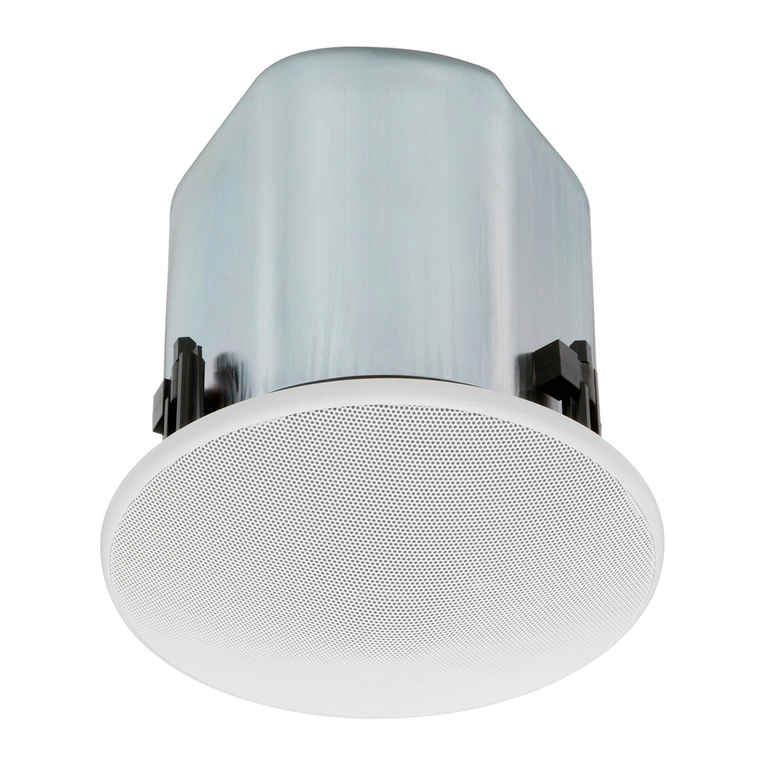
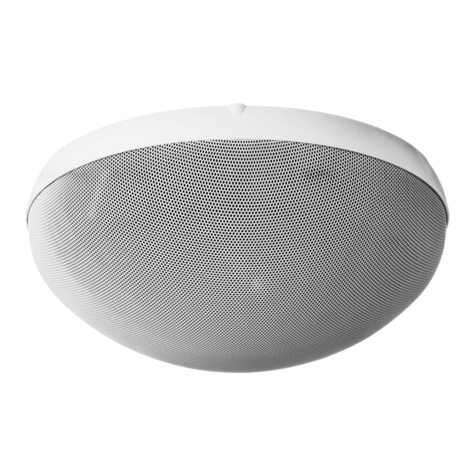
TOA's H-1 is a cylinder-shaped, small flush-mount 2-way speaker featuring high sound quality.
3. FEATURES
• The H-1 Speaker System features, flush-mount speaker design with a rotatable cylinder-type enclosure. The
speaker's smooth curved surface allows it to blend in with the interiors of most modern buildings.
• The speaker's small ( 8 x 5 cm) woofer features a magnetic circuit (employing a neodymium magnet) that
ensures powerful sound reproduction.
• The one-inch balanced dome tweeter features ferro-fluid to ensure superb transient response characteristics
for clear, high frequency sound output and high power-handling capabilities.
• The speaker's built-in crossover network circuitry features sharp cut-off characteristics that realize uniform
energy radiation while suppressing unwanted input signals to the woofer or tweeter.
• The H-1 Speaker System is designed with an emphasis on installation ease and safety, as well as easier
conduit wiring when an electrical box is installed.
• The cylinder-shaped speaker's mounting angle can be easily adjusted for up to ± 45 degrees rotation.
• A built-in matching transformer permits the speaker to be used for both high- and low-impedance
applications. For low-impedance applications, either the 4 or 16 terminal can be selected. Impedance
can be easily changed from outside the unit.
• Detachable screw terminals facilitate connection. Dual positive and negative terminals also facilitate bridge
connections.
• Both the speaker enclosure and Trim Piece are made of fire-resistant ABS (UL Standard 94: V-0 Grade).
• All external parts have been specially selected for ease of refinishing and repainting.
4. HANDLING PRECAUTIONS
The speaker is not magnetically shielded. Install it as far away as possible from television sets or computer's
C Ts to avoid degradation in picture quality.
3
5. NOMENCLATURE
[Side Pane ]
[Front Pane ]
[Side Pane ]
H-1 speaker
Grille
Trim Piece
[Side Pane ]
[Rear Pane ]
For mounting to the Adapter Panel
Mounting bracket
For mounting to an electrical box
Accessory (Adapter Pane )
4
6. INSTALLATION
6.1. Direct Wa /Cei ing Mounting Without Using an E ectrica Box
Step 1. Adapter Pane mounting
1-1. Using the supplied hole pattern sheet as a guide,
make an opening of the specified size in the wall or
ceiling panel.
Note
The thickness of the suitable wall or ceiling panel is 9
to 30 mm.
1-2. Loosen the two board clamp screws.
1-3. Place the Adapter Panel inside the opening, and set
the panel to the desired position using the positioning
tabs.
Board clamp
Adapter Panel
Positioning tab
5
1-4. Clamp the wall or ceiling panel using the two board
clamps, and secure with the clamp screws.
Step 2. Wiring and impedance changes
2-1. Pull the cables out of the mounting hole in the wall or
ceiling, then strip the insulation back about 5mm from
the cable ends.
Note
Usable cable: Solid cable or stranded cable (0.2 mm
2

- 2.5 mm
2

) (Corresponding to AWG No.
24-14)
2-2. emove the detachable input connector from the
speaker, then loosen the connector screws with a
small slot screwdriver.
2-3. Insert the stripped cable ends into the input
connector, and tighten the connector screws.
Note
When not bridging connections, be sure to also
tighten the screws of the terminals not in use to avoid
vibration or rattling noise.
6
• When not bridging
connections
• When bridging
connections
From amplifier
About 5 mm
To next
speaker
2-4. Attach two impedance selector sockets to the
connector to select the desired impedance. Preset to
830 (12 W for 100 V line and 6 W for 70 V line).
Note
The speaker is designed to be used for both 70 V and
100 V line applications. When using the 100 V line,
do not select the "420 " impedance, since the
speaker itself or power amplifier may be damaged.
• When selecting 4
• When selecting 16
Impedance selector socket
2-5. Insert the detachable input connector into the
speaker socket.
Step 3. Mounting the speaker and Trim Piece
3-1. Align the four inward-facing holes in the speaker's
mounting bracket with the corresponding holes in the
Adapter Panel mounting tabs, then mount the
speaker to the panel using the four supplied screws
(M4 x 25 screws with both the spring washers and
plain washers).
H-1 speaker
Adapter Panel
7
• When selecting 830
(preset by the factory)
Stud screw
3-2. Loosen the angle adjustment screws. After adjusting
the angle, retighten the screws.
Tip
The mounting angle can be adjusted for up to ± 45 °.
Since the mounting bracket is marked with mounting
angles at 15 ° intervals, use this marking as a guide
when adjusting the angle.
Angle adjustment screw
3-3. Align the two securing clips on the Trim Piece with
the speaker's two stud screws, then push the Trim
Piece onto the speaker until the Trim Piece is snug to
the wall or ceiling surface.
Securing clip
Trim Piece
Stud screw
H-1 speaker
6.2. Mounting the Speaker to an E ectrica Box Using The Adapter Pane
The H-1 speaker system can be mounted to walls or ceilings using an electrical box*. Mount the Adapter
Panel to the electrical box as shown below. Further mounting procedures are the same as detailed in Steps 2
and 3.
Distance between mounting holes (A) x (B):
254 mm
(10")
x
66.7
mm (2
5
/
8
") or
255.6 mm (10
1
/
10
") x 55.6 mm (2
3
/
16
")
Memo
Electrical box mounting screws are attached to the H-1 speaker.
8
H-1 speaker
Electrical box
Adapter Panel
6.3. Mounting the Speaker Direct y to an E ectrica Box
The H1 speaker system can also be mounted directly to an electrical box*. Follow Steps 2 and 3 for
instructions. In this case, use the outward-facing holes in the mounting bracket when mounting to the wall or
ceiling.
* Distance between mounting holes (A) x (B): 254 mm (10") x 66.7 mm (2
5
/
8
") or
255.6 mm (10
1
/
10
") x 55.6 mm (2
3
/
16
")
Memo
Electrical box mounting screws are
attached to the H-1 speaker.
Electrical box
H-1 speaker
Note: The distance between the wall or ceiling surface and the box bottom surface must be 45 mm or more.
When using the aco 953 electrical box, be careful in installation because it is shallow.
6.4. Removing the Trim Piece
When removing the Trim Piece for maintenance or repair,
squeeze its sides by hand to create a gap between the
Trim Piece and wall/ceiling, then insert a screwdriver blade
into the gap and pry off the piece.
Caution
If you raise either right or left side of the Trim Piece by
force, it may be broken. Pull the both sides out evenly and
gradually.
9
Grille
7. REPAINTING THE GRILLE AND TRIM PIECE
Follow the procedures below to change the color of the
grille.
1. emove the speaker's angle adjustment screw (1
piece).
2. Detach either of the two mounting brackets attached to
the speaker.
Mounting bracket
Angle adjustment screw
Grille mounting screw
3. emove the two grille mounting screws from the back of
the speaker.
4. Slide the grille off the speaker.
5. Paint both the grille and Trim Piece.
5-1. Wipe dirt off the grille and Trim Piece with a soft cloth
moistened with a detergent before painting. Do not
use volatile liquids such as thinner.
5-2. Uniformly spray a thin coating of paint over the grille
and Trim Piece changing the spraying positions
gradually.
Notes
• Do not use a roller or brush to paint because the
meshes of the grille could be clogged with paint.
• Use paint that is appropriate for the composition of
the grille and Trim Piece.
Grille: olled steel plate
Trim Piece: Fire-resistant ABS resin
• Follow the instructions on the paint when painting.
5-3. After the paint dries, repeat Step 5-2 once or twice to
repaint.
Notes
• Be sure to repeat Step 5-2 at least twice.
• When repainting the front grille, place the grille
upside down so that the surface is painted
uniformly.
6. After the paint has dried, remount the grille to the
speaker.
10