Page 10 User Manual
TO TURN UNIT ON OR OFF:
.
NOTE: The unit will automatically initiate the Energy
Saver function under Cool, Dry, Auto modes.
TO CHANGE TEMPERATURE SETTING:
Press UP/DOWN button to change temperature
setting.
NOTE: Press or hold eitherUP ( ) or DOWN ( )
button until the desired temperature is seen on the
display.
This temperature will be automatically maintained
anywhere between 62°F (17°C) and86°F (30°C). If
you want to display the actual room temperature,
see To Operate on Fan Only section.
TO ADJUST FAN SPEEDS:
Press the Fan Button to change the fan speed
between four settings – Auto, Low, Med, or High. The
fan will operate on Low Speed automatically when
set to Dry Mode.
On Auto mode,the fan operates on Auto fan speed
automatically and cannot be changed.
SLEEP FEATURE:
PressSleep button to initiate the sleep mode. In
this mode the selected temperature will increase by
2°F(1°C)30 minutes after the mode isselected.
The temperature will then increase by another 2°F/
1(or 2)°C after an additional30 minutes. This new
temperature will be maintained for 7 hours before it
returns to the originally selected temperature.
The Sleep mode program can be cancelled at any time
during operation by pressing the Sleep button again.
CHECK FILTER FEATURE:
The Check Filter feature is a reminder to clean the
air lter for a more ecient operation. The light
will illuminate after 250 hours of operation. After
cleaning the lter, press the Filter button to reset
the Check Filter function turning the light o.
ENERGY SAVER FEATURE (ECO):
PressEnergy Saver button to initiate this function.
This functionis available on COOL, DRY, AUTO (only
AUTO-COOLING and AUTO-FAN) modes. The fanwill
continue to run for 3 minutes after the compressor
shuts o. The fan then cycles on for 2 minutes at
10 minute intervals until the room temperature
is above the set temperature, at which time the
compressor turns back on and Cooling resumes.
TO SELECT THEOPERATING MODE:
To choose the operating mode, press the Mode
button. Each time you press the button, a mode is
selected in asequence that goes from Auto, Cool,
Dry and Fan.
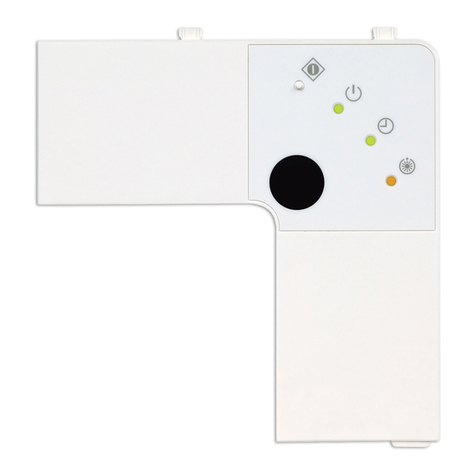
Timer
Button
Power
Button
Sleep
Button
Fan
Button
Up () and Down ( )
Buttons
Mode
Button
Connect Indicator Light
(Smart models only)
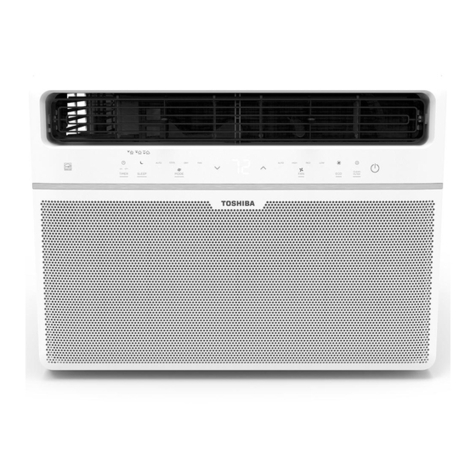
Before you begin, thoroughlyfamiliarize yourself with the control panel as shown below and all its
functions, then follow the symbol for the functions you desire. The unit can be controlled by the unit
control alone or with the remote.
Operating
Instructions