manuals.online logo
Brands
  1. Home
  2. •
  3. Brands
  4. •
  5. Turboair
  6. •
  7. Accessories
  8. •
  9. Turboair TBC-36SD User manual

Turboair TBC-36SD User manual

This manual suits for next models

12

Other Turboair Accessories manuals

Turboair TBC-24S-N Series User manual

Turboair

Turboair TBC-24S-N Series User manual

Turboair TBB-1S-N Series User manual

Turboair

Turboair TBB-1S-N Series User manual

Turboair TBC-24SB User manual

Turboair

Turboair TBC-24SB User manual

Turboair TMKC-34S-N-SS User manual

Turboair

Turboair TMKC-34S-N-SS User manual

Turboair TBC-24S N Series User manual

Turboair

Turboair TBC-24S N Series User manual

Turboair TBB-1SB User manual

Turboair

Turboair TBB-1SB User manual

Turboair TBC-24Sx-N series User manual

Turboair

Turboair TBC-24Sx-N series User manual

Turboair KUCTB2503 User manual

Turboair

Turboair KUCTB2503 User manual

Popular Accessories manuals by other brands

Quincy lab 140AE-1 operating manual

Quincy lab

Quincy lab 140AE-1 operating manual

HomePro ZIR000 user manual

HomePro

HomePro ZIR000 user manual

DOL 20SCR Technical user guide

DOL

DOL 20SCR Technical user guide

RAB Smart Task installation manual

RAB

RAB Smart Task installation manual

Kemppi KMS 300 quick guide

Kemppi

Kemppi KMS 300 quick guide

Stearns 57,500 Series Installation and service instructions

Stearns

Stearns 57,500 Series Installation and service instructions

iGuzzini TWILIGHT COPENAGHEN manual

iGuzzini

iGuzzini TWILIGHT COPENAGHEN manual

Adelaide Annexe & Canvas Avan Deluxe installation guide

Adelaide Annexe & Canvas

Adelaide Annexe & Canvas Avan Deluxe installation guide

OHAUS 5000 instruction manual

OHAUS

OHAUS 5000 instruction manual

HOME8 WLS1300 quick start guide

HOME8

HOME8 WLS1300 quick start guide

MAXBOTIX MaxSonar quick start guide

MAXBOTIX

MAXBOTIX MaxSonar quick start guide

ioSmart iSmart56 Installation and user guide

ioSmart

ioSmart iSmart56 Installation and user guide

Focusrite Scarlett 18i8 user guide

Focusrite

Focusrite Scarlett 18i8 user guide

Velleman ED38105 user manual

Velleman

Velleman ED38105 user manual

JumpSport SkyBounce user manual

JumpSport

JumpSport SkyBounce user manual

Prima-Temp PRIYA Instructions for use

Prima-Temp

Prima-Temp PRIYA Instructions for use

Tefcold BC85I-BC85I W user manual

Tefcold

Tefcold BC85I-BC85I W user manual

Vaisala WMS302 user guide

Vaisala

Vaisala WMS302 user guide

manuals.online logo
manuals.online logoBrands
  • About & Mission
  • Contact us
  • Privacy Policy
  • Terms and Conditions

Copyright 2025 Manuals.Online. All Rights Reserved.

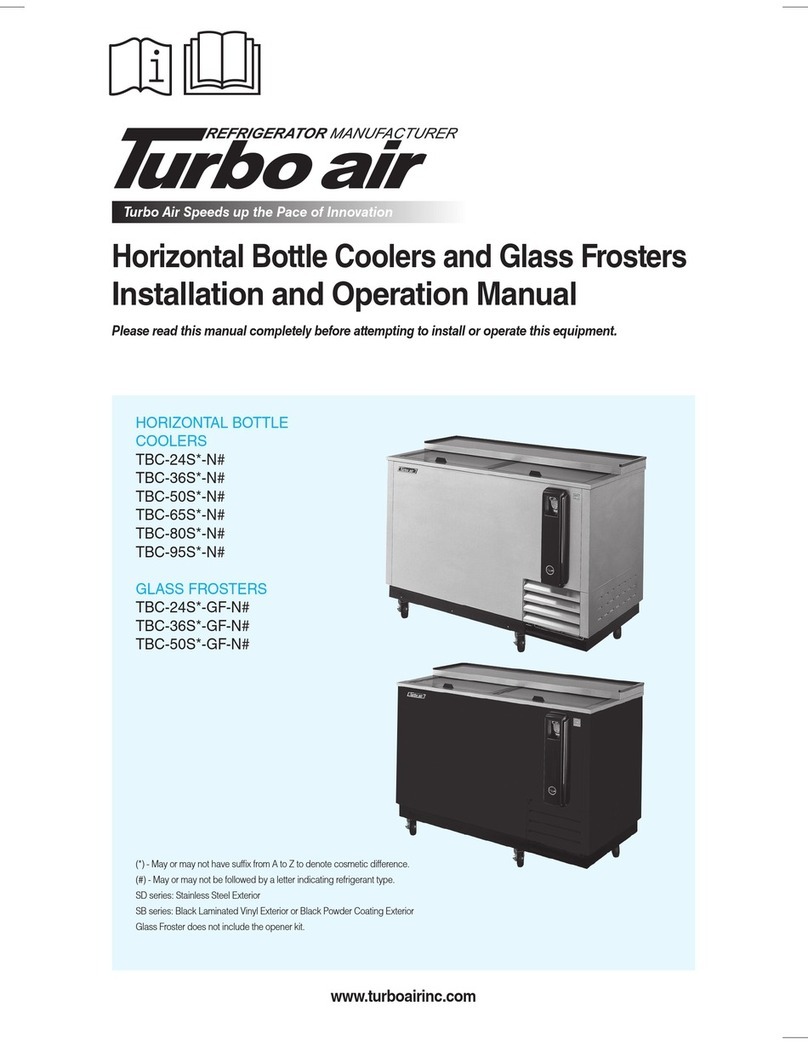
Turbo Air Speed up the Pace of Innovation
Underbar Equipment
Bottle Coolers
Installation and Operation Manual
CAUTION!
PLEASE KEEP POWER
SWITCH ON BEFORE
OPERATING THIS EQUIPMENT
Please read this manual completely before attempting to install or operate this equipment!
TBC-24SD TBC-24SB
TBC-36SD TBC-36SB
TBC-50SD TBC-50SB
TBC-65SD TBC-65SB
TBC-80SD TBC-80SB
TBC-95SD TBC-95SB
www.turboairinc.com
SD series: Stainless Steel Exterior
SB series: Black Laminated Vinyl Exterior or Black Powder Coating Exterior
o
r
B
l
ack P
owd
e
r
Co
at
i
ng
E
x
te
r
i
r
r
o
r
2
CONTENTS
SPECIFICATIONS
SERIAL NUMBER
PAGE
SPECIFICATION 2
SERIAL NUMBER 2
INSTALLATION OF THE BOTTOM SHELVES 3
INSTALLATION OF THE DIVIDERS 4
INSTALLATION OF THE OPENER KIT 5
HOW TO USE THE BOTTLE OPENER 6
INSTALLATION 7
CLEANING & CAUTION 8
BASIC OPERATION 9
BEFORE REQUESTING SERVICE 10
WARRANTY 11-13
Horizontal Bottle Cooler
MODEL COMP H.P. V/Hz REFRIGERANT AMPS WEIGHT
TBC-24SD/SB 1/10 110-120V/60Hz R-134a 4.0A 175 lbs
TBC-36SD/SB 1/4 110-120V/60Hz R-134a 4.5A 221 lbs
TBC-50SD/SB 1/3 110-120V/60Hz R-134a 6.8A 266/275 lbs
TBC-65SD/SB 1/3 110-120V/60Hz R-134a 7.0A 326 lbs
TBC-80SD/SB 1/2 110-120V/60Hz R-134a 9.0A 378 lbs
TBC-95SD/SB 1/2 110-120V/60Hz R-134a 9.2A 444/442 lbs
The serial number is located on the rating label which is on interior right side
wall.
Please retain the unitʼs serial number for service purpose.
3
INSTALLATION OF THE BOTTOM SHELVES
* Note:
The size and quantities of the bottom shelves can be different according to
model number.
1) Before adding cans or bottles to cooler, please install bottom shelves.
2) Then install dividers. (see page 4)
4
INSTALLATION OF THE DIVIDERS
1) To re-position divider, push back wards.
2) Spring in back of divider point ʻCʼ will be shorten to about 1/2 inch.
3) Front of divider will be able to remove from point ʻAʼ and ʻBʼ.
4) Position divider in the hole, point ʻCʼ where you would like it.
5) Push divider back wards.
6) Insert front of divider in the holes, point ʻAʼ and ʻBʼ, where you would like it.
* Note :
The shape and quantities of the dividers can be different according to model
number.
ʻAʼ
ʻBʼ
ʻCʼ
5
INSTALLATION OF THE OPENER KIT
1) Bottle opener kit is inside cabinet.
2) On the front outside wall of bottle cooler, there are screws.
3) Hook the opener kit onto the screws, like drawing 1.
4) Push down so head of screw will insert into smaller opening, like drawing 2.
5) To detach it, follow above list in the reverse order.
12
6
HOW TO USE THE BOTTLE OPENER
1. In direction of arrow.
2. Grip the bottle tightly so it will not fall on removing cap.
3. The cap will drop to bottom of opener case.
4. When opener case is full, separate from cabinet.
5. Turn opener case over to empty.
7
INSTALLATION
1. GOOD AIR CIRCULATION
- Do not place any object that will restrict air flow in front or back grills.
- Turbo air highly recommends that there is ample space in rear of unit. 3 inches or
more is best.
2. PLACE ON STRONG GROUND
- Be sure the location chosen has a floor strong enough to support the total weight of
the cabinet and contents.
3. DO NOT PLACE NEAR HEAT
- Be sure to avoid hot corners and locations near stoves.
- High ambient temperature will make cooling efficiency lower.
4. INDOOR USAGE ONLY
- Be sure to install this unit indoor, so it will not get wet from the rain.
5. STABILIZING
- Make sure the unit is installed in a stable condition.
6. LEVELING
- Be sure that the unit is level from front to back and side to side.
7. Do not plug in with other units on same breaker.
8. Do not run on extension cord.
8
CLEANING
CAUTION
1. POWER CORD
- Be sure the power cord is connected to the proper voltage.
- A protected circuit of the correct voltage and amperage must be run for connection of
the line cord.
- Turn ʻoffʼ the power switch before disconnecting the power cord, whenever
performing maintenance functions or cleaning the refrigerated cabinet.
- Compressor warranties are void if compressor burns out due to low voltage.
2. RE-STARTING
- If disconnected, wait 5 minutes before re-starting.
3. POSITIONING DRINKS
- Do not obstruct the air inlet which is located at the back inside of the unit.
Before cleaning, turn unit off at power switch.
1. CLEANING THE INTERIOR AND EXTERIOR
- The interior and exterior of the unit can be cleaned using warm water with soap.
- Do not use an abrasive cleaner because it will scratch the surface.
2. CLEANING THE CONDENSER FINS
- To maintain proper refrigeration performance, the Condenser coil must be free of
dust, dirt, and grease.
This will require periodic cleaning. Condenser fins should be cleaned at least every
three months (90 days) or as needed.
- To clean condenser, unplug at power cord. Condenser can be cleaned with vacuum.
brush, or CO2(high pressure air).
3. CLEAN THE DRAIN PAN
- Empty the Drain Pan which is located under the unit, periodically.
- When reinstalling Drain Pan, make sure Drain Hose is placed back in pan.
4. CHECK AFTER CLEANING
- Plug unit back in and turn on power switch.
- Check that the unit is operating properly.
9
BASIC OPERATION
TBC-24SD, TBC-24SB
TBC-36SD, TBC-36SB
TBC-50SD, TBC-50SB
TBC-65SD, TBC-65SB
TBC-80SD, TBC-80SB
TBC-95SD, TBC-95SB
1. The controller(thermostat) is located at the right inside of the unit.
2. The factory setting for the control is ʻ5ʼ, and maintains about 38˚F (3˚C) inside.
3. Set toward “1” for warmer temperature and “7” for colder temperature.
4. The thermostat controls compressorʼs cycling by sensing inside temperature.
5. When unit will not be used for a long time, turn the power switch off located under
the thermostat knob.
Temperature Controller
(Thermostat)
10
BEFORE REQUESTING SERVICE
SYMPTOMS CAUSES SOLUTIONS
Cooler is freezing
products
The unit does not
refrigerate at all.
The unit does not
refrigerate well.
There is a loud noise.
There are dew-drops
on the unit exterior.
There are dew-drops
on the unit interior.
• Thermostat set too cold.
• There is a power connection
failure problem.
• The unit is in sunlight or near a
heating device.
• Product was put in warm.
• The unit lid is opened too
frequently or left open too long.
• The temp. dial is not on the
correct position.
• The condenser is clogged.
• The floor is too weak or the
leveling feet are set incorrectly.
• The backside of the unit is too
close to the wall.
• High-moisture air can produce
dewdrops during rainy seasons.
• The lid is opened too frequently
or left open too long.
• Turn the temperature dial to a
warmer setting.
• Check the power cord to make
sure the unit is pluged in it
correctly.
• Move out of sunlight or away
from heater.
• Check the condition of stored
product.
• Check the position of the temp
control dial.
• Check the installation.
• Wipe with a dry cloth.
• Keep the lid closed to remove
dewdrops.
The following points are not malfunctions:
• A water-flowing sound can be heard when the compressor stops.
This is the sound of REFRIGERANT flowing.
• The compressor does not run during the defrost cycle.