9
The Color sub-menu calls up four presets that cause the picture to take on a specific
characteristic. Some people prefer the picture to have a slightly reddish (“Warm”)
appearance. This looks more lifelike to them. Others want a bluish (“Cool”) hue and still
others want to adjust the picture and save it as a “User” appearance. Finally, there is
“Normal” which is an appearance that was created using special image analysis
equipment and is therefore considered a standard appearance.
The Output sub-menu allows you to specify the resolution you want the 1T-AVPC-HDMI
to produce. As an example, if you are using an HDMI display device that can only
accept a 1080i HDTV input signal, you would want to set the output resolution to 1080i.
Keep in mind that setting the resolution can cause an apparent malfunction if you select
a resolution that your display device cannot reproduce. Make certain your display
device can reproduce the resolution you select BEFORE you select it.
The OSD sub-menu allows you to customize the way the On Screen Display appears
when it has been accessed. This is a personal preference matter. You can change the
default if you wish or simply leave it at the factory setting.
Lastly, the Info sub-menu contains technical information. If you have problems with the
1T-AVPC-HDMI and require assistance, the technician may ask you to read information
from this menu to him as part of the troubleshooting process.
6.0 TROUBLESHOOTING
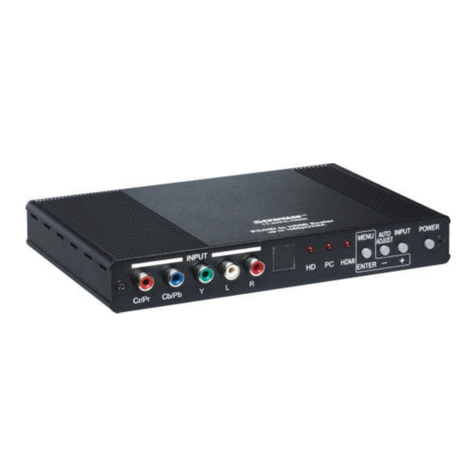
If the 1T-AVPC-HDMI Format Converter does not appear to be functioning normally,
make certain that the source and all other devices connected to the unit are functioning
correctly by connecting each device currently connected to the 1T-AVPC-HDMI’s
outputs directly to the source using a short length of cable. (In other words, bypass the
1T-AVPC-HDMI to make certain that the problem is not with the source or destination
devices.) If the signal is present under those conditions, make certain that the power is
present to the 1T-AVPC-HDMI. If it is, check all cables for damage. Cables should be
undamaged, as short as possible and should be premium quality.
Note: It is strongly recommended that you use premium cables in order to achieve
maximum distance cable runs and the best performance possible. Use of low quality
cables will seriously degrade the performance of the 1T-AVPC-HDMI Format Converter.
As a final step before contacting technical support, use the IR Remote Control and
press the RESET button which will return the unit to the default settings.
After trying the above suggestions should the problem still persist, contact your dealer
for additional suggestions before contacting TV One. Should the dealer’s technical
personnel be unable to assist you, contact TV One via our support website:
http://tvone.crmdesk.com. Create a technical support request on the site and our
support team will respond within a short period of time.