manuals.online logo
Brands
  1. Home
  2. •
  3. Brands
  4. •
  5. UNION GLASHÜTTE/SA
  6. •
  7. Watch
  8. •
  9. UNION GLASHÜTTE/SA U-7751 A User manual

UNION GLASHÜTTE/SA U-7751 A User manual

Other UNION GLASHÜTTE/SA Watch manuals

UNION GLASHÜTTE/SA UNG-07.01 User manual

UNION GLASHÜTTE/SA

UNION GLASHÜTTE/SA UNG-07.01 User manual

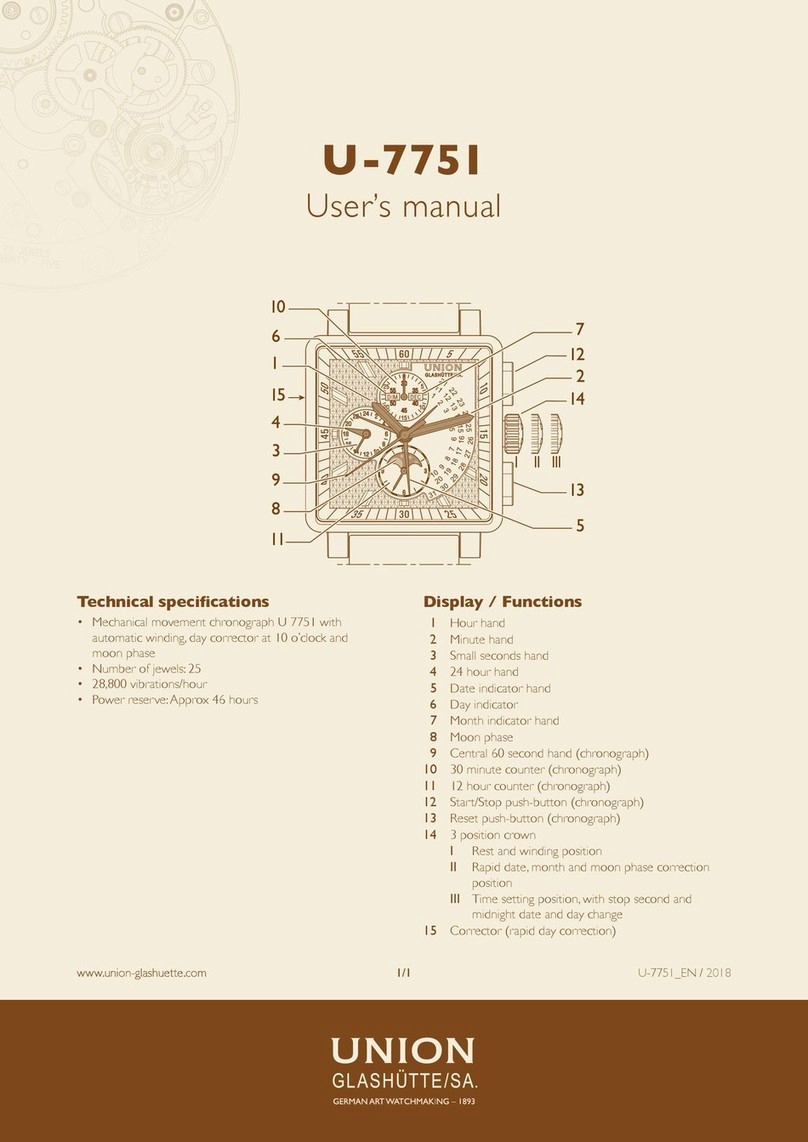
UNION GLASHÜTTE/SA U-7751 User manual

UNION GLASHÜTTE/SA

UNION GLASHÜTTE/SA U-7751 User manual

UNION GLASHÜTTE/SA U-289X User manual

UNION GLASHÜTTE/SA

UNION GLASHÜTTE/SA U-289X User manual

UNION GLASHÜTTE/SA U-7750 User manual

UNION GLASHÜTTE/SA

UNION GLASHÜTTE/SA U-7750 User manual

UNION GLASHÜTTE/SA UNG-27.S2 User manual

UNION GLASHÜTTE/SA

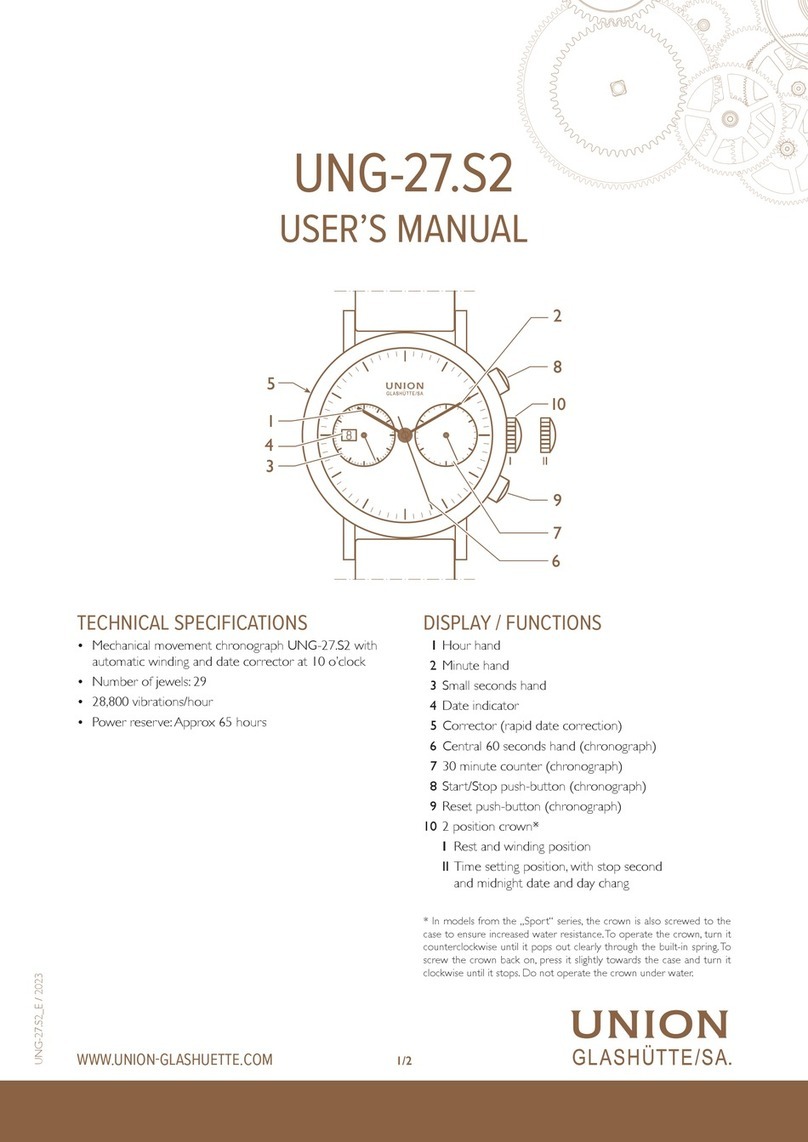
UNION GLASHÜTTE/SA UNG-27.S2 User manual

UNION GLASHÜTTE/SA UNG-14.01 User manual

UNION GLASHÜTTE/SA

UNION GLASHÜTTE/SA UNG-14.01 User manual

UNION GLASHÜTTE/SA UNG-27.01 User manual

UNION GLASHÜTTE/SA

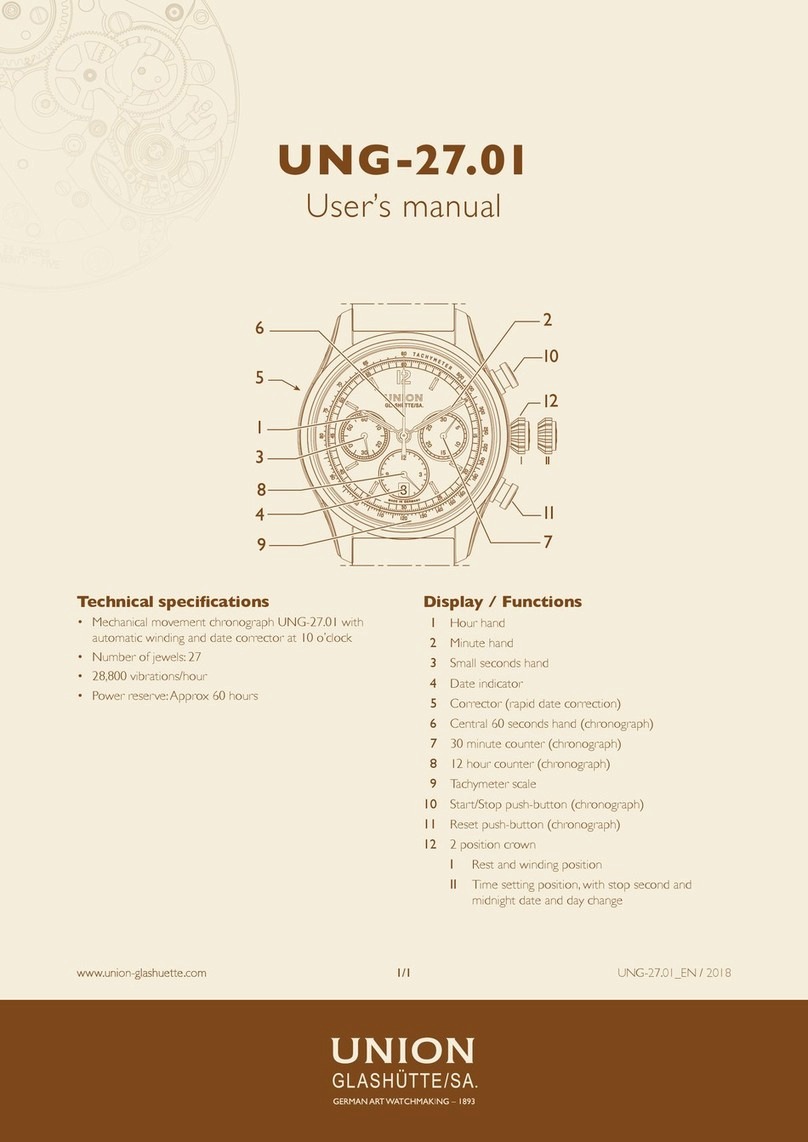
UNION GLASHÜTTE/SA UNG-27.01 User manual

UNION GLASHÜTTE/SA U-289X User manual

UNION GLASHÜTTE/SA

UNION GLASHÜTTE/SA U-289X User manual

UNION GLASHÜTTE/SA U-2896 User manual

UNION GLASHÜTTE/SA

UNION GLASHÜTTE/SA U-2896 User manual

UNION GLASHÜTTE/SA UNG-56.01 User manual

UNION GLASHÜTTE/SA

UNION GLASHÜTTE/SA UNG-56.01 User manual

UNION GLASHÜTTE/SA U-289X User manual

UNION GLASHÜTTE/SA

UNION GLASHÜTTE/SA U-289X User manual

UNION GLASHÜTTE/SA UNG-25.01 User manual

UNION GLASHÜTTE/SA

UNION GLASHÜTTE/SA UNG-25.01 User manual

UNION GLASHÜTTE/SA UNG-27.02 User manual

UNION GLASHÜTTE/SA

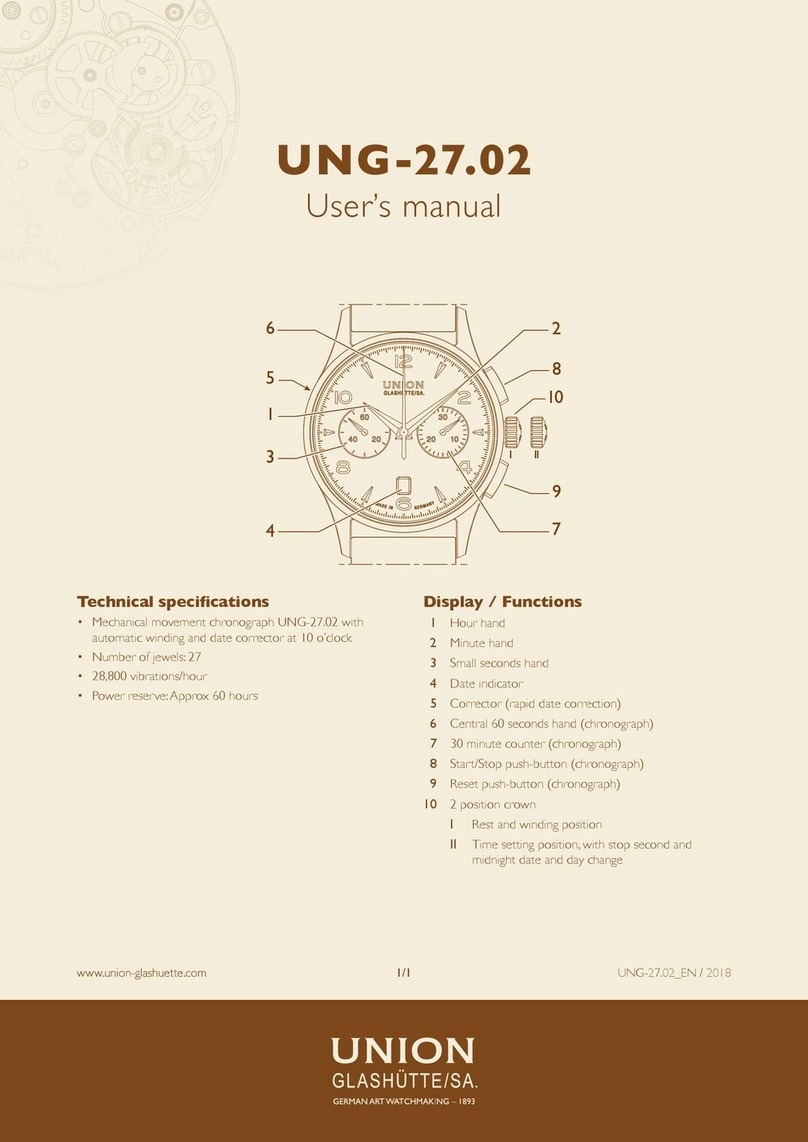
UNION GLASHÜTTE/SA UNG-27.02 User manual

UNION GLASHÜTTE/SA UNG-58.S1 User manual

UNION GLASHÜTTE/SA

UNION GLASHÜTTE/SA UNG-58.S1 User manual

UNION GLASHÜTTE/SA U-7753 A User manual

UNION GLASHÜTTE/SA

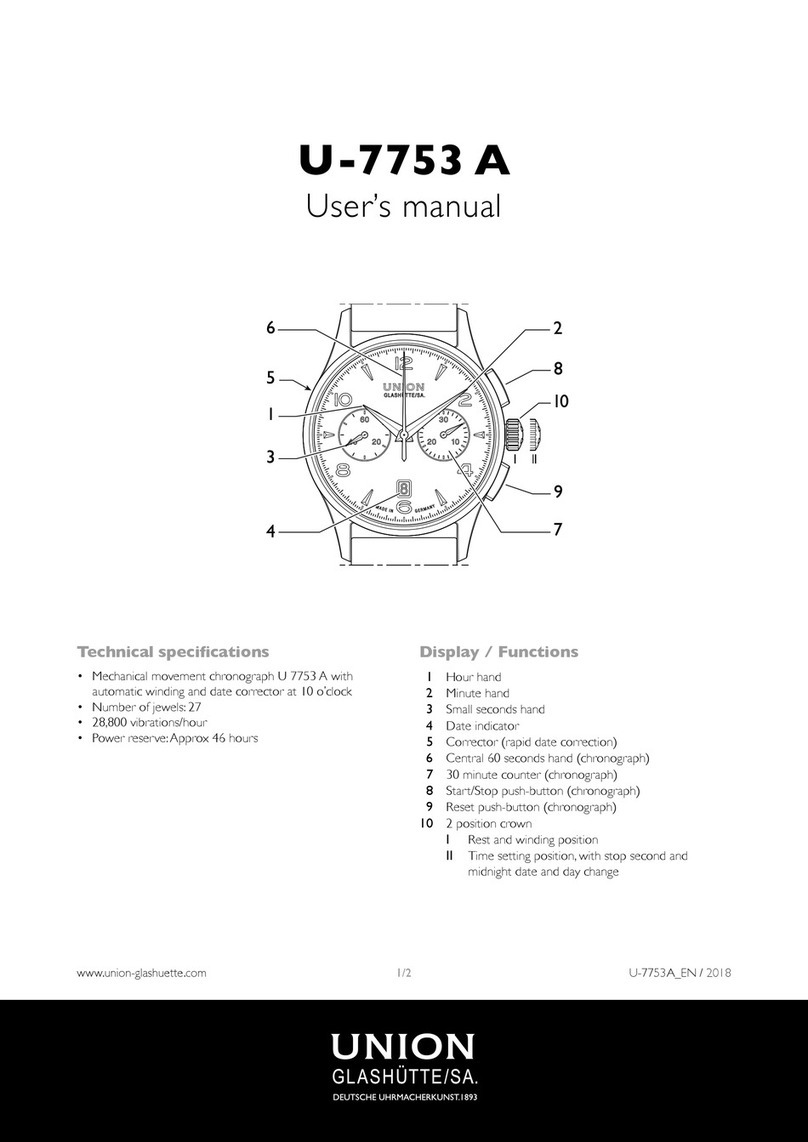
UNION GLASHÜTTE/SA U-7753 A User manual

Popular Watch manuals by other brands

Casio QW 5513 Operation guide

Casio

Casio QW 5513 Operation guide

Piaget 560P Instructions for use

Piaget

Piaget 560P Instructions for use

Armitron pro sport MD0346 instruction manual

Armitron

Armitron pro sport MD0346 instruction manual

West Marine BlackTip 13411293 Instruction Booklet and Care Guide

West Marine

West Marine BlackTip 13411293 Instruction Booklet and Care Guide

Jaeger-leCoultre HYBRIS MECHANICA CALIBRE 184 manual

Jaeger-leCoultre

Jaeger-leCoultre HYBRIS MECHANICA CALIBRE 184 manual

FOREVER iGO PRO JW-200 user manual

FOREVER

FOREVER iGO PRO JW-200 user manual

Relic OS10 quick start guide

Relic

Relic OS10 quick start guide

MyKronoz ZeClock manual

MyKronoz

MyKronoz ZeClock manual

Casio QW-782 General guide

Casio

Casio QW-782 General guide

Strikes and Spares SASM80 E-manual

Strikes and Spares

Strikes and Spares SASM80 E-manual

Christopher Ward C1000 Owner's handbook

Christopher Ward

Christopher Ward C1000 Owner's handbook

Lotus ILMFS01 instruction manual

Lotus

Lotus ILMFS01 instruction manual

Chronos Manufactures Chrono Diamond Thyrso 10400 instruction manual

Chronos Manufactures

Chronos Manufactures Chrono Diamond Thyrso 10400 instruction manual

Pandora WATCH2 quick guide

Pandora

Pandora WATCH2 quick guide

Suunto X6 user guide

Suunto

Suunto X6 user guide

Seiko N830 instruction manual

Seiko

Seiko N830 instruction manual

MotionX 365 user guide

MotionX

MotionX 365 user guide

Aplus GV18 user guide

Aplus

Aplus GV18 user guide

manuals.online logo
manuals.online logoBrands
  • About & Mission
  • Contact us
  • Privacy Policy
  • Terms and Conditions

Copyright 2025 Manuals.Online. All Rights Reserved.

1/1www.union-glashuette.com
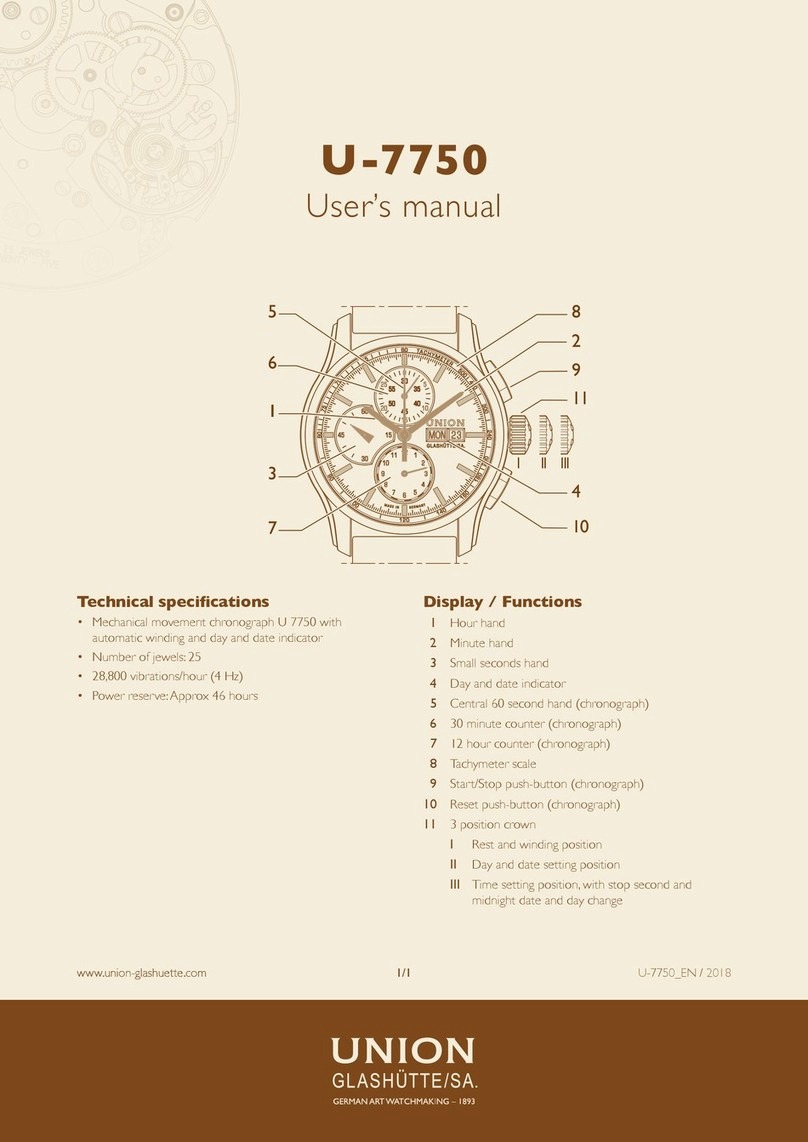
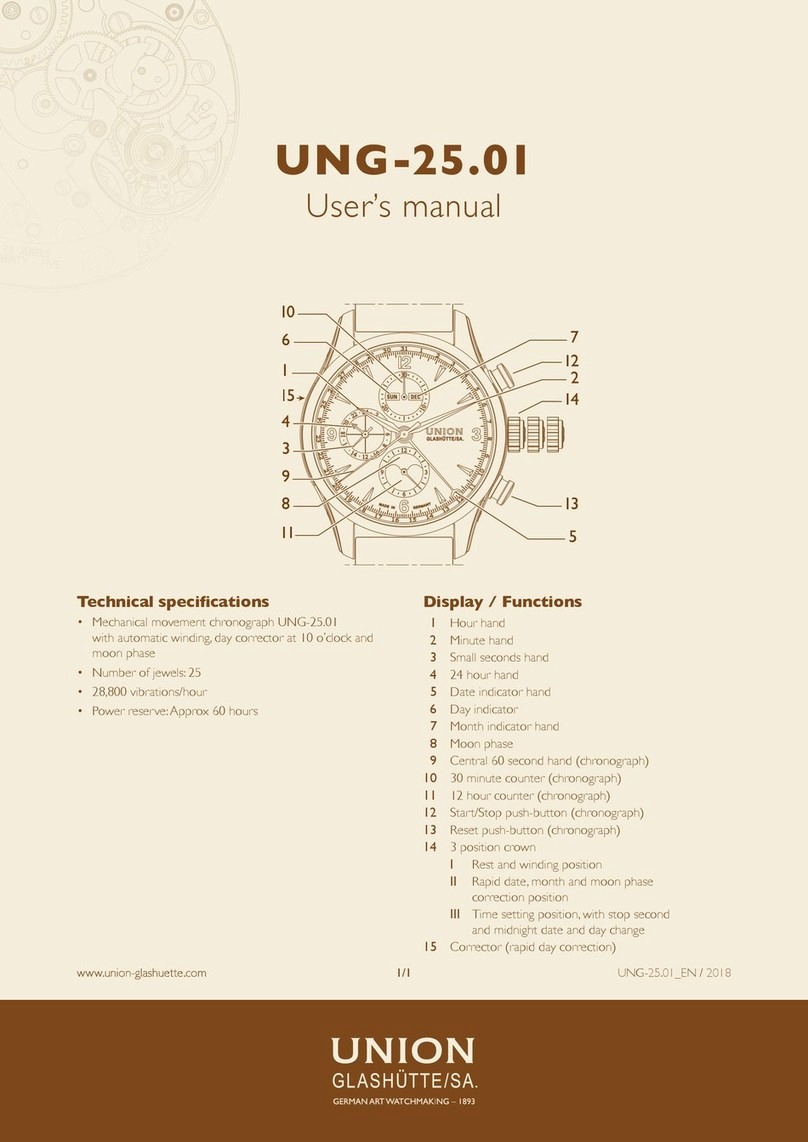
U-7751 A
User’s manual
Technical specications
• Mechanical movement chronograph U 7751 A with
automatic winding, day corrector at 10 o’clock and moon
phase
• Number of jewels: 25
• 28,800 vibrations/hour
• Power reserve:Approx 46 hours
Display / Functions
1 Hour hand
2 Minute hand
3 Small seconds hand
4 24 hour hand
5 Date indicator hand
6 Day indicator
7 Month indicator hand
8 Moon phase
9 Central 60 second hand (chronograph)
10 30 minute counter (chronograph)
11 12 hour counter (chronograph)
12 Start/Stop push-button (chronograph)
13 Reset push-button (chronograph)
14 3 position crown
I Rest and winding position
II Rapid date, month and moon phase correction
position
III Time setting position, with stop second and
midnight date and day change
15 Corrector (rapid day correction)
www.union-glashuette.com U-7751A_EN / 2018
2/2www.union-glashuette.com U-7751A_EN / 2018
U-7751 A
USE
Winding
Crown in position I, not pulled out
Manual winding is necessary if you have not worn your
watch for some considerable period of time.To restart it,
you only need to turn the crown a few times (clockwise),
or to tilt your watch from side to side a few times. To
restore your watch’s 46 hour power reserve, around 32
turns of the crown (forward) are required.
When wearing your watch, the automatic device winds it
every time you move your wrist.
Notes
The accuracy may be inuenced by the wearing conditions.
There is no stop of the crown at full winding.
Setting the time
Crown in position III, pulled out
Pull the crown out to position III carefully; the seconds
hand (3) will stop.Turn the crown forwards or backwards
to the desired time, and then push it back into the rest
position I.
Once the hour hand passes the 12 o’clock position, you
can see if it is indicating midnight (date and day will change)
or midday (date and day will not change).
Advice on how to synchronise your watch
To synchronise the seconds hand (3) with an ofcial time
signal (radio/TV/Internet), pull out the crown to position
III ; the seconds hand will stop. At the signal, push the
crown back into the rest position I.
Date and month correction
Crown in position II, intermediate
The date is indicated by the hand (5) and the month in the
aperture (7).You will need to re-set the date and month
manually after months with less than 31 days.
Pull the crown out to position II and turn it counterclockwise
until it displays the desired date and month. Push the
crown back into the rest position I. During this operation,
your watch will continue running, so the time will not need
to be re-set.
Important: Never correct the date between 10 p.m.
and 2 a.m.; the movement is changing the date and
possibly the month.
Moon phase correction
Crown in position II, intermediate
Pull the crown out to position II and turn it clockwise
to correct the moon position, referring to a lunar phase
chart. Push the crown back into the rest position I. During
this operation, your watch will continue running, so the
time will not need to be re-set.
Important: Moon phase correction is impossible bet-
ween 3 a.m. and 4 a.m.
Day correction
Press the corrector as many time as needed (15), to
move the disc forward until the desired day is displayed
in the aperture (6). During this operation, your watch will
continue running, so the time will not need to be re-set.
Important: Day correction is impossible between
9.30 p.m. and midnight.
Chronograph function
Press the Start/Stop push-button (12) to start the chrono-
graph. Press the Start/Stop push-button (12) again to stop
it. The chronograph will resume if the Start/Stop push-
button (12) is pressed again (added times), or the three
chronograph hands (9, 10 and 11) will return to zero if
push-button (13) is pressed.
CARE AND MAINTENANCE
We would advise you to clean your watch regularly (except
for the leather strap) using a soft cloth and lukewarm
soapy water.After immersion in salt water, rinse the watch
in fresh water and leave it to dry completely.
Ensure that you do not leave it in places subject to great
temperature and humidity variations, in intense sunlight or
near strong magnetic elds.
We recommend you have your watch inspected every
3 to 4 years by your approved dealer or agent. For an
irreproachable maintenance service and to ensure the
warranty remains valid, always approach an approved
dealer or agent.
Water resistance precautions
Your watch is water resistant but, following a shock, it
may lose its water resistance without you realising. Water
resistance must be checked up during its scheduled
inspection.
Important: In the event of failure of your watch, entrust
it only to an approved dealer or agent (see the
warranty)