6 11
5. General safety instructions
•This medical device is designed for single patient, multiple use.
•Fitting/service of this medical device is only allowed by a certificated orthopedic
professional.
•The professional should instruct the correct use of the device to the user.
•The joint must be protected against dust, moisture, aggressive media, and
mechanical forces so its function is not affected.
•The joint is intended for use at temperatures from 10°C to 50°C.
•Do not longer use the knee joint if its function is impaired. This may be due to
stiffness,restricted extension, noise generation, faulty swing phase control or
stance phase safety, as well as impact from an external force (for example, if
dropped). In such cases, it must be checked by a professional and, if necessary,
sent to Uniprox GmbH & Co. KG.
•There is a risk of jamming when the joint is in use.
•The product must not be changed or applied in any improper way. Non compliance
can impair the function of the product and thus no liability will be accepted.
•The safety of the user is not guaranteed if the product is not used for its intended
purpose. This will also terminate the warranty of the product.
•Joint components may heat up slightly during walking.
•Silicone spray should be used to prevent noises being generated by contact
between the cosmetic foam and knee joint. Do not use Talcum powder as it
removes lubricant from the bearings and may lead to impaired function as a result.
6. Installation
6.1 Alignment and Adjustment JT01
•The axis of rotation of the Modular Knee Joint JT01 is to position to the back by 10
to 20 mm with respect to the weight bearing line of the prosthesis.
•The Modular Knee Joint JT01 is already adjusted by the manufacturer, so it is ready
to be installed.
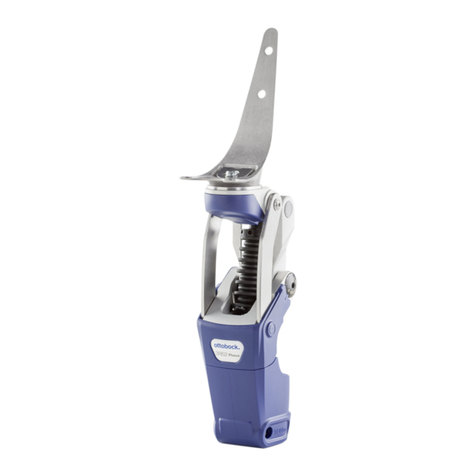
•The stop screw (see in picture No. 1 on page 5) is secured with Loctite. A minor
movement of the locking mechanism doesn´t impair the functioning! The locking
mechanism can be adjusted with the stop screw.
•Proceed as follows:
Loosen rubber ring (2) from the plastic cap (3), release locking and flex
knee joint.
Adjust the movement with a 6 mm Allen wrench.
•Turning to the right = more movement
•Turning to the left = less movement
Attention!
After adjustment by the stop screw be sure, that
the locking mechanism gets engaged and the joint
is locked reliably.
Secure head of the stop screw (1) with Loctite 222.
6.2 Alignment and Adjustment JT02
•The axis of rotation of the Modular Knee Joint JT02 is to position to the back by 10
to 15 mm with respect to the weight bearing line of the prosthesis.
•To adjust the locking function unlock and flex the knee joint until the set screw (1)
becomes visible.
Turning to the right =
reducing the hyperextension movement
Turning to the left =
increasing the hyperextension movement
Reducing the hyperextension movement makes it more difficult for the lock
to engage as well as to disengage.
3
1
2