Version 10.02.2014
VL2-CIC
Page
4
Vehicle BMW 1series (E87), 3series (E90/91/92/93), 5series
(E60/61/F10/F11), 6series (E63/64/F12/F13), 7series (F01/F02),
GT5 (F07), X1 (E84), X3 (F25), X5 (E70), X6 (E71), Z4 (E89)), Mini
from about 09/2010
Head-unit/monitor Business/Professional CIC-E an CIC-F navigation systems or
ra ios with colour isplay
with 4pin HSD LVDS monitor plug
Limitations
Ultra-wide mode Only available for ultra-wi e screens 8.8”/10.2”
Video only The interface inserts ONLY vi eo signals into the infotainment.
For soun use the possibly existing factory-au io-AUX-input or a
FM-mo ulator.
Factory-O S-display While reverse gear is engage ONLY the picture of the
with after-market rear-cam after-market rear-view camera is visible!
(Interface mo el VL2-CIC-F can isplay factory OPS an
after-market rear-view camera picture simultaneously.)
1.2. Checking the compatibilit of vehicle and accessories
1.3. Dip-switch settings
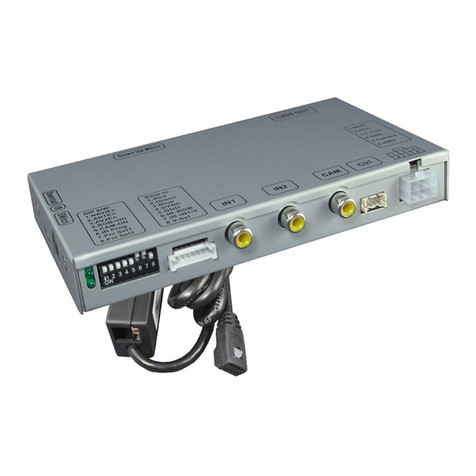
With the vi eo interface boxes ip-switches it is possible to select vehicle/navigation the
interface is to be installe in ( ip 7 an 8), to select the vi eo signal of an optional connecte
after-market navigation (Dip 4), to is- or enable the interfaces inputs
( ip 1 to 3) an to preselect the type of camera which is (to be) installe
( ip 5).
Dip position own is ON an position up is OFF.
1.3.1. Vehicle selection (dip 7-8)
Choose the vehicle/navigation/monitor the interface is to be installe to an set ip 7
through 8 accor ing to the below table.
Vehicle/Navigation Resolution Dip 7 Dip 8
BMW CIC with 8.8”/10.2” ultra-wi e monitor 1246 x 480 ON OFF
BMW CIC with 6.5” monitor 800 x 480 ON ON
www.eldibg.com
car audio & multimedia system