manuals.online logo
Brands
  1. Home
  2. •
  3. Brands
  4. •
  5. Vacon
  6. •
  7. Controllers
  8. •
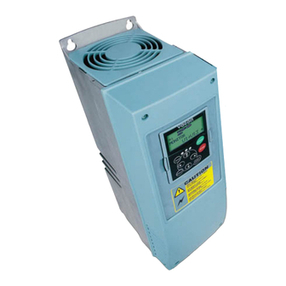
  9. Vacon 10 User manual

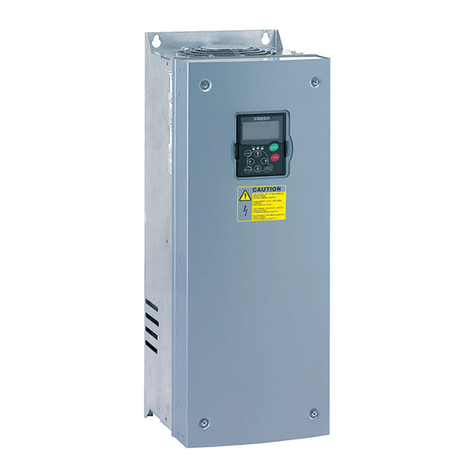
Vacon 10 User manual

Other manuals for 10

8

Other Vacon Controllers manuals

Vacon NX User manual

Vacon

Vacon NX User manual

Vacon 100 INDUSTRIAL User manual

Vacon

Vacon 100 INDUSTRIAL User manual
Vacon 100X series Manual

Vacon

Vacon 100X series Manual

Vacon NX series Instructions for use

Vacon

Vacon NX series Instructions for use

Vacon 20 CP/X Instructions for use

Vacon

Vacon 20 CP/X Instructions for use

Vacon optbj User guide

Vacon

Vacon optbj User guide

Vacon optc3 User manual

Vacon

Vacon optc3 User manual

Vacon NXP User manual

Vacon

Vacon NXP User manual

Vacon NXP series User manual

Vacon

Vacon NXP series User manual

Vacon 100X series User manual

Vacon

Vacon 100X series User manual

Vacon NX series Instructions for use

Vacon

Vacon NX series Instructions for use

Vacon NX6 Guide

Vacon

Vacon NX6 Guide

Vacon NXS series User manual

Vacon

Vacon NXS series User manual

Vacon 100 HVAC User manual

Vacon

Vacon 100 HVAC User manual

Vacon NX User manual

Vacon

Vacon NX User manual

Vacon 20 User manual

Vacon

Vacon 20 User manual

Vacon 100 INDUSTRIAL User manual

Vacon

Vacon 100 INDUSTRIAL User manual

Vacon 100 INDUSTRIAL Instructions for use

Vacon

Vacon 100 INDUSTRIAL Instructions for use

Vacon OPTAF User manual

Vacon

Vacon OPTAF User manual

Vacon X5EIP01 User manual

Vacon

Vacon X5EIP01 User manual

Vacon 20 User manual

Vacon

Vacon 20 User manual

Vacon 100 flow User manual

Vacon

Vacon 100 flow User manual

Vacon 100 INDUSTRIAL User manual

Vacon

Vacon 100 INDUSTRIAL User manual
Vacon 50X User manual

Vacon

Vacon 50X User manual

Popular Controllers manuals by other brands

Sunricher SR-ZV9003T3-RGBW-US Installation

Sunricher

Sunricher SR-ZV9003T3-RGBW-US Installation

Ksenia intro Installation and configuration manual

Ksenia

Ksenia intro Installation and configuration manual

Inovance CAN200 Series manual

Inovance

Inovance CAN200 Series manual

Gauzy LC6 FLEX Controller Installation and operation guide

Gauzy

Gauzy LC6 FLEX Controller Installation and operation guide

Viking SLP-1 Technical practice

Viking

Viking SLP-1 Technical practice

CKD KBX-30E-U Series instruction manual

CKD

CKD KBX-30E-U Series instruction manual

Sharp Energy Sun Flux User manual & installation guide

Sharp Energy

Sharp Energy Sun Flux User manual & installation guide

Yamaha RCX40 user manual

Yamaha

Yamaha RCX40 user manual

AB Quality PowerFlex 400 Frames D-H Service bulletin

AB Quality

AB Quality PowerFlex 400 Frames D-H Service bulletin

Yamaha MJC8 owner's manual

Yamaha

Yamaha MJC8 owner's manual

AL-KO ATC operating instructions

AL-KO

AL-KO ATC operating instructions

Savant SmartControl 2 Deployment guide

Savant

Savant SmartControl 2 Deployment guide

GameSir T3S user manual

GameSir

GameSir T3S user manual

Kostal inveor operating manual

Kostal

Kostal inveor operating manual

Emerson Yarway 20-55 Operating and safety instructions

Emerson

Emerson Yarway 20-55 Operating and safety instructions

CoCo ACM-LV24 Quick installation guide

CoCo

CoCo ACM-LV24 Quick installation guide

Brooks SLA5810/20 Installation and operation manual

Brooks

Brooks SLA5810/20 Installation and operation manual

SIGMA TEK SR 011 Technical manual

SIGMA TEK

SIGMA TEK SR 011 Technical manual

manuals.online logo
manuals.online logoBrands
  • About & Mission
  • Contact us
  • Privacy Policy
  • Terms and Conditions

Copyright 2025 Manuals.Online. All Rights Reserved.

1•vacon safety
Tel. +1 877 822 6606 • Fax +1 717 264 3115
1
This quick guide includes the essential steps for easy
installation and setup of your Vacon 10 frequency converter.
Before commissioning your drive, download and read the complete
Vacon 10 User Manual available at:
www.vacon.com -> Support & Downloads
1. SAFETY
ONLY A COMPETENT ELECTRICIAN IS ALLOWED TO CARRY
OUT THE ELECTRICAL INSTALLATION!
This quick guide contains clearly marked warnings which are intended for your per-
sonal safety and to avoid any unintentional damage to the product or connected ap-
pliances.
Please read these warnings carefully:
The components of the power unit of the frequency converter
are live when Vacon 10 is connected to mains. Coming into
contact with this voltage is extremely dangerous and may
cause death or severe injury.
The motor terminals U, V, W (T1, T2, T3) and the possible brake
resistor terminals -/+ are live when Vacon 10 is connected to
mains, even if the motor is not running.
The control I/O-terminals are isolated from the mains poten-
tial. However, the relay output terminals may have a danger-
ous control voltage present even when Vacon 10 is
disconnected from mains.
The earth leakage current of Vacon 10 frequency converters
exceeds 3.5mA AC. According to standard EN61800-5-1, a
reinforced protective ground connection must be ensured.
See Chapter 7!
If the frequency converter is used as a part of a machine, the
machine manufacturer is responsible for providing the
machine with a main switch (EN 60204-1).
If Vacon 10 is disconnected from mains while running the
motor, it remains live if the motor is energized by the process.
In this case the motor functions as a generator feeding energy
to the frequency converter.
After disconnecting the frequency converter from the mains,
wait until the fan stops and the indicators on the display go
out. Wait 5 more minutes before doing any work on Vacon 10
connections.
The motor can start automatically after a fault situation, if
autorestart function has been activated.
!
installation vacon •2
24-hour support +1 877 822 6606 • Email: [email protected]
2
2. INSTALLATION
2.1 Mechanical installation
There are two possible ways to mount Vacon 10 in the wall; either screw or DIN-rail
mounting.
Figure 1: Screw mounting (left) and DIN-rail mounting (right)
NOTE! See the mounting dimensions on the back of the drive.
Leave free space for cooling above (4 in) and below (2 in) Vacon 10,and on the sides
(4 in) of Vacon 10! (Side-to-side installation allowed only if the ambient temperature
is below 104F).
Figure 2: Attaching the PE-plate and API cable support
Attach this plate
BEFORE installing
the power cables
Attach the support
AF TER i nst al lin g
the power cables
12
MI2-3MI1
=M 4 =M 5
3•vacon installation
Tel. +1 877 822 6606 • Fax +1 717 264 3115
2
2.2 Cabling and connections
2.2.1 Power cabling
Note! Tightening torque for power cables is 4 - 5 in-lbs.
Figure 3: Vacon 10 power connections, MI1
Figure 4: Vacon 10 power connections, MI2 - MI3
1~ (230V)
3~ (230V, 400V)
Motor out
MAINS MOTOR
Strip the
plastic cable
coating for
360° earthing
L1 L2/N L3 U/T1 V/T2 W/T3R+ R-
1~ (230V)
3~ (230V, 4 00V)
1~ (115V)
MAINS MOTOR
BRAKE
RESISTOR
Strip the
plastic
cable
coating
for 360°
earthing
External brake resistor
3~
(230, 400V)
Motor out
installation vacon •4
24-hour support +1 877 822 6606 • Email: [email protected]
2
2.2.2 Control cabling
Figure 5: Open the cover
Figure 6: Install the control cables. See next page!
Strip the plastic
cable coating for
360°earthing
Control cable
tightening
torque: 3 in-lbs
5•vacon control i/o
Tel. +1 877 822 6606 • Fax +1 717 264 3115
3
3. CONTROL I/O AND TERMINALS(API FULL)
Reference:
Potentiometer: 1~10K +/- 5%
Table 1: Vaco
n
10 General purpose application default I/O
configuration and connections ,API Full(see information on other API’s
in User manual)
P) = Programmable function, see User manual, Parameters
Vacon 10 I/O terminals:
Terminal Signal Factory preset Description
1 +10Vref Ref. voltage out Maximum load 10 mA
2 AI1 Analog signal in 1 Freq. reference P) 0 - +10 V Ri = 200 k
(min)
3 GND I/O signal ground
6 24Vout 24V output for DI's %, max. load 50 mA
7 GND I/O signal ground
8 DI1 Digital input 1 Start forward P)
0 - +30 V Ri = 12 k min
9 DI2 Digital input 2 Start reverse P)
10 DI3 Digital input 3 Preset speed B0 P)
A A RS485 signal A FB Communication Positive
B B RS485 signal B FB Communication Negative
4 AI2 Analog signal in 2 PI actual value P) 0(4) - 20 mA, Ri = 200
5 GND I/O signal ground
13 GND I/O signal ground
14 DI4 Digital input 4 Preset speed B1 P) 0 - +30 V Ri = 12 k min
15 DI5 Digital input 5 Fault reset P)
16 DI6 Digital input 6 Disable PI controlP)
18 AO Analog signal out Output frequency P) 0(4) - 20 mA, RL = 500
20 DO Digital signal out Active = READYP) Open collector, max. load
48V/50mA
22 RO 13 Relay out 1 Active = RUN P) Max. switching load:
250Vac/2A or 250Vdc/0,4A
23 RO 14
24 RO 22 Relay out 2 Active = FAULT P) Max. switching load:
250Vac/2A or 250Vdc/0,4A
25 RO 21
26 RO 24
Ω
20±
Ω
Ω
Ω
Ω
mA
451314
15 16 18 20
198763210
A I2 GND GND DI4 DI5 DI6 AO DO
+10V A I1 GND GND24V DI1 DI2 DI3
RO1 RO1
22 23
AB
RO2-
RO2RO2
26
25 24
+ = API LIMITED = API RS485
navigation & startup vacon •6
24-hour support +1 877 822 6606 • Email: [email protected]
4
4. NAVIGATION & STARTUP
4.3 The main menus of Vacon 10
Figure 7: The main menu of Vacon 10
Note! You can quickly change the active control
place from remote to local and back by pressing
the navigation wheel for a few seconds!
Hz Hz
FWD R EV I/O K EYPAD BUS
REF
MON
PA R
FLT
FAULTALARMSTOPREADY RU N
FWD REV I/O KEYPAD BUS
REF
PA R
FLT
FAULTALARMSTOPREADY RUN
MON
PUSH
FWD REV I/O KEYPAD BUS
REF
PAR
FLT
FAUL
T
ALARMSTOPREADY RUN
MON
FWD REV I/O KEYPAD BUS
REF
PAR
FLT
FAULTALARMSTOPREADY RUN
MON
PUSH
FWD REV I/O KEYPAD BUS
REF
PAR
FLT
FAUL
T
ALARMSTOPREADY RUN
MON
FWD REV I/O KEYPAD BUS
REF
PAR
FLT
FAULTALARMSTOPREADY RUN
MON
PUSH
FWD REV I/O KEYPAD BUS
REF
PAR
FLT
FAU L
T
ALARMSTOPREADY RUN
MON
ROTATE
ROTATE
ROTATE
REFERENCE
MENU
Displays the
keypad reference
value
regardless of
the selected
control place.
MONITORING
MENU
In this menu
you can
browse t he
monitoring
values.
PA RA MET ER
MENU
In this menu
you can
browse and
edit the
parameters.
FAULT HISTORY
MENU
Here you will
be able
to browse
through the
faults occurred.
PUSH
FWD REV I/O KEYPAD BUS
REF
MON
PAR
FLT
FAUL
T
ALARMSTOPREADY RUN
7•vacon navigation & startup
Tel. +1 877 822 6606 • Fax +1 717 264 3115
4
4.4 Commissioning and startup wizard
4.4.1 Commissioning steps:
4.4.2 Startup wizard
Vacon 10 runs the startup wizard in first power-up. After that the wizard can be run
by pressing STOP for 5 seconds in main menu. The following figures show the pro-
cedure.
NOTE! Running the startup wizard will always return all parameter
settings to their factory defaults!
Figure 8: Vacon 10 startup wizard (General purpose application)
1. Read safety instructions on page 1 7. Perform test run without motor, see the
User Manual at www.vacon.com
2. Secure the grounding and check that cables
comply with requirements
8. Run no-load tests without motor being con-
nected to the process
3. Check quality and quantity of cooling air 9. Perform an identification run (Par. ID631)
4. Check that all start/stop switches are in
STOP position
10. Connect the motor to the process and per-
form test run once again
5. Connect the drive to mains 11. Vacon 10 is now ready for use
6. Run the Startup wizard and set all necessary
parameters
Table 2: Commissioning steps
FAULTALARMSTOPREADY RUN
REF
MON
PAR
FLT
FAUL
T
ALARMSTO PREADY R UN
REF
MON
PAR
FLT
FAULTALARMSTOPREADY RUN
REF
MON
PA R
FLT
rp m
Push to enter edit mode Select motor
nominal speed
and push
to confirm.
Press STOP
for 5 seconds
in main menu
1
4
3
PERFORM THE SAME
PROCEDURE FOR PAR. 1.4,
MOTOR NOMINAL CURRENT
5
PERFORM DRIVE SETUP,
PAR. 13.2, SEE NEXT PAGE
2
Alternates
in the display
navigation & startup vacon •8
24-hour support +1 877 822 6606 • Email: [email protected]
4
Figure 9: Drive setup
FAULTALARMSTOPREADY RUN
REF
MON
PAR
FLT
FA
U
ALARMSTO PREADY R UN
REF
MON
PAR
FLT
FAULTALARMSTOPREADY RUN
REF
M
ON
PA R
FLT
FAULTALARMSTOPREADY RUN
REF
MO N
PAR
FLT
0
Hz 3 s 3 s
1,1 x
IV
*
50/
60
Hz
0= 0=0= 0=
Ai1
0-10V
20
Hz
20 s
0=
0=
0= 0=
Ai1
0-10V
20
Hz
5 s
0=
1=
0= 0=
Ai1
0-10V
0
Hz 1 s
0= 0=1= 0=
Ai1
0-10V
NMOT
I/O
I/O
I/O
I/O
V
*
V
*
V
*
P3.2P3.1 P4.2 P4.3
P1.7P1.1 P1.2 P2.2 P2.3P1.15 P3.3P2.1
123
4
1,1 x
I
NMOT
1,1 x
I
NMOT
1,5 x
I
NMOT
5 s
20 s
1 s
50/
60
Hz
50/
60
Hz
50/
60
Hz
50/
60
Hz
50/
60
Hz
50/
60
Hz
50/
60
Hz
0= Basic
*Same as drive voltage,
except in 115V drives
this value is 230V
1= Pump drive
2= Fan drive
3= Conveyor
drive
Push to enter
edit mode. Select between
0 - 3, see below!
Selections:
Parameters
affected:
P3.2 Max frequency
P3.1 Min frequency
P4.2 Acc. time (s)
P4.3 Dec time (s)
P1.7 Current limit (A)
P2.2 Start function
P2.3 Stop function
P1.15 Torque boost P3.3 I/O reference
P2.1 Control place
Startup wizard
shows par 13.2
number.
Push to
confirm
drive setup
P1.1 Motor Un (V)
P1.2 M ot or fn (H z)
Ramp Coast.Not
used
Ramp
Coast.
Not
used
Ramp
Ramp
Not
used
Ramp Coast.Used
9•vacon monitoring & parameters
Tel. +1 877 822 6606 • Fax +1 717 264 3115
5
5. MONITORING & PARAMETERS
NOTE! Complete parameter listing and descriptions are given in Vacon 10 User
Manual on: www.vacon.com -> Support & downloads.
5.1 Monitoring values
Code Monitoring signal Unit ID Description
M1.1 Output frequency Hz 1 Frequency to the motor
M1.2 Frequency reference Hz 25
M1.3 Motor shaft speed rpm 2 Calculated motor speed
M1.4 Motor current A 3 Measured motor current
M1.5 Motor torque % 4 Calculated actual/nominal
torque of the motor
M1.6 Motor power % 5 Calculated actual/nominal
power of the motor
M1.7 Motor voltage V 6 Motor voltage
M1.8 DC-link voltage V 7 Measured DC-link voltage
M1.9 Unit temperature °C 8 Heat sink temperature
M1.10 Motor temperature % Calculated motor temperature
M1.11 Analogue input 1 % 13 AI1 value
M1.12 Analogue input 2 % 14 AI2 value ONLY IN API FULL!
M1.13 Analogue output % 26 AO1 ONLY IN API FULL!
M1.14 DI1, DI2, DI3 15 Digital input statuses
M1.15 DI4, DI5, DI6 16 Digital input statuses
ONLY IN API FULL!
M1.16 RO1, (also RO2, DO in
API FULL) 17 Relay/digital output statuses
M1.17 PI setpoint % 20 In percent of the maximum
process reference
M1.18 PI feedback % 21 In percent of the maximum
actual value
M1.19 PI error value % 22 In percent of the maximum error
value
M1.20 PI Output % 23 In percent of the maximum out-
put value
Table 3: Vacon 10
API RS-485
monitoring values (General purpose application)